 Design
 App Development
 Web Engineering
 AI Services
 Cloud
Cloud Staffing
 Startups
 Health / Fitness
 Education
 Social
 Nonprofit
 Fintech
 Construction
 Logistics
 Government
 Travel/Hospitality
 HR Software
 About Simpalm
 Our News
 Client Testimonials
 Careers
 Our Blog
 Awards
 Resources
 Information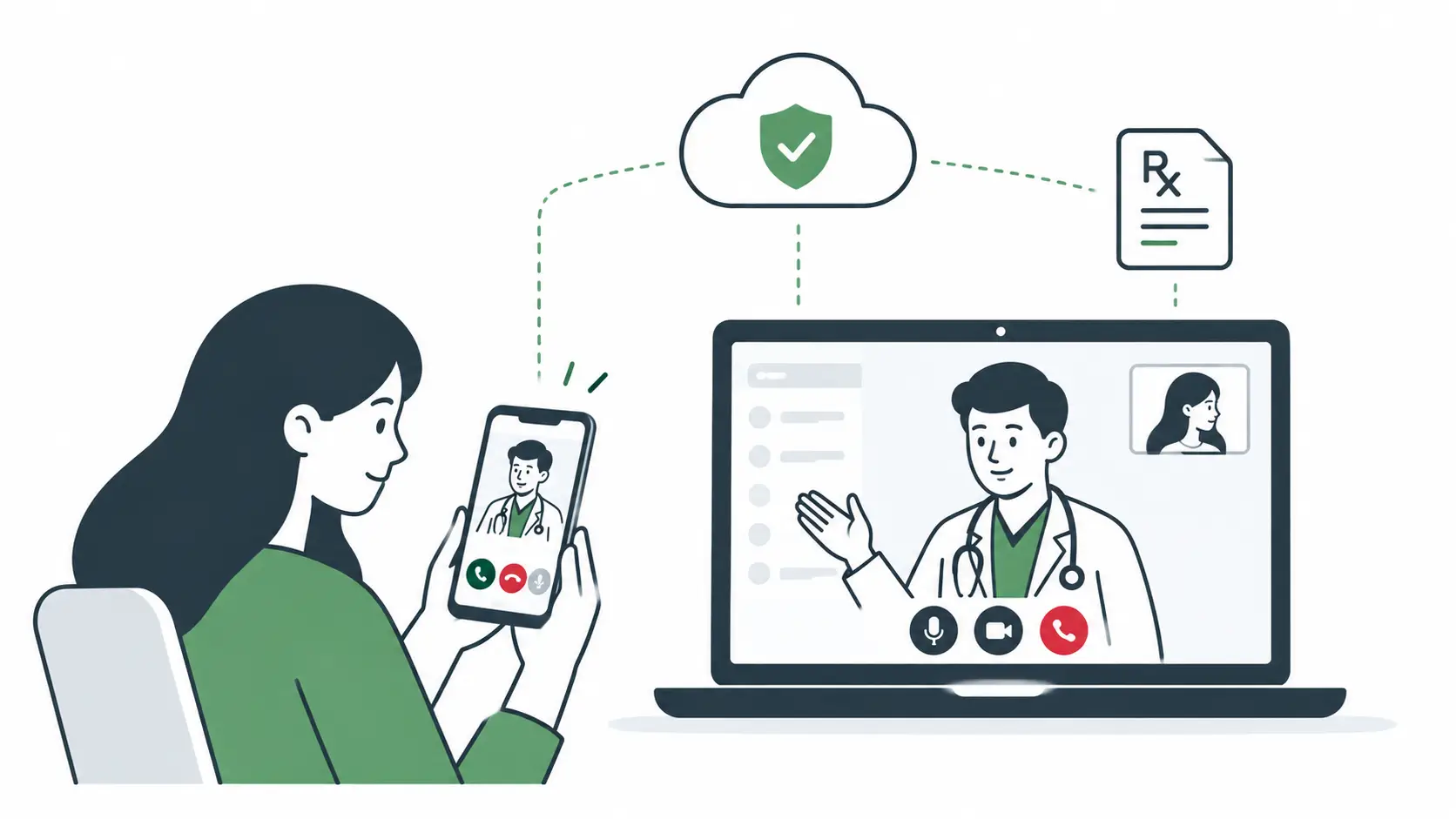
Key Takeaways
- The type of telemedicine service you build, such as video consultations, asynchronous care, remote patient monitoring, or a hybrid model, determines the platform’s core features, technology infrastructure, compliance requirements, and development cost.
- Custom telemedicine development, white-label platforms, and third-party video SDKs offer different trade-offs in customization, launch speed, development cost, and vendor dependency, making the right choice dependent on your business and technical requirements.
- A telemedicine platform must support complete patient, provider, and administrative workflows, including registration, appointment scheduling, consultations, clinical documentation, prescriptions, payments, referrals, and follow-up care.
- HIPAA compliance, state-specific provider licensing, data security, and third-party vendor requirements must be built into the telemedicine platform from the start, while long-term success depends on patient retention, provider adoption, reliable video consultations, and platform performance.
_________________________________________________________________________________________
Telemedicine used to mean one thing: a doctor and a patient on a video screen. That definition no longer holds. Today’s platforms handle remote monitoring, asynchronous messaging, e-prescribing, insurance billing, and AI-assisted documentation, often within a single patient journey.
The scale of this shift shows up in the numbers. According to Grand View Research, the global telemedicine market was valued at $141.19 billion in 2024 and is projected to reach $380.33 billion by 2030, growing at 17.55 percent annually. That growth reflects adoption that has already happened. The CDC’s National Health Interview Survey found that 35.3 percent of adults aged 18 to 64 had a telemedicine visit in the past 12 months, a figure that is now simply the baseline.
That baseline changes what building a telemedicine platform means in 2026. It’s no longer enough to be clinically useful. It also has to be compliant, secure against mobile and API-specific threats, and scalable enough to handle demand that shows no sign of leveling off. This guide walks through the decisions that determine whether a telemedicine platform succeeds on all four fronts.
Choosing the Right Telemedicine Model
Before a healthcare provider or SaaS founder starts building the telemedicine platform, they should decide what kind of care platform they want to build. This decision determines the tech stack, the compliance burden, and the cost of everything that follows.
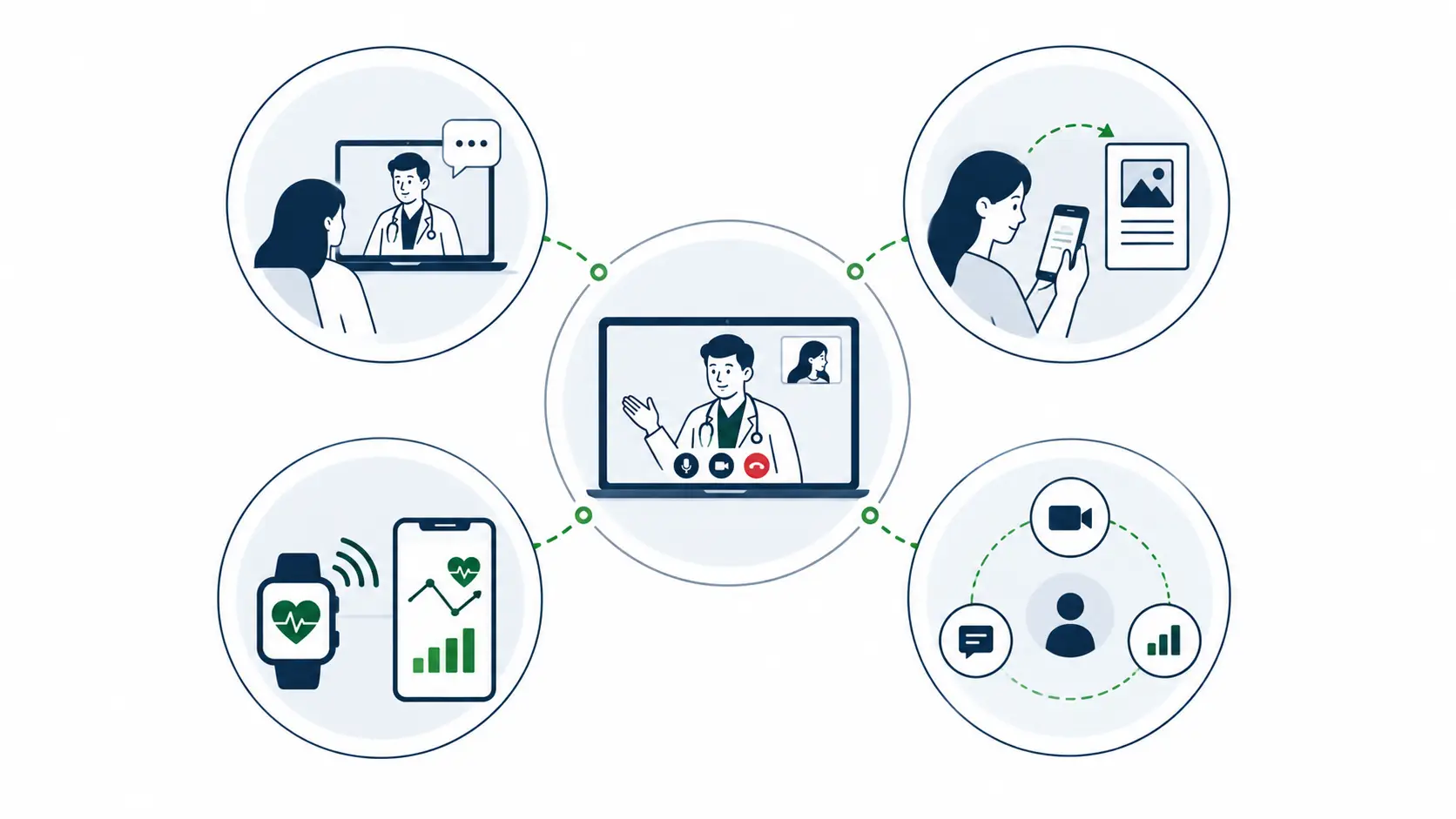
- Synchronous care – is real-time video or audio consultation. It’s the model most people picture, and it’s the backbone of platforms like Teladoc Health and Amwell, where a patient books a slot, connects live with a physician, and gets a diagnosis or prescription in the same session. Synchronous care fits urgent care, primary care, and any scenario where real-time dialogue changes the clinical decision.
- Asynchronous care –, also called store-and-forward, doesn’t require both parties online at once. A patient submits photos, symptoms, or documents, and a provider reviews the case on their own schedule. Teledermatology is the clearest example: platforms such as Miiskin let patients upload photos of a skin condition and receive a diagnosis without ever joining a video call. Direct-to-consumer prescription services for conditions like acne or hair loss, the model used by companies such as Hims & Hers and Nurx, run on the same logic. Asynchronous care works anywhere a visual or written record is enough to make a clinical decision, and it lets providers review far more cases per day than a video schedule allows.
- Remote patient monitoring (RPM) – collects health data continuously or periodically, usually through connected devices, and feeds it to a care team for ongoing management. Teladoc’s Livongo program for diabetes management and Omada Health’s chronic condition coaching both pair connected glucose meters or blood pressure cuffs with a care team that intervenes when readings fall outside a healthy range. RPM is built for chronic disease management and any situation where the value comes from watching a trend rather than a single data point.
- Hybrid models – combine two or more of the above. A hospital system might offer synchronous visits for new complaints, asynchronous messaging for follow-ups, and RPM for patients managing hypertension, all inside one platform. Hybrid is the most complex model to build, but it’s increasingly the default for health systems serving a full range of patient needs.
| Business Goal | Suitable Model | Typical Use Case |
| Fast, real-time diagnosis | Synchronous | Urgent care, therapy, primary care |
| High-volume, low-friction visits | Asynchronous | Dermatology, prescription renewal |
| Ongoing chronic disease management | Remote Patient Monitoring | Diabetes, hypertension, post-op recovery |
| Full-spectrum patient care | Hybrid | Hospital systems, multi-specialty groups |
The model you choose affects far more than the interface. Synchronous platforms need low-latency video and provider scheduling logic. Asynchronous platforms need strong document handling and a queue-based review workflow. RPM platforms need device integrations and alerting logic. Hybrid platforms need all of it, plus the orchestration layer that ties the pieces together.
Mapping Features to Patient, Provider, and Admin Workflows
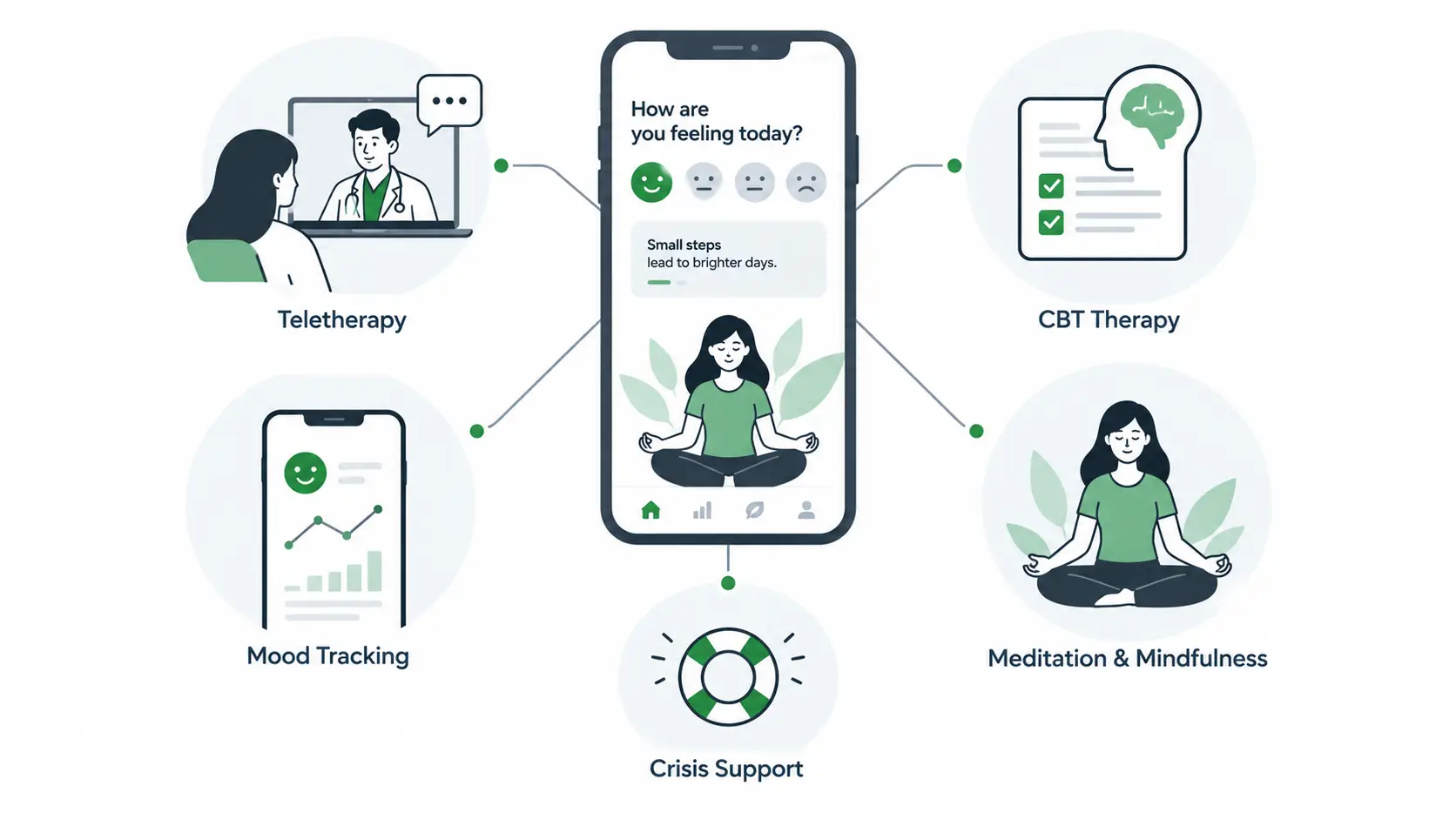
A feature list tells you little about whether a platform actually works. What matters is how those features map onto the people using them day to day.
Patient Workflow in Telemedicine App
The patient workflow moves through registration with identity verification, provider discovery and appointment booking, a step that deserves the same rigor as dedicated healthcare appointment scheduling systems built to reduce no-shows, pre-consultation forms, the consultation itself, and prescription, payment, and follow-up. Here are the key features:
- Registration and identity verification: account creation, identity checks, insurance details, and medical history.
- Provider discovery and appointment booking: searching for providers, reviewing availability, selecting appointment times, and managing cancellations or rescheduling.
- Pre-consultation and consultation: completing intake forms, sharing symptoms or documents, joining video or audio consultations, and communicating with the provider.
- Prescription, payment, and follow-up: receiving prescriptions, completing payments, accessing visit summaries, and managing follow-up appointments or care instructions.
Service Provider Workflow in Telemedicine App
The provider workflow runs in parallel: onboarding and license verification, schedule management, patient records ideally synced with an EHR, e-prescriptions and referrals, and billing.
Here are the important features of provider workflow in telemedicine app:
- Provider onboarding and credentialing: account setup, license verification, specialty details, and credential renewals.
- Schedule and appointment management: setting availability, reviewing upcoming appointments, handling cancellations, and managing patient queues.
- Patient records and clinical documentation: reviewing patient information, accessing medical records, documenting consultations, and syncing relevant data with an EHR.
- Prescriptions, referrals, and billing: issuing e-prescriptions, creating referrals, completing billing workflows, and tracking payments or reimbursement information.
Admin Workflow in Telemedicine App
The admin workflow keeps the platform running:
- Provider and patient management: account status, credentialing renewals, support tickets.
- Appointment and platform monitoring: utilization dashboards and no-show tracking.
- Payments and reporting: revenue reconciliation and payer reporting.
- Compliance and audit management: access logs, breach monitoring, retention policies.
More platforms now layer AI on top of these workflows rather than replacing them. Ambient documentation tools can draft a consultation note as a provider talks, cutting charting time. AI-assisted triage can route a symptom description to the right specialty or flag urgent cases. Automated follow-ups can check in with RPM patients between readings without a provider initiating every touchpoint. These work best when built into the workflow from the start, since retrofitting AI later is harder than designing for it upfront.
Build, Buy, or Integrate: Choosing Your Development Path
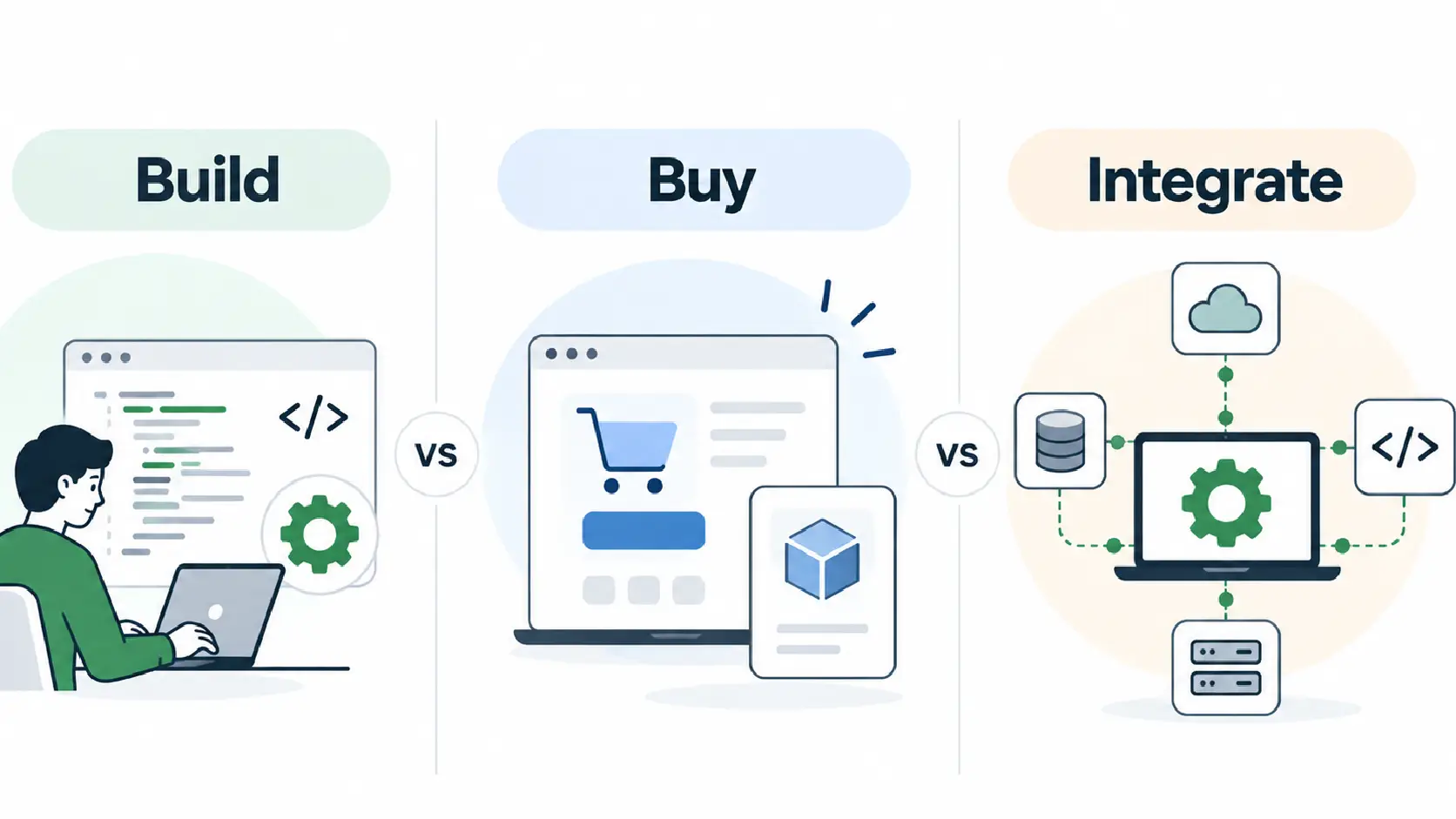
Once the model and workflows are clear, the next decision is how to build the platform. There are three realistic paths, and each trades off cost, speed, and control differently.
Custom development means building the entire platform, including your own video infrastructure and scheduling engine, from the ground up. It gives maximum control but takes the longest and costs the most upfront. Large hospital systems and well-funded telehealth companies planning to differentiate on clinical workflow tend to choose this route. Our guide to healthcare app development covers the broader process of scoping a custom clinical build.
White-label platforms are pre-built telehealth systems a business can rebrand and launch within weeks. A regional clinic group or a new DTC health startup might license one to get a working video-visit system live fast, accepting a ceiling on customization in exchange for speed.
| Approach | Development Cost | Time to Market | Customization | Vendor Dependency |
| Custom development | Highest | Longest (6-12 months) | Full | Low |
| White-label platform | Lowest | Fastest (weeks) | Limited | High |
Custom development buys ownership, white-label buys speed, and SDK integration buys focus. The right choice depends on whether your competitive advantage lives in the clinical workflow, the brand, or the speed of launch.
Businesses with a clear, differentiated care model usually lean custom or SDK integration. Businesses entering a crowded market where speed matters more than uniqueness often start white-label and migrate to a custom build once the model is validated.
Choosing Your Tech Stack and Video Infrastructure
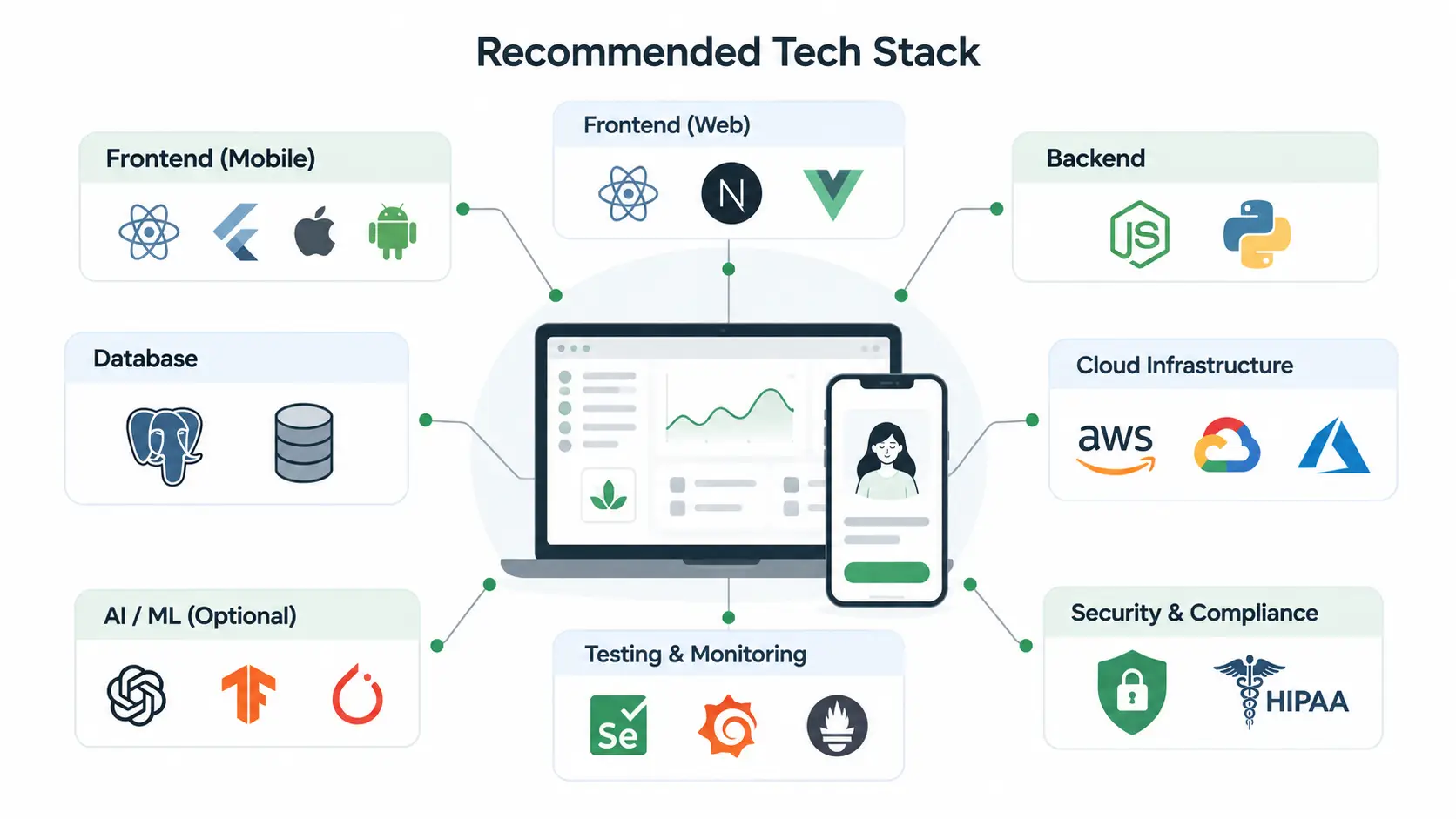
A telemedicine platform is built in layers: frontend and mobile apps for the patient and provider interface, backend and APIs for authentication and scheduling logic, a database storing records and audit logs encrypted at rest, cloud infrastructure (usually AWS, Azure, or Google Cloud) requiring a signed Business Associate Agreement before any protected health information touches it, a video and communication layer, and payments and healthcare integrations connecting to processors, insurance checks, and EHR systems.
Recommended Tech Stack for a Telemedicine Platform
| Layer | Recommended Technologies | Why It Fits Telemedicine |
| Web frontend | React.js, Next.js, TypeScript | Supports responsive provider/admin portals with strong performance and maintainability |
| Mobile apps | React Native or Flutter | Enables cross-platform patient and provider apps while reducing development overhead |
| Backend | Node.js with NestJS or Python with FastAPI | Handles authentication, scheduling, notifications, APIs, and real-time workflows efficiently |
| Database | PostgreSQL | Well suited for structured healthcare, appointment, billing, and user data with strong reliability |
| Caching & real-time data | Redis, WebSockets | Supports session management, appointment availability, notifications, and real-time status updates |
| Cloud infrastructure | AWS, Microsoft Azure, or Google Cloud | Provides scalable infrastructure and healthcare-focused compliance capabilities; use only services covered by the required BAA for PHI |
| Video & communication | Twilio, Vonage, Daily, Agora, or WebRTC | Provides secure video consultations, messaging, and real-time communication |
| Payments | Stripe or healthcare-focused payment APIs | Supports patient payments, subscriptions, refunds, and other billing workflows |
| Healthcare integrations | FHIR, HL7, EHR APIs | Enables interoperability with EHRs, patient records, labs, and clinical systems |
| Push notifications | Firebase Cloud Messaging, Apple Push Notification service | Supports appointment reminders, prescription updates, and other time-sensitive alerts |
| Storage & CDN | AWS S3 + CloudFront or equivalent | Handles documents, medical files, and other assets with scalable storage and delivery |
| Monitoring & security | Datadog, New Relic, cloud-native monitoring | Helps track uptime, API performance, errors, access events, and infrastructure health |
The video layer deserves particular attention, since it’s the component most businesses evaluate without enough rigor:
- Twilio: HIPAA-eligible with a signed BAA available, strong documentation, and video, voice, and messaging in one ecosystem, suited to teams wanting a single vendor.
- Vonage: similar in scope to Twilio, with strong reliability and robust session recording and analytics.
- Daily.co: built specifically around video with prebuilt UI components, shortening development time.
- Agora: known for low-latency performance at global scale, a fit for platforms with international or variable-network usage.
- Custom WebRTC: building the video layer in-house, which makes sense mainly at significant scale, where savings on per-minute fees offset the cost of building and maintaining it.
Consider the following comparison table to compare SDK with custom WebRTC to measure which one suits your business needs:
| Factor | Third-Party SDK | Custom WebRTC |
| Time to launch | Weeks | Months |
| HIPAA/BAA availability | Available from major vendors | Fully self-managed |
| Cost at low-to-mid volume | Lower | Higher |
| Cost at very high volume | Can climb with per-minute pricing | Lower once amortized |
| Maintenance burden | Handled by vendor | Owned by your team |
For most new telemedicine platforms, a third-party video SDK is the more sensible starting point. It gets a compliant, reliable video experience live in weeks rather than months, freeing engineering effort for the parts of the platform that are actually differentiated. Custom WebRTC generally becomes worth the investment only once call volume is high enough that per-minute costs would exceed the cost of owning the infrastructure.
What Telemedicine Platform Development Actually Costs?
Cost depends far more on business model and integration scope than on team size. A DTC app with a single specialty and no EHR integration costs a fraction of what a hospital-integrated platform with multi-payer billing requires.
| Platform Type | Estimated Cost Range | Complexity | Typical Functionality |
| DTC telemedicine platform | $60,000 to $150,000 | Low to moderate | Video visits, scheduling, e-prescribing, payments |
| Hospital/health-system integrated | $150,000 to $400,000 | High | EHR integration, multi-provider scheduling, insurance billing |
| Hybrid or multi-provider platform | $150,000 to $400,000 | High | Sync and async care, RPM, care coordination |
Several factors push cost up or down within these ranges:
- Number of user roles: separate patient, provider, and admin experiences cost more than a single-role app.
- Video infrastructure: custom WebRTC adds cost compared to SDK integration.
- EHR/EMR integrations: connecting to systems like Epic or Cerner is the largest, most underestimated cost driver.
- RPM capabilities: device integrations and alerting logic add engineering time.
- AI features and compliance architecture: documentation, triage, audit logging, and BAAs across every vendor add scope.
- Payment and insurance integrations: eligibility checks and claims are more complex than standard payments.
- Multi-platform development: building for iOS, Android, and web at once multiplies frontend cost.
An MVP proving out a single care model, say, asynchronous dermatology, can launch near the lower end of the DTC range. A production-grade enterprise platform integrating with hospital systems across multiple payers and specialties will sit well above these ranges and should be planned as a multi-phase investment.
Common Pitfalls in Telemedicine Development
Telemedicine platforms involve more than connecting patients and providers through video. Development can run into challenges across compliance, integrations, provider workflows, infrastructure, and scalability. Identifying these issues early can help teams avoid costly rework and build a more reliable platform.
Challenge: Treating telemedicine as a basic video-calling app
Teams often focus on video consultation and underestimate the broader patient, provider, and admin workflows the platform needs to support.
Fix: Design the platform around complete patient, provider, and admin workflows from the beginning.
_________________________________________________________________________________________
Challenge: Designing compliance after development begins
Treating compliance as a legal checkbox can lead to costly changes later in development.
Fix: Incorporate HIPAA and state licensing requirements into the technical design before development starts.
_________________________________________________________________________________________
Challenge: Choosing video infrastructure based on price alone
Per-minute pricing is easy to compare, but reliability, scalability, and compliance support are equally important.
Fix: Evaluate BAA availability, uptime, scalability, and cost together when selecting a video provider.
_________________________________________________________________________________________
Challenge: Underestimating EHR/EMR integration complexity
EHR/EMR integration involves more than connecting APIs. Data mapping, workflows, and vendor-specific requirements can add significant complexity.
Fix: Include a dedicated discovery phase before committing to a timeline or fixed development cost.
_________________________________________________________________________________________
Challenge: Ignoring provider workflow friction
Platforms often prioritize the patient experience while overlooking the workflows providers use every day.
Fix: Test documentation, scheduling, and billing workflows with providers before launch.
_________________________________________________________________________________________
Challenge: Building too many features into the initial release
Trying to match established platforms feature for feature can quickly lead to scope creep.
Fix: Launch with the highest-value workflows first, then expand based on actual user feedback and usage data.
_________________________________________________________________________________________
Challenge: Failing to account for state-specific regulations
Licensing and prescribing requirements can vary across states, so a model that works in one state may not work everywhere.
Fix: Map the requirements for every target state before finalizing provider onboarding and workflows.
_______________________________________________________________________________________
Challenge: Neglecting scalability and reliability testing
Teams may prioritize feature completion and leave load testing until just before launch.
Fix: Test video infrastructure under realistic loads well before marketing or user growth increases traffic.
_________________________________________________________________________________________
Challenge: Depending too heavily on third-party vendors
Critical vendor outages can disrupt essential platform functions if there is no contingency plan.
Fix: Build fallback mechanisms for critical services, particularly video and payments, so a single vendor failure does not bring down the platform.
Key Metrics to Track After Launching a Telemedicine App
Launch is the starting line, not the finish. A useful KPI framework spans four categories.
Patient metrics: appointment completion rate, patient retention across repeat visits, no-show rate as a leading indicator of booking friction, and patient satisfaction from post-visit surveys.
Provider metrics: provider adoption across onboarded staff, consultation completion time from start to documentation, provider utilization against available schedule, and documentation efficiency, a strong signal of whether AI-assisted charting is paying off.
Business metrics: revenue per consultation, customer acquisition and retention cost, cost per consultation for comparing care models against each other, and overall platform utilization.
Technical metrics: video call failure rate, app performance including load times and crashes, API uptime, and security incidents.
These categories work together. A platform with a low no-show rate but poor documentation efficiency has a provider problem, not a patient one. This is also where RPM-heavy or chronic-care-focused platforms benefit from tracking engagement specific to chronic care management software, since retention and reading compliance often matter more than raw visit volume in that model.
What Compliance Actually Requires Beyond a HIPAA Checkbox?
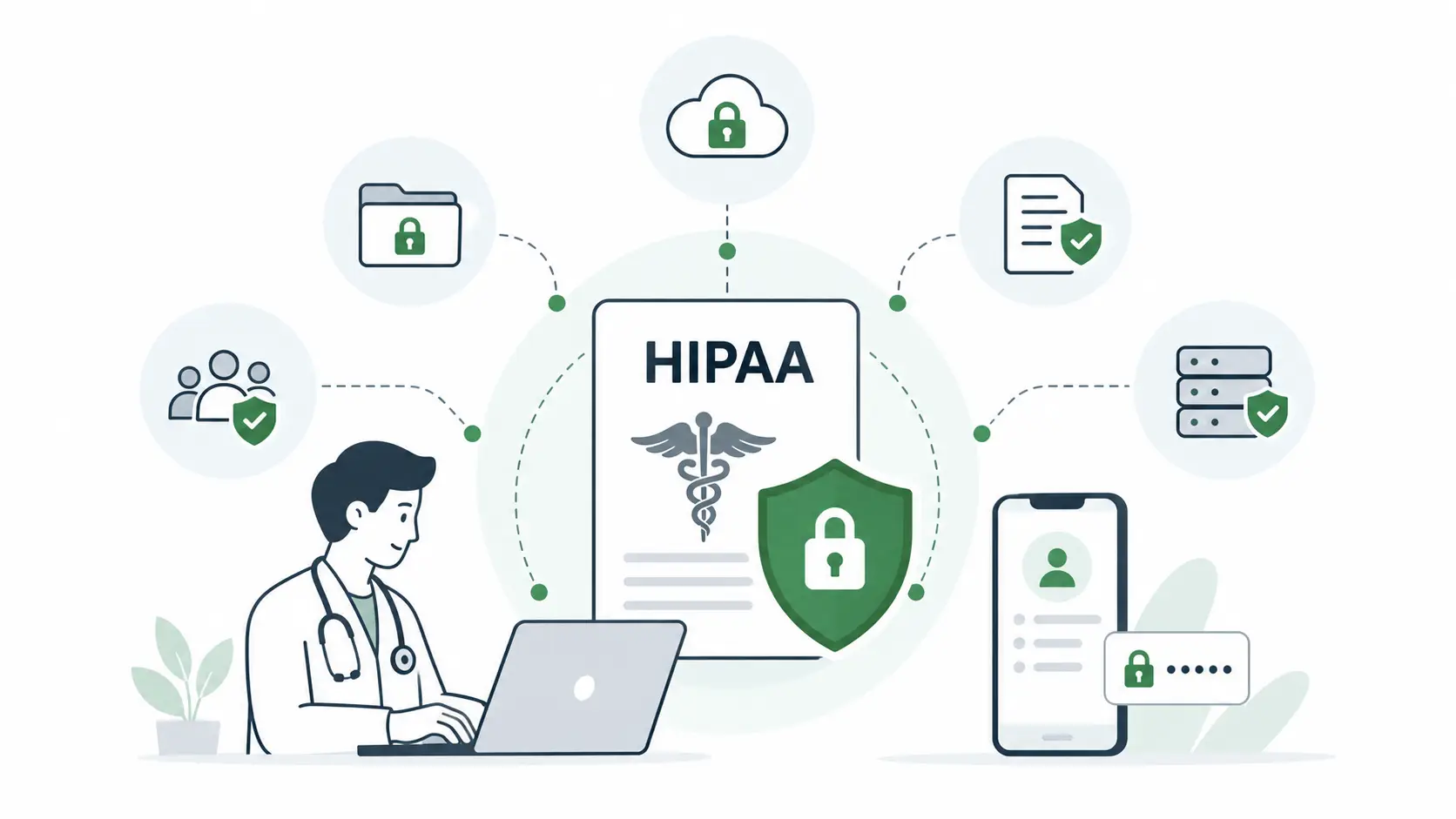
HIPAA compliance is often treated as a document to sign rather than a system to build. That framing causes problems, because HIPAA affects architecture, workflows, vendor selection, and data handling at every layer, not just the privacy policy a patient clicks through at signup.
The Privacy Rule governs how protected health information (PHI) can be used and disclosed. The Security Rule sets standards for technical, physical, and administrative safeguards. The Breach Notification Rule dictates what happens if PHI is exposed.
In practice, this means:
- PHI handling and access controls: every service touching patient data needs role-based access, not blanket permissions.
- Encryption and audit logging: data encrypted in transit and at rest, with every access event logged and retrievable.
- Business Associate Agreements: any vendor touching PHI, from your cloud host to your video provider, needs a signed BAA before integration goes live.
- Data retention and breach response: retention policies defined upfront, with a response plan that exists before it’s needed.
Compliance gets more complicated once care crosses state lines. The Interstate Medical Licensure Compact (IMLC) streamlines licensing for physicians practicing across participating states, but it doesn’t eliminate the need to track a patient’s physical location during a visit, since prescribing authority and scope-of-practice rules still vary by state.
Compliance can’t be a final-stage checklist. It has to be designed into the platform from the first architecture decision, because retrofitting access controls or encryption into a system not built for them is far more expensive than building them in from the start.
Our HIPAA-compliant app development guide goes deeper into the technical controls, including the tightened baseline expected under the proposed 2025 HIPAA Security Rule updates, that any healthcare platform should treat as standard going into 2026.
Securing a Telehealth App Against Its Real Attack Surface
Generic security advice, use strong passwords, encrypt your data, tends to miss what actually puts telehealth platforms at risk. The real attack surface spans the mobile app, the API layer, and the humans using both.
- Account takeover: patient accounts are valuable targets since they often unlock prescription and insurance data.
- Insecure APIs: endpoints that expose more data than a screen needs are a common, overlooked vulnerability.
- Excessive data exposure: returning full records when a workflow needs only a subset increases breach damage.
- Mobile and session security: sessions left open too long, or apps caching PHI locally, create risk unrelated to the backend.
- Unauthorized screen recording: a real concern where sensitive visual information can be captured outside the platform’s control.
- Provider impersonation: weak identity verification during onboarding can let bad actors pose as licensed clinicians.
- Weak access controls: insufficiently granular permissions let staff or integrations access more PHI than their role requires.
- Third-party integration risks: every connected vendor, from video to payments to EHR, expands the attack surface.
Practical controls include multi-factor authentication, role-based access control enforced at the API level, secure session management with timeouts, encryption in transit and at rest, API rate limiting and input validation, audit trails, and continuous monitoring for anomalous access.
Security testing needs to cover mobile apps, backend APIs, cloud infrastructure, and every third-party service the platform depends on. For a platform handling PHI, testing should be recurring and tied to every major release, not a one-time audit before launch.
Final Thoughts
Building a telemedicine platform that succeeds in 2026 requires more than a working video call. It requires a clear decision about which care model the business is actually delivering, workflows designed around real patient and provider behavior, a development path chosen deliberately, and a stack that balances speed with long-term scalability. Compliance and reimbursement can’t be afterthoughts, since both shape the architecture from the ground up.
The businesses that get the most out of their telemedicine investment treat development as an iterative process. They start with the highest-value workflow and expand based on what usage data actually shows, rather than building every feature they can imagine before launch. That approach reduces risk and leaves room to adapt as reimbursement rules and patient expectations continue to shift.
If your team is scoping a telemedicine platform and weighing build, buy, or integrate decisions, Simpalm’s healthcare software development team can help map the right technical path for your care model and compliance requirements.
Frequently Asked Questions
Q1. What does it cost to build a telemedicine platform in 2026?
Cost depends heavily on business model and integration scope. A DTC platform focused on a single specialty, with standard video visits and e-prescribing, typically falls between $60,000 and $150,000. A hospital-integrated platform connecting to an EHR and handling multi-payer billing usually costs $200,000 or more, and hybrid platforms combining synchronous care, asynchronous messaging, and RPM tend to land in a similar or higher range.
Q2. How long does it take to develop a telemedicine platform?
A white-label platform can launch in weeks since much of the infrastructure already exists. A custom-built platform with EHR integration, full compliance architecture, and multiple user roles typically takes six to twelve months or longer, particularly when hospital system integrations require dedicated discovery and testing beyond the core application build.
Q3. Is a telemedicine platform required to be HIPAA compliant?
Yes. Any platform that creates, stores, or transmits protected health information is subject to HIPAA, regardless of whether the business is a covered entity or a business associate. This applies to the video infrastructure, the database, the cloud environment, and any third-party vendor touching patient data, all of which need Business Associate Agreements before they can legally interact with PHI.
Q4. What technology is best for telemedicine video consultations?
There’s no single best answer, since it depends on scale, budget, and customization needs. Third-party SDKs like Twilio, Vonage, Daily.co, and Agora offer HIPAA-eligible infrastructure that can be integrated in weeks and are the right starting point for most new platforms. Custom WebRTC only becomes worth building once call volume is high enough that per-minute vendor costs would exceed the investment to build and maintain proprietary infrastructure.
Q5. Should I build a telemedicine platform from scratch or use a white-label solution?
This comes down to how much of your competitive advantage depends on a unique clinical workflow versus how quickly you need to launch. White-label platforms get a business to market fast but limit customization. Custom development takes longer and costs more upfront but gives full control over the patient and provider experience, which matters more when differentiation lives in how care is actually delivered.
Q6. Can a telemedicine platform integrate with an EHR/EMR system?
Yes, and for hospital-integrated or multi-provider platforms, this is often essential rather than optional. It allows consultation notes, prescriptions, and patient history to sync directly with systems like Epic or Cerner, avoiding duplicate data entry. It’s also one of the most commonly underestimated parts of telemedicine development, since data mapping and vendor-specific requirements can add significant time and cost beyond a standard integration estimate.