
 Design
 App Development
 Web Engineering
 AI Services
 Cloud
Cloud Staffing
 Startups
 Health / Fitness
 Education
 Social
 Nonprofit
 Fintech
 Construction
 Logistics
 Government
 Travel/Hospitality
 HR Software
 About Simpalm
 Our News
 Client Testimonials
 Careers
 Our Blog
 Awards
 Resources
 Information
Key Takeaways
- Website design directly impacts trust. Around 75% of users judge a company’s credibility by its website, making professional design a major driver of CPA client conversions.
- Dedicated service pages convert better than a generic services page. Separate pages for tax, bookkeeping, audit, and advisory services improve relevance, SEO, and lead generation.
- Show trust signals prominently. Visible CPA credentials, secure client portals, and clear data security messaging build confidence faster than visual design alone.
- Design for tax-season traffic, not average traffic. A CPA website must stay fast and reliable during peak filing periods when client demand is highest.
- Accessibility strengthens both compliance and trust. An ADA-friendly website improves usability for older clients while reducing legal and compliance risks.
________________________________________________________________________________________
A CPA or accounting firm’s website is often the first real interaction a prospective client has with the firm, long before any phone call or consultation. That first impression carries more weight than most firms realize. Most consumers judge a company’s credibility based on website design alone, and they form that judgment within a fraction of a second, before reading a single word of copy. For a firm asking someone to hand over financial records, tax history, and years of business data, that split-second judgment has lasting business implications.
Designing a website for a CPA or accounting firm is not the same exercise as designing one for a retail brand or a restaurant. Visitors are not just deciding whether they like what they see. They are deciding whether this firm can be trusted with their money. This guide walks through how to design a CPA firm website the right way, covering strategy, page structure, trust and security signals, seasonal traffic planning, content, common mistakes, and what it realistically costs to get right.
Why CPA Firm Websites Need a Different Design Approach?
Most general web design advice treats every business website the same way: make it clean, make it fast, make it mobile-friendly. Those basics matter for a CPA firm too, but they are the floor, not the ceiling.
01. Accounting Firms Need To Establish Trust in First Look
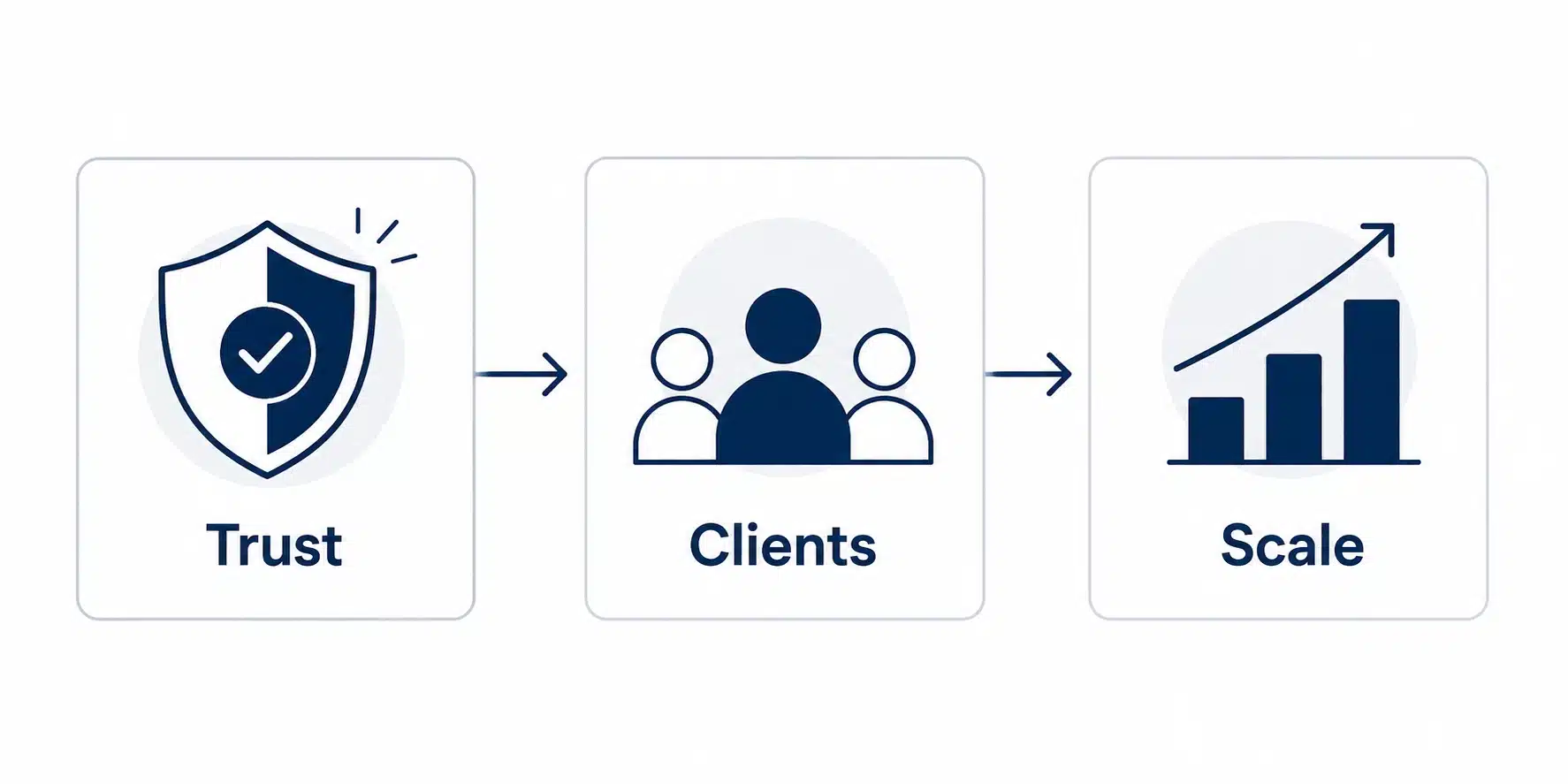
Accounting firms are selling trust before they sell a service. A visitor researching a bookkeeper or tax preparer is often anxious, whether it is about an IRS notice, a messy set of books, or a business that has outgrown its spreadsheets. The website has to calm that anxiety and demonstrate competence within seconds. That means credentials, licensing, and security need to be visible, not buried three clicks deep.
02. High Expectations from the Niche Audience
Accounting firms serve a diverse client base with very different expectations and service needs. The same firm may prepare individual tax returns, manage bookkeeping for small businesses, conduct audits, and provide CFO advisory services. A website designed around a generic “professional services” template rarely reflects this complexity. Instead, it should have a well-structured information architecture that clearly separates each practice area, allowing individual taxpayers and business clients alike to quickly find the services, expertise, and resources most relevant to them.
03. Ability to Handle Traffic Spikes Around Tax Deadlines
Finally, accounting firm traffic is not steady. It spikes hard around tax deadlines and stays quiet the rest of the year. A website designed only for average-day traffic can buckle exactly when it matters most, which is a factor almost never addressed in standard CPA web design advice.
Define the Firm’s Digital Strategy Before You Design
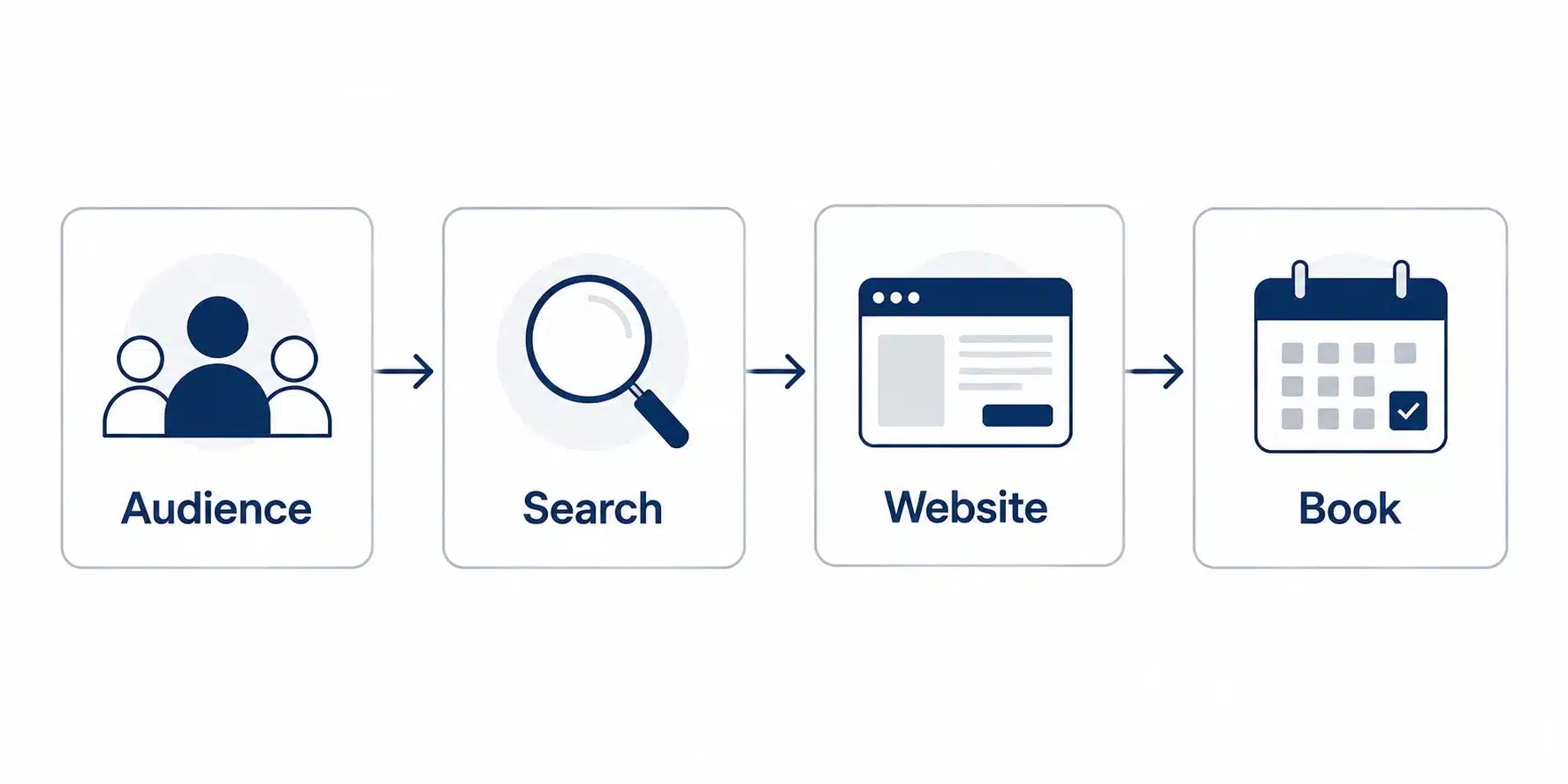
Skipping straight to colors and layouts is the most common reason CPA websites underperform. Strategy has to come first. Here is the two-step process that you can use to map the digital strategy:
01. Know Who the Website Is Actually For
A solo tax preparer serving individual filers needs a very different site than a mid-size firm chasing business advisory clients. Before any wireframe gets drawn, the firm needs clarity on its priority audience: individual filers, small business owners, nonprofit clients, or corporate advisory prospects.
Each of these groups searches differently, worries about different things, and needs different proof points. A business owner wants to see experience with entities like theirs. An individual filer wants to see simplicity and a fast path to booking an appointment.
02. Map the Client Journey From Search to Consultation
Once the audience is clear, map out what happens between someone typing “CPA near me” or “small business tax accountant” into Google and that person booking a consultation. What questions are they likely to have? What would make them trust one firm over another in the same search results page?
This journey should directly shape which pages get built, what goes above the fold on the homepage, and where calls to action are placed. Firms that skip this step end up with websites that look nice but do not actually move a visitor toward contacting them.
The design strategy also helps to map the journey separately for a first-time visitor versus a returning client. A prospective client needs persuasion, proof, and an easy next step. A returning client mostly needs fast access to the portal, document upload, or a way to reach their specific point of contact.
Designing one homepage to serve both audiences well, without making either feel like an afterthought, is one of the more overlooked strategic decisions in CPA website planning.
Core Pages Every Accounting Firm Website Needs
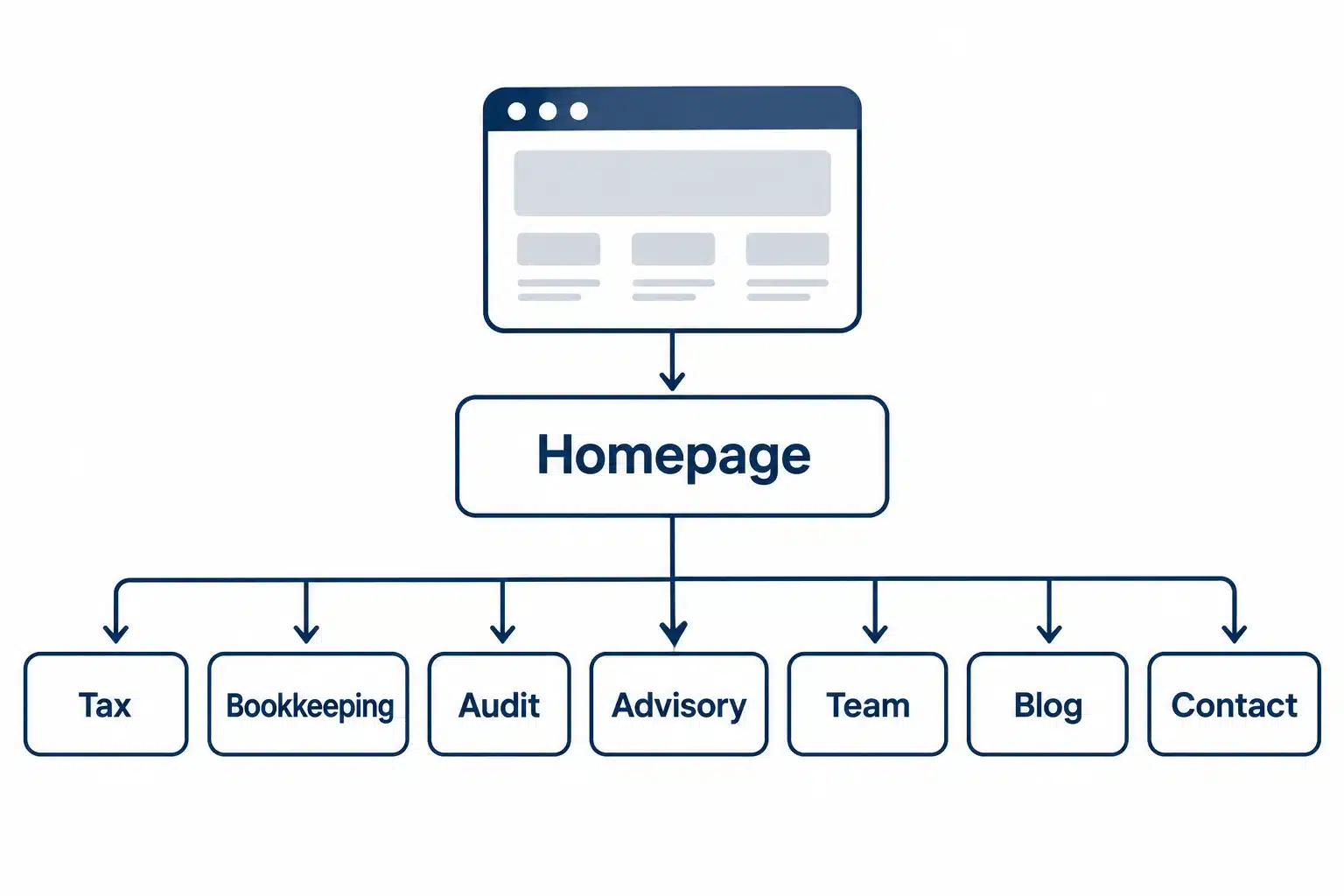
A CPA firm’s website architecture should map cleanly to how clients actually think about hiring an accountant. At minimum, that means:
- Homepage: A clear statement of who the firm serves, its core services, and a direct path to booking a consultation. This is not the place for vague taglines. Visitors should know within seconds whether this firm fits their situation.
- Service pages by practice area: Separate pages for tax preparation, bookkeeping, payroll, audit, and advisory services rather than one crowded “services” page. Each practice area attracts different search intent and different client concerns, and each deserves its own page targeting those specific terms.
- About and team page: Full bios, CPA license numbers, certifications, and years of experience. In a trust-driven industry, hiding the team behind a generic “our staff” blurb is a missed opportunity to build credibility.
- Client portal access: A visible, easy-to-find login for existing clients to securely upload documents and communicate. This single feature does more to signal professionalism than almost any design choice.
- Resources and blog: Tax tips, deadline reminders, and industry updates that demonstrate expertise and give the firm something fresh to share in email newsletters and social posts.
- Contact and consultation booking: Multiple ways to reach the firm, ideally including online scheduling, not just a static contact form that disappears into an inbox.
- Announcements: Tax related alerts, new tax guideline alerts, tax filing deadlines.
Each of these pages should connect back to a central navigation structure that a first-time visitor can understand in seconds, without needing to guess what “Solutions” or “What We Do” actually means.
Trust and Security Signals That Convert Financial Clients
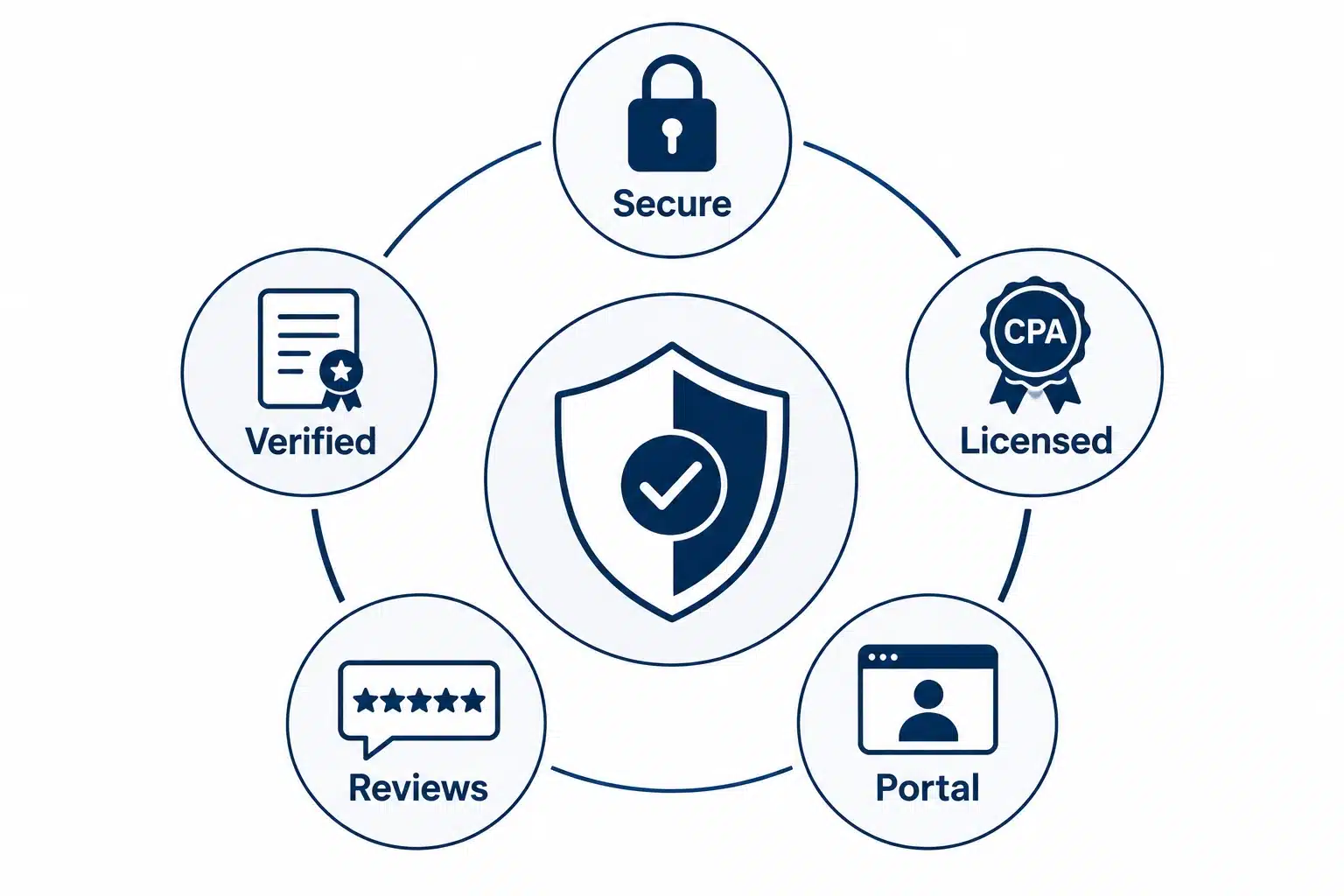
For accounting firms handling highly sensitive financial information, trust must be reinforced throughout the website, not just implied through design. Beyond testimonials, visitors look for clear indicators that their data will be handled securely and that the firm has the credentials and expertise to protect it. The following trust and security elements can significantly improve credibility and client confidence:
- Data security messaging: Clients handing over Social Security numbers, bank statements, and tax records want reassurance that the firm treats data security seriously. A dedicated line or section addressing encryption, secure file transfer, and how client data is protected in transit and at rest goes a long way.
- Licensing and certification visibility: CPA license numbers, state board registrations, and memberships in organizations like the AICPA should be visible, not hidden in a footer. These are quick, verifiable trust markers that a prospective client can check.
- Secure client portals over email attachments: A firm that still asks clients to email tax documents as attachments is signaling outdated practices. A properly integrated, secure portal for document exchange should be a visible, prominent feature rather than an afterthought.
- Real testimonials tied to real outcomes: Generic five-star quotes carry little weight. Testimonials that reference specific situations, such as helping a small business untangle years of bookkeeping or navigating an audit successfully, carry far more credibility than a vague compliment.
- Compliance-aware copywriting: Language around guarantees, refund promises, or tax outcomes needs to stay within professional and ethical boundaries for CPAs. A website that overpromises on tax savings or audit outcomes can create real regulatory exposure for the firm, something a generic web design agency may not think to flag.
- Third-party trust indicators: Beyond licenses, firms can lean on Better Business Bureau accreditation, Google review scores displayed directly on the site, and industry association badges. These carry more weight than internal claims because they come from an outside source the visitor already trusts.
Together, these signals do something a polished layout alone cannot: they answer the unspoken question every financial services visitor is asking before they ever pick up the phone, which is whether this firm can actually be trusted with sensitive information.
Designing for Tax Season and Traffic Spikes
Unlike most business websites, accounting firm websites experience predictable surges in traffic around tax deadlines. Designing for those peak periods improves performance, user experience, and lead conversion.
- Plan for load, not averages. A firm’s website might see steady, modest traffic most of the year, then a sharp spike in the weeks before major filing deadlines. Hosting and infrastructure decisions need to account for peak load, not average load, so the site does not slow down or crash at the exact moment prospective clients are searching urgently for help.
- Prioritize speed on service and contact pages. During tax season, visitors are in a hurry. A slow-loading contact form or booking page during peak weeks can cost a firm real leads. Image optimization, caching, and a reliable hosting environment matter more here than they do for a typical small business site.
- Build seasonal content into the plan. Deadline reminders, extension guidance, and updated tax law summaries published ahead of key dates give the firm something timely to promote and give the website a reason for return visits beyond the initial search.
- Keep booking friction low during peak weeks. If a firm limits new client intake close to deadlines, the website should communicate that clearly rather than let a frustrated visitor submit a form that goes unanswered for days.
Accessibility Is Part of Trust, Not an Afterthought
Accessibility is especially important for accounting firms because they serve clients across a wide range of ages and abilities, including older business owners and retirees managing tax and estate planning. Many users rely on screen readers, larger text settings, or keyboard navigation, making accessibility a core part of the user experience rather than an optional feature.
Beyond improving usability, accessibility also helps reduce legal risk. Businesses with public-facing websites, including professional service firms, have increasingly faced accessibility-related claims under the Americans with Disabilities Act (ADA). Building to recognized standards such as WCAG from the outset is significantly more efficient and cost-effective than retrofitting a website later.
Accessibility Best Practices
Build accessibility into the design process from the first wireframe by focusing on essentials such as:
- Sufficient color contrast between text and backgrounds
- Descriptive alt text for images and icons
- Forms that work seamlessly with screen readers
- Full keyboard navigation without requiring a mouse
These improvements enhance usability for all visitors while supporting accessibility compliance, without limiting design flexibility.
A CPA firm’s website should be more than a static digital brochure. The most effective websites serve as ongoing resources that educate prospective clients, improve search visibility, and build trust long before the first consultation.
Consistently publishing practical, client-focused content such as year-end tax checklists, small business deduction guides, and tax law updates strengthens both SEO and client engagement. Valuable educational content establishes credibility early, helping prospective clients approach their first consultation with greater confidence.
Content That Delivers Long-Term Value
Include resources that answer common questions and provide immediate value, such as:
- Educational blog posts covering tax planning, deductions, compliance, and regulatory updates
- Downloadable resources like tax preparation checklists or bookkeeping templates to generate leads
- Frequently asked questions explaining pricing, required documents, services, and the client onboarding process
Just as importantly, ensure every page delivers a consistent experience across desktops, tablets, and smartphones. Responsive layouts, fast loading times, and intuitive navigation make it easier for prospective clients to access information and contact your firm from any device.
Read More: Responsive Web Design Best Practices: Complete Guide for 2026
Common Website Design Mistakes CPA Firms Make
Even well-intentioned firms fall into predictable traps. Here is where most go wrong, and how to fix it.
01. Mistake: Using a generic template with swapped-in text.
Many CPA websites are built from the same handful of stock templates used across dozens of other firms, with only the logo and colors changed.
Fix: Invest in a design that reflects the specific firm’s positioning, specialties, and client base rather than a one-size-fits-all accounting template.
02. Mistake: Burying contact information.
Some firms tuck their phone number and consultation link behind multiple menu clicks.
Fix: Keep contact and booking options visible in the header and repeated at logical points throughout the page, especially on service pages where a visitor has just been convinced.
03. Mistake: Writing in dense accounting jargon.
Copy written the way accountants talk to each other, full of technical terminology, alienates the individual filers and small business owners who make up most search traffic.
Fix: Write in plain, client-facing language, and save the technical depth for blog content aimed at more sophisticated business clients.
04. Mistake: Ignoring mobile experience.
A site that looks polished on desktop but breaks down on a phone loses a large share of prospective clients before they even reach the contact form.
Fix: Design and test website for mobile first, since most initial searches for “accountant near me” now happen on a phone.
05. Mistake: No clear differentiation between practice areas.
A single crowded services page trying to cover tax, bookkeeping, payroll, and advisory in a few paragraphs fails every visitor at once.
Fix: Build out dedicated pages per service line, each speaking directly to that client’s specific need.
06. Mistake: Treating the website as a one-time project.
Firms often launch a new site and then leave it untouched for years, missing tax law updates, stale team bios, and outdated service lists.
Fix: Budget for ongoing content updates and periodic design refreshes, treating the site as an active marketing asset rather than a one-time expense.
Cost and Timeline to Design a CPA Firm Website

The cost of a CPA website depends on its size, level of customization, integrations, and content requirements. While every project is different, the ranges below provide a realistic estimate for most accounting firms.
Estimated Cost by Website Type
| Website Type | Typical Cost | Best For | Estimated Timeline |
| Basic template website | $2,000–$6,000 | Solo CPAs and small firms that need a professional online presence | 2–4 weeks |
| Custom business website | $6,000–$20,000 | Firms offering multiple services that need stronger branding, SEO, and lead generation | 6–10 weeks |
| Enterprise or multi-location website | $20,000+ | Larger firms requiring advanced integrations, multiple office locations, and custom functionality | 2–3+ months |
What Affects the Cost?
Several factors have the biggest impact on the overall project budget:
- Website design: Custom designs cost more than template-based websites but provide stronger branding and a better user experience.
- Number of pages: Dedicated pages for tax, bookkeeping, audit, advisory, industries, locations, and resources increase both design and content effort.
- Third-party integrations: Secure client portals, CRM systems, scheduling software, payment gateways, and marketing tools add development complexity.
- Content creation: Writing optimized service pages, FAQs, blogs, and location pages requires additional time and expertise.
- SEO and performance optimization: Technical SEO, accessibility improvements, schema markup, and Core Web Vitals optimization increase the project’s long-term value.
Choosing the Right Investment
The lowest-cost website is rarely the most cost-effective. For many accounting firms, the website serves as the primary source of new client inquiries, making it a long-term business asset rather than a one-time marketing expense. Investing in a secure, scalable, and search-optimized website typically delivers greater value over time than choosing the least expensive option.
Read More: How Long Does It Take To Design and Develop a Website?
How Simpalm Approaches CPA and Accounting Firm Website Design
Simpalm builds websites and web applications for regulated, trust-sensitive industries, including healthcare, accounting, and financial services. Our experience includes developing HIPAA-compliant solutions for healthcare organizations and secure digital platforms for businesses that handle sensitive client information.
That experience translates directly into CPA firm websites through secure client portal integrations, practice-area-focused architecture, and scalable designs built to handle seasonal traffic spikes. If your firm is planning a new website or redesign, our team can help define the right approach based on your services, workflows, and client needs.
Final Thoughts
A CPA firm’s website is not a brochure sitting quietly in the background. It is often the first, and sometimes only, chance a firm gets to prove it can be trusted with someone’s money. The firms that get this right do not just chase clean design. They build sites around how real clients search, what makes them nervous, and what proof they need before picking up the phone.
This means clear service architecture, visible security and licensing signals, content that answers real questions, and infrastructure that holds up when tax season traffic hits hardest. Get those fundamentals right, and the website stops being a cost center and starts doing what it should: bringing in clients on its own, year after year.
Frequently Asked Questions
Q1. What should a CPA firm’s website include at a minimum?
A CPA firm’s website should include a clear homepage explaining who the firm serves, dedicated pages for each core service like tax preparation and bookkeeping, a team page with credentials and licensing information, a secure client portal, a resources or blog section, and multiple easy ways to schedule a consultation. Firms that skip any of these tend to lose visitors who cannot quickly confirm the firm fits their needs.
Q2. How much does it cost to build a website for an accounting firm?
Costs vary widely based on scope. A simple template-based site can run a few thousand dollars, while a custom-designed site with a secure client portal, multiple service pages, and stronger SEO groundwork typically costs more and takes six to ten weeks to build. Larger, multi-location firms with deeper software integrations should expect to invest more and plan for a longer timeline.
Q3. Does a CPA firm really need a secure client portal on its website?
Yes. Clients are increasingly uncomfortable emailing sensitive financial documents as attachments, and a visible, secure portal signals that the firm takes data protection seriously. It also creates a smoother, more professional document exchange process compared to relying on email or physical paperwork.
Q4. How important is mobile design for an accounting firm website?
It is essential. A large share of prospective clients research accountants from a phone, particularly during urgent situations like an approaching tax deadline or an unexpected IRS notice. A site that performs poorly on mobile risks losing exactly the visitors who are most ready to reach out.
Q5. Should a CPA firm redesign its entire website or just update parts of it?
That depends on the current site’s foundation. If the core structure, security, and mobile experience are solid but the content and design feel dated, a partial refresh may be enough. If the site was built years ago on an outdated platform, lacks a secure portal, or was never designed around specific practice areas, a full redesign usually delivers better long-term results than incremental patches.
Q6. How does website design affect a CPA firm’s search engine rankings?
Design and SEO are closely connected for accounting firms. Fast load times, mobile responsiveness, clear site structure, and dedicated pages for each service all help search engines understand and rank the site, while also keeping visitors engaged once they arrive. A poorly structured site can undermine even strong content, since search engines struggle to index confusing navigation and visitors bounce before converting.