
 Design
 App Development
 Web Engineering
 AI Services
 Cloud
Cloud Staffing
 Startups
 Health / Fitness
 Education
 Social
 Nonprofit
 Fintech
 Construction
 Logistics
 Government
 Travel/Hospitality
 HR Software
 About Simpalm
 Our News
 Client Testimonials
 Careers
 Our Blog
 Awards
 Resources
 Information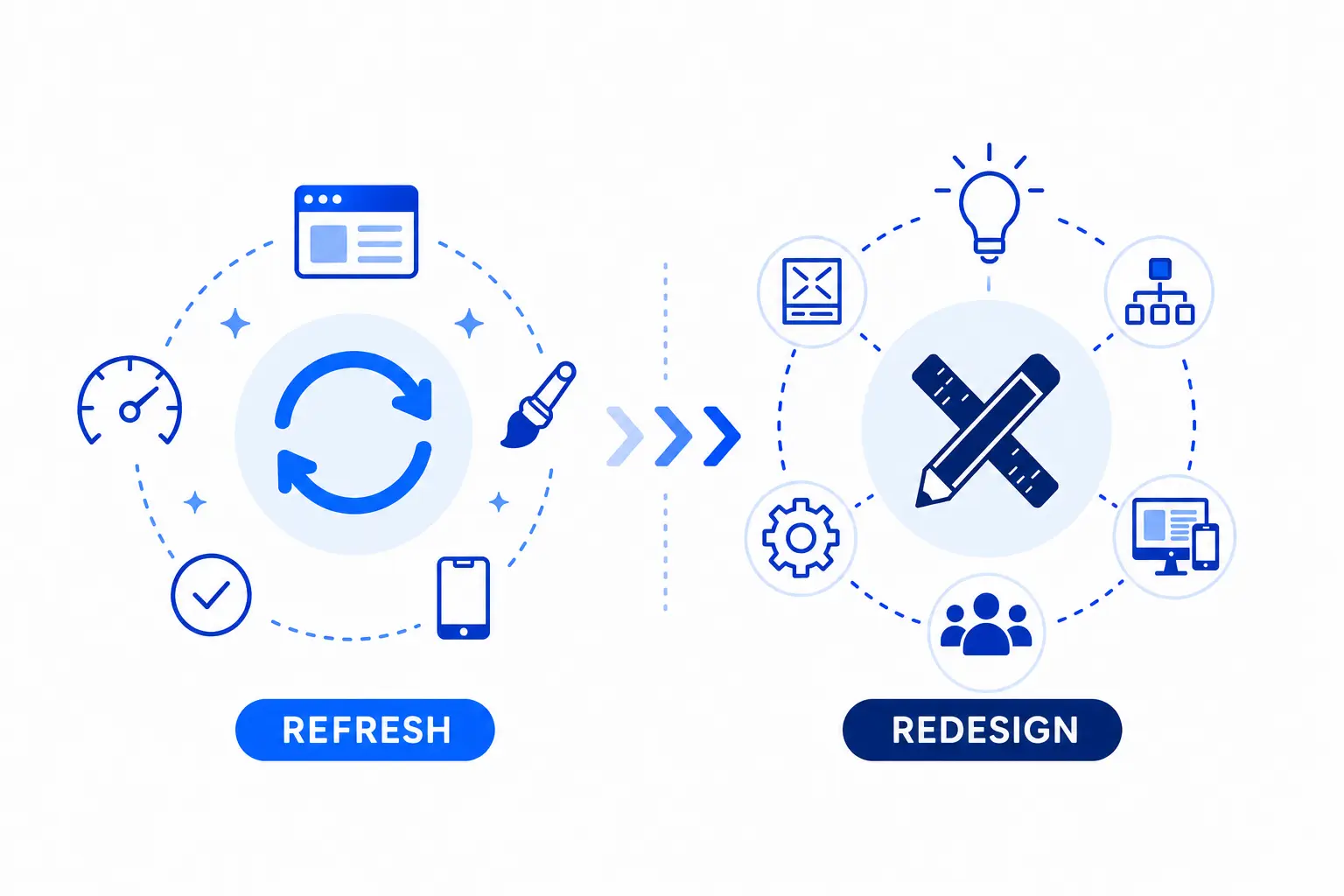
Key Takeaways
- A website design refresh is a light update that improves visuals, usability, and content without changing the backend structure.
- A website redesign is a complete rebuild of both frontend and backend, aligning the site with new branding, performance needs, and long‑term goals.
- Refresh is best when the site works fine but looks outdated, while redesign is needed when the site underperforms, requires new technology, or a full rebrand.
- Refresh is quicker, lower cost, and low risk, while redesign takes more time and investment but future‑proves the site for scalability and growth.
________________________________________________________________________________________
Consider a fashion brand who has updated their logo, color palette and brand message. The website loads fine, is mobile responsive and customers can shop without issues.
Now imagine a nonprofit organization whose website loads slowly, complex to navigate and is frustrating on mobile.
In both the cases the websites need rework.But deciding upon how much work solves half the problem. That is where users need to understand the difference between website design refresh and website redesign. A wrong move will not only challenge the project timeline but also take a severe toll on the budget.
Going back to the use cases- the fashion brand needs to work on the outdated visuals and give a fresh look to their website. That’s where a website design refresh can suffice. In the case of the nonprofit organization, the website needs a major overhaul as the current platform struggles with multiple issues that hold their mission back. Here website redesign takes the cake.
A design refresh typically consists of updating user experience and making changes in the appearance while a redesign requires fundamental rethinking of the website. Let’s deep dive by starting with the fundamentals and digging deeper into the difference to make your business function at its best.
What is Website Design Refresh?
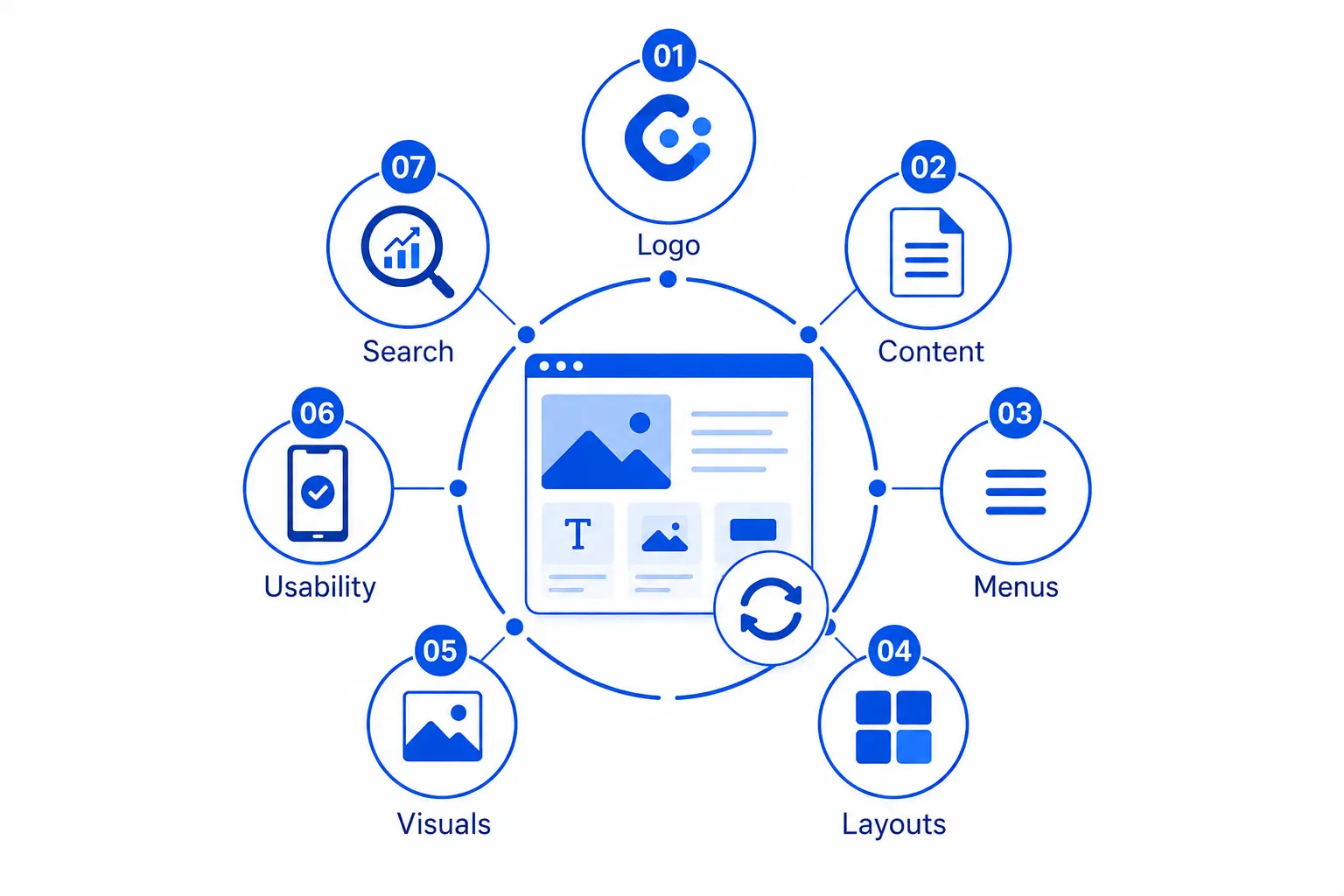
A website design refresh is a surface-level update of the website keeping the structure, platform and the core pages same. Technically, the changes and adjustments are made in the Frontend and there are no changes to the backend. In simple terms, website design refresh is changing the look and feel of the website like enhancing the color, typography and graphics. It also includes minor improvements in the layout, making updates in content, user experience flows, replacing outdated images with recent ones, updating the logo, adding a section, rewriting the service pages, etc.
Such design tweaks improve user experience, optimize SEO and content. Since a design refresh does not require starting from scratch, the cost and risk factors are minimum.
 ”
”
How to know whether you need a Website Design Refresh?
Not every site needs to be rebuilt from scratch. Sometimes a little polish and a few updates can breathe new life into your website.
Look out for the following indicators for a design refresh:
Company Logo has Changed
Your brand logo evolves with a new color palette or theme but the website still features the old logo. A design refresh can eliminate this mismatch and reflect who you are today.
Content Feels Dated
Your visitors land on your site and find outdated blogs or products that do not match your current offerings, It evokes negligence. Updating the content regularly keeps you website trustworthy and relevant.
Menus Feel Cluttered
As your business grows, you add new pages to your website or change themes. If the navigation feels cluttered or confusing, consider making minor menu edits to make the user experience smooth.
Repetitive Page Layouts
Uniform layout across every page can make the site feel uninteresting. You can add variety to your site by adding unique layouts, hero images or catchy ctas. This will keep the users engaged and boost the browsing experience.
Visuals Look Old
In the digital landscape, design trends change rapidly. Old stock images, outdated icons or clunky graphics can impact site visits. A design refresh with modern and engaging visuals resonates easily with the audience.
Usability Issues
Little issues like buttons to close, forms that take too long to fill or lack of mobile responsiveness take away user satisfaction. Fixing them with a refresh makes your site friendlier to use.
Declining Search Performance
Search engine trends evolve and so should your website. Updating the headings, metadata and keywords helps you stay visible without rebuilding every little detail.
Also Read: https://www.simpalm.com/blog/essential-web-design-statistics
What is Website Redesign?
Sometimes websites need a complete overhaul and a simple design refresh is not sufficient to address the aesthetics and functionality issues. This means a significant change in the frontend as well the backend. A redesign replaces your old website with a new one by rebuilding the site architecture, rewriting the content, changing the messaging, and moving on to a new platform or CMS. It typically involves building the website from scratch for a total rebranding and visual identity. An expert web design and development company can guide you through this transition, ensuring long term success.
How to Know Whether You Need a Website Redesign?
If your website feels outdated, underperforms or does not align with your business goals, a redesign is a smarter move. Instead of minor fixes, a complete overhaul is necessary to improve rankings and conversions.
Look out for the following indicators for website redesign
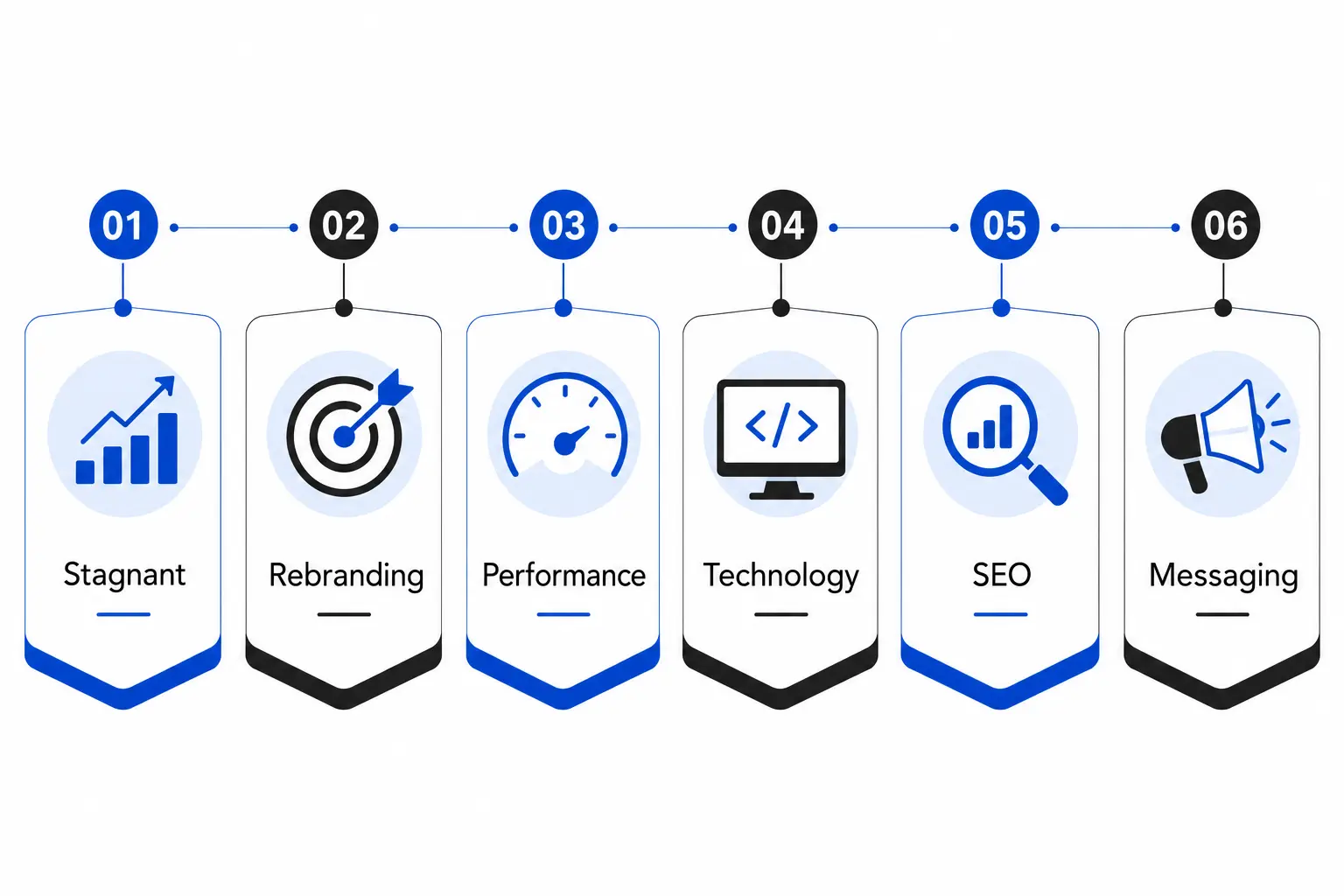
A Stagnant Website
If your site has not changed in years or the traffic and engagement has reduced, it is a sign that the design and functionality is no longer in trend with time. A complete redesign is necessary to confirm your digital presence.
Full Rebranding Requirements
When your company identity shifts with mergers, new values, audiences or a fresh brand voice, it must reflect in your website. A redesign ensures that your website aligns with your current vision and goals.
Poor Website Performance
Slow load times, frequent crashes or clunky navigation frustrates users and reduces conversions. With just surface-level design tweaks these issues increase over time and creates technical debt. Rebuilding the site architecture with a redesign breathes a new life to your site.
Technology Updates
If you want to integrate new features like a brand new CMS, ecommerce tools or interactive elements, a redesign is the only way out. It makes your site compatible and keeps it aligned with your tech stack.
Strengthening SEO Foundations
A website redesign is worthwhile when your site structure, URLs and technical SEO is outdated. It allows you to build your site with clean code, optimized architecture and strong foundation to enhance long-term visibility.
Recreating the Messaging Strategy
Your business story, customer focus or tone has evolved and needs a new narrative. A complete redesign helps to rewrite the messaging and align with your new brand identity.
Tabular Representation of Website Design Refresh and Website Redesign
The below table highlights the differences between website design refresh vs redesign cost, time, SEO, risk factors and ROI.
| What To Consider | Design Refresh | Redesign |
| How long it takes | Focused refresh-1-3 weeks | Visual redesign-6-10 weeks
Full redesign- 8-16 weeks |
| Budget needed | $500-$5000 | Small business- $1K- $20K
Mid size business- $20K-$40K Corporate business-$40K-$100K Ecommerce business- $5K-$50K |
| Platform or CMS | Stays on current setup | Stay on the same CMS or Shifts to new CMS or tech stack |
| SEO workload | Small updates, no migration needed | Full SEO optimization required to boost rankings |
| Site framework | Site structure remains intact | New architecture and navigation built from scratch |
| Branding alignment | Great for refreshing visuals | Best for complete rebrand or repositioning |
| Level of risk | Easy to manage and roll back | Medium to high risk, needs careful planning |
| Best fit scenario | Visuals feel dated but backend is solid | Broken performance or changing business goals |
| Downtime | Very little disruption | Some downtime due to migration/testing |
| Return on investment | Immediate(fresh look shows quick improvement) | 3-6 months (time taken for new site to gain traction) |
Also read: https://www.simpalm.com/blog/web-design-vs-uiux-design
The Technical Divide in Design Refresh vs Redesign: Frontend and Backend Explained
Beyond visuals and usability of a website, the real difference lies in the code and technical foundation. It is important to understand the frontend (what users see and interact with) and backend (code, database, server logic) works. A website design refresh touches upon the frontend lightly while a redesign includes building both layers from ground up.
Website Design Refresh (Light technical work)
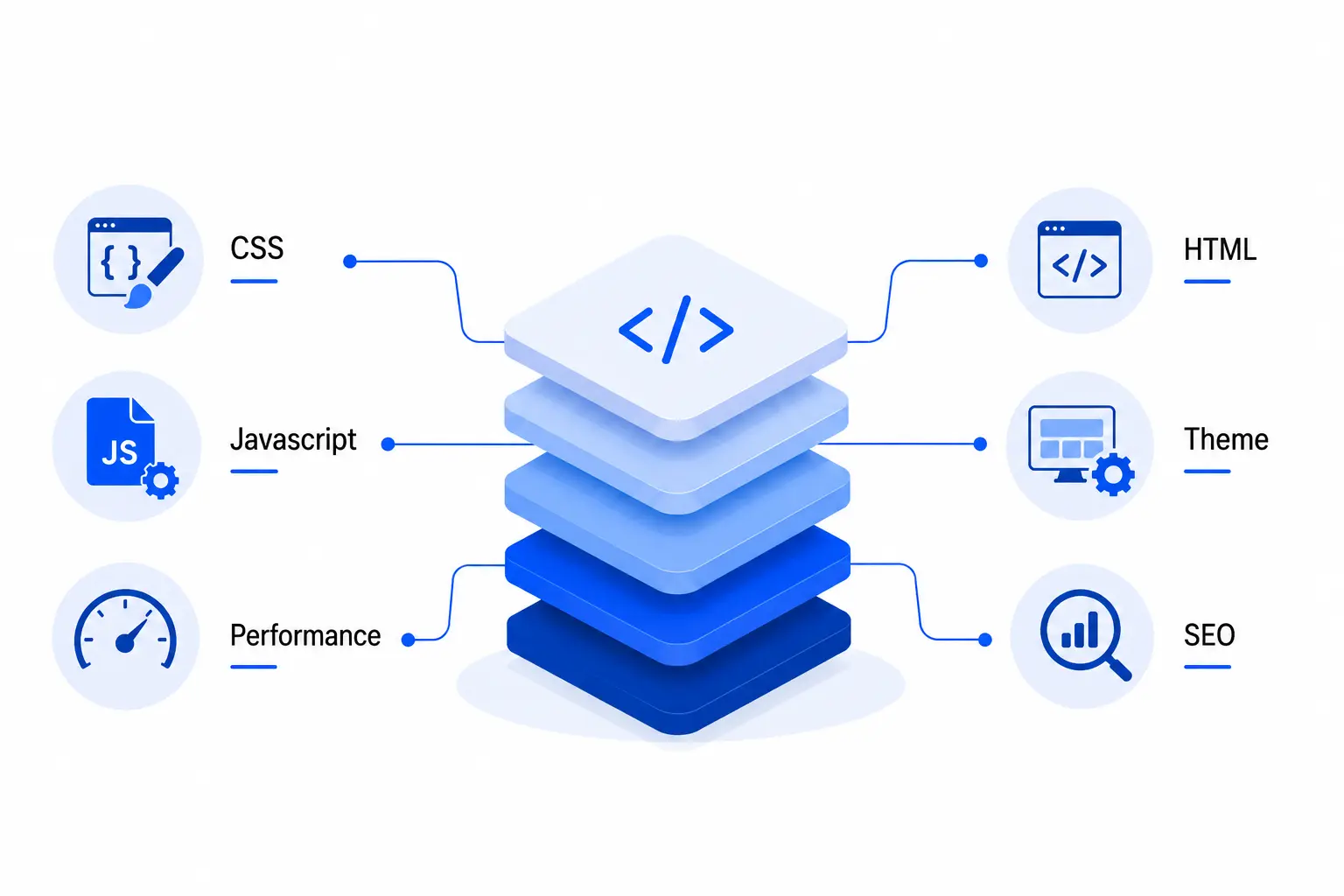
CSS styling updates – Adjusting the color, fonts, spacing, layouts without recreating the entire stylesheet.
HTML cleanup – Fixing outdated tags, improving accessibility with semantic markup and cleaning the structure.
Javascript fixes – Minor tweaks to interactive elements like menus, sliders or pop-ups.
Theme/CMS adjustments – Editing menus, updating themes or adding small plugins.
Performance optimization – Compressing images, optimizing CSS/JS files,enabling caching, reducing load times.
SEO touchups – Updating the metadata, headings and keywords without modifying the site architecture.
Website Redesign( Deep technical overhaul)
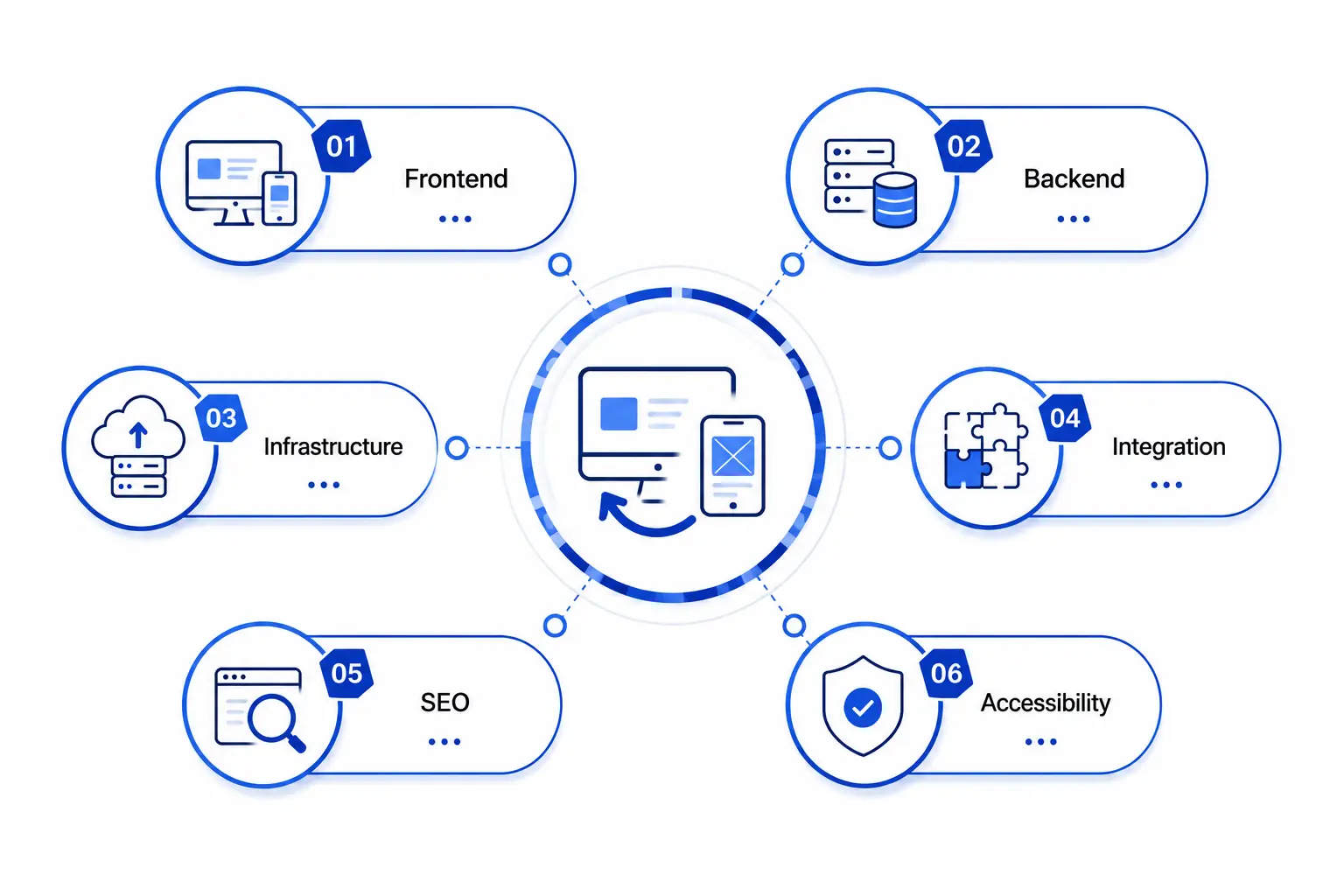
Frontend rebuild – Creating new layouts with modern frameworks ( React, Vue, Angular), rewriting CSS architecture, building mobile responsive designs.
Backend rearchitecture – Migrating to new CMS or framework, refactoring legacy code, restructuring databases for scalability.
Infrastructure upgrade – Moving to modern hosting solutions (AWS, Azure, Cloud-based servers), implementing stronger security protocols, setting up CI/CD pipelines.
Integration work – Adding advanced features like ecommerce systems, CRM, analytics tools, API connections.
SEO migration – Redesigning URL structures, redirects and sitemaps, implementing schema markups and structured data to preserve rankings.
Accessibility and compliance – Ensuring WCAG/ADA compliance, screen reader support and inclusive design standards.
Understanding the Broader Impact of Refreshing vs Redesigning your Website
Choosing between design refresh and redesigning your website isn’t just not about how the site looks. It directly impacts your business goals, marketing operations and long-term growth. Both approaches are helpful, provided the circumstances and needs are ideal.
Let’s break down the impact across key factors:
- Cost – A website refresh is a lighter investment as it focuses on updating visuals, content and usability fixes. It is perfect when you want to improve your website without stretching your budget. A redesign, on the other hand, is a higher financial commitment as it involves rebuilding the site architecture, migrating data and rewriting content. The cost difference reflects whether you are just polishing your website or building it ground up.
- Timeframe – A design refresh is quick and completed in a few weeks as it does not impact the backend. Redesigns take longer time, often months as it involves planning, testing and rolling out a new system. The time difference is largely based on whether you are tweaking the website visually or rebuilding it.
- SEO Impact – With a refresh, you preserve the existing SEO structure with minor improvements like updated metadata or headings. Redesign can change the URL, content, which means that migration is critical. With careful planning, complete SEO checklist and a reliable partner, redesign improves long-term visibility and success.
- Risk Level – Refreshes involve low-risk as changes are incremental and reversible. Redesigns have medium to high risk as both the front and back end of the website is altered. A website redesign, without careful planning can affect the traffic, user and site performance.
- Scalability – Design refreshes keep your current system intact and it is perfect for stable businesses with a reasonable audience. Redesign happens when your website is preparing for growth, new services or global expansions.
- User Trust – A refresh gains user confidence by modernizing the visuals or usability of the site. A redesign builds long-term trust by delivering better performance, speed, strong security and smooth navigation. This is critical for businesses who are expanding their digital presence or entering new markets.
Smart Questions to Guide Your Website Decision
Are you looking for a design refresh or a complete redesign? The answer isn’t always straightforward and depends on your business goals, technical needs and long-term vision.Asking the right questions will evade confusion and help you make the right decision.
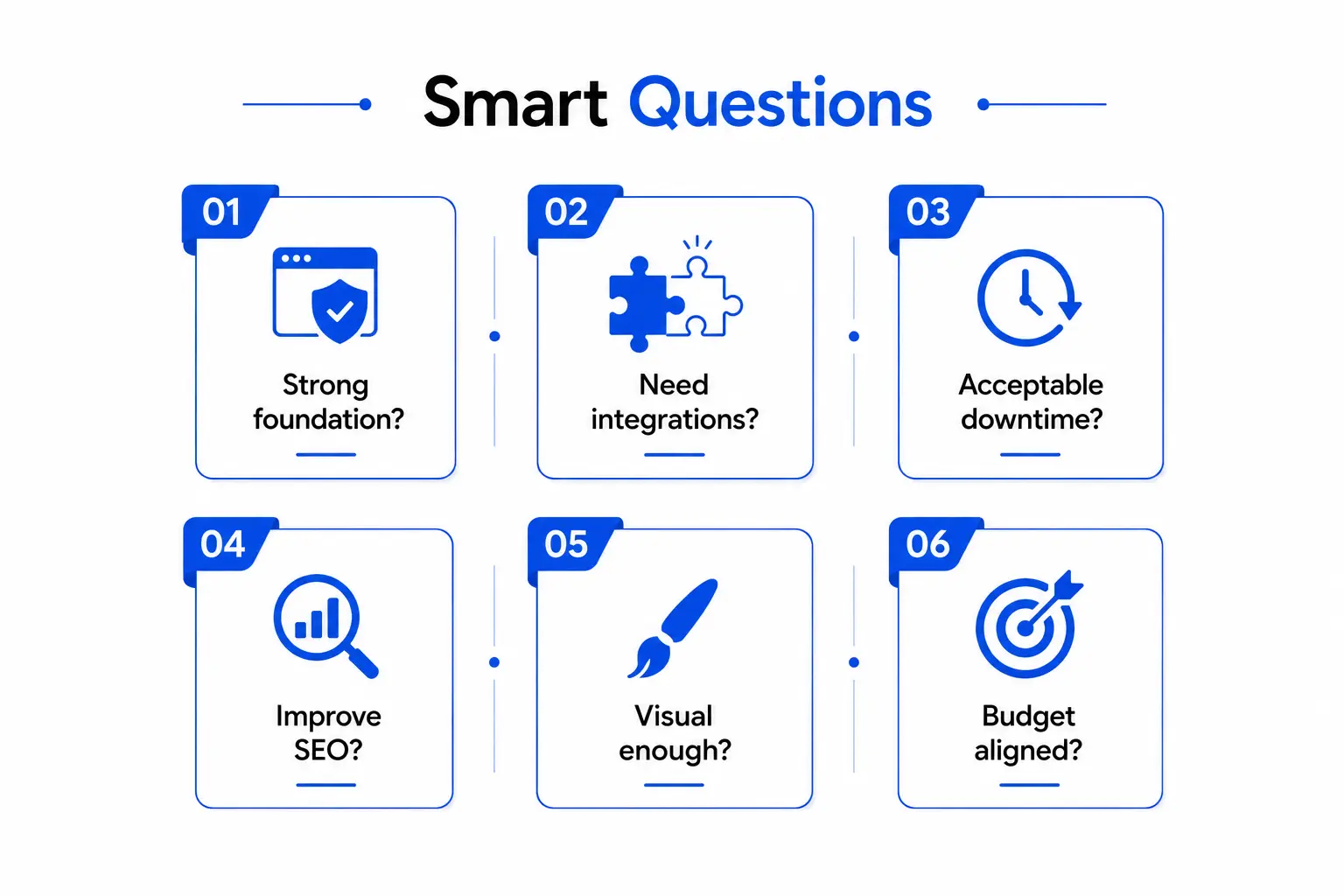
Here’s what you need to know before deciding:
- Is my current site’s foundation strong enough or is it limiting growth?
- Do I need advanced integrations that my existing system can’t support?
- If I redesign my website, how much downtime can my business handle?
- Will a design refresh deliver SEO improvements and preserve rankings?
- Is a visual facelift enough or do I need a complete overhaul of my brand identity?
- What is my budget and timeline and how do they align with my business objectives?
Of course whether you choose to refresh or redesign your website, the next big question is cost. Check out our blog- How much does it cost to build a website where we have broken down the website redesign cost in detail.
The Bottom Line
A website refresh and a redesign serve different purposes. While a refresh is updating the look and feel of the website with modern visuals, minor usability changes and light technical improvements. It is a cost-effective approach if your website is working fine but the appearance is dated.
A redesign on the other hand is a complete rebuild. It modifies both front and backend, strengthens performance and aligns with your long-term business goals. Although it is time and investment heavy, it prepares your digital presence for growth and changing customer expectations. At this stage, a trusted web design company can guide the decision with data, usability insights, and a future‑ready approach.
Your website is the backbone of your digital presence. By weighing the broader impact you can decide whether you need a design refresh or a complete redesign that supports your future vision.
Frequently Asked Questions
Q1. What is the difference between Website Design Refresh and Redesign?
A design refresh updates the look and usability of the website without making changes to the core structure. A redesign rebuilds both the frontend and backend providing new foundation for growth and performance.
Q2. How do I know whether my website needs a refresh or redesign?
If your website works fine but looks outdated and needs a change of visuals, a refresh is usually enough. If your website’s structure is limiting growth, integrations or user experience, redesign is a better choice.
Q3. Will a redesign affect my SEO ranking?
Yes, redesigns can impact the existing SEO setup as it changes the site URL and architecture. However, with careful data migration planning and expert supervision, it can improve long-term visibility.
Q4. Which option is more cost-effective: website design refresh or redesign?
A refresh is more affordable and faster to implement as it does not include a major overhaul and is good for short-term improvements. Redesign costs more but provides greater ROI as it future-proofs the site and makes it scalable.
Q5. Does a website redesign improve user experience and conversion rates?
Yes, a well planned website redesign can optimize user experience and boost conversions. When you rebuild the site architecture, content and navigation, users find it easy to browse, interact and complete actions. Modern layouts, fast loading times and clear messaging redefines user engagement.
Q6. What are the essential steps to follow before starting a website redesign project?
Before starting a website redesign, follow these steps:
- Audit current performance: Review speed, content quality, SEO and user behavior.
- Define business goals: Clarify whether you need better branding, conversions and scalability.
- Map the new site structure: Plan navigation, page hierarchy and content flow.
- Prepare SEO migration strategy: Safeguard rankings with redirects, update URLs and metadata.
- Choose the right partner: Ensure expert guidance from a reliable design and development provider.