 Design
 App Development
 Web Engineering
 AI Services
 Cloud
Cloud Staffing
 Startups
 Health / Fitness
 Education
 Social
 Nonprofit
 Fintech
 Construction
 Logistics
 Government
 Travel/Hospitality
 HR Software
 About Simpalm
 Our News
 Client Testimonials
 Careers
 Our Blog
 Awards
 Resources
 Information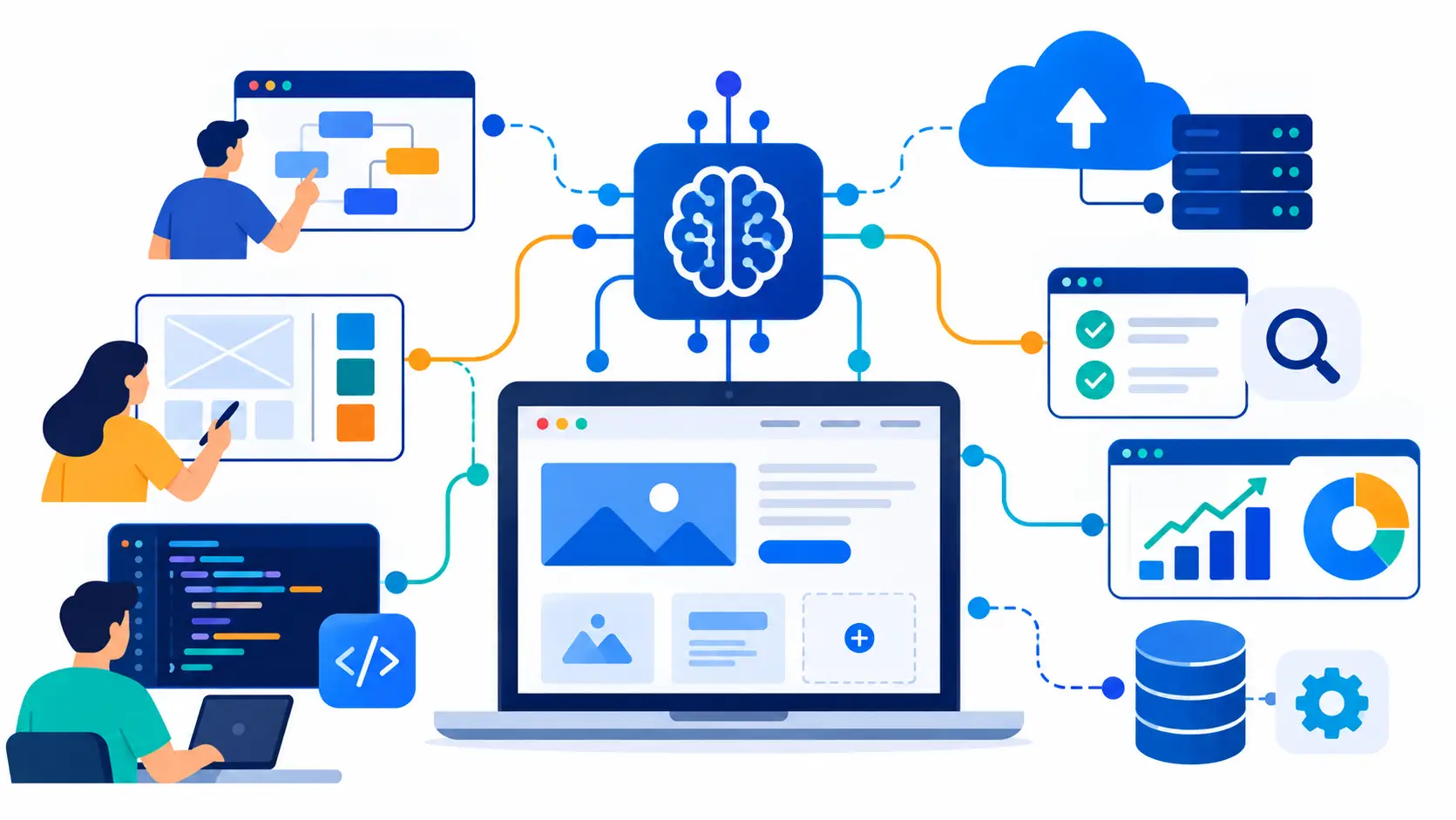
Key Takeaways
- AI can accelerate website development across planning, design, coding, testing, deployment, monitoring, and maintenance, but its role varies by development stage.
- AI-assisted website development can reduce development hours, especially for repetitive coding, documentation, page templates, and test generation, while complex architecture and business logic still require human expertise.
- Website teams need clear AI governance covering approved tools, data handling, code review, and accountability to prevent security, IP, and maintainability risks.
- AI-generated website code can introduce dependency, security, and data exposure risks, so developers must review, test, and validate AI output before using it in production.
- The safest way to adopt AI for website development is to start with lower-risk tasks such as documentation, boilerplate code, and test generation before applying it to business logic, authentication, or sensitive data.
_________________________________________________________________________________________
Website development has changed more in the past two years than in the previous ten. AI adoption among software professionals has reached 90%, a 14-point jump from the year before, according to Google Cloud’s 2025 DORA report. On GitHub, 80% of new developers now use an AI coding assistant within their first week on the platform, based on the 2025 Octoverse report. AI-assisted development is no longer a novelty feature teams experiment with on the side. It is the default starting point.
For businesses planning a website project, this shift raises a practical question: what does AI actually change about how a website gets planned, built, tested, deployed, and maintained, and what stays exactly the same?
A website built quickly with unreviewed AI output can look finished while quietly carrying security gaps, brittle architecture, or accessibility problems that only surface after launch, when fixing them costs far more than catching them early would have. This guide focuses specifically on AI’s role in the website development process itself, not on AI-powered features like chatbots or personalization widgets that live on the finished site.
Where Does AI Actually Fit in Website Development?
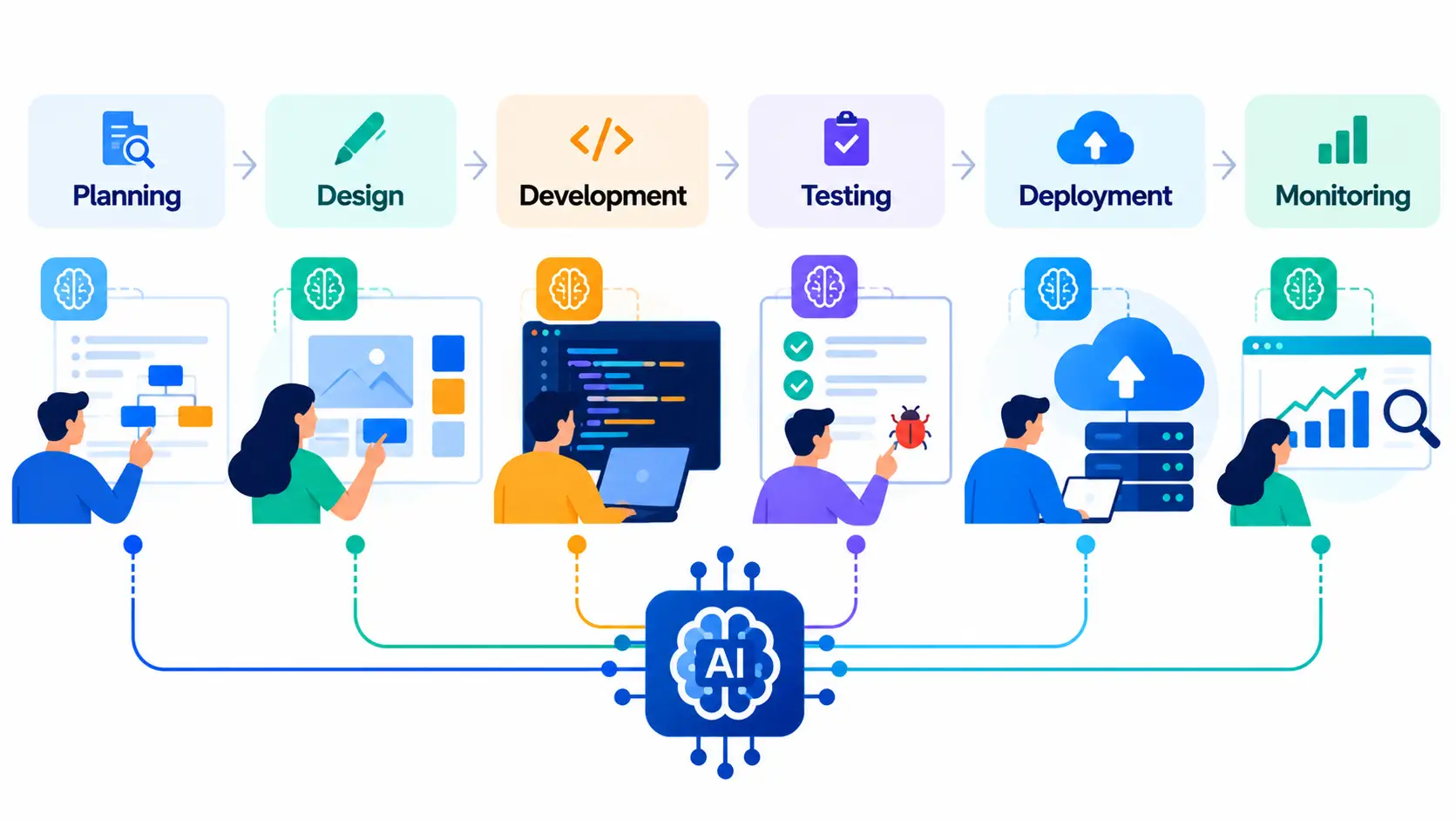
AI’s usefulness varies significantly by stage. Some parts of website development are well suited to AI assistance today. Others still require a developer’s judgment, and treating AI output as final in those areas is where projects run into trouble. Understanding the difference stage by stage is what separates a website project that genuinely benefits from AI from one that just moves its problems further downstream.
Planning and Discovery: What AI Can Scope for You
Before development begins, AI can reduce the manual effort involved in defining requirements, organizing project information, and exploring technical options. The team still needs to refine the output and make the final decisions.
- Requirements and documentation: AI can draft initial requirements documents from a business brief, generate user stories from a feature list, and produce first-pass technical documentation that a project manager can refine rather than write from scratch.
- Market and competitor research: During the market and competitor research, AI can pull raw user reviews at scale from different platforms, which can help you identify common pain points in the market and act upon them accordingly.
- Architecture comparison: AI can compare different architecture approaches and lay out trade-offs between options such as a headless CMS and a traditional CMS before development starts.
- Information architecture: AI can organize website information architecture and help structure pages based on the project’s requirements.
These capabilities can compress the discovery phase by reducing the time spent on documentation, information architecture, and initial wireframing. Teams evaluating how long a website typically takes to build can factor these AI-assisted efficiencies into their project timeline.
Design and Prototyping: Faster Wireframes, Same Design Judgment
AI can speed up early design exploration by producing multiple concepts and turning approved designs into initial frontend structures. Designers still need to evaluate the output for usability, accessibility, and alignment with the brand.
- UI concepts: AI can create initial UI concepts based on prompts or brand guidelines.
- User experience and user flow: AI-assisted design tools can generate wireframes from a written prompt or set of requirements.
- Visual design exploration: Faster generation allows designers to explore more options during the earliest rounds of the design process.
Frontend and Backend Development: Where AI Writes, You Verify
Frontend and backend development is where AI-assisted website development delivers some of its most visible time savings. AI handles repetitive, well-patterned development work quickly, while developers remain responsible for validating custom business logic and application behavior.
- Frontend components: Once a design is approved, AI can convert a static mockup into a rough frontend component structure. AI coding assistants can generate reusable frontend components and page structures.
- Backend functions: AI can generate backend functions and supporting application logic for common development patterns.
- API development: AI can scaffold API endpoints and reduce the time required to create standard REST APIs.
- Database queries: AI can generate database queries based on defined requirements and existing application structures.
- Boilerplate code: AI can produce repetitive boilerplate code that previously consumed significant early sprint time.
- Page templates: Setting up a new page template that once took an afternoon can now take minutes when the requirements and patterns are clear.
- Form and database integration: AI can help wire a form to a database without requiring developers to manually create every piece of the implementation.
- Repetitive development: AI provides the greatest acceleration for code that follows established and predictable patterns.
- Custom business logic: AI is less reliable when code depends on how a specific company operates, including custom pricing rules, unusual approval workflows, or industry-specific compliance logic.
- Developer validation: Developers still need to verify that generated code reflects the intended business behavior rather than accepting a plausible-looking implementation that may be incorrect.
Code Review: AI as First Pass, Not Final Word
AI can make code review more efficient by identifying obvious issues before a human reviewer examines a pull request. It does not replace the developer’s responsibility for architectural and business-level decisions.
- Bug detection: AI tools can flag potential bugs in generated or existing code during a first-pass review.
- Pattern consistency: AI can identify inconsistent coding patterns across a codebase.
- Code smells: AI can detect obvious code smells and other quality issues before the human review begins.
- Human review: Developers still need to determine whether a change fits the broader system and follows the project’s architectural standards.
- Business logic: AI review cannot reliably replace human judgment about whether application behavior matches the intended business requirements.
- Final accountability: Passing a linter or automated review does not establish that a change is correct. A human developer should remain accountable for the final decision.
Testing and QA: Faster Coverage, Not Full Coverage
AI can expand testing coverage quickly by generating and running different types of tests. However, generated tests still need human validation to ensure they check the intended behavior rather than simply producing passing results.
- Unit tests: AI can generate unit tests based on existing application code.
- Integration tests: AI can create integration tests that evaluate how different parts of the website work together.
- Visual regression testing: AI can help write visual regression tests to identify unexpected interface changes.
- Cross-browser validation: AI can accelerate cross-browser validation that would otherwise require more manual scripting and execution.
- Faster coverage: These capabilities allow teams to increase test coverage faster than manually creating the same tests.
- Human validation: QA and development teams still need to confirm that generated tests are testing the right behavior and meaningful scenarios.
- Passing tests are not enough: A test that passes does not necessarily prove that the underlying functionality is correct if the test itself was poorly designed.
Deployment and DevOps: Fewer Manual Steps, Same Controls
AI can reduce repetitive DevOps work by assisting with build diagnostics, configuration troubleshooting, and release documentation. These efficiencies should reduce manual effort without removing the controls around production releases.
- Build diagnostics: AI can automatically analyze failed builds and identify potential causes.
- Configuration issues: AI can help diagnose configuration problems and accelerate root-cause analysis.
- Root-cause analysis: Faster analysis can reduce the time developers and DevOps teams spend investigating routine deployment issues.
- Release notes: AI can generate release notes from development and deployment information.
- Reduced manual effort: These capabilities can meaningfully reduce routine DevOps work and manual troubleshooting.
- Deployment oversight: AI should reduce operational toil rather than remove deployment oversight.
- Release approvals: Release approval should remain with the responsible team regardless of how much AI is involved in the deployment pipeline.
- Rollback authority: Teams should retain control over rollback decisions when a production release causes unexpected problems.
Monitoring and Maintenance: Catching Problems Before Users Do
After a website goes live, AI can continuously analyze operational data to identify unusual behavior before it becomes a larger incident. This supports a more proactive approach to maintenance, where teams address problems before users are directly affected.
- Log analysis: AI can analyze website and application logs to identify unusual patterns or potential problems.
- Anomaly detection: AI-assisted monitoring can flag abnormal behavior that may indicate an emerging issue.
- Traffic patterns: AI can identify unusual changes in website traffic that could require investigation.
- Slow endpoints: AI can detect endpoints experiencing increased latency or performance degradation.
- Error spikes: AI can identify sudden increases in errors before they develop into a full outage.
- Early intervention: Detecting these issues earlier gives teams an opportunity to investigate and address them before users notice a significant problem.
- Ongoing maintenance: This approach pairs naturally with a broader AI-supported approach to app and website maintenance, where the priority is catching problems early rather than reacting after users notice.
Here’s an overview of how AI helps in different stages of development:
| Lifecycle Phase | Where AI Helps | What Still Needs a Developer |
| Planning and Discovery | Requirements drafts, user stories, architecture comparisons | Final scope decisions, budget tradeoffs |
| Design and Prototyping | Wireframes, layout variations, design-to-code handoff | Brand fit, accessibility, usability judgment |
| Frontend and Backend Development | Components, API endpoints, boilerplate code | Business logic accuracy, system architecture |
| Code Review | First-pass bug and pattern detection | Architectural and business-logic sign-off |
| Testing and QA | Test generation, visual regression, cross-browser checks | Confirming tests validate the right behavior |
| Deployment and DevOps | Build diagnostics, release documentation | Release approvals, rollback authority |
| Monitoring and Maintenance | Anomaly detection, log analysis, performance flags | Root-cause fixes, prioritization calls |
Should You Standardize AI Use on Your Website Team?
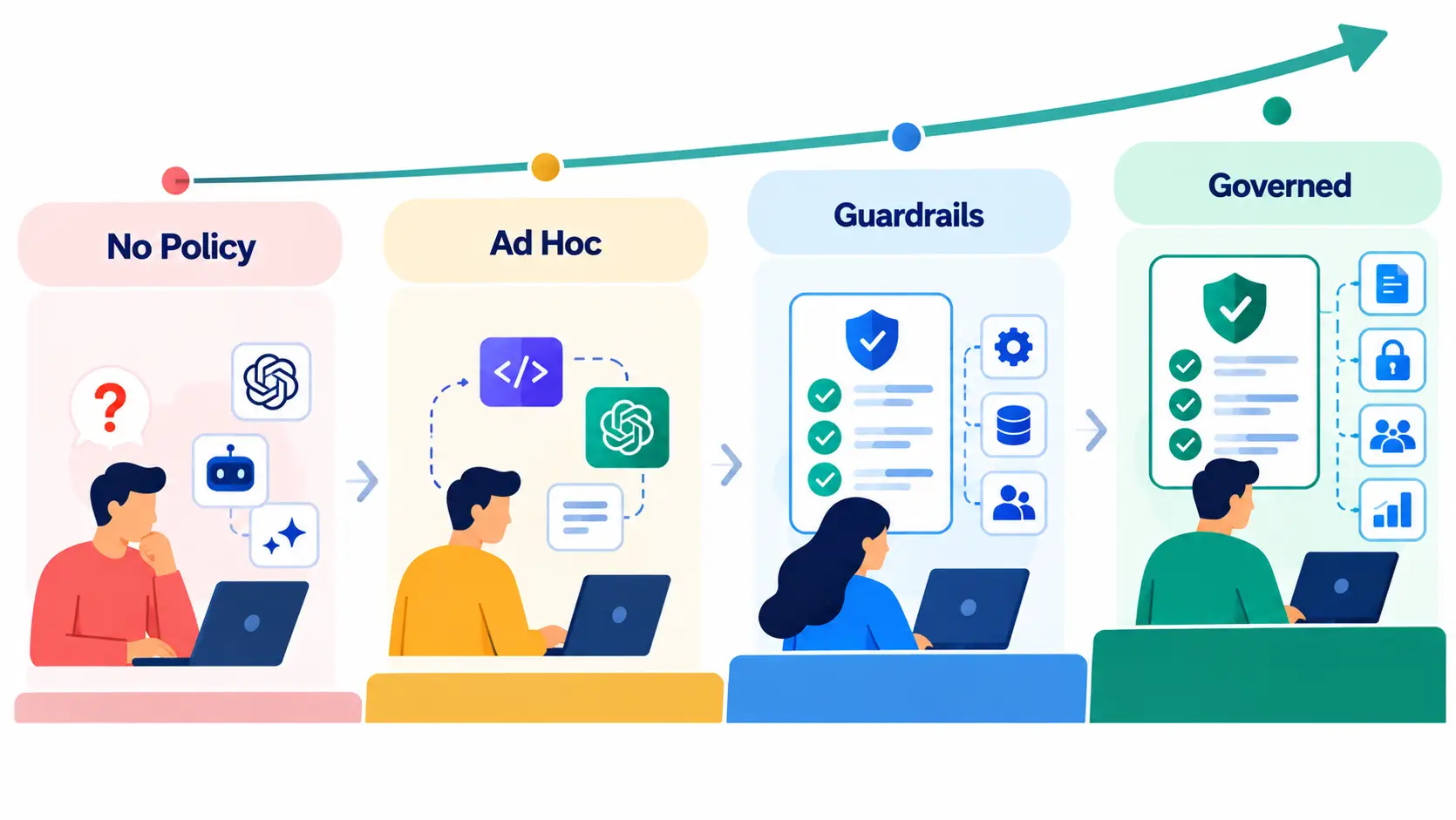
Most website development teams do not start with a formal AI policy. They start with individual developers experimenting, and that informal stage works fine until it doesn’t. A simple maturity model helps teams figure out where they actually sit:
- No policy: Developers use whatever AI tools they prefer, with no visibility into which tools touch client code or how outputs are reviewed.
- Ad hoc: Some developers have adopted AI tools consistently, but there is no team-wide agreement on approved tools or review standards.
- Guardrails: The team has agreed on approved tools, basic data-handling rules, and a review process for AI-assisted code before it reaches production.
- Governed: AI use is documented, tool access is centrally managed, code review standards explicitly cover AI-generated code, and accountability for what ships is clearly assigned.
Moving from one stage to the next does not require a heavyweight process. It requires a written list of approved tools, a clear rule about what data can and cannot be entered into them, and a review checklist that treats AI-generated code the same way it treats any other contributor’s code. Most website teams can move from “no policy” to “guardrails” in a single working session once someone owns the decision, since the actual content of the policy is usually shorter than the debate about whether one is needed.
A note on shadow AI: The biggest governance risk on most website teams isn’t a developer misusing an approved tool. It’s a developer pasting client code, API keys, or proprietary business logic into an unapproved AI tool because it happened to be faster. Shadow AI use is invisible until something goes wrong, which is exactly why a written policy, even a short one, closes more risk than any single security tool.
What Factors Affect the Cost of AI-Assisted Website Development?
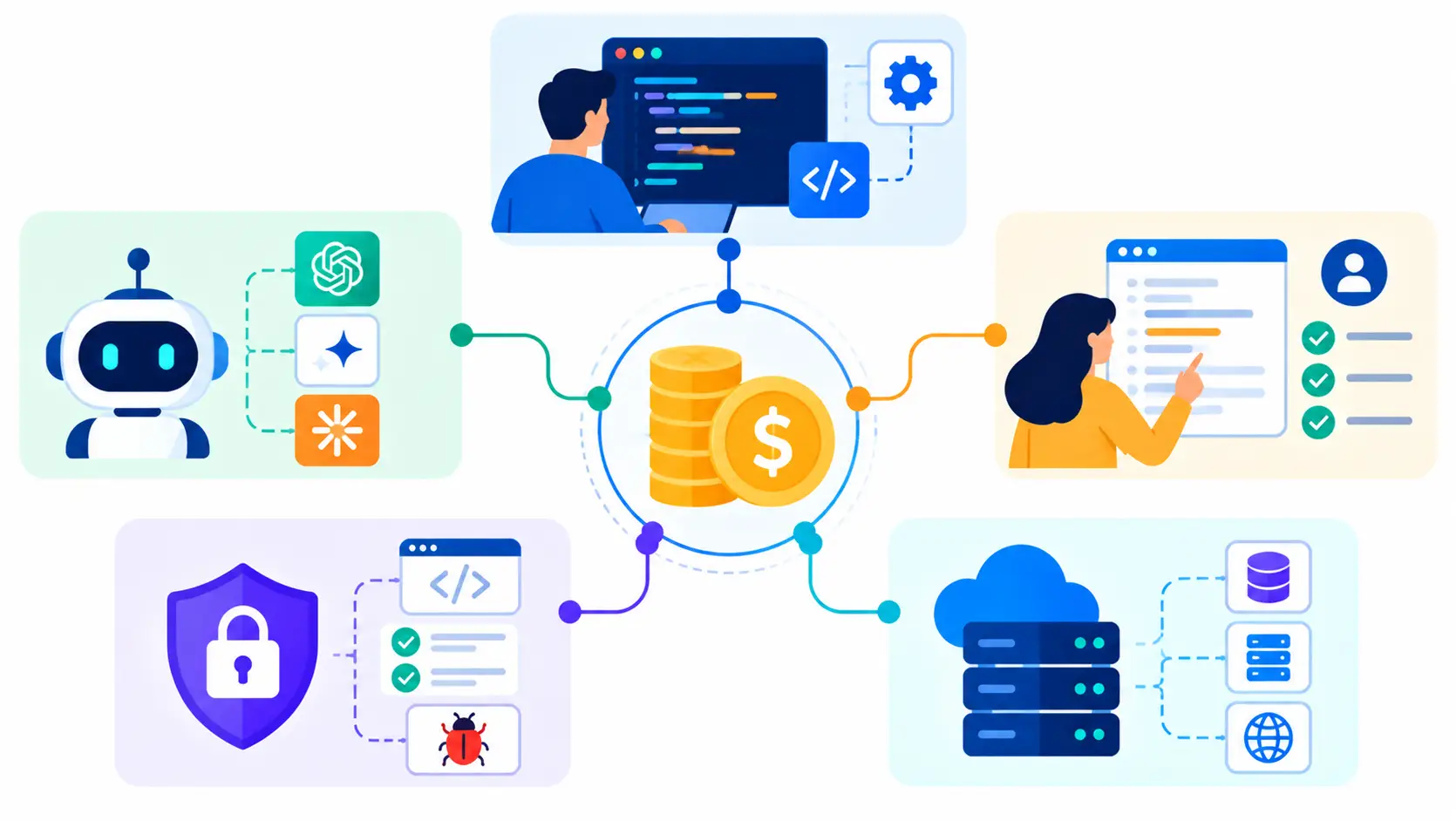
AI-assisted development can change the cost structure of a website project, but the impact depends on how AI is used, which tools are selected, and how much human review the project requires. The cost is shaped by several factors beyond the development hours saved through AI. Here’s an overview of how cost varies when choosing AI-assisted website development.
| Cost factor | How it affects overall cost |
| Discovery and Design | |
| Development effort | AI can reduce time spent on repetitive development work, but the amount saved varies with project complexity and workflow. |
| AI tools and platforms | Subscription, per-user, usage-based, and enterprise pricing can add to the project cost depending on the tools used. |
| AI model and token usage | Model calls, input and output tokens, large context windows, and repeated AI interactions can create usage-based costs. |
| Human review and validation | Reviewing, testing, refining, and approving AI-generated output adds developer time, particularly for complex functionality. |
| Project complexity | Custom business logic, complex integrations, legacy systems, and specialized requirements generally require more human effort. |
| Security and compliance | Sensitive data and compliance requirements can increase review, testing, governance, and implementation costs. |
| AI governance and infrastructure | Approved tools, access controls, data policies, monitoring, and enterprise AI requirements can introduce additional costs. |
| Ongoing AI usage | Continued AI use for maintenance, debugging, monitoring, documentation, and support can create recurring expenses after launch. |
| Hosting, licenses, and third-party services | These costs remain part of the website budget and do not automatically decrease because AI speeds up development. |
The important distinction is that AI-assisted development does not have a single additional cost or guaranteed percentage of savings. Its financial impact comes from the relationship between AI tool and model usage, development efficiency, project complexity, and the amount of human oversight required. Teams evaluating how much it costs to build a website should therefore consider AI as one part of the broader project cost structure rather than treating it as a fixed pricing category.
What Security and IP Risks Does AI Introduce?
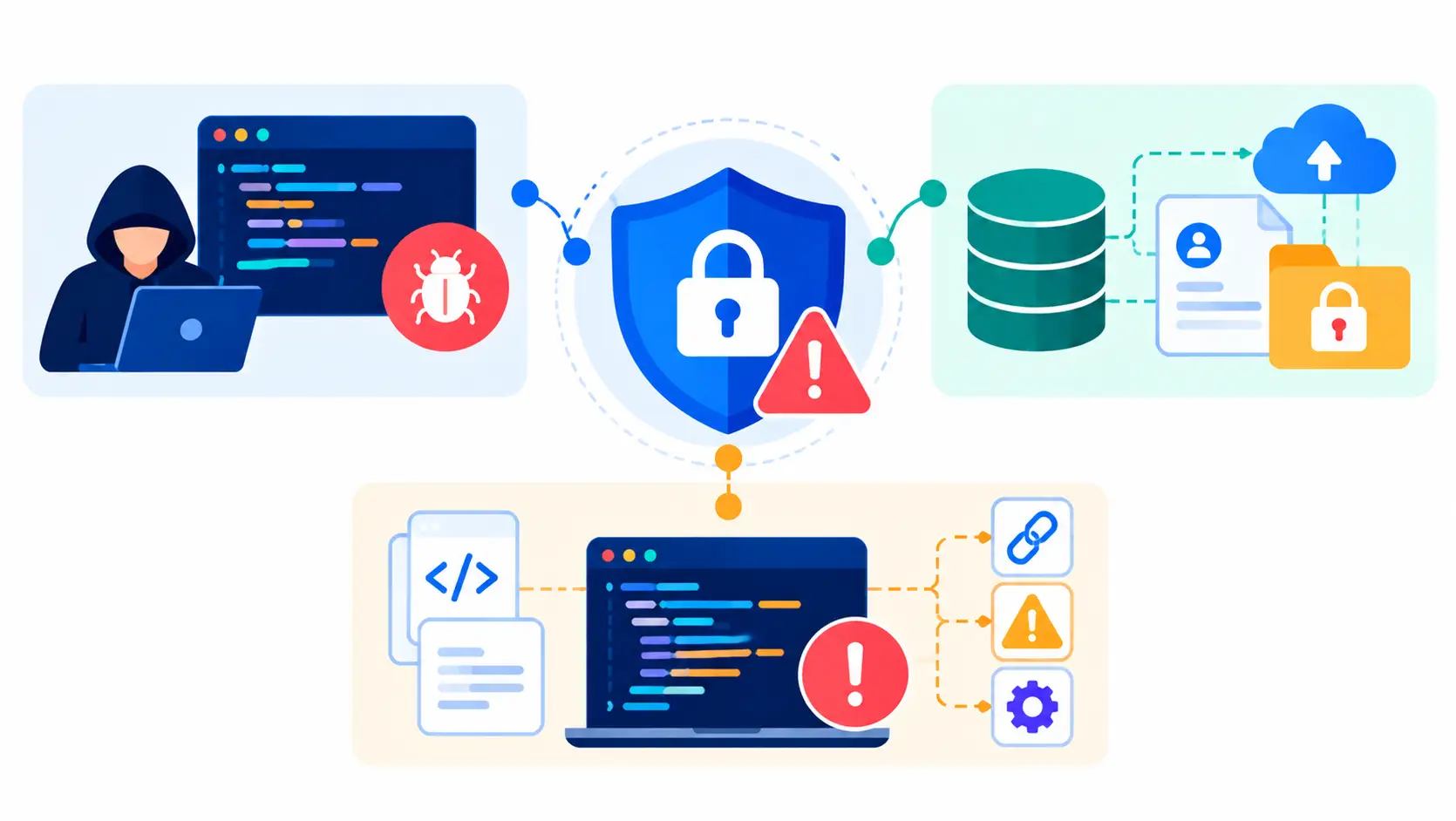
AI-assisted website development introduces risks that are specific to how these tools work, not just generic software security concerns. Google Cloud’s 2025 DORA research found that while AI adoption improves throughput, it is also associated with a rise in software delivery instability, which is a useful reminder that speed and stability do not automatically move together.
Three risks show up repeatedly in website development specifically:
- Dependency hallucinations: AI coding tools sometimes suggest npm packages that don’t exist, are outdated, or are poorly maintained. Installing a hallucinated or abandoned dependency into a production website is a real, documented failure mode, not a theoretical one.
- IP and data exposure: When a developer pastes proprietary business logic, API keys, or client information into a public AI tool to get help with a problem, that data may leave the organization’s control entirely, depending on the tool’s data retention policy.
- Insecure generated code: AI-generated authentication flows, database queries, and API endpoints can contain the same categories of vulnerability a rushed human developer might introduce, including weak input validation and improperly scoped permissions.
The fix for all three is the same governance discipline covered above: a dependency review step before anything new gets installed, clear rules about what can be pasted into an AI tool, and security review that treats AI-generated code as unverified until proven otherwise. For a website handling customer accounts, payment data, or any regulated information, this review step is not optional overhead. It is the difference between AI accelerating the project and AI quietly introducing a liability that surfaces only after launch, when a fix costs far more in customer trust than it would have in review time.
What Are the Common Pitfalls of AI-Assisted Website Development?
AI can speed up website development, but faster output also creates new challenges around code quality, maintainability, developer skills, and legacy systems. The biggest risks usually appear when teams adopt AI without adjusting their review, architecture, and validation practices.
The following pitfalls are worth addressing when integrating AI into an existing website development workflow.
01. Shallow Code Review at Scale
The problem: AI lets developers generate code faster than a team can meaningfully review it. When output volume outpaces review capacity, things get approved on a skim rather than a real read.
The fix: Keep human review standards fixed even as output volume grows, and pair that with automated quality and security checks that catch what a rushed human eye might miss.
02. Technical Debt From Unreviewed AI Code
The problem: AI-generated code often solves the immediate task correctly while quietly creating a maintainability problem, such as inconsistent patterns or logic duplicated across files.
The fix: Apply the same architecture standards and refactoring cycles to AI-generated code that the team already applies to human-written code, with clear ownership assigned to whoever merges it.
03. Over-Reliance on AI and Skill Atrophy
The problem: Developers can start accepting AI-generated solutions without fully understanding the underlying logic, which becomes a real liability the first time that code needs to be debugged or extended months later.
The fix: Treat AI as an assistant, not a decision-maker. Developers should be able to explain why a piece of generated code works, not just that it passed a test.
04. AI Limitations With Legacy Website Stacks
The problem: AI tools tend to perform worse on outdated frameworks, custom architectures, and undocumented legacy codebases than they do on well-documented, modern stacks, because there’s less clean training signal to draw from.
The fix: Establish project-specific documentation and context before rolling AI tools out broadly on a legacy project, and validate output more rigorously than on a greenfield build. Many of these same failure points show up across the most common web development challenges teams face regardless of whether AI is involved, which is worth reviewing alongside this list.
How Should You Choose AI Tools for Website Development?
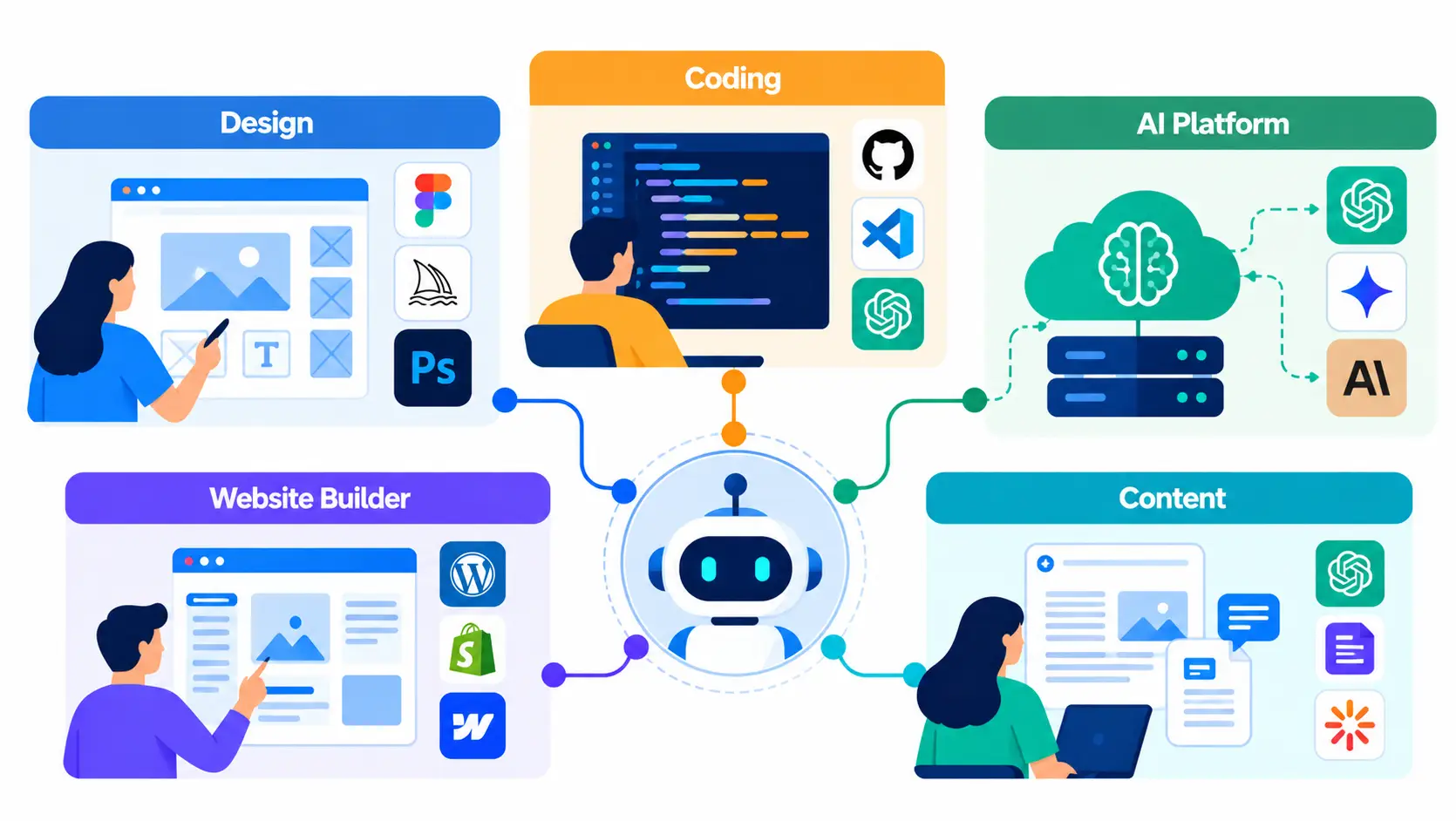
Rather than chasing whichever AI tool is trending, it helps to evaluate tools against the actual stage of website development they’ll be used for, since a tool built for rapid prototyping and a tool built for production-grade coding solve very different problems.
| Tool Type | Specialized Tools | How They Benefit a Website Project |
| Design Tool | UXPilot, UIzard | Wireframing and design exploration for web-based apps and websites |
| Coding Tools | Claude Code, Codex, Cursor.AI | Require developer-level coding experience to use safely and effectively |
| AI Platforms (no coding needed) | Replit, Base44 | Best for lighter, low-complexity web-based applications, not for complex production builds |
| AI Website Builder | Platform-dependent (e.g., Wix ADI, Framer AI) | Fastest path for simple sites, with real limits on customization and scalability |
| Content Creation | Platform-dependent | Speeds up first drafts of page copy and metadata, still needs editorial review |
A few evaluation criteria matter more than brand recognition: how well the tool integrates with the team’s existing tech stack, what its data privacy and retention policy actually says, whether its output style matches the project’s coding standards, and whether the pricing model holds up once usage scales past a pilot. A tool that looks free during a two-week trial can get expensive fast once a team is running it against a production codebase every day, so it’s worth stress-testing pricing against realistic usage before standardizing on anything.
The no-code and low-code category deserves a specific caution here. Platforms like Replit and Base44 genuinely work well for lightweight, low-complexity web applications, internal tools, and early prototypes.
No-code platforms can show limitations when a project requires custom authentication logic, complex data relationships, or multiple third-party integrations. At that point, continuing to push the platform can create unnecessary complexity. Teams should consider handing the project off to developers instead of taking the no-code platform beyond its practical limits.
Also Read: AI in MVP Development Guide
Final Thoughts
AI has genuinely changed how websites get built. It compresses the repetitive parts of development, documentation, and testing into a fraction of the time they used to take, and it gives smaller teams leverage that used to require a much larger headcount. None of that changes what a website actually needs to succeed: sound architecture, real security review, and a team that understands the business it’s building for well enough to make judgment calls AI cannot make on its own.
The organizations getting the most out of AI-assisted website development aren’t the ones adopting every new tool the fastest. They’re the ones adopting deliberately, with clear governance, the right tools matched to the right stage of the project, and experienced developers still firmly in charge of the decisions that matter. If you’re planning a website project and want a team that combines AI-accelerated development with the architecture, security, and design judgment that AI alone can’t provide, Simpalm’s AI proficient website development team can help you scope it the right way from day one.
Frequently Asked Questions
Q1. Does AI reduce the cost of building a website?
Ans. It can, but not uniformly across a project. AI meaningfully cuts the hours spent on repetitive coding, boilerplate generation, documentation, and first-draft testing. It does much less for architecture planning, security review, and custom business logic, and in some cases adds review time that offsets part of the savings elsewhere. The net effect is usually a moderate cost reduction rather than a dramatic one, and it depends heavily on how disciplined the team’s review process is.
Q2. Is AI-generated code safe to put into production?
Ans. Only after it goes through the same security, testing, and code review process as any other code. AI-generated code is not inherently less safe than human-written code, but it is also not inherently safer, and treating it as pre-verified because it came from an AI tool is how vulnerabilities slip through. The safest approach treats AI output the way a team would treat a new contributor’s first pull request.
Q3. Will AI replace website developers?
Ans. Not in any way that’s currently visible in the data. AI is changing what developers spend their time on, shifting effort away from repetitive coding and toward review, architecture, and validation. The skills that matter most, understanding a business’s actual needs, designing systems that scale, and catching problems before they reach users, are exactly the skills AI cannot replicate on its own.
Q4. How should a website development team govern AI use?
Ans. Start with a short, written policy covering which tools are approved, what data can and cannot be entered into them, and how AI-generated code gets reviewed before it merges. Assign clear accountability for what ships, regardless of whether a human or an AI tool wrote the first draft. Teams that skip this step tend to discover the gaps the hard way, usually through a security incident or a maintainability problem that surfaces months later.
Q5. What’s the best phase of website development to start using AI?
Ans. Lower-risk, high-value starting points work best: documentation, test generation, boilerplate code, and repetitive page templates. These are areas where AI output is easy to verify and mistakes are cheap to catch. Save the more cautious rollout for business logic, authentication, and anything touching sensitive data, where errors are costly and harder to spot.
Q6. How much time can AI actually save on a website project?
Ans. It varies significantly by project complexity and team experience. Simple, template-driven sites see the largest proportional time savings, since more of the work is repetitive. Complex custom builds with heavy backend logic see smaller proportional savings, since the hardest parts of the project were never the parts AI is good at. Teams new to AI-assisted workflows also tend to see smaller gains early on, since the review discipline needed to capture the savings safely takes time to build.