
 Design
 App Development
 Web Engineering
 AI Services
 Cloud
Cloud Staffing
 Startups
 Health / Fitness
 Education
 Social
 Nonprofit
 Fintech
 Construction
 Logistics
 Government
 Travel/Hospitality
 HR Software
 About Simpalm
 Our News
 Client Testimonials
 Careers
 Our Blog
 Awards
 Resources
 Information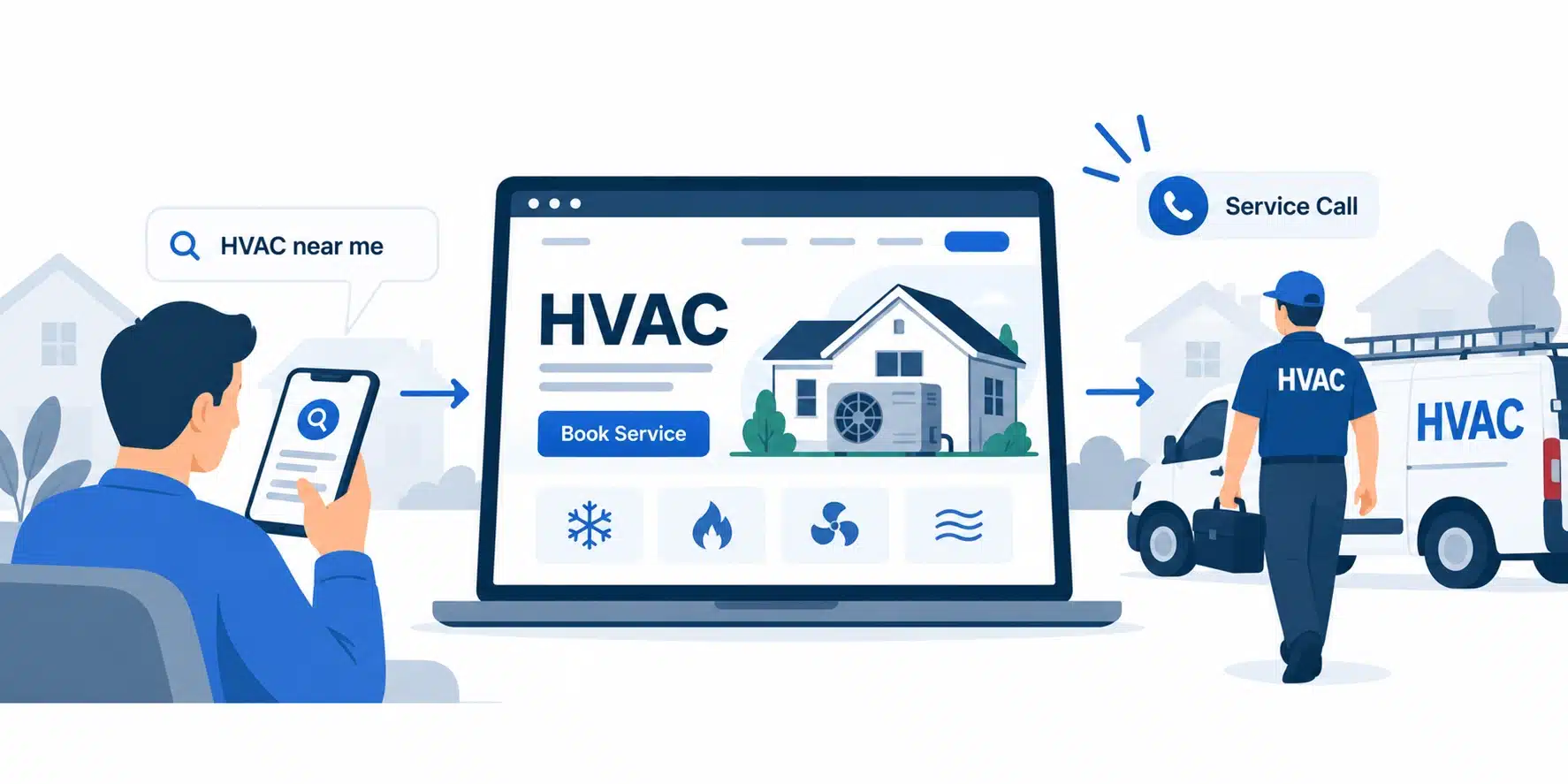
Key Takeaways
- A strong HVAC website needs the right structure. Key pages on an HVAC website include services, service area, emergency, booking, and trust pages that help customers find information and take action.
- Local SEO and performance drive visibility. Key aspects such as fast mobile speeds, technical SEO, service area pages, and an accurate Google Business Profile help attract nearby customers.
- Conversions depend on reducing friction. Clear CTAs, short forms, online booking, and visible emergency options make it easier to generate service calls.
- AI works best when it solves a specific business problem. Chatbots, booking, lead qualification, estimates, and follow-up can reduce missed opportunities when connected to business systems.
- Website costs increase with functionality and complexity. Custom design, SEO, integrations, AI features, and multi-location architecture require greater investment.
_________________________________________________________________________________________
The global HVAC systems market was valued at USD 258.9 billion in 2025 and is projected to climb to USD 445.7 billion by 2033, growing at a 7.0% CAGR, according to Grand View Research. That growth means more competition for the same pool of local customers, and the businesses that win service calls will be the ones whose websites actually work: fast to load, easy to book, clear about pricing, and built to handle emergency requests the moment they happen.
Most HVAC companies still treat their website as a digital business card, a homepage with a phone number and maybe a truck photo. That worked when word of mouth carried the industry. It doesn’t work when a customer with a broken furnace at 9 p.m. is comparing three companies on their phone and will call whichever site answers their questions fastest. A modern HVAC website has to support lead generation, customer service, local visibility, and long-term growth at once, increasingly with the help of performance optimization, structured SEO, and AI features that handle volume a growing business can’t manage by phone alone.
This guide walks through what an HVAC website needs, how to build it, what it should cost, and how to keep it working long after launch.
Essential Pages an HVAC Website Shall Have
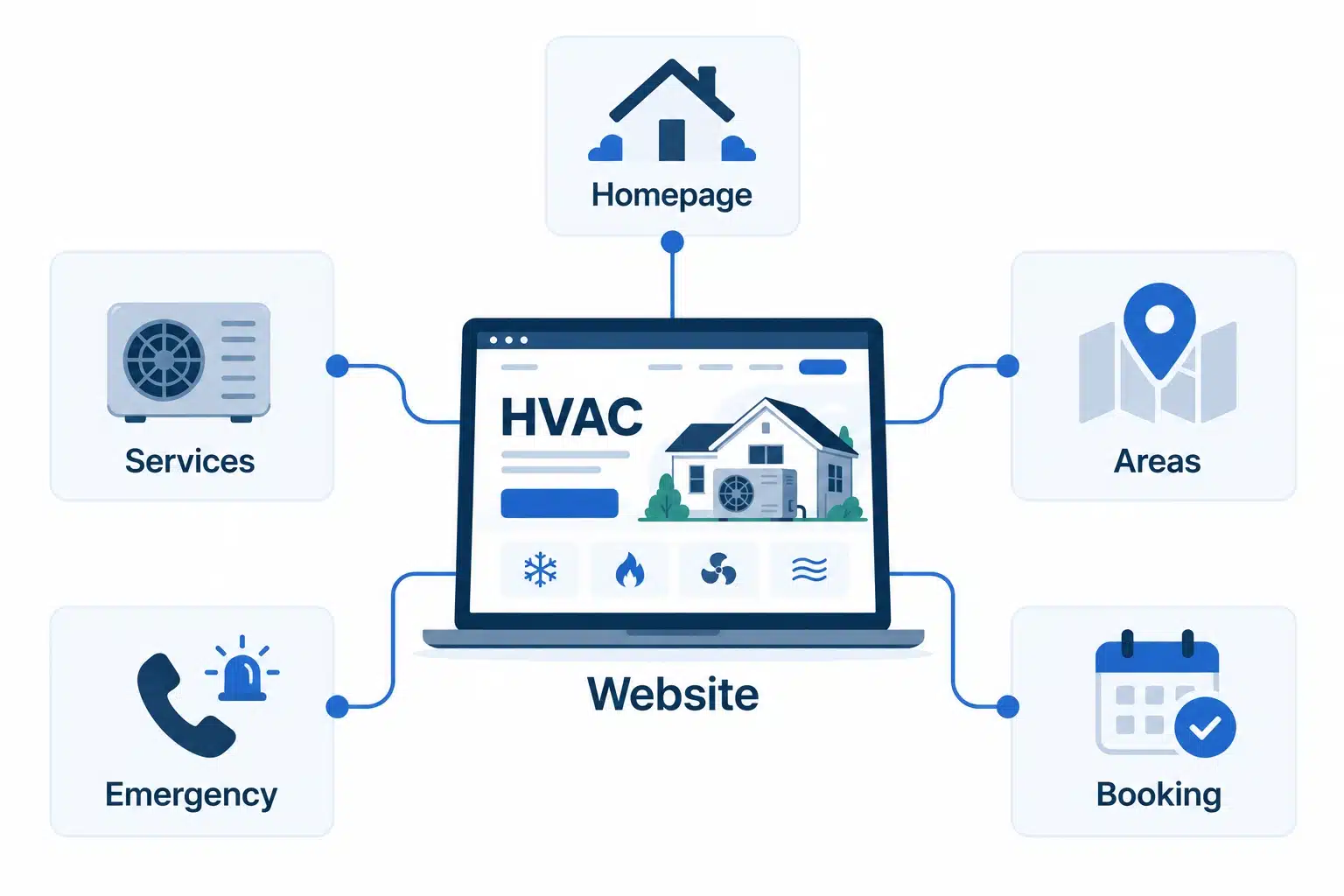
Before choosing a platform or thinking about SEO, it’s worth mapping out the pages the site needs. Architecture determines everything that follows, including how search engines categorize the business and how easily a visitor finds what they came for.
01. Build a Homepage That Answers the First Question a Customer Asks
The homepage needs to immediately answer three questions: what services does this company offer, does it serve my area, and how do I get help right now. That means core services above the fold, a visible service area, a primary CTA, and trust signals like reviews and licensing.
02. Structure Service Pages Around How People Actually Search
Separate pages for AC repair, heating repair, installation, maintenance, and indoor air quality perform better than one combined “services” page because they match how people search. Someone typing “AC not cooling” has different intent than someone researching a full system replacement, and each deserves its own page.
03. Add Service Area Pages Before Expanding Into a New Market
Location-specific pages that reflect local search intent and confirm availability in a given town or zip code are among the highest-leverage additions an HVAC site can make. They’re introduced here as architecture; their SEO role comes later, because building the page and ranking the page are two different jobs.
04. Make the Emergency Service Page Impossible to Miss
Emergency contact information, after-hours details, and an immediate booking or call option belong on their own page, linked prominently from the header and homepage. This is the single highest-intent page on the site for a subset of visitors.
05. Round Out the Site With Pages That Build Long-Term Confidence
An About or team page, a reviews page, a financing page, and a clear contact or booking page round out the architecture. Financing pages benefit from a smooth, secure way to collect payment information; the same principles that make online checkout trustworthy for any business, as covered in Simpalm’s guide to integrating a payment gateway into a website, apply directly to financing and deposit collection on an HVAC site.
06. About Company Page
An About or team page gives visitors context beyond services and pricing. Use it to introduce the people behind the business, highlight experience and certifications, explain the company’s approach to service, and reinforce the local presence that helps customers feel comfortable choosing an HVAC contractor.
07. Use a Blog to Answer Questions Customers Ask Before They Call
A blog gives the website space to address common HVAC questions, maintenance concerns, buying decisions, and seasonal issues that do not belong on core service pages. It also creates a structured place to publish useful content that can support service pages, build topical depth, and capture informational search intent.
AI Features for HVAC Websites and Practical Use Cases
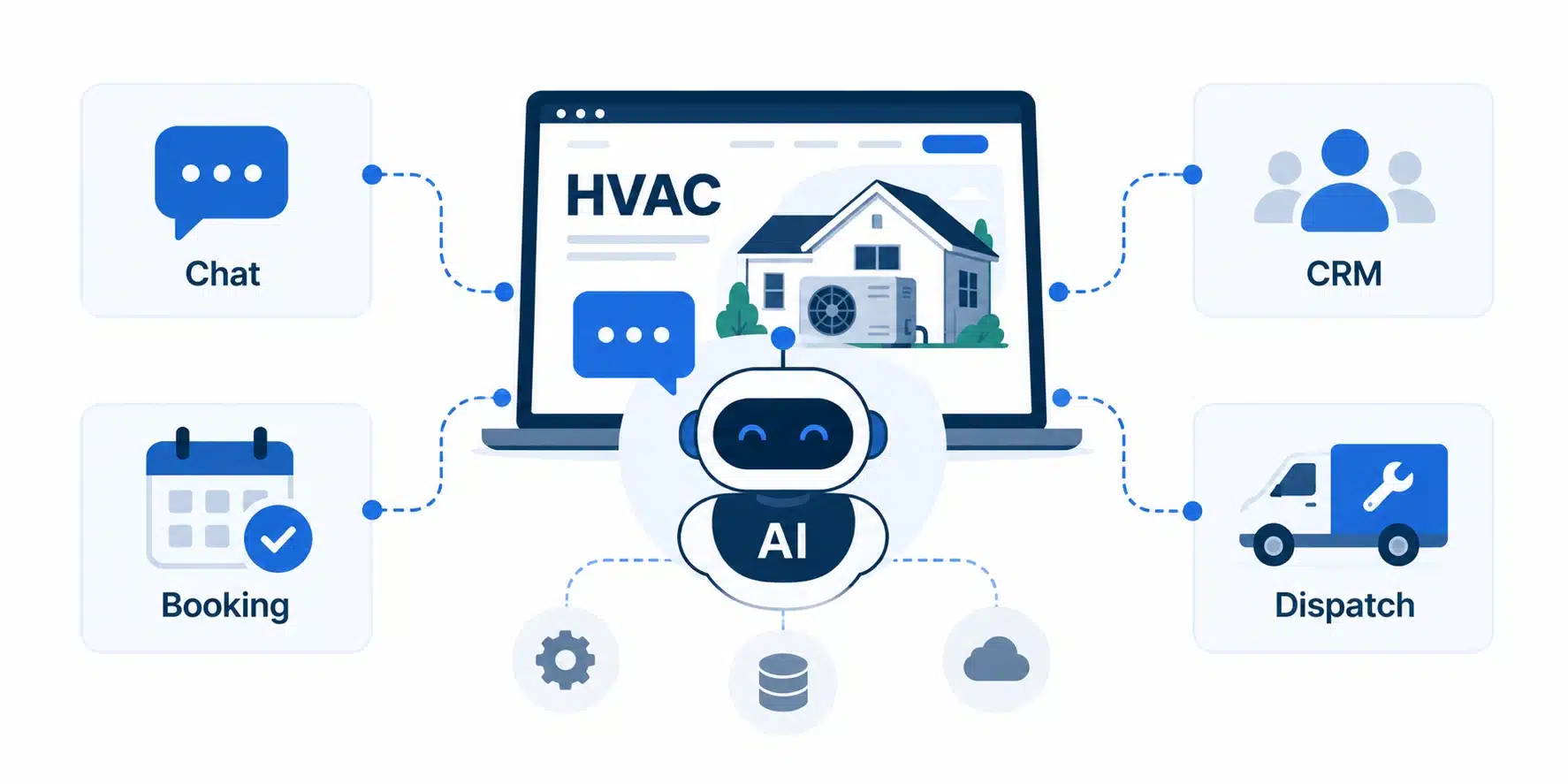
AI works best when it solves a specific customer or business problem rather than being added simply because a website needs an “AI feature.” The most useful applications are usually tied to lead capture, booking, qualification, estimates, and follow-up.
AI Chatbots
What it does:
An AI chatbot can answer common service and pricing questions, confirm service areas, capture lead information, and escalate urgent requests to a human when needed.
Practical example:
A homeowner visits the website at 10 PM and asks, “My AC stopped working. Do you offer emergency service?” The chatbot can confirm the service area, collect the customer’s contact and address details, identify the request as an emergency, and route it according to the company’s after-hours process.
AI-Powered Booking
What it does:
AI can turn a basic contact form into an interactive booking experience by identifying the required service and connecting the request to real technician availability.
Practical example:
Instead of submitting a form and waiting for a callback, a customer looking for a furnace tune-up can select the service, see available appointment slots, and schedule the visit directly through the website.
Guided AI Estimates
AI Lead Qualification
What it does:
AI can collect important information before a lead reaches the dispatcher or sales team, helping the business distinguish urgent requests from routine inquiries and residential jobs from commercial ones.
Practical example:
A customer requesting AC repair identifies the system type, describes the problem, provides the equipment age, and selects an emergency service option. The dispatcher receives those details upfront instead of having to collect them through multiple calls or messages.
Guided AI Estimates
What it does:
AI-assisted estimate flows can use information such as system type, home size, equipment requirements, and efficiency preferences to provide an initial pricing range or surface relevant financing options.
Practical example:
A homeowner exploring an AC replacement enters their home size, current system type, and preferred efficiency level. The website can provide an estimated range and financing information before the customer schedules an in-home consultation.
Automated Lead Follow-Up
What it does:
AI can follow up with prospects who request information or an estimate but do not complete the booking process, reducing the amount of manual follow-up required from the sales team.
Practical example:
A homeowner requests an AC replacement estimate but leaves without scheduling an appointment. An automated follow-up can remind the customer about the pending request and provide a direct path back to booking.
After-Hours Lead Capture
What it does:
AI can continue collecting and qualifying leads outside normal business hours, ensuring that customers do not have to wait until the next business day to start a service request.
Practical example:
A homeowner submits an emergency heating request at 11:30 PM. Instead of encountering a generic “we’re closed” message, the website collects the customer’s location, contact information, equipment type, and issue, then routes the request according to the company’s after-hours process.
The important distinction: AI should sit on top of the HVAC company’s existing website and business systems, not operate as a standalone feature. Booking, lead qualification, and follow-up become useful only when they connect with the CRM, scheduling, dispatch, and analytics systems already in use.
Also Read | AI in MVP Development: Process, Cost, Features & Challenges
Which Platform Actually Fits the Business Today?
The right platform depends on business size, how much customization the company needs, and where the business plans to be in two or three years.
Website Builders: Fast to Launch, Limited to Grow
Drag-and-drop builders get a basic site online quickly and cost little upfront, a reasonable start for a very small or brand-new business. The tradeoff is customization: once the business needs service area pages at scale, CRM integrations, or AI-powered booking, most builders become a ceiling rather than a foundation.
WordPress: Flexible, But Only as Good as Who Manages It
WordPress remains the most common choice for growing HVAC companies because of its flexibility, SEO control, and library of integrations, though it requires more ongoing maintenance and performance depends heavily on how it’s built. A poorly optimized WordPress site is often the reason otherwise strong HVAC sites lose mobile visitors to slow load times; Simpalm’s breakdown of strategies to speed up a WordPress site covers the fixes that matter most where every second of load time affects whether a visitor stays.
Managed HVAC Platforms: Built-In Tools at the Cost of Control
Platforms built for field service businesses come with scheduling, CRM, and dispatch integrations baked in, with maintenance handled by the vendor. They trade some design flexibility for speed of setup, which can be the right call for a business that wants those tools working on day one.
At a Glance: Matching the Platform to Where the Business Is Headed
| Business Stage | Best-Fit Platform | Why It Fits |
| Small HVAC business, single location | Website builder or lightweight WordPress build | Low cost, fast launch, minimal maintenance |
| Growing HVAC company, expanding service area | WordPress with custom development | Room to add service area pages, booking, and SEO structure as it scales |
| Multi-location HVAC business | Managed platform or custom WordPress with CRM integration | Needs centralized scheduling and multi-location SEO from the start |
This mirrors what tends to hold true across other trade-focused businesses. Simpalm’s guide to building a construction company website covers a nearly identical decision: the platform that fits a five-person operation rarely fits the same business once it’s running crews across three counties.
HVAC Website Performance, SEO, and Visibility
Being found matters as much as being built well, and for HVAC businesses that means combining page speed, technical SEO, and local visibility into one strategy rather than separate projects.
Core Web Vitals: The Technical Bar Google Now Enforces
Google’s Core Web Vitals measure Largest Contentful Paint (LCP), Interaction to Next Paint (INP), and Cumulative Layout Shift (CLS), and all three factor into how a site ranks. For an HVAC site, this usually comes down to image optimization, minimal third-party scripts, and a layout that doesn’t shift as it loads, since most HVAC searches happen on a phone.
Technical SEO That Search Engines Actually Reward
HTTPS, fast page speed, optimized images, a clean technical structure, and structured data markup for local business and service listings form the technical foundation search engines expect. Skipping any one tends to cap how well even great content can rank.
Local SEO: Winning the “Near Me” Moment
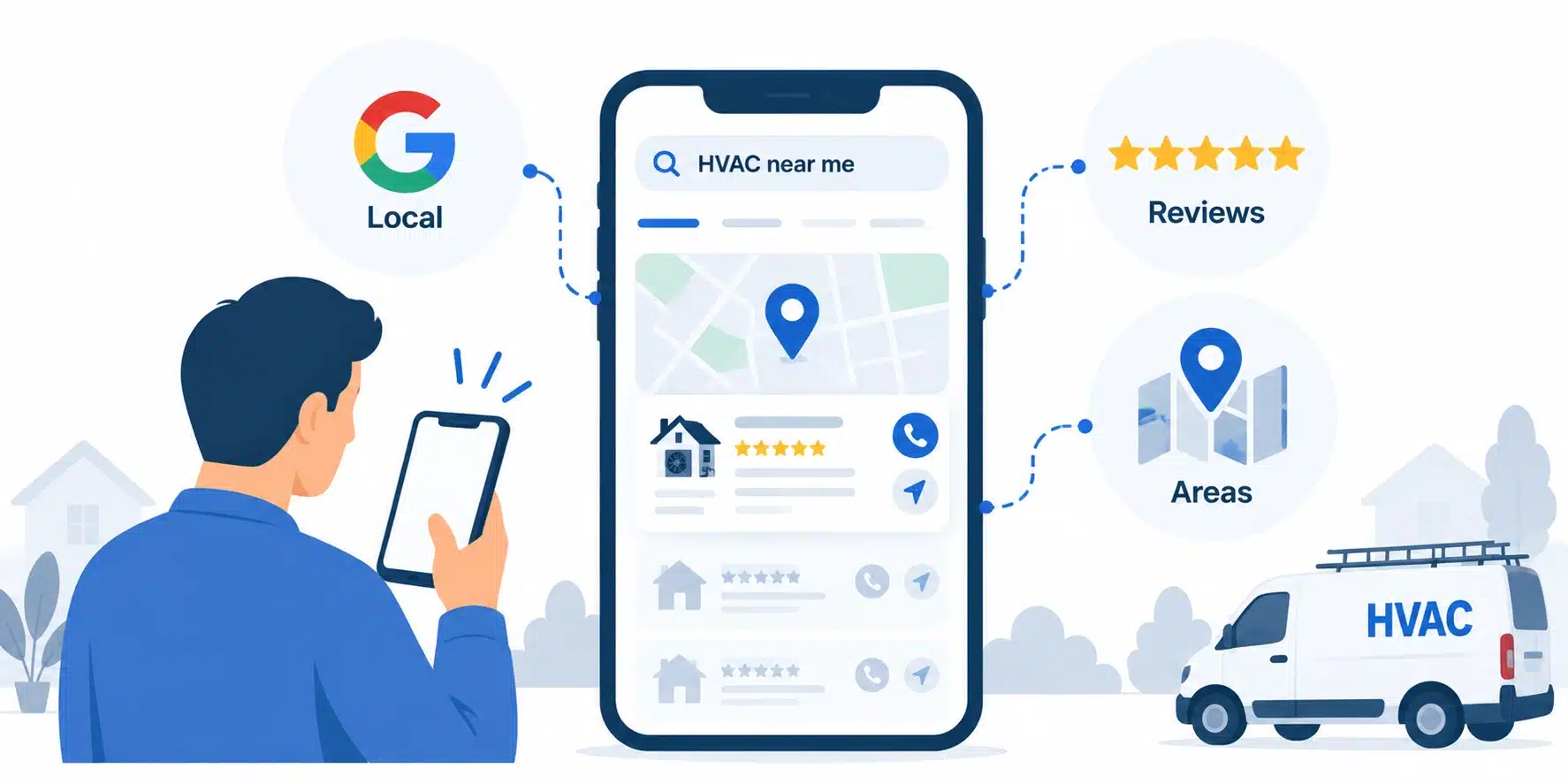
A complete, consistently updated Google Business Profile, accurate service area pages, a steady stream of reviews, and consistent business information across every directory determine whether an HVAC company shows up when someone nearby searches for help. Service area pages were introduced earlier as architecture; here, optimizing them for local intent, service keywords, and consistent NAP (name, address, phone) data is what earns the ranking.
Editor’s note: The most common local SEO mistake in HVAC isn’t a missing Google Business Profile. It’s an inconsistent one, where the phone number on the website doesn’t match the number listed on directories, review sites, and social profiles. That mismatch alone can quietly suppress rankings for months.
How to Optimize Conversion for an HVAC Website?
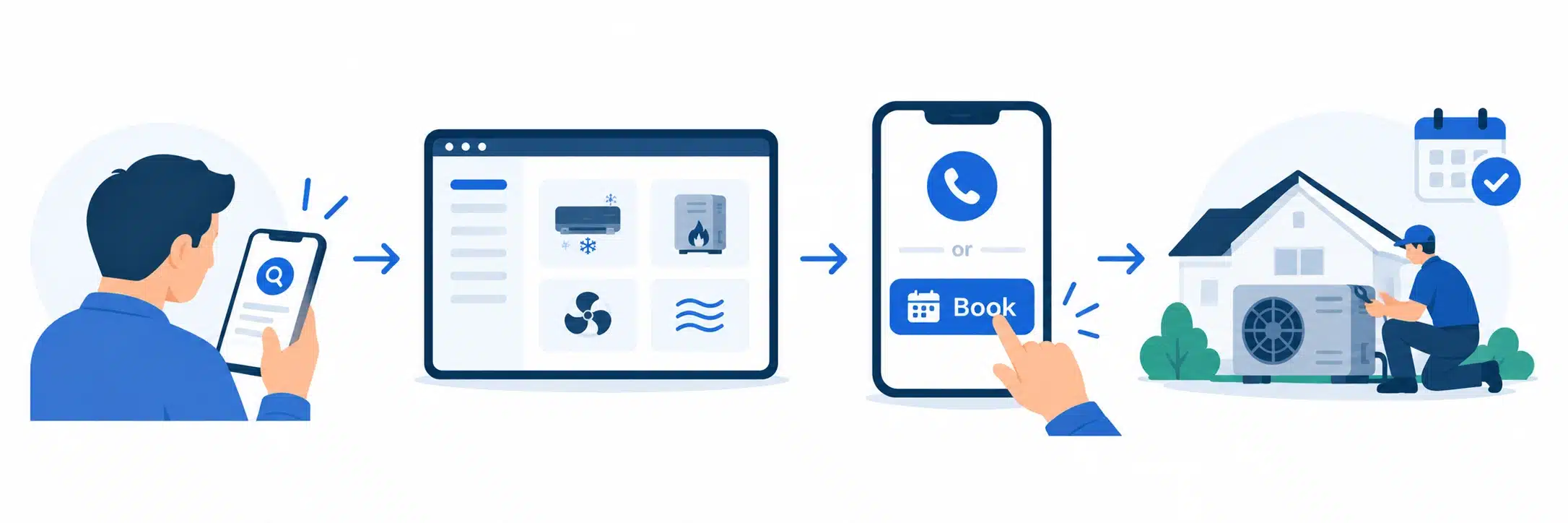
Traffic and rankings only matter if the site converts. Once someone lands on an HVAC website, the next question is whether the experience makes it easy to take action.
CTAs That Match Intent, Not Just Aesthetics
A “Call Now” button serves a different visitor than “Book a Service” or “Request an Estimate,” and an emergency service CTA needs to stand apart from all of them visually. Matching the CTA to actual intent, rather than one generic button everywhere, is one of the simplest conversion improvements an HVAC site can make.
Booking and Lead Forms People Actually Finish
Form length is one of the most measurable drivers of conversion loss on any website. Research from the Baymard Institute found that the number of fields a user completes affects completion rates far more than the number of steps in the process, a finding that applies just as directly to an HVAC booking form as it does to online checkout.
- Short forms: Ask only for name, phone, service type, and preferred timing on the first step; collect anything else after the call.
- Mobile-friendly layout: Large touch targets and auto-formatting phone fields reduce friction on mobile.
- Service selection: A simple dropdown or button set for service type routes the lead correctly without adding typing.
- Appointment preferences: A few time windows rather than an open calendar reduce decision fatigue.
- Confirmation and follow-up: An immediate text or email confirmation reassures the customer the request went through.
Designing for Four Different Kinds of HVAC Customers
Not every visitor arrives ready to book. Customers ready to book need speed and a clear CTA. Customers researching services need detailed, honest service pages. Customers looking for emergency service need that page front and center. Customers comparing installation options need financing information and enough detail to justify a bigger purchase. Designing around these four paths, rather than one generic visitor, separates a site that converts from one that simply exists.
How to Earn Trust Before a Technician Walks Through the Door?
HVAC service is unusually high-trust work. A customer is inviting someone into their home for a repair they often can’t evaluate themselves, which makes credibility signals carry more weight than in most industries.
- Licenses and certifications: Displayed prominently, not buried on an About page, since they’re often the first thing a cautious homeowner checks.
- Manufacturer partnerships: Badges from major manufacturers signal training beyond the company’s own claims.
- Technician profiles: Photos and short bios humanize the person who will show up at the door.
- Customer reviews: Displayed on the homepage and service pages, not just linked to a third-party site.
- Project examples: Before-and-after photos or brief case studies for installations and major repairs.
- Years in business: A simple, low-effort signal that still moves the needle for cautious buyers.
- Warranties and service guarantees: Clearly stated terms reduce the perceived risk of a bad outcome.
- Financing options: Visible early in the decision process, especially on installation pages where cost is the biggest objection.
These signals work best distributed throughout the site. A homepage badge, a service page guarantee, and a financing page each do different jobs in moving a hesitant visitor toward booking.
How to Build an HVAC Website Step by Step?
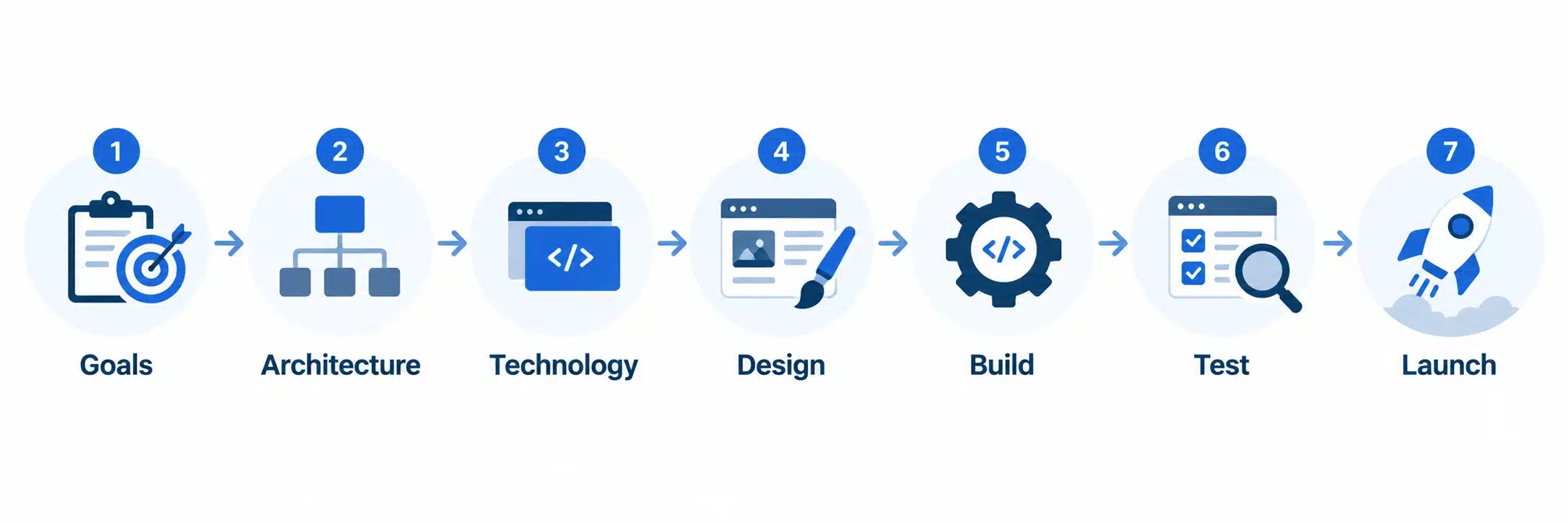
With the page architecture, AI features, platform, visibility, conversion, and trust elements mapped out, they come together into an actual build sequence.
- Define business goals. Decide whether the priority is service calls, quote requests, emergency bookings, or service-area expansion, since this shapes every decision downstream.
- Plan the architecture. Map out core pages, service pages, location pages, the emergency page, and booking flows before any design work begins.
- Choose the technology stack. Select the platform, CMS, CRM, scheduling software, and any third-party integrations the site needs.
- Design the user experience. Build a mobile-first layout with clear navigation, intent-matched CTAs, easy service discovery, and visible trust signals.
- Build and integrate. Develop the site, then connect the CRM, scheduling tools, forms, analytics, and any AI functionality.
- Test before launch. Check mobile responsiveness, page speed, forms, booking flows, integrations, and technical SEO.
- Launch and measure. Track search visibility, leads, calls, bookings, and conversion rates from day one.
How to Keep an HVAC Website Performing After Launch?
A website is never really finished. Performance, visibility, and conversion all require ongoing attention once the site is live.
Seasonal Content That Keeps the Site Relevant Year Round
| Season | Content Focus |
| Spring | AC tune-ups and cooling preparation |
| Summer | AC repair and emergency service |
| Fall | Furnace inspection and heating preparation |
| Winter | Heating repair and emergency service |
Ongoing Optimization That Prevents the Site From Going Stale
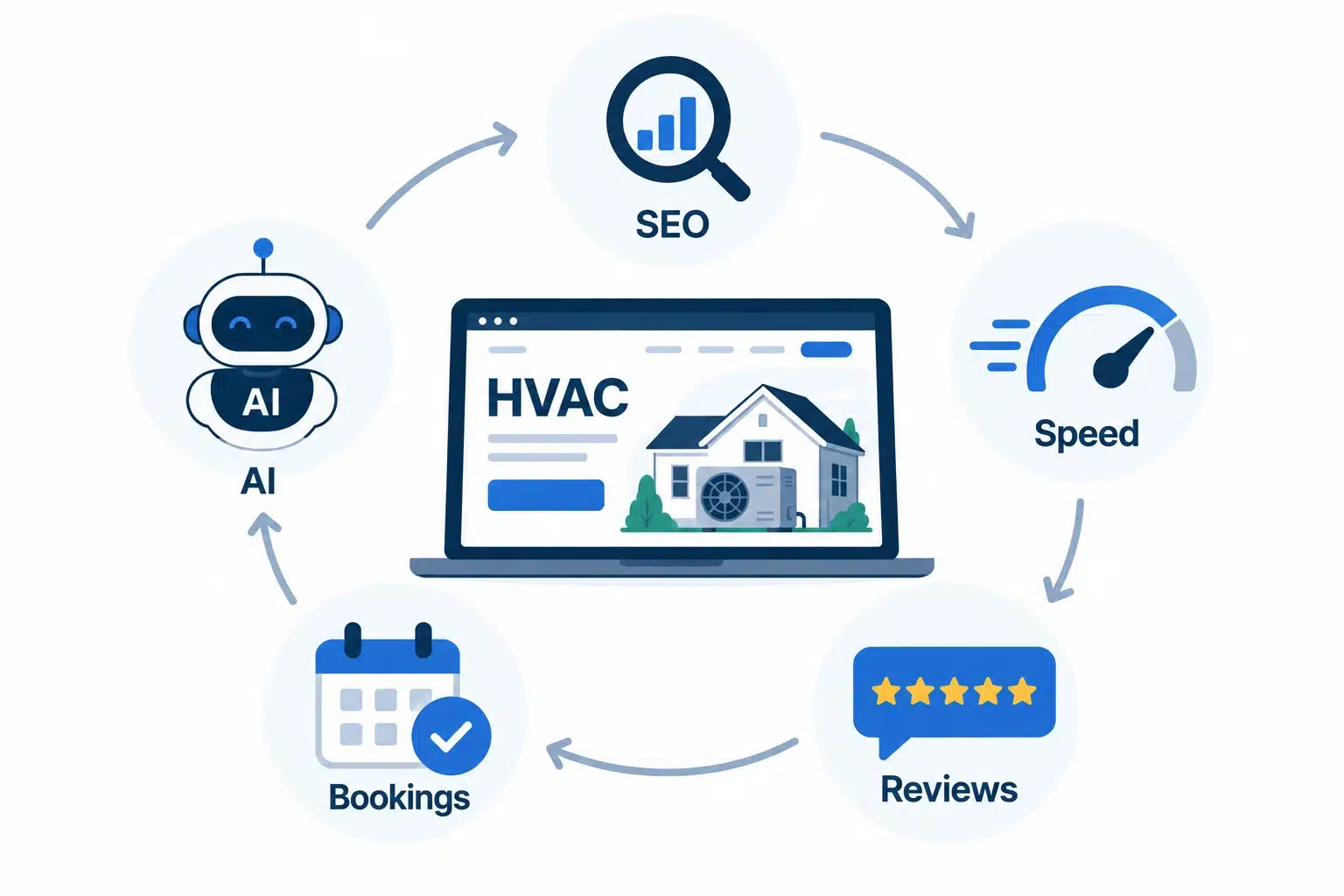
- Update service-area pages as the business adds or drops coverage in specific towns.
- Add fresh customer reviews regularly rather than letting the same handful sit for years.
- Publish seasonal content ahead of the demand curve.
- Monitor conversion rates across CTAs and forms, not just overall traffic.
- Test CTAs periodically instead of assuming the original wording still performs best.
- Monitor Core Web Vitals, since third-party scripts and plugins degrade speed over time.
- Maintain integrations as CRM, scheduling, or dispatch software gets updated.
- Review AI interactions and escalation rates to catch a chatbot failing customers before it becomes a pattern.
What an HVAC Website Actually Costs in 2026?
With the architecture, platform, visibility, functionality, and ongoing maintenance needs mapped out, cost becomes a more concrete conversation.
| Tier | Typical Investment | What’s Included |
| Basic | $3,000 to $8,000 | Core pages, responsive design, contact forms, basic on-page SEO |
| Growth-Focused | $8,000 to $20,000 | Custom design, service and location pages, structured SEO, online booking, CRM integration |
| Advanced | $20,000 and up | Online scheduling, CRM/FSM integration, AI features, multi-location architecture, advanced automation |
What Really Moves the Price
Beyond the tier itself, page count, design complexity, SEO scope, integration complexity, AI functionality, and ongoing maintenance push a project up or down within its range. A five-location company with CRM and dispatch integration lands at the top of the advanced tier even with a simple design, because the integration work is where the cost lives.
Measuring Whether the Website Is Paying for Itself
ROI should be tracked against leads generated, bookings completed, conversion rate, average service ticket value, installation revenue attributable to the site, and repeat service revenue from customers who first found the business online. Without this tracking, it’s hard to know whether a growth-focused or advanced investment is justified.
Common Technical Problems That Still Cost HVAC Websites Service Calls
Even a well-planned HVAC website can lose leads to a handful of recurring technical issues. Before evaluating a web design agency, it’s worth checking the current site against these, since each has a straightforward fix.
- Slow mobile performance: Most HVAC searches happen on a phone, often in a stressful moment, and a slow load loses the visitor before they see a service listed. Fix: compress images, add caching, and choose a platform built for speed rather than plugins bolted together.
- Unclear services and service areas: If a visitor can’t tell within seconds whether the company covers their problem and neighborhood, they leave. Fix: build dedicated service and service area pages instead of one page covering everything.
- Weak or missing CTAs: No obvious “Call Now” or “Book Service” button forces the visitor to hunt for how to act. Fix: place a primary CTA in the header, hero section, and end of every service page.
- Difficult appointment or quote requests: Long forms with unnecessary fields are one of the most common reasons a ready-to-book visitor abandons the process. Fix: shorten forms to only what’s needed for a first conversation.
- Poor emergency-service visibility: Emergencies happen at 2 a.m., not just business hours, and a buried number sends the job to a competitor. Fix: give emergency service its own page and its own visible CTA.
- Limited trust signals: No licenses, reviews, or technician information leaves a homeowner unsure who they’re letting into their house. Fix: surface licensing, reviews, and guarantees throughout the site.
- No after-hours customer support: A site that goes silent outside business hours misses when many emergencies happen. Fix: add live chat, an AI chatbot, or a staffed emergency line.
Final Thoughts: Building a Website That Grows With the Business
An HVAC website works best when architecture, performance, local SEO, user experience, trust signals, conversion design, and AI functionality are treated as one connected system rather than a checklist of separate projects. A fast site with no clear service pages still loses leads. A beautifully designed site with weak local SEO never gets found. A site with strong rankings but a ten-field booking form still loses the customer at the finish line.
The businesses that get the most out of their website treat it as infrastructure, not a one-time expense, built to accommodate new services, new service areas, and new automation as the business grows rather than rebuilt from scratch every time something changes. That’s the difference between a site that generated leads the month it launched and one that keeps generating them three years later.
If the current site is falling short on speed, structure, or conversion, Simpalm’s web design team works with home service businesses to build sites made for this kind of long-term growth from day one.
Frequently Asked Questions
Q1. How much does it cost to build an HVAC website in 2026?
Costs typically range from $3,000 for a basic site with core pages up to $20,000 or more for an advanced site with AI features and multi-location architecture. The right budget depends on how many locations the business serves and how complex the integrations are.
Q2. How long does it take to build an HVAC website?
A basic site can launch in three to five weeks, while a growth-focused or advanced build with custom integrations and AI features typically takes eight to fourteen weeks, longer when content creation like dozens of location pages is part of the project.
Q3. What pages should an HVAC website have?
At minimum, a homepage, service pages for each major offering, service area pages for each town served, a dedicated emergency page, and supporting pages for reviews, financing, and contact information. Businesses that skip service area pages tend to underperform in local search regardless of how strong the rest of the site is.
Q4. Should HVAC companies offer online booking?
Yes, for most businesses. Online booking captures leads outside business hours, reduces the phone workload on office staff, and matches how customers increasingly prefer to schedule routine maintenance.
Q5. What AI features can be added to an HVAC website?
Common additions include 24/7 chatbots, AI-powered appointment booking, automated lead qualification, guided estimate tools, and automated follow-up for quotes and reminders, each added because it solves a specific problem rather than because competitors have one.
Q6. How can an HVAC website generate more service calls?
The businesses that see the biggest lift usually improve several things at once: faster mobile load times, clear service and service area pages, visible emergency CTAs, shorter booking forms, and consistent local SEO. No single fix moves the needle as much as the combination.