 Design
 App Development
 Web Engineering
 AI Services
 Cloud
Cloud Staffing
 Startups
 Health / Fitness
 Education
 Social
 Nonprofit
 Fintech
 Construction
 Logistics
 Government
 Travel/Hospitality
 HR Software
 About Simpalm
 Our News
 Client Testimonials
 Careers
 Our Blog
 Awards
 Resources
 Information
Choosing the right tech stack can either make or break your mobile app! Every aspect of your mobile app, starting with performance and time-to-market, to scalability and continued maintenance, your tech stack plays an important role in them all.
As a tech founder, it is important that you emphasize the technology stack for your mobile app project. The right combination of frameworks, programming languages, libraries, servers, databases, extensions, and associated tools together form a tech stack.
This article will give you a clear insight into how to choose the right technology stack for your mobile app development project.
Different Tech Stack for Mobile App Development
First, you need to know the varying layers of a tech stack that serve different purposes in building a thriving mobile app. All of the attributes of a tech stack are narrowed down to three components, including:
1. Front-End:
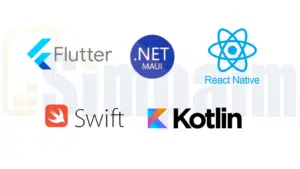
It is the user-facing part of the application, and is responsible for layout, user interaction, and design of the app. Some technologies that are leveraged for the front-end include:
Native Stack |
Cross-Platform Stack |
|||
|
Kotlin Kotlin is the officially recommended language for native Android app development, mostly for features like Java interoperability, null safety, an advanced UI toolkit, and structured concurrency. Its market adoption rate has grown from 12% to 23% in the past few years, considering its sophistication in app development. |
Swift
Swift powers iOS app development and was introduced by Apple to encourage speed, modernization, and safety. This coding language can seamlessly compile to the native machine code, ensuring smooth UX and improved runtime performance. |
Flutter with Dart
Rich animations, quick iterations, and consistent design make Flutter one of the most popular cross-platform app development frameworks used for front-end development. A 2024 study shows that more than 46% of developers from around the globe preferred Flutter for front-end development. |
React Native with JavaScript
React Native enables developers to tailor native-like UIs for mobile apps using TypeScript or JavaScript. Popular real-world apps like Shopify, Discord, and Instagram are built using React Native, which makes it a trusted framework for building the front-end of cross-platform mobile apps. |
.NET MAUI with C# A trending cross-platform UI framework for developing the front-end of mobile apps. It is mostly adopted by enterprise teams. More than 64% of enterprise teams have adopted .NET MAUI for their mobile app development projects, highlighting a steep uptake of this framework. |
2. Backend:
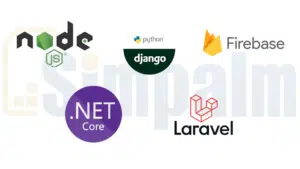
The backend of a mobile app is responsible for handling logic, server-side operations, and data processing activities. It manages the app data and establishes communication with the front-end. Some of the common technologies used for tailoring the backend of a mobile app are:
Node.jsBeing one of the most preferred backend technologies in 2026, with a 42.65% adoption rate among developers, Node.js is one of the best picks for backend development. It helps seamlessly enable real-time features such as streaming, chat, and collaboration tools. |
DjangoDjango, built using the Python language, helps developers implement speed and security in their mobile apps. Large enterprises seeking to build a secure and data-heavy app can rely on Django, as it seamlessly handles complex backend logics. |
ASP.net CoreIdeal for enterprise mobile apps, ASP.NET Core is meant for organizations that are already using the Microsoft ecosystem. This framework comes with built-in security functionalities, making it ideal for building FinTech and healthcare apps. |
LaravelIt is a PHP framework, backed with MVC architecture for speeding up the overall development process. Following that, it streamlines database management using Eloquent ORM. The security features, such as API authentication and CSRF protection, further enhance data safety. |
FirebaseFor all the small-scale startups seeking real-time updates, Firebase acts as a comprehensive solution for backend development. It facilitates managed services that can handle database management, authentication, and real-time notifications with minimal effort. |
How to Choose the Front-End Tech Stack for Your Mobile App?
You must decide if you want to build a data-heavy, high-performance, or simple content-driven app. For that, you must first determine what your app is intended to do and how it must behave. For instance:
- If you want a hardware-integrated and UX-centric app, go for a native app development approach.
- If you want to build apps that are not very heavy in UIUX, then you should go for cross platform approach.
To help you get a better clarity on choosing the right tech stack for your mobile app project, here’s a categorization of what would suit your requirements the best based on the type of it:
1. For Native Android App Development:
Programming Languages:
- Java was earlier considered the top choice for Android app development. However, Kotlin is now the preferred developer’s choice, mostly for its concise syntax, enhanced code safety, and modern-day features.
- Google specified in an assessment report that Android apps built using Kotlin are 20% less likely to crash.
- Java is still a good programming language for Android development, but its high memory consumption makes it a slower option than other native languages.
- Kotlin assists developers in implementing in-app screen transitions and micro-interactions, which isn’t effectively possible with Java.
- With support for multiple IDEs, including Android Studio, apps built using Kotlin are easier to maintain.
Java |
Kotlin |
| Verbose syntax requires extensive boilerplate code. | Syntax is concise and more expressive, ensuring less boilerplate code. |
| Needs external libraries for executing simpler asynchronous programming. | Comes with built-in coroutines for streamlined concurrency and asynchronous programming. |
| Complete interoperability with all Java libraries. | Supports 100% interoperability with the existing Java code and libraries. |
| Ideal for maintaining large and existing Java codebases and building enterprise-grade apps. | Ideal for new Android projects that are to be built with cleaner and more maintainable code. |
Development Tools:
- Android Studio is the preferred IDE for Android app development, enabling code interoperability, cloud integration, faster iteration, and multi-device compatibility.
- Android Debug Bridge or ADB is used for seamless testing and debugging of Android apps, directly on emulators or real devices.
UI Frameworks:
- Jetpack Compose is the modern-day toolkit used by developers for tailoring native UIs for Android apps. It is declarative and reactive, built specifically to reduce boilerplate code.
2. For Native iOS App Development:
Programming Languages:
- Initially, Objective-C was the preferred choice of developers for iOS development, as it is a stable and mature language, supporting legacy apps and C++ interoperability.
- However, Apple then introduced Swift with ample improvements over Objective-C, such as a concise syntax, improved code readability, and more.
- Swift enables developers to write clean code for iOS development and further streamline its debugging and maintenance.
- A compatibility layer can be introduced by developers to utilize both languages in a single iOS app project.
Objective-C |
Swift |
| The syntax is verbose and complex. | Clean and concise syntax. |
| It is dynamically typed, which makes it prone to runtime errors. | Strongly and statically typed for catching errors during compilation. |
| Slower execution is mostly due to dynamic runtime. | Supports faster execution with compiler optimizations and static dispatch. Apple claims Swift to be 2.6x faster in terms of execution. |
| Enables seamless integration with C++ and C libraries. | Efficient interoperability with Objective-C code, whereas C++ integration turns out to be a bit complex. |
Development Tools:
- XCode is the IDE for iOS app development when you use Swift as the coding language. It enables testing the apps with dedicated beta OS versions.
- SPM or Swift Package Manager is Apple’s native dependency management tool, which is easy to use when compared to alternatives like Carthage or Cocoapods.
- Instruments is a tool integrated within XCode that helps with profiling performance, CPU, and memory usage of apps.
UI Frameworks:
- SwiftUI is the declarative UI framework by Apple that enables developers to write less code and preview the features in real-time. The developers can use SwiftUI to build a front-end for all Apple platforms using a single codebase.
3. For Cross-Platform Development:
React Native:
- It is a popular JavaScript framework for creating cross-platform mobile apps that can run on both iOS and Android platforms.
- Apps built using React Native are proven to be more stable than what other frameworks have to offer.
- You get extended support for third-party libraries, backed with pre-loaded JS packages, suitable for cross-platform development.
- Code reusability, UI design options, and extensive community support make React Native a safe option for cross-platform app development.
Flutter:
- This framework is built by Google and is powered by the Dart programming language.
- Flutter uses its built-in rendering engine, enabling crazy flexibility in performance and UI for rivalling the native apps.
- Hot reload is an added feature, enabling developers to see the code changes in action in real-time.
- Flutter is an ideal cross-platform framework for designing custom UIs and animations.
.NET MAUI:
- .NET MAUI is yet another popular open-source framework, capable of building cross-platform apps while achieving native UI and performance.
- It supports hot reload, code sharing, native API access, and other such features to benefit mobile app developers.
| React Native | Flutter | .NET MAUI | |
| Primary Language | JavaScript | Dart | C# or XAML |
| Performance | Performs well for most apps, but there’s a risk of overhead in complicated scenarios. | Extremely high performance while dealing with custom UIs and animations, mostly because Flutter supports direct compilation. | Offers near-native performance, but the runtime overhead issue can adversely impact the startup time. |
| Speed of Development | Supports faster development by using the hot reload feature and existing JS expertise. | Hot reload feature, backed with efficient tooling, makes Flutter really fast in terms of app development. | .NET MAUI supports a moderate speed of development, as it might demand full rebuilds at times. |
| Best For | Apps that need quick deployment. | Apps that require heavy animations and appealing custom UIs. | Ideal for enterprise-grade apps that will operate within the Microsoft ecosystem. |
| Targeted Platforms | Android and iOS | Android, iOS, macOS, Web, Linux, and Windows | Android, iOS, macOS and Windows |
Tips to Choose the Best Backend Stack for Your Mobile App Project
Here are some of the tips that you must take into consideration while choosing a tech stack for your mobile app development project:
1. Assess Your Security Requirements:
Analyzing security requirements is crucial to deciding on the backend stack of your app project. It is mostly because your backend stack will help determine the robustness of your app’s security against potential threats.
Therefore, align the security needs of your app with the backend tech stack capabilities, ensuring it stays protected against unauthorized access, data breaches, and other such vulnerabilities.
For instance, a banking app will need stronger security than that of a fitness tracker app! Some of the popular backend technologies or frameworks that you can add for establishing stronger security for your mobile app are:
- .NET Core
- Java with Spring Boot
- Python with Django
2. Determine Your AI/ML Needs
When choosing the backend tech stack for your mobile app project, you ought to assess your AI/ML needs. It is because your dependency on AI/ML will influence the data handling capabilities, scalability, and computational power required for the project.
Some of the AI/ML tasks, such as natural language processing or image recognition, impose a heavy computational load. Therefore, if you are opting for a tech stack that fails to meet the performance demands associated with AI/ML integration, there will be functionality issues, added development costs, and poor user experience.
Some of the best backend technologies that can support AI/ML needs associated with your mobile app development project are:
- Python AI Stack
- Cloud-Native AI Stack
- JavaScript AI Stack
3. Determine the Available Skills in Your Team
You ought to analyze the available skills in your team prior to choosing the best backend stack for your app project. Your tech stack for mobile app development must be chosen based on your business goals, and not considering the current skillset of your team.
Therefore, you can either check if your team is skilled enough to take on versatile tech stacks to meet your custom app development needs. If not, you can then outsource your project and hire a mobile app development company in the US, with access to all the latest tech stacks and skilled developers to utilize them.
Conclusion
With the right tech stack for mobile app development, you can aim at achieving robust performance and prolonged success. Every project is different, and so is the tech stack required for it. You ought to consider security, cost, development timeline, and scalability as the key factors to choose the right tech stack for your mobile app project.
This article possibly helped you get a clear picture of all the common technologies being popularly used for tailoring different aspects of your mobile app. However, in order to make a more informed decision on what would work best for your project, it is better to seek expert guidance.
At Simpalm, we offer comprehensive mobile app development services, under which we provide detailed guidance on what tech stack would suit your app project and business needs the best. We will be preparing a proper plan of action to ensure every attribute of your mobile app depicts sophisticated software engineering and seamless functionality.
Reach out to us for more information!