 Design
 App Development
 Web Engineering
 AI Services
 Cloud
 Staffing
 Startups
 Health / Fitness
 Education
 Social
 Nonprofit
 Fintech
 Construction
 Logistics
 Government
 Travel/Hospitality
 HR Software
 About Simpalm
 Our News
 Client Testimonials
 Careers
 Our Blog
 Awards
 Resources
 Information
Key Takeaways
- Medicine delivery apps must meet stricter regulatory requirements than standard delivery platforms, including HIPAA, DEA rules for controlled substances, state pharmacy licensing, and FDA track-and-trace requirements.
- Medicine delivery apps need distinct workflows for patients, pharmacies, delivery partners, and administrators because each user group has different responsibilities and platform requirements.
- The build-versus-buy decision affects the platform’s time to market, flexibility, and compliance capabilities. Prebuilt medicine delivery platforms offer faster deployment, while custom development provides greater control over regulated workflows and integrations.
- Cold-chain logistics must be integrated into the prescription delivery app from the start for medications such as insulin, biologics, and vaccines, with temperature-controlled packaging, monitoring, and chain-of-custody documentation.
_________________________________________________________________________________________
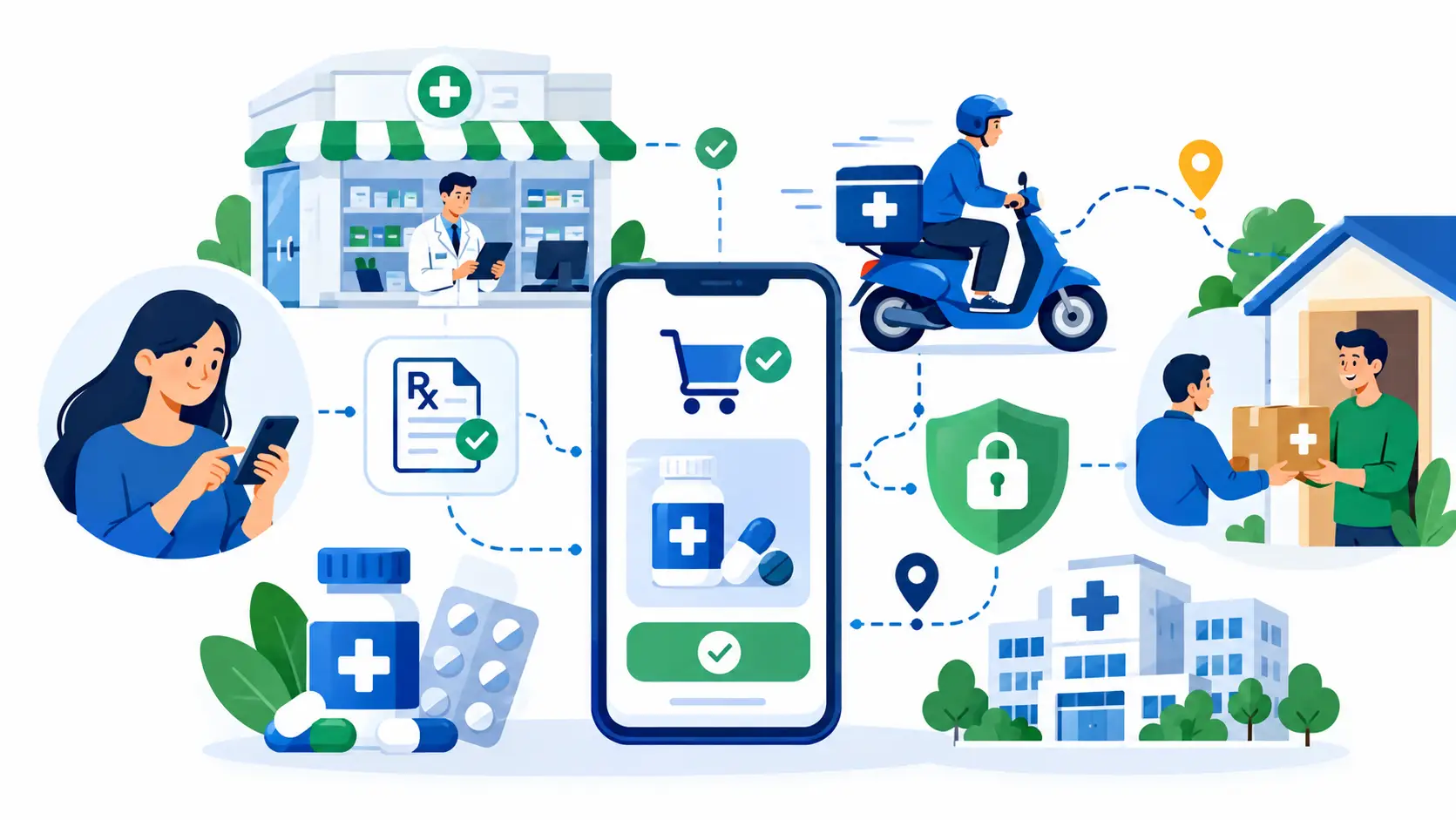
Patients no longer want to wait in line for prescriptions. They expect medicine delivery to work like food or grocery delivery: order in a few taps, track it, and get it at the door. Yet many pharmacies still rely on manual verification, paper-based processes, and outdated systems.
That gap has real clinical and financial consequences. Medication non-adherence, often linked to barriers in filling and picking up prescriptions, contributes to hundreds of billions of dollars in avoidable healthcare costs in the U.S. Meanwhile, the global e-pharmacy market continues to grow rapidly.
But building a medicine delivery app is not simply building a food delivery app with pharmacy features. Prescription drugs are tightly regulated, controlled substances require additional safeguards, and patient data is protected health information. Poor architecture can quickly become a compliance risk.
This guide covers the key decisions, including business models, core workflows, compliance requirements, platform vs. custom development, and realistic development costs.
What Sets a Medicine Delivery App Apart From a Standard Delivery App?
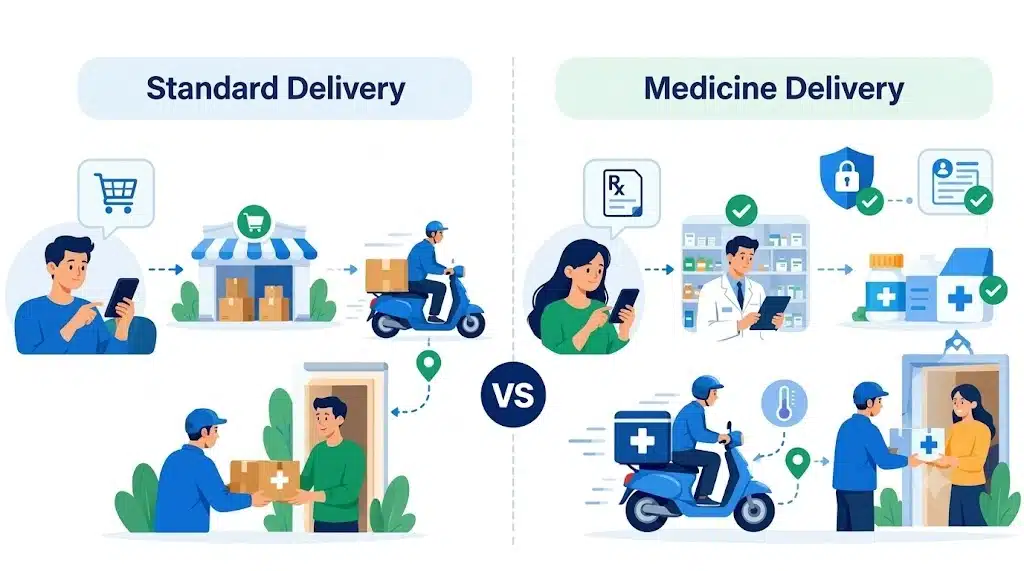
On the surface, a medicine delivery app looks like any other on-demand platform: a customer places an order, a business fulfills it, and a courier delivers it. Underneath, the workflow is far more complex. That is part of why developing a healthcare app requires more than a typical consumer delivery build.
The key differences come down to clinical validation, data protection, and licensed fulfillment:
| Area | Standard Delivery App | Medicine Delivery App |
| Order validation | Confirms product availability and payment | Verifies the prescription, licensed prescriber, patient information, and dispensing requirements |
| Clinical oversight | Usually no professional judgment is required | Pharmacists may need to review prescriptions, medication history, interactions, and other safety factors |
| Data security | Protects standard customer and payment data | Handles protected health information (PHI), requiring appropriate encryption, access controls, and audit logging |
| Fulfillment | Any eligible business can fulfill an order | Fulfillment must be handled by a properly licensed pharmacy |
| Regulatory requirements | Primarily consumer, payment, and delivery regulations | Adds HIPAA, state pharmacy regulations, prescription requirements, and, where applicable, DEA rules |
| Geographic expansion | Usually straightforward once logistics are established | Pharmacy licensing and regulatory requirements can vary by state |
A prescription is therefore more than an item in a delivery cart. It is a legal and clinical document that must be validated before dispensing. Similarly, uploading a prescription or insurance card introduces protected health information into the system and changes the security requirements.
The Key Takeaway: medicine delivery app development should start with compliance and clinical workflows, not UI mockups. Teams typically establish a HIPAA-compliant healthcare foundation first, then layer pharmacy-specific requirements on top.
Four Key User Roles in a Medicine Delivery App
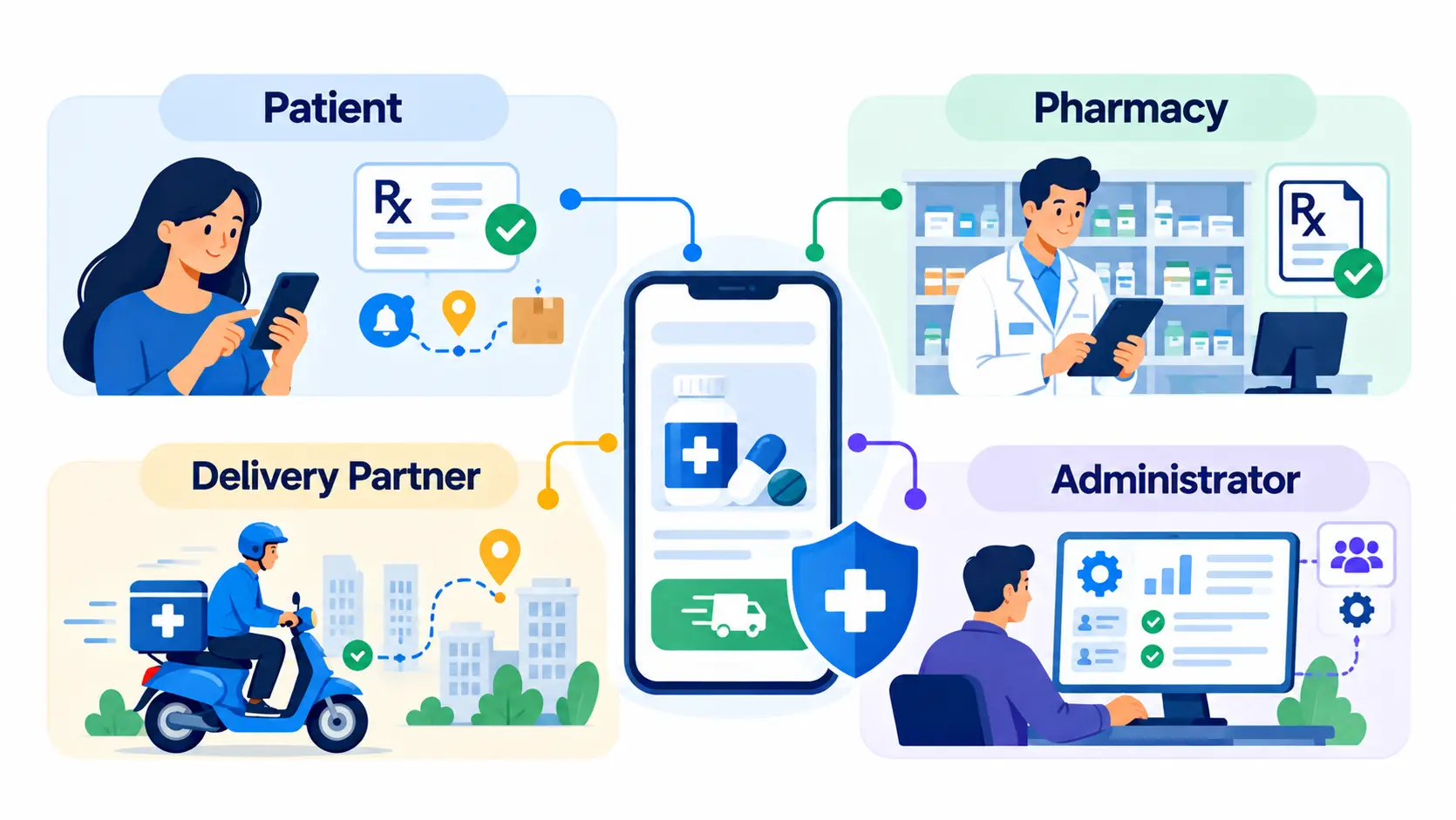
A medicine delivery platform is really four separate applications that happen to share a backend. Each user group carries a different level of risk, a different regulatory obligation, and a different definition of a successful interaction. Designing them as one generic interface with role-based permissions is a common shortcut, and it is usually the wrong one. Here is why each group needs its own workflow.
- Patient: The patient’s job is to find the right medicine, get a valid prescription attached to it, place the order, pay for it, and know where it is until it arrives. Every step in that chain touches something sensitive, whether it is a diagnosis implied by a drug name or a payment card number, so the workflow has to stay simple without cutting corners on verification.
- Pharmacy: The pharmacy’s job is clinical and operational at the same time. A pharmacist has to verify that a prescription is legitimate and appropriate, check it against inventory that might be shared across multiple store locations, and communicate with the patient or prescriber if something does not add up, all before the order can move to fulfillment.
- Delivery Partner: The courier’s job is entirely about motion. They need an assignment, a route, a pickup confirmation from the pharmacy, a delivery confirmation from the patient, and a way to flag problems like a failed handoff or a temperature-sensitive package that needs special handling. Clinical judgment is not part of their workflow, and the interface should not pretend otherwise.
- Admin: The admin’s job is oversight across every other role. That means managing user accounts and pharmacy partnerships, monitoring order flow and payment reconciliation, watching for compliance red flags, and pulling the analytics that tell the business whether the platform is actually working.
Treating these as four workflows instead of one shared screen with different permission levels keeps each group focused on the decisions that are actually theirs to make. It also isolates risk. A bug in the courier app should never be able to touch prescription verification logic, and a delay in the admin dashboard should never block a patient from placing an order.
Which Business Model Fits Your Medicine Delivery App Strategy?
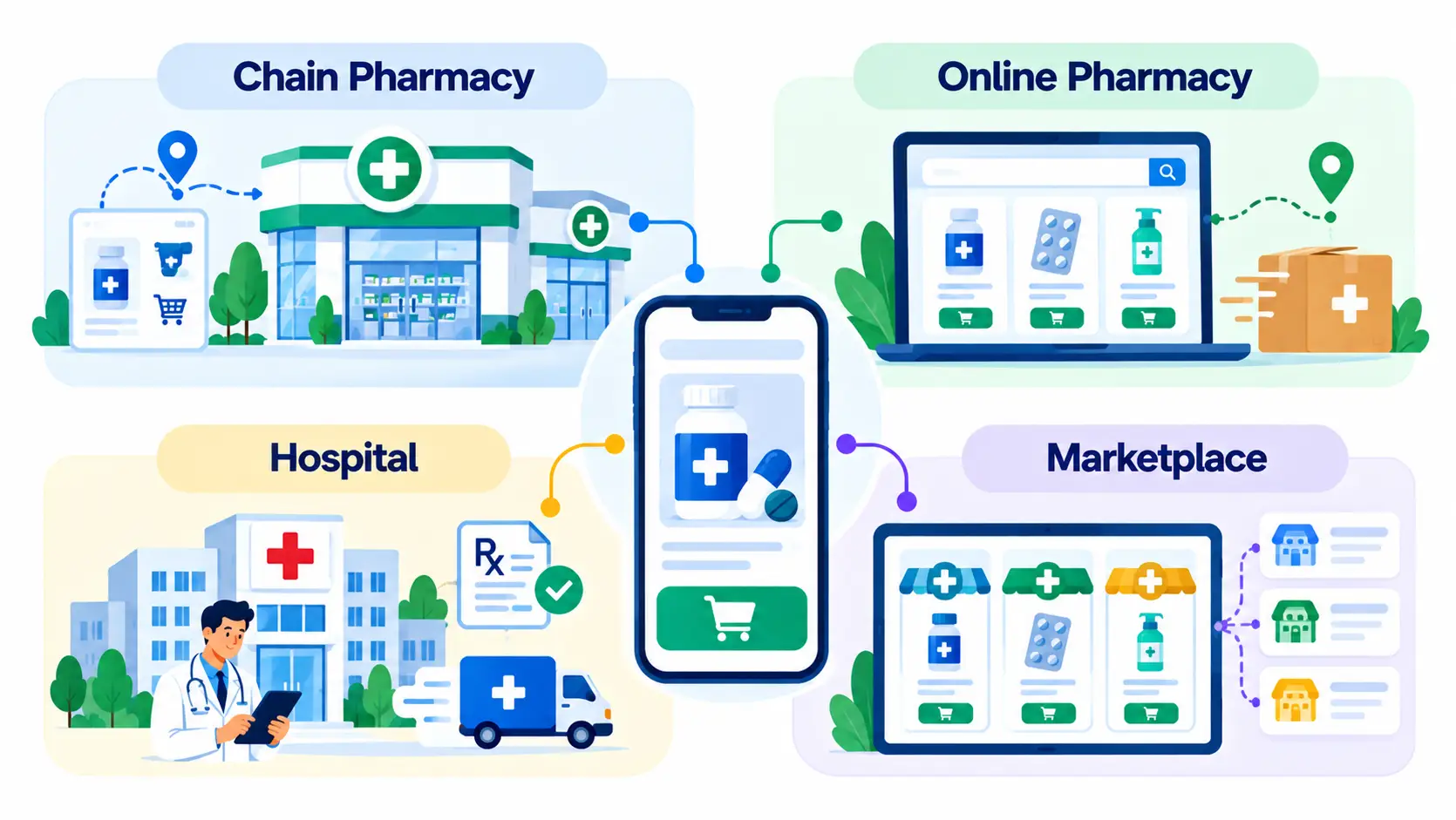
The business model you choose determines your compliance scope, your capital requirements, and how much operational control you retain. This decision should happen before a single wireframe gets drawn, because it changes what the platform actually needs to do.
01. Big chain pharmacy model
A large pharmacy chain like CVS Pharmacy runs its own app. Full control over pricing, inventory, and prescription verification, with no marketplace complexity to manage. This is the natural starting point for large chain pharmacies.
Common Examples: CVS Pharmacy, Walgreens, Walmart Pharmacy
02. Online Pharmacy Model
In this model, orders are placed with the partner pharmacies for fulfillment, and the platform provides local drivers who will pick up the prescription from the pharmacies and deliver to patients.
Common Examples: Amazon Pharmacy, Walmart Pharmacy
03. Hospital-owned pharmacy model
Built for discharge and chronic care workflows, tied directly into electronic health records so care teams can manage refills without a patient having to start the process from scratch.
Common Examples: Montefiore Health System, Johns Hopkins Medicine, Cleveland Clinic
04. Marketplace model
Multiple pharmacies list on one platform, and patients compare price, availability, and delivery speed before choosing where to order. The operator earns revenue through commissions or listing fees but takes on more complex order routing, similar in structure to the multi-vendor routing logic behind a grocery delivery platform.
Common Examples: GoodRx, SingleCare, Amazon Pharmacy
Refer to the following table to compare each of the models discussed above:
| Business Model | Prescription Fulfillment | Operational Control | Revenue Model |
| Big Chain Pharmacy | Owned pharmacy network | High | Prescription sales, delivery fees, pharmacy services |
| Aggregator | Partner pharmacies | Low to moderate | Delivery fees, service fees, or platform commissions |
| Hospital-Owned Pharmacy | Hospital or affiliated pharmacy | High | Prescription revenue, pharmacy services, care programs |
| Marketplace | Multiple participating pharmacies | Moderate | Commissions, listing fees, delivery fees |
Essential Medicine Delivery App Features by User Role
Once the four workflows are defined, the feature list follows naturally. This is the concrete toolkit each panel needs to do the job described above.
| Panel | Core Features |
| Patient App | Medicine search, prescription upload with OCR, insurance verification, secure checkout, live order tracking, refill reminders, order history |
| Pharmacy Dashboard | Prescription verification queue, multi-location inventory sync, order processing, pharmacist-to-patient messaging, sales and compliance reporting |
| Delivery Partner App | Route optimization, order assignment, digital pickup and delivery confirmation, OTP or signature capture, cold-chain temperature alerts |
| Admin Panel | User and pharmacy account management, payment reconciliation, compliance and audit logs, fraud detection alerts, business analytics |
Understanding Key Compliance Requirements for Medicine Delivery Apps
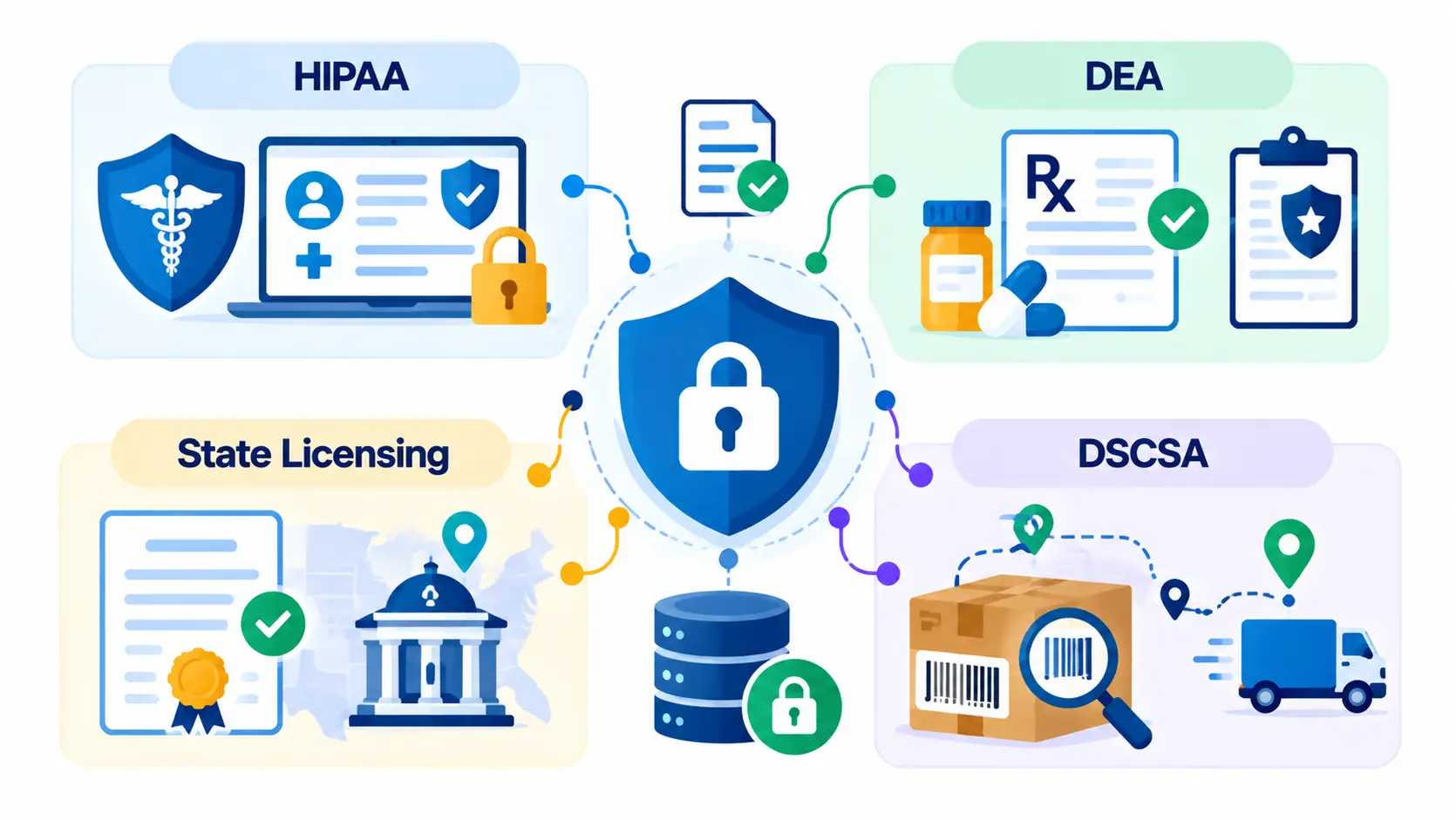
Generic HIPAA compliance is the floor here, not the ceiling. Medicine delivery introduces regulatory layers that a typical health app never has to touch. Here are the key frameworks to consider:
- HIPAA Compliance – covers how patient data is stored, transmitted, and accessed. Encryption at rest and in transit, role-based access control, and audit logging are the baseline. Any business associate handling patient data on your behalf, including cloud vendors, needs a signed Business Associate Agreement before they touch a single record. Our HIPAA-compliant app development guide covers the technical architecture in depth.
- DEA Registration and EPCS – come into play the moment your platform handles controlled substances. Schedule II through V medications require Electronic Prescriptions for Controlled Substances, a separate certification process from standard e-prescribing, along with stricter identity verification for prescribers. If your platform will ever touch a controlled substance category, this needs to be part of the architecture from the start, not bolted on later.
- State Pharmacy Licensing – is where a lot of founders underestimate the scope. A pharmacy shipping medication across state lines generally needs a license in every state it delivers to, and requirements vary meaningfully by state. This affects rollout sequencing more than it affects the technology itself: a platform that plans to expand nationally needs a licensing roadmap before it needs additional engineering headcount.
- Drug Traceability Under DSCSA – is the piece almost no one is talking about yet, and it has real teeth. The FDA’s Drug Supply Chain Security Act requires interoperable, electronic tracing of prescription drugs at the package level as they move through the supply chain, down to verification at the saleable unit.
| Editorial Note: Small dispensers have exemption windows that run into late 2026, but the direction is clear. Enhanced drug distribution security is becoming a standard operating requirement, not a nice-to-have, and platforms built without traceability in mind will need costly retrofits later. |
Should You Build Custom or License a White-Label Platform?
This decision gets skipped more often than it should. Founders assume a custom build is the only serious option, but a white-label platform is sometimes the right call, especially for a first-market entry.
| Factor | White-Label Platform | Custom Build |
| Time to Launch | Weeks | Months |
| Upfront Cost | Lower | Higher |
| Compliance Control | Limited to vendor’s architecture | Full control over data handling and audit trails |
| Scalability | Constrained by vendor roadmap | Built to your growth plan |
| Best For | Single pharmacies testing demand | Multi-pharmacy, enterprise, or hospital-integrated platforms |
A white-label platform gets a single pharmacy delivering within weeks, which is genuinely useful for validating demand before committing serious capital. The tradeoff shows up later: limited control over data architecture makes it harder to prove compliance to hospital procurement teams or insurance partners, and vendor lock-in can slow expansion.
On the other hand, custom builds cost more up front and take longer, but they give a growing platform the compliance control and integration flexibility that regulated pharmacy operations eventually need.
Key Steps in Prescription/Medicine Delivery App Development
Building a medicine delivery app requires more than moving from design to development. Teams need to establish the right workflows, architecture, integrations, and compliance controls before the app reaches production. A structured development process helps reduce rework while ensuring the platform can handle sensitive prescription and patient data securely.
1. Define scope and compliance requirements first.
Start by documenting the business model, target user groups, prescription types, and applicable regulations before beginning design work. Decide early whether controlled substances fall within the app’s scope, as this decision can influence the architecture, verification workflows, security controls, and operational requirements.
2. Design the four core workflows.
Prototype separate experiences for patients, pharmacies, couriers, and administrators. Pay particular attention to prescription upload and verification, as unnecessary friction at this stage can cause patients to abandon the ordering process.
3. Build the system architecture.
Use modular or microservices-based architecture to separate prescription verification, inventory, payments, and delivery tracking into independently deployable components. This approach makes it easier to scale individual services and maintain clear boundaries for compliance and auditing.
4. Integrate third-party systems.
Connect EHR and e-prescription systems, payment gateways, mapping APIs, and pharmacy management platforms through secure, authenticated APIs. Log relevant data exchanges to support troubleshooting, monitoring, and audit requirements.
5. Test for security and compliance, not just functionality.
Go beyond standard functional QA by conducting penetration testing, verifying encryption, testing access controls, and reviewing audit trails. Complete these checks before the platform handles real patient or prescription data.
6. Deploy and monitor continuously.
Use staged rollouts and maintain rollback capabilities to limit the impact of deployment issues. After launch, monitor order completion rates, delivery times, system performance, security events, and compliance logs to keep the platform reliable as usage grows.
Managing Temperature-Controlled Medicine Delivery Requirements
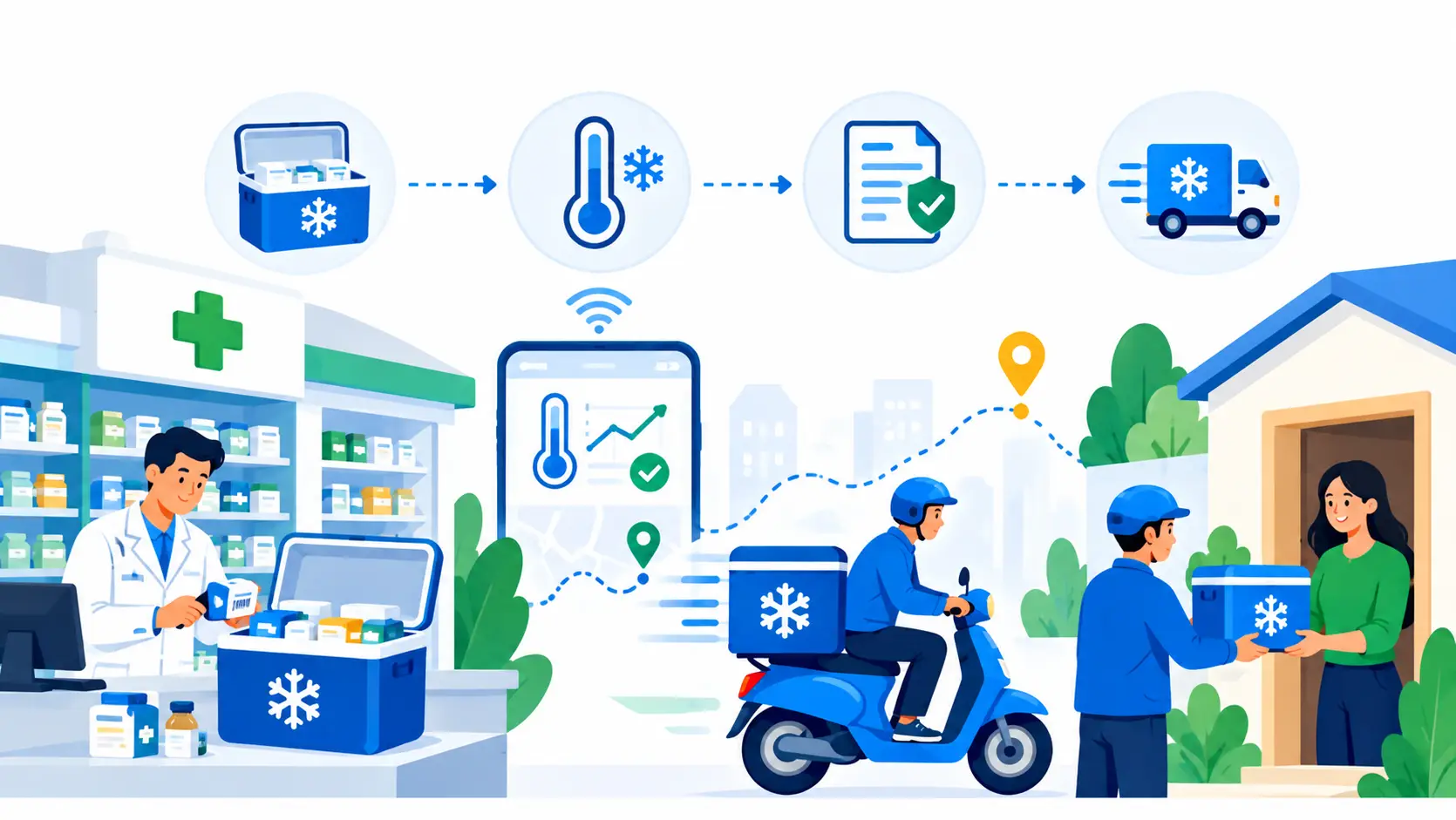
Insulin, biologics, certain vaccines, and specialty medications lose effectiveness or become unsafe outside a specific temperature range. A generic delivery app treats every package the same. A medicine delivery platform cannot.
Building for cold-chain integrity means a few things in practice:
- Insulated Packaging Standards: temperature-sensitive orders get flagged automatically and routed to couriers equipped with insulated bags or temperature-controlled containers.
- In-Transit Temperature Monitoring: sensor-connected packaging or courier-reported checks confirm the medicine stayed within range for the entire delivery window.
- Chain-of-Custody Documentation: every handoff, from pharmacy to courier to patient, gets logged with a timestamp, creating an auditable record if a medicine’s integrity is ever questioned.
- Delivery Window Flexibility: patients can select delivery times that avoid leaving temperature-sensitive medicine sitting on a doorstep for hours.
None of this is exotic engineering. It is a matter of building the flags, sensors, and logging into the platform from the start instead of treating cold-chain medication as a special case handled manually outside the app.
Prescription Delivery App Development Cost Breakdown
Costs scale with feature depth, compliance scope, and how many third-party systems you connect to. The numbers below reflect what businesses typically budget across build tiers.
| Platform Cost | Timeline | Estimated Cost |
| Single Pharmacy Chain (MVP Phase) | 6-8 months | $100K-$150K |
| Marketplace (MVP Phase) | 9-10 months | $120K-$200K |
| Hospital Pharmacy (MVP Phase) | 9-10 months | $100K-$150K |
| Online Pharmacy | 10-12 Months | $150K-$200K |
The table provides a baseline, but the final cost can vary significantly within each development tier. Certain requirements add more complexity and cost than others, particularly when they involve regulatory approvals, external systems, or advanced automation. The following factors are among the biggest cost drivers to consider when estimating your budget:
- Controlled Substances: EPCS certification and additional compliance controls increase development complexity.
- Multi-State Licensing: Different state requirements add legal and operational costs.
- EHR Integration: HL7/FHIR integrations typically require more time and effort than standard payment integrations.
- AI Features: OCR prescription scanning and demand forecasting increase upfront development time but can reduce manual work.
For a more detailed guide on cost factors, please refer to our guide to app development costs, which breaks down the underlying cost drivers in more detail.
Common Pitfalls and Fixes To Watch During the Developmental Phase
Medicine delivery apps face challenges that can affect fulfillment speed, inventory accuracy, regulatory readiness, and patient safety. Identifying these issues early helps teams build the right controls into the product instead of fixing costly problems after launch.
- Prescription Verification Bottlenecks: Manual review of every prescription can slow fulfillment. Use OCR to extract prescription data and route only flagged or ambiguous cases to pharmacists for approval.
- Inventory Mismatches Across Locations: Stale inventory data can lead to orders for unavailable medication. Use real-time APIs to sync pharmacy inventory and show current availability to patients.
- Multi-State Licensing Delays: Pharmacy licensing requirements can extend the launch timeline even after development is complete. Plan licensing alongside development as a separate project track.
- Undetected Cold-Chain Failures: Temperature-sensitive medicines can become compromised during delivery without immediate detection. Add mandatory temperature logging to the delivery workflow so teams can identify issues before fulfillment is completed.
- Last-Minute Compliance Work: Adding encryption, audit logs, and access controls just before launch can increase rework and costs. Address HIPAA, DEA, and DSCSA requirements during the initial architecture and planning stages.
Conclusion
Medicine delivery is not a convenience feature bolted onto a pharmacy’s existing operation anymore. It is becoming the operation. The businesses that treat compliance, licensing, and clinical workflow as the foundation, rather than an obstacle to route around, are the ones that end up with platforms hospitals trust enough to integrate with, patients trust enough to rely on for chronic medication, and regulators do not flag during an audit.
The technical work is genuinely achievable. Microservices architecture, OCR-based prescription verification, real-time inventory sync, and cold-chain monitoring are all proven patterns at this point. What separates a platform that scales from one that stalls out after launch is usually not the code. It is whether the business planned for DEA scheduling, state licensing, and drug traceability before the first sprint instead of after the first compliance question from a hospital partner.
If you are weighing a build-versus-buy decision, scoping a multi-state rollout, or just trying to figure out where to start, working with a mobile app development company that already understands where medicine delivery diverges from standard on-demand development can save months of costly rework.
Frequently Asked Questions
Q1. Do I need a pharmacist on staff to launch a medicine delivery app?
Ans. Yes, most medicine delivery apps need access to a licensed pharmacist for prescription verification. The app can automate data extraction and flagging, but a pharmacist must handle clinical judgment and approval.
Q2. Can a medicine delivery app handle controlled substances like Schedule II drugs?
Ans. Yes, but controlled substances require stricter compliance, including EPCS certification, identity verification, and chain-of-custody controls. Many businesses launch without this functionality and add it after establishing their core compliance infrastructure.
Q3. How long does it realistically take to launch a medicine delivery app?
Ans. A medicine delivery app typically takes 3 to 12 months to launch, depending on its complexity. A basic MVP may take 3 to 5 months, while enterprise platforms with EHR integrations can take 10+ months.
Q4. What is the biggest cost driver beyond core app development?
Ans. Compliance and third-party integrations are often the biggest cost drivers. EPCS certification, multi-state licensing, HL7/FHIR EHR integration, and DSCSA traceability can significantly increase development costs.
Q5. Should a hospital system build its own delivery app or partner with an existing platform?
Ans. Hospital systems with complex clinical workflows generally benefit more from a custom or hospital-owned platform. Smaller practices and pharmacies may prefer white-label or marketplace solutions because they require less upfront investment and can launch faster.