
 Design
 App Development
 Web Engineering
 AI Services
 Cloud
Cloud Staffing
 Startups
 Health / Fitness
 Education
 Social
 Nonprofit
 Fintech
 Construction
 Logistics
 Government
 Travel/Hospitality
 HR Software
 About Simpalm
 Our News
 Client Testimonials
 Careers
 Our Blog
 Awards
 Resources
 Information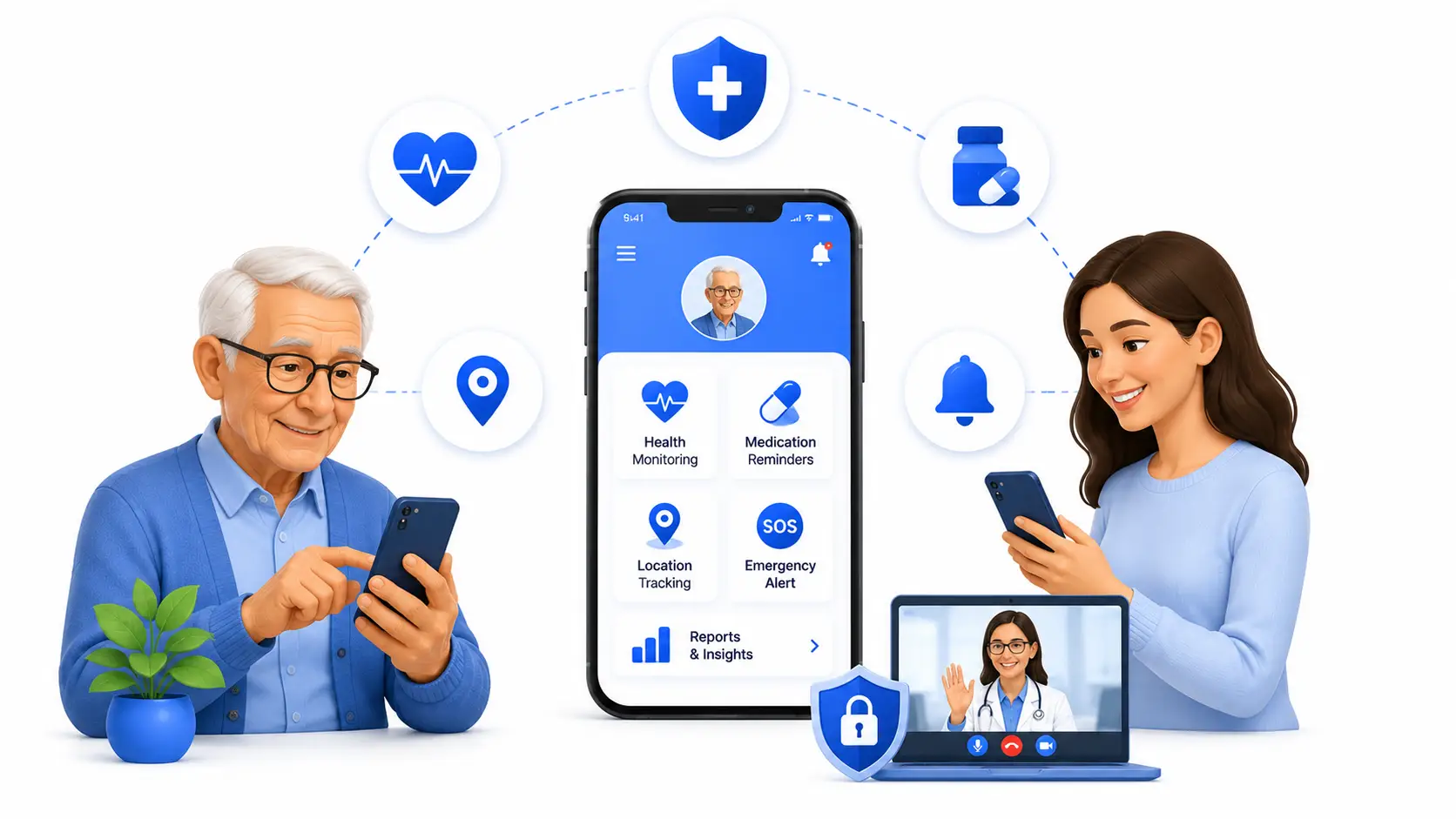
Key Takeaways
- Build for seniors and caregivers together by prioritizing simplicity, accessibility, and features that solve real daily care challenges.
- AI delivers the most value when it predicts risks, reduces false alerts, and personalizes monitoring instead of simply automating tasks.
- HIPAA compliance, strong security, and accessibility must be built into the app from day one, not added after launch.
- The right architecture, integrations, and tech stack directly determine your app’s scalability, usability, and long-term success.
- Launch with a focused MVP, validate it with real seniors and caregivers, and improve continuously using real-world feedback and usage data.
________________________________________________________________________________________
By 2030, one in six people globally will be aged 60 or older. In the United States alone, the caregiver shortage has already reached crisis levels, with the Health Resources and Services Administration projecting a gap of over 355,000 home health aides by 2031. Families are stretched thin, care facilities are understaffed, and seniors are increasingly choosing to age in place rather than move into assisted living. This is not a future problem. It is happening right now, and it is why healthcare companies, senior living operators, insurance providers, and startups are moving fast to build elderly care apps that fill the gap between what families can physically provide and what seniors actually need.
If you are exploring elderly care app development, you are entering a market that rewards precision. A poorly designed app will sit unused on a senior’s phone within weeks. A well-built one becomes a daily part of a family’s routine, a trusted layer of safety, and in many cases, a revenue-generating product for the business behind it. This guide walks through everything you need to know before you start building, from core features and AI capabilities to compliance, cost, and the architecture decisions that most guides skip entirely.
What is an Elderly Care App?
An elderly care app is a mobile or web application designed to support the health, safety, and independence of older adults while keeping caregivers and family members connected to their well-being. These apps typically combine health monitoring, emergency response, medication management, and communication tools into a single experience built around the specific physical and cognitive needs of aging users.
How it actually works:
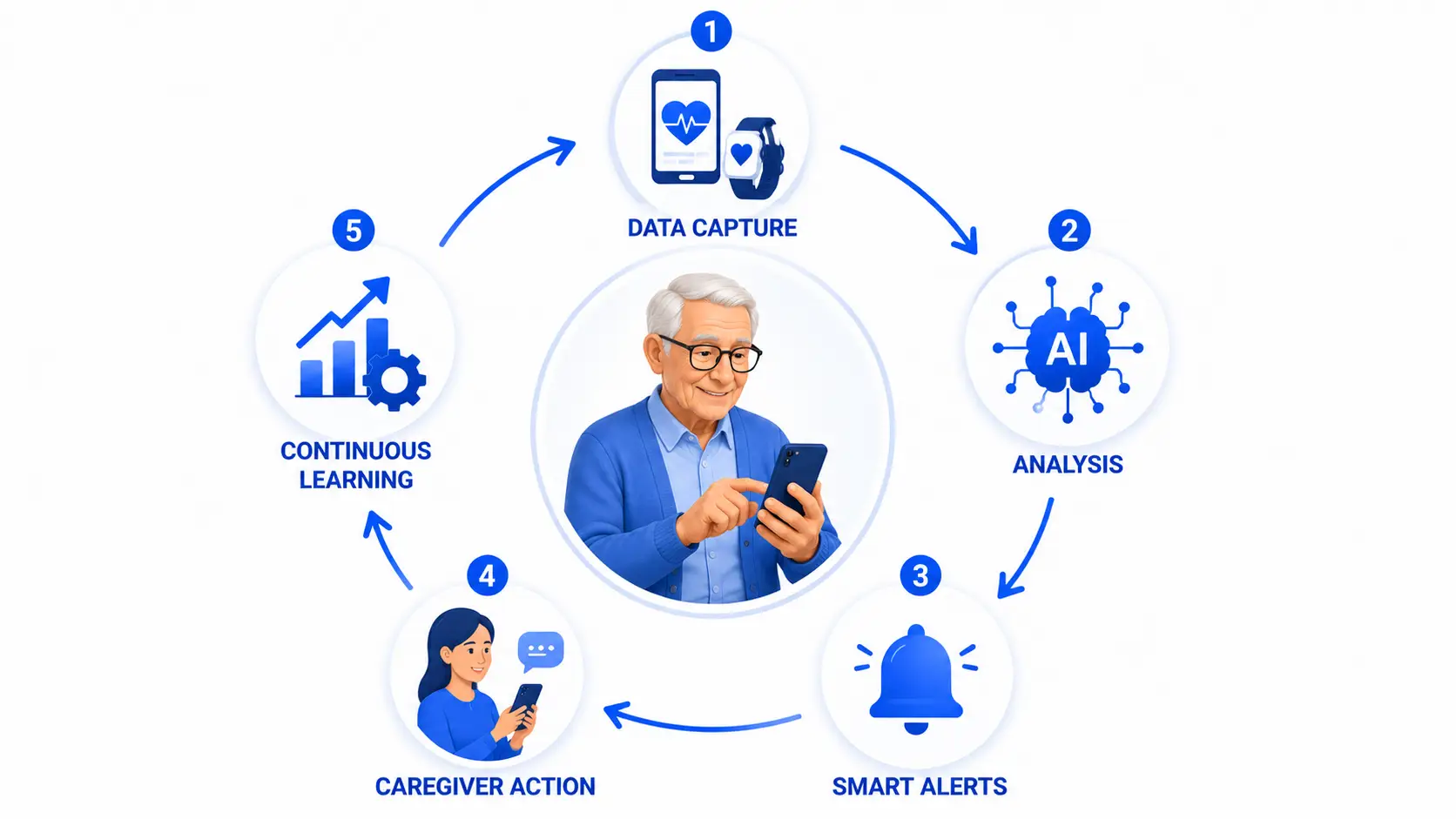
- Data capture – The app collects information through manual entry, wearable sensors, or connected medical devices, things like heart rate, medication adherence, location, or activity levels.
- Processing and analysis – The backend analyzes this data against baselines and thresholds, often using AI models trained to detect anomalies like a missed dose or an irregular movement pattern consistent with a fall.
- Alerting – When something falls outside the expected range, the app triggers a notification, whether that is a gentle reminder to the senior or an urgent alert to a caregiver.
- Caregiver or family action – The receiving party can check in via call, video, or in-person visit, and log the outcome back into the system so the full care team stays informed.
- Continuous learning – Over time, the app refines its understanding of what is normal for that specific user, reducing false alarms and improving accuracy.
This loop- capture, analyze, alert, act, learn- is the backbone of nearly every serious elderly care app on the market today.
Market Overview
The elderly care app market is growing for reasons that go beyond demographics alone. What is driving demand:
- Aging population – The global population aged 65 and older is projected to nearly double by 2050, according to United Nations population data, creating sustained long-term demand.
- Caregiver shortage – Family caregivers are increasingly geographically distant from aging parents, and professional home care staffing has not kept pace with need.
- Preference for aging in place – AARP research consistently shows that the large majority of older adults want to remain in their own homes rather than move into assisted living, which increases reliance on remote monitoring technology.
- Rising chronic disease burden – Conditions like diabetes, hypertension, and early-stage dementia require consistent monitoring that apps can support between clinical visits.
- Insurance and healthcare system incentives – Payers are increasingly covering remote patient monitoring codes, making these apps commercially viable, not just charitable tools.
The result is a market where healthcare systems, insurers, senior living operators, and independent startups are all competing to build the tools families actually trust.
Core Needs of Seniors and Caregivers
Before any feature list makes sense, it helps to understand who you are actually building for. Seniors need simplicity, safety, and a sense of control over their own independence. They do not want to feel monitored in a way that feels invasive or infantilizing. Caregivers need visibility without having to constantly check in, and they need confidence that if something goes wrong, they will know quickly. Healthcare providers, when involved, need clean, exportable data that fits into existing clinical workflows. Every design and feature decision in this guide traces back to balancing these three sets of needs.
Types of Elderly Care Apps
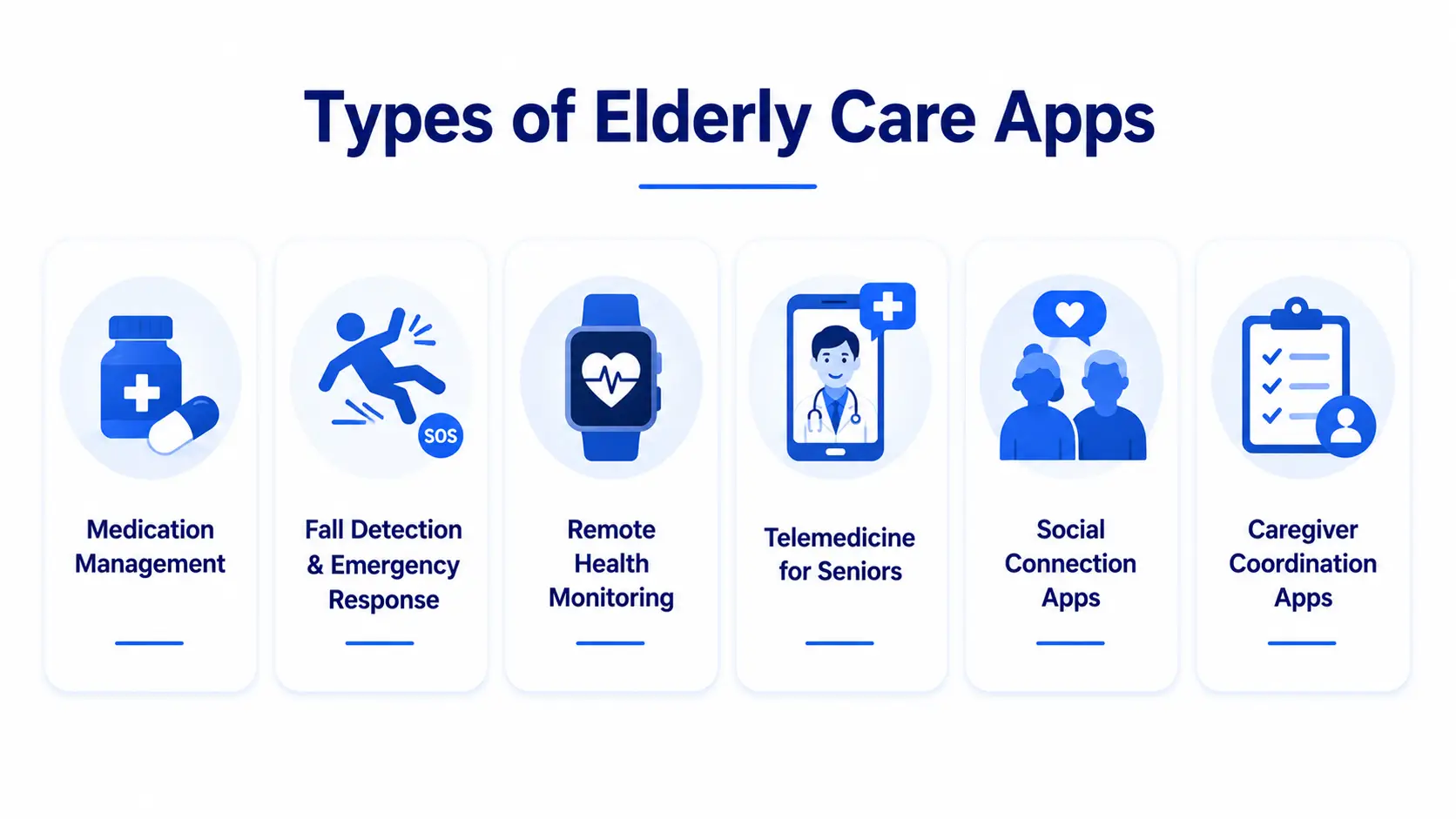
Not every elderly care app tries to do everything. Most successful products focus on one core use case and expand from there.
- Medication management apps – Focused on reminders, dosage tracking, and adherence reporting to caregivers or pharmacies.
- Fall detection and emergency response apps – Use accelerometer data or wearables to detect falls and trigger SOS alerts automatically.
- Remote health monitoring apps – Track vitals like blood pressure, glucose, and heart rate, often paired with connected medical devices.
- Telemedicine apps for seniors – Simplified video consultation tools designed around lower digital literacy and accessibility needs.
- Social and companionship apps – Combat isolation through video calling, community forums, or scheduled check-in prompts.
- Cognitive and memory care apps – Use games, routines, and reminders to support users with early-stage cognitive decline.
- Caregiver coordination apps – Help multiple family members or professional caregivers share responsibilities, schedules, and updates in one place.
Many successful products, like GreatCall’s Lively platform or CareZone, blend two or three of these categories rather than staying narrowly focused on one.
Single App vs. Dual App Architecture
This is one of the most important product decisions in elderly care app development, and it is one that most guides skip entirely.
You can build a single app that both the senior and their caregiver use with different permission levels, or you can build two separate apps, one designed entirely around the senior’s simplified experience and one built as a full-featured caregiver dashboard.
Single app architecture works well for lighter use cases, like a medication reminder tool where the caregiver mostly just needs visibility. It is cheaper to build and maintain, and it keeps everything in one codebase.
Dual app architecture makes more sense for anything involving continuous monitoring, multiple caregivers, or clinical data. The senior-facing app can stay radically simple, large buttons, minimal text, voice support, while the caregiver app can carry the complexity: multi-user access, historical trends, care team messaging, and reporting.
The right choice depends on how much complexity your caregiver-side features actually need. If you are building anything beyond basic reminders, a dual architecture is almost always worth the added development cost, because it protects the senior’s experience from being cluttered by features they will never use.
Must-Have Features
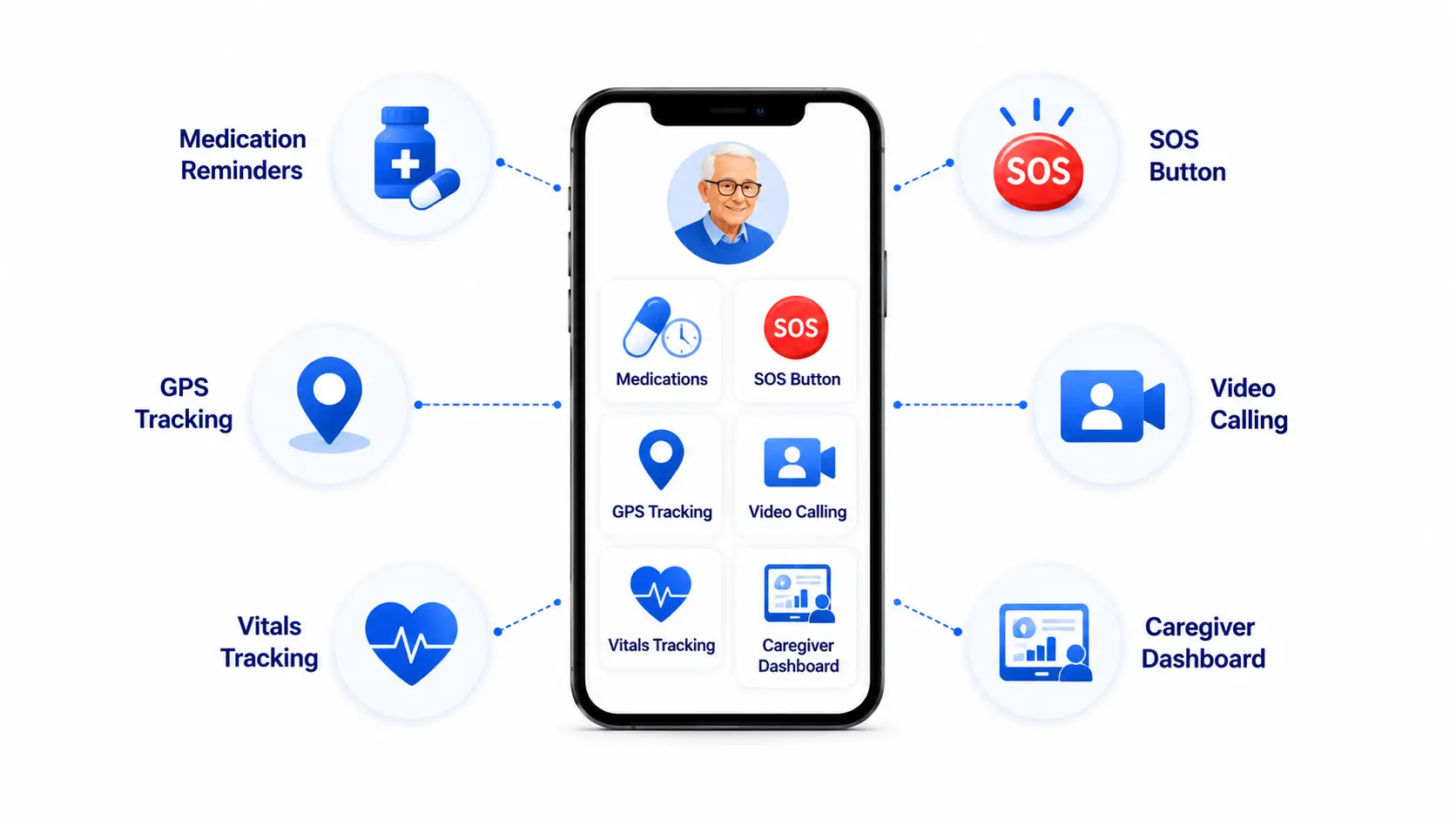
- Medication reminders – Scheduled push notifications with dosage details and confirmation logging.
- Fall detection – Sensor-based detection with automatic alerts if the user does not respond within a set window.
- GPS tracking and geofencing – Location visibility for caregivers, with alerts if a senior with cognitive decline leaves a defined safe zone.
- Vitals tracking – Manual or device-connected logging of blood pressure, glucose, heart rate, and weight.
- SOS emergency button – A single, large, always-accessible button that connects directly to a caregiver or emergency service.
- Video calling – Simplified, one-tap video calls designed for users with limited technical confidence.
- Appointment scheduling – Calendar integration for medical appointments with reminders sent to both senior and caregiver.
- Family and caregiver dashboard – A centralized view of adherence, vitals, alerts, and activity for anyone with authorized access.
AI-Driven Features
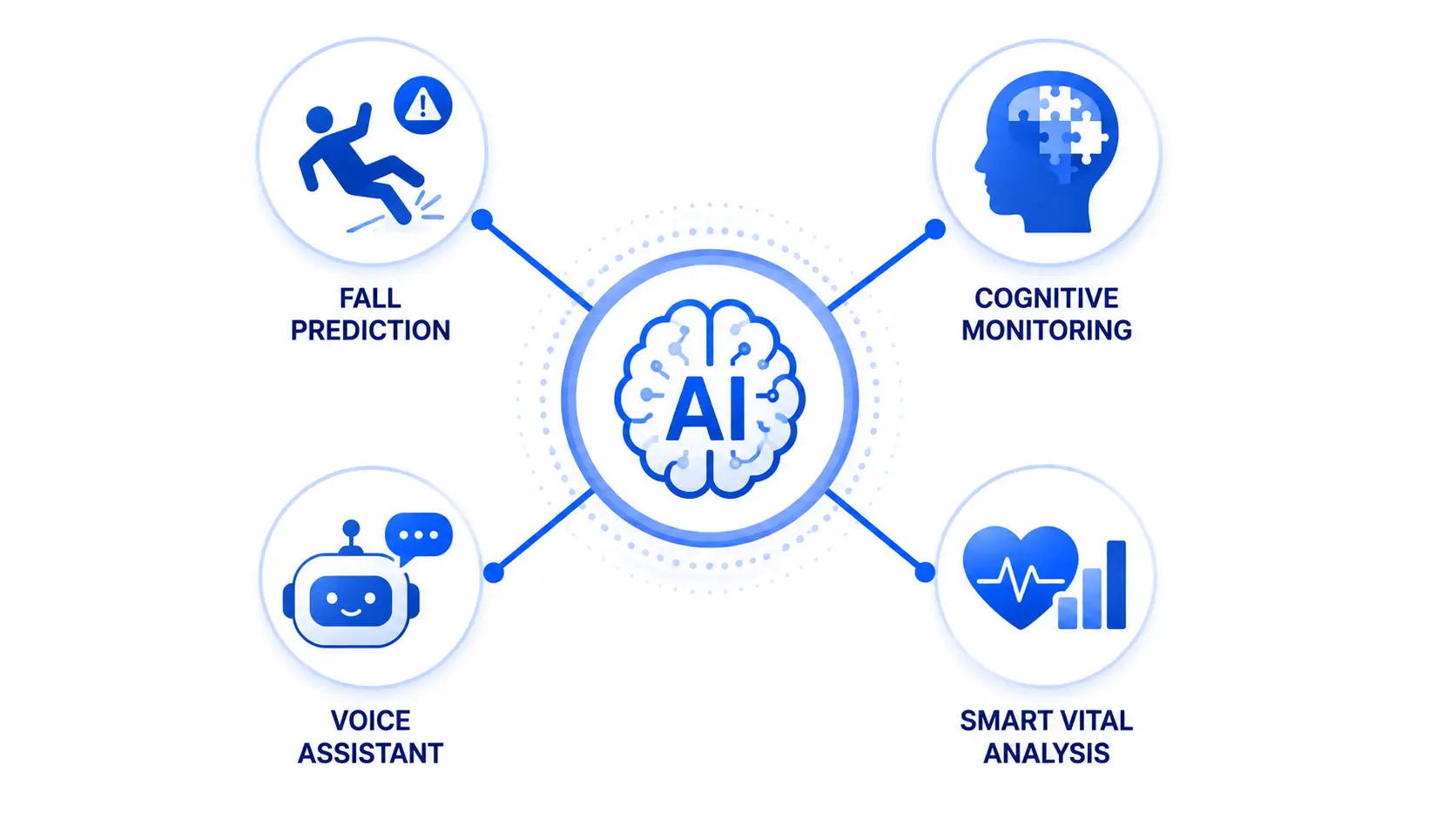
AI has moved from a nice-to-have to a genuine differentiator in elderly care apps, and it is an area where most competitor guides barely scratch the surface.
- Fall prediction – Rather than only detecting a fall after it happens, machine learning models trained on gait and movement patterns can flag increased fall risk before an incident occurs.
- Cognitive decline detection – By analyzing patterns in app usage, typing speed, response times, and daily routine consistency, AI models can flag early signs of cognitive changes worth a clinical follow-up.
- Voice assistants – Natural language voice interfaces let seniors set reminders, ask questions, or trigger help without needing to navigate a touchscreen
- Anomaly detection in vitals. – AI models learn each user’s personal baseline rather than relying on generic thresholds, which significantly reduces false alarms while catching genuine irregularities faster.
A National Library of Medicine study found that roughly half of patients with chronic conditions do not take medication as prescribed, which is exactly the kind of pattern AI-enabled adherence tracking is built to catch before it leads to a hospitalization.
Security and Privacy
Data Encryption
All health and location data should be encrypted both at rest and in transit, using industry-standard protocols like AES-256 and TLS 1.3. This is non-negotiable for any app handling protected health information.
Access Control
Role-based access controls should determine exactly what each user type, senior, family caregiver, professional caregiver, or clinician, can view and edit. A family member should not automatically have the same access level as a treating physician.
Consent Management
Seniors and their designated decision-makers need clear, understandable consent flows for what data is collected, who can see it, and how it is used. This matters both legally and ethically, since consent given by someone with cognitive decline requires additional safeguards.
Regulatory Compliance
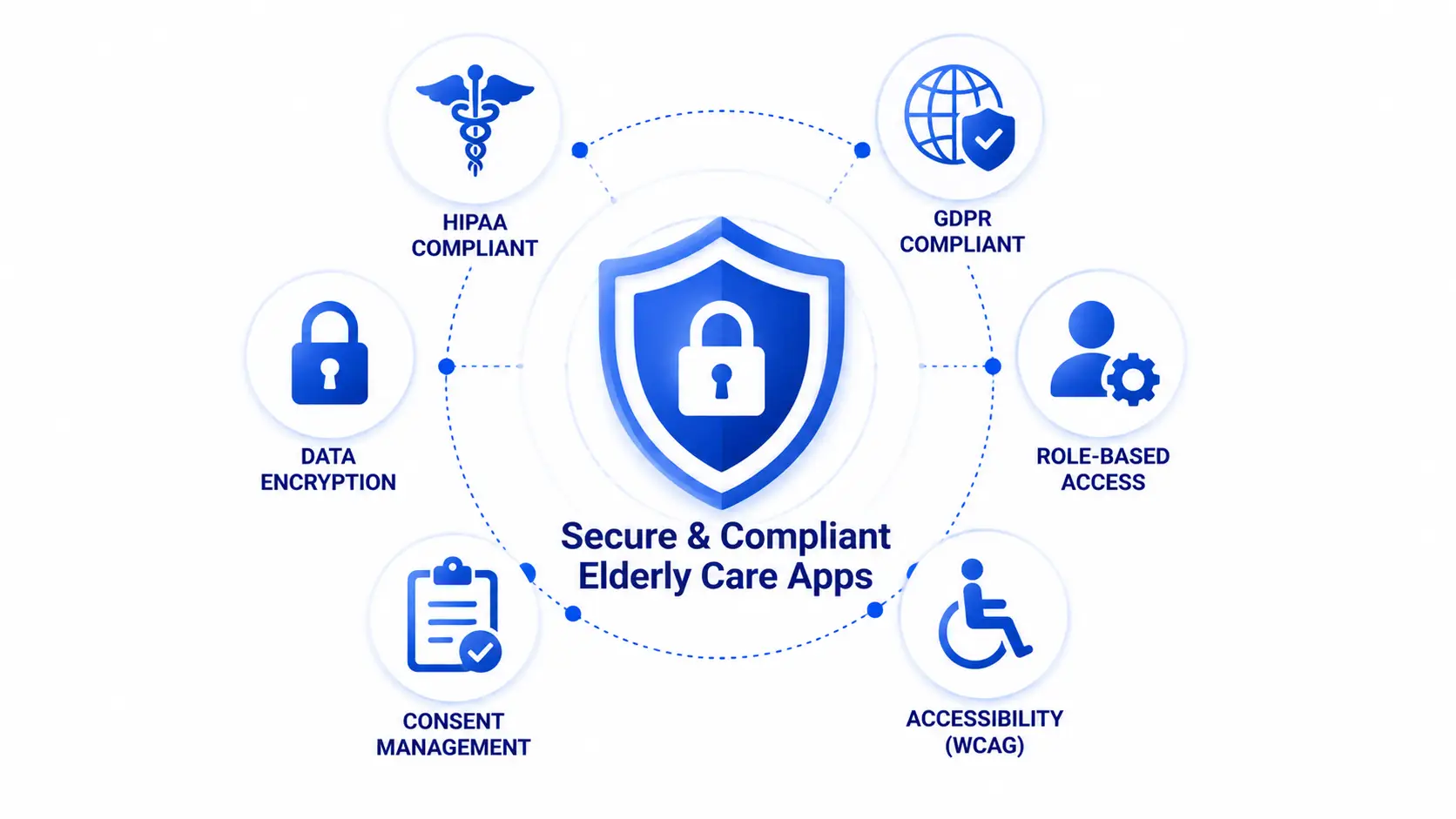
Compliance requirements shift depending on where you operate and what kind of data your app touches. Here is what each major framework actually requires in practice.
| Regulation | Applies When | What the App Must Do |
| HIPAA (US) | App handles protected health information tied to a covered entity | Encrypt PHI, maintain audit logs, sign business associate agreements, enforce role-based access, support data breach notification protocols |
| GDPR (EU) | App serves or stores data on EU residents | Obtain explicit consent, support right to erasure and data portability, appoint a data protection officer if processing at scale, minimize data collection |
| ADA / Accessibility Standards (US) | App is offered as a public-facing service | Support screen readers, sufficient color contrast, scalable text, voice navigation, and compliance with WCAG 2.1 AA guidelines |
Getting this right from the design phase, not bolted on after launch, saves significant rework later and is one of the clearest signals to enterprise buyers that your team understands healthcare software.
Tech Stack
Choosing the right stack depends heavily on your budget, timeline, and how deeply you need to integrate with hardware like wearables and medical devices.
| Layer | Technologies | Description |
| Frontend (Mobile) | React Native, Flutter, Native (Swift/Kotlin) | React Native and Flutter offer faster cross-platform development; native is preferred when deep hardware integration or maximum performance is required |
| Backend | Node.js, Python (Django/FastAPI), Ruby on Rails | Handles business logic, user management, and API orchestration |
| Database | PostgreSQL, MongoDB | PostgreSQL suits structured health data; MongoDB works well for flexible, high-volume sensor data |
| Cloud Infrastructure | AWS, Google Cloud, Microsoft Azure | All three offer HIPAA-eligible services; AWS and Azure are most commonly used in healthcare |
| AI/ML | TensorFlow, PyTorch, AWS SageMaker | Powers fall prediction, anomaly detection, and cognitive pattern analysis |
| Connectivity | Bluetooth Low Energy (BLE), HL7 FHIR APIs | BLE connects wearables and medical devices; FHIR standardizes data exchange with EHR systems |
Native vs. cross-platform vs. Flutter, in short: choose native if your app depends heavily on sensor-level performance like real-time fall detection. Choose React Native or Flutter if you need to launch faster across iOS and Android with a smaller budget, and are comfortable adding native modules later for hardware-heavy features.
Integrations
Elderly care apps rarely operate in isolation. The integrations you choose determine how useful the app is within a senior’s broader care ecosystem.
- EHR and HL7-FHIR integration – Allows vitals and adherence data to sync directly with a senior’s electronic health record, which is often a requirement for healthcare system partnerships.
- Wearables via BLE – Connects to devices like smartwatches, fall-detection pendants, and glucose monitors.
- Pharmacy APIs – Enables automatic medication list updates and refill reminders tied to actual prescriptions rather than manual entry.
- Telehealth platform integration – Lets seniors move directly from an in-app alert into a live consultation without switching apps.
Development Process To Build Elderly Care App
Step 1: Discovery and Research
Define your target user segment, study competitor apps for feature gaps, and clarify whether you are building a consumer product, a B2B2C tool for care facilities, or a clinical-grade monitoring solution.
Step 2: UX and Accessibility Design
Design around large touch targets, high-contrast visuals, minimal navigation depth, and voice support. Every screen should be tested with actual older adults, not just assumed to be accessible.
Step 3: MVP Development
Build the core loop first: one or two must-have features, basic caregiver visibility, and a working alert system, before adding AI or advanced integrations.
Step 4: Testing
Test extensively with real seniors and caregivers, not just QA teams. Usability issues in this demographic are often invisible to younger testers.
Step 5: Launch
Roll out with a limited group, whether a single facility partnership or a small beta cohort, before a full public launch.
Step 6: Iterate
Use adherence data, support tickets, and caregiver feedback to prioritize your post-launch roadmap.
Cost to Build Elderly Care App
Cost varies significantly based on feature complexity and whether you are building a single app or a dual senior-caregiver architecture.
| Complexity Tier | Core Features | Estimated Cost Range |
| Basic | Medication reminders, single app, manual vitals entry | $15,000 to $35,000 |
| Mid-tier | Fall detection, GPS, caregiver dashboard, wearable integration | $30,000 to $65,000 |
| Advanced | Dual app architecture, AI-driven monitoring, EHR/FHIR integration, telehealth | $60,000 to $120,000+ |
Factors that drive cost:
- Number of integrations, especially EHR and medical device connectivity
- Whether the app requires HIPAA-grade infrastructure and audit logging
- Single app versus dual senior-caregiver architecture
- Depth of AI features, particularly custom-trained models for anomaly detection
- Platform coverage, iOS only, Android only, or both
In-house vs. outsourced vs. agency: Building in-house gives you full control but requires hiring specialized healthcare software talent, which is expensive and slow to assemble. Outsourcing to individual freelancers can lower cost but introduces risk around compliance expertise and long-term maintenance. Partnering with an experienced healthcare app development agency typically offers the best balance, since you get a team that already understands HIPAA, accessibility standards, and healthcare integrations without the overhead of building that expertise from scratch.
Monetization Models
- Subscription pricing – A recurring monthly or annual fee charged directly to families, often tiered by feature access.
- B2B2C partnerships with care facilities – Selling the app as a white-labeled or co-branded tool to assisted living operators, who offer it to residents’ families as a value-added service.
- Insurance partnerships – Positioning the app as a remote patient monitoring tool that insurers reimburse or subsidize, particularly under expanding RPM billing codes.
- Freemium with premium upgrades – Offering core safety features free, with advanced monitoring, AI insights, or multi-caregiver access behind a paywall.
Most successful products in this space combine at least two of these models rather than relying on a single revenue stream.
Common Challenges and Fixes
Low Technical Literacy Among Seniors
Many older adults are unfamiliar or uncomfortable with smartphone navigation.
The fix: Simplify onboarding to a single guided setup, ideally completed by a caregiver, and design the core interface around three or four large, clearly labeled actions.
Alert Fatigue
Caregivers who receive too many false or low-priority alerts start ignoring notifications altogether.
The fix: Use AI-driven personal baselines instead of generic thresholds, and allow caregivers to customize alert sensitivity.
Data Accuracy from Wearables
Consumer-grade sensors can produce inconsistent readings, especially for fall detection.
The fix: Combine sensor data with contextual signals, like lack of movement following a detected impact, to reduce false positives before triggering an alert.
Low Adoption After Initial Setup
Engagement often drops off weeks after a caregiver sets up the app for a senior.
The fix: Build in passive value, automatic reminders and monitoring that require no ongoing action from the senior, so the app stays useful even without active engagement.
Post-Launch KPIs
- Daily and weekly active usage among both seniors and caregivers
- Medication adherence rate tracked over time
- Average alert response time from caregiver notification to acknowledgment
- False alarm rate for fall detection and vitals anomalies
- Caregiver retention month over month, since caregivers are often the actual paying decision-maker
How to Choose a Development Partner
Qualities to look for: direct experience with HIPAA-compliant healthcare apps, a portfolio that includes accessibility-focused design work, in-house expertise in both mobile development and AI/ML, and a clear process for post-launch support.
Red flags: vague answers about compliance experience, no mention of accessibility testing with real older adults, and pricing that seems too low for the regulatory complexity involved.
Questions to ask: Have you built HIPAA-compliant apps before, and can you describe your audit logging approach? How do you approach usability testing with elderly users specifically? What does your post-launch support and maintenance plan look like?
Why Partner with Simpalm
Simpalm has spent years building healthcare and accessibility-focused mobile applications for organizations that cannot afford to get compliance or usability wrong. Our work on the FitRight Product Selector App for Medline Industries involved designing a clear, accessible product selection experience for sensitive, health-related consumer needs, the same design discipline that elderly care apps demand.
Our team brings together HIPAA-compliant backend architecture, accessibility-first UX design, and AI/ML expertise under one roof, which means you are not stitching together multiple vendors to get a product that actually works for the people who need it most.
If you are exploring elderly care app development, our team can walk you through a free consultation to map out features, cost, and timeline based on your specific goals. [Contact Simpalm] to get started.
Final Thoughts
Elderly care app development sits at the intersection of healthcare compliance, accessibility design, and genuine emotional stakes for the families using it. The businesses that succeed in this space are the ones that resist the urge to build every feature at once, and instead focus on getting the core loop right: simple for the senior, informative for the caregiver, and reliable enough that both sides trust it without thinking twice.
Whether you are building a focused medication reminder tool or a full AI-driven monitoring platform, the decisions you make early, around architecture, compliance, and tech stack, will shape how well the app actually holds up in a real family’s daily life. Getting those foundations right from day one is what separates apps that get deleted within a month from apps that become a genuine part of how a family cares for the people they love.
Frequently Asked Questions
Q1. How much does it cost to build an elderly care app?
Costs typically range from $15,000 for a basic single-feature app to over $120,000 for an advanced platform with AI-driven monitoring, dual senior-caregiver architecture, and EHR integration. The final number depends heavily on how many integrations you need and whether you require HIPAA-grade infrastructure from day one.
Q2. Do elderly care apps need to be HIPAA compliant?
Any app that collects, stores, or transmits protected health information on behalf of a covered entity in the United States needs to be HIPAA compliant. Even apps that are not directly tied to a covered entity often choose to build HIPAA-grade infrastructure anyway, since it builds trust with healthcare partners and protects against future liability.
Q3. Should I build a single app or separate apps for seniors and caregivers?
It depends on your feature complexity. A single app with role-based views works well for lightweight use cases like medication reminders. If you are building continuous health monitoring, AI-driven insights, or multi-caregiver coordination, a dual app architecture almost always delivers a better experience, since it keeps the senior-facing interface simple while giving caregivers the depth they need.
Q4. How long does it take to develop an elderly care app?
A basic MVP with core features like reminders and a caregiver dashboard typically takes three to five months. A more advanced platform with AI-driven monitoring, wearable integrations, and EHR connectivity can take eight months to a year, particularly when HIPAA compliance and extensive usability testing with older adults are factored in.
Q5. What features matter most for elderly care apps?
Medication reminders, fall detection, an SOS emergency button, and a caregiver dashboard consistently rank as the most essential features. Beyond that, AI-driven anomaly detection and video calling tend to have the biggest impact on both safety and reducing feelings of isolation.
Q6. How do elderly care apps make money?
Most apps combine subscription pricing with at least one other model, either B2B2C partnerships with senior living facilities, insurance reimbursement through remote patient monitoring billing codes, or a freemium structure that unlocks advanced monitoring features behind a paid tier.