
 Design
 App Development
 Web Engineering
 AI Services
 Cloud
 Staffing
 Startups
 Health / Fitness
 Education
 Social
 Nonprofit
 Fintech
 Construction
 Logistics
 Government
 Travel/Hospitality
 HR Software
 About Simpalm
 Our News
 Client Testimonials
 Careers
 Our Blog
 Awards
 Resources
 Information

Key Takeaways
- Design your electrician website around the needs of emergency callers, planned-service customers, and commercial buyers, with a clear next step for each visitor.
- Make your phone number, service area, credentials, and primary call to action easy to find, especially on mobile devices.
- Build dedicated service and location pages to help customers find the right service and improve your visibility in local search results.
- Display real project photos, recent customer reviews, licenses, and insurance details to build trust before customers contact you.
- Keep your website fast, mobile-friendly, and easy to navigate, with simple contact options that help visitors book a service or request an estimate.
_________________________________________________________________________________________
When homeowners need an electrician, they often search online to find a reliable contractor who can respond quickly. Electrician website design plays an important role in turning those searches into calls and service requests. A slow website, unclear service information, or missing contact details can drive potential customers to competitors. Google’s research shows that 53% of mobile visits are abandoned when a page takes longer than three seconds to load, highlighting the importance of website speed.
An effective electrician website should help visitors find the services they need, verify your credentials, and contact your business without unnecessary steps. Clear navigation, mobile-friendly layouts, customer reviews, and visible calls to action help build trust and make it easier for visitors to choose your business.
This article covers electrician website design best practices, including the essential pages your site needs, homepage elements that encourage inquiries, trust signals that build customer confidence, and local SEO strategies that improve visibility. It also compares website builders, templates, and custom development options to help you choose the right approach for your electrical contracting business.
How Should an Electrician Website Serve Both Emergency and Planned-Service Customers?
Most electrical contractor websites receive two very different visitors. One is a stressed homeowner dealing with a power outage who wants a phone number and a promise of fast arrival. The other is a calm planner comparing three contractors for a panel upgrade, an EV charger installation, or a kitchen remodel, and who wants proof of experience before asking for a quote. A third group, commercial buyers, evaluates licensing, capacity, and past projects before requesting a bid.
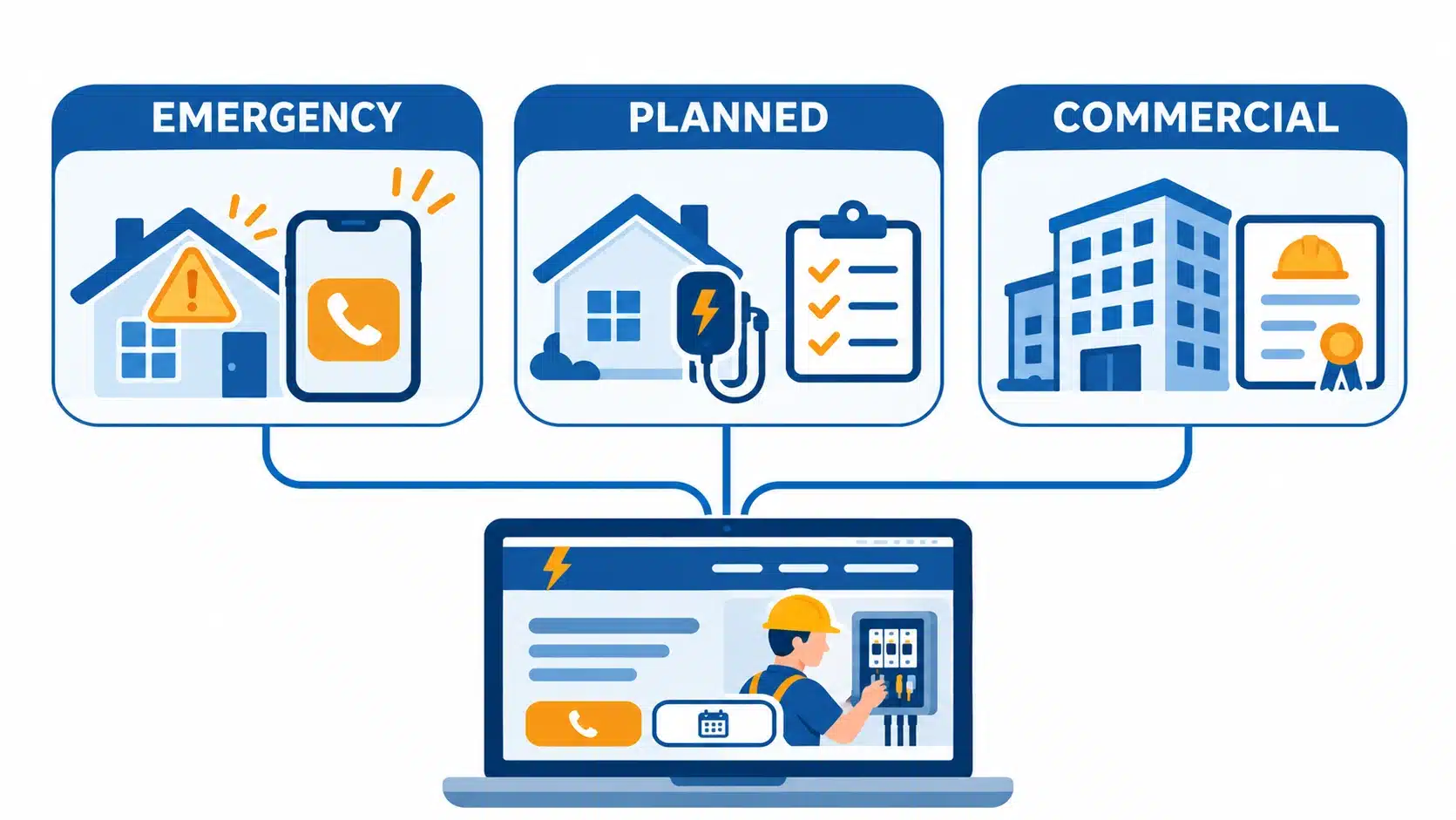
A single site can serve all of them, but only if you design for each mindset deliberately.
| Visitor Type | Typical Situation | What They Need First | What Your Site Should Do |
| Emergency caller | Outage, sparking outlet, tripped main breaker | Confirmation that you are available and a fast way to reach you | Sticky click-to-call button, clear availability message, service area visible at the top |
| Planned-service customer | Panel upgrade, lighting install, EV charger, rewiring | Proof of experience, clear service details and an easy way to request a quote | Dedicated service pages, project photos, quote form, financing information, recent reviews |
| Commercial buyer | Tenant build-out, maintenance contract, code compliance | Credentials, past projects and capacity | Commercial services page, license and insurance details, case studies, bid request form |
The practical rule is to give every page one primary action and one secondary action. If you offer emergency service, the primary action in the header and hero area should be a phone call. The secondary action, such as “Request a Free Estimate,” should sit beside it so planners never have to hunt for a quote path. If you do not offer emergency service, reverse the order and lead with the estimate request.
Equally important is being honest about availability. If you answer calls around the clock, say so near the top of the page. If your emergency hours are limited, state them plainly, because visitors who reach voicemail at midnight rarely call back.
Which Pages Does an Electrical Contractor Website Actually Need?
A strong electrical contractor website is built on a simple architecture: a short list of core pages that every visitor expects, plus a set of service and location pages that help search engines understand what you do and where you do it. Thin or missing pages are one of the most common reasons electrician websites fail to rank.
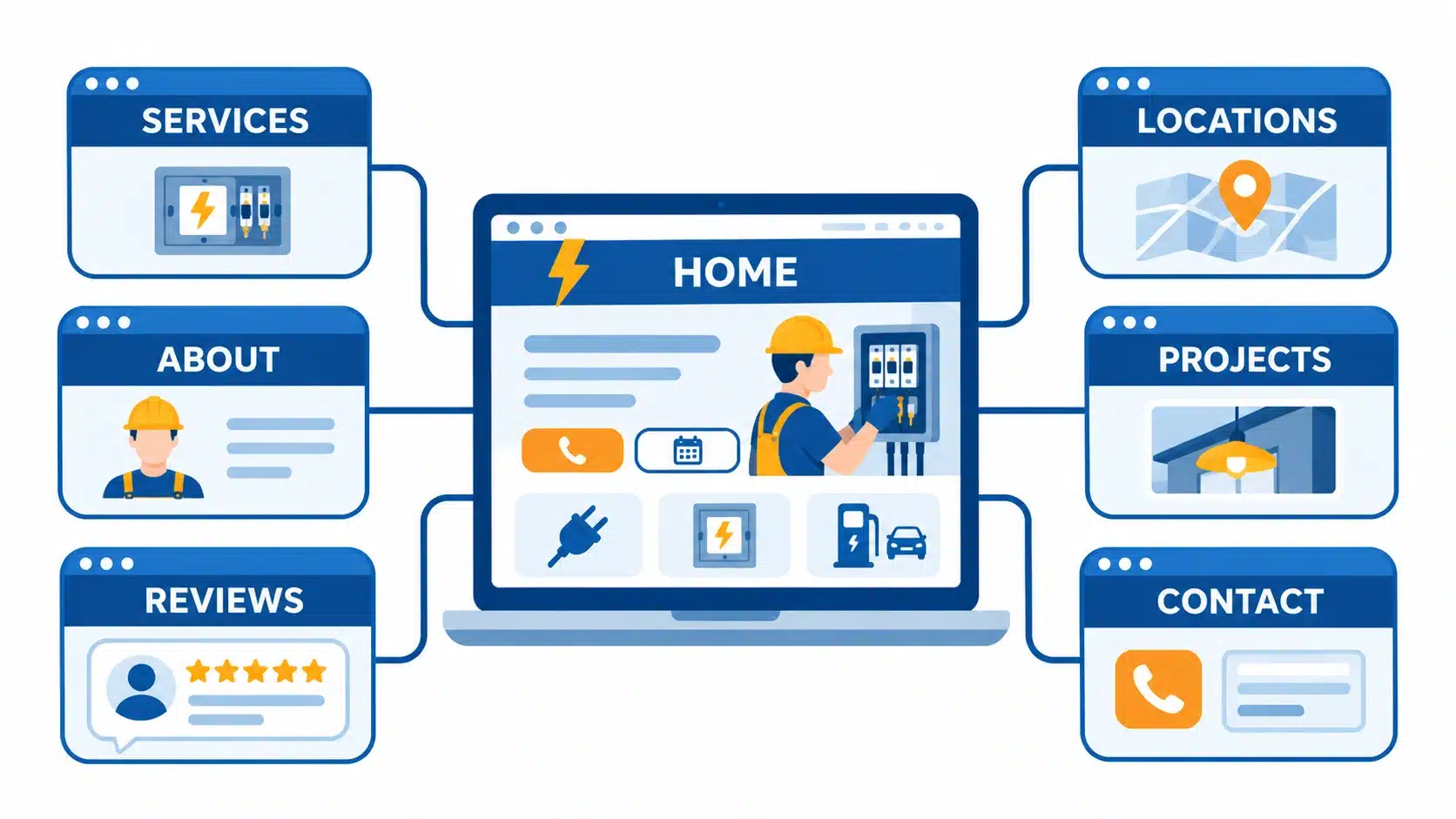
Here is the page set that works for most electrical businesses:
- Homepage: The front door that routes each visitor type to the right next step. It should summarize your services, service area, credentials, and contact options without trying to say everything.
- Individual service pages: Create one page for each major service, such as panel upgrades, EV charger installation, rewiring, lighting, generator installation, and emergency repairs. Each page should explain the problem, your process, what the customer can expect, and how to book.
- Service area pages: If you cover several cities or counties, create a page for each one with genuinely local details, such as the neighborhoods you serve, local permit requirements, and relevant project examples.
- About page: Introduce the owner and the team with real photos, years in business, licensing, and the values that guide your work. Homeowners want to know who will be walking through their door.
- Project gallery: Show completed work with short descriptions, ideally including before-and-after photos and the type of property.
- Reviews and testimonials: Gather your strongest customer feedback in one place, and repeat the best quotes on the homepage and relevant service pages.
- Contact page: List your phone number, email, service area, and hours, and include a short form. Repeat this information in the footer of every page.
The principle of giving each service its own page is not unique to electricians. It shows up in every local professional category, as seen in this guide to dental practice website development, where dedicated treatment pages guide patients toward booking. For electricians, the same structure helps a visitor searching for “EV charger installation” land on a page that speaks directly to that need.
Keep navigation simple. Five to seven top-level menu items are enough for most contractors, with extra services grouped under a single “Services” menu.
What Should Your Homepage Show Before a Visitor Scrolls?
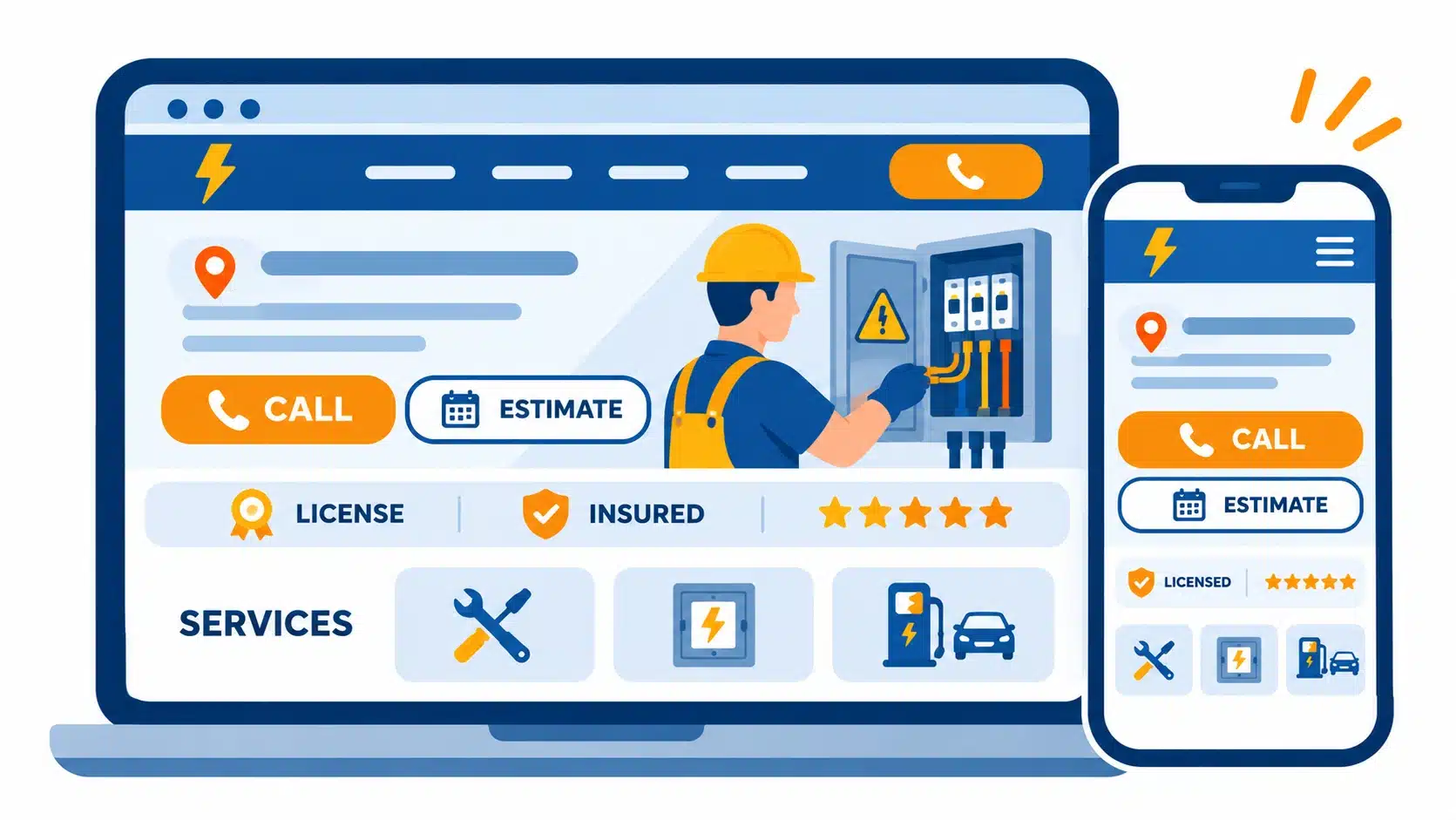
The area visible without scrolling (mainly the homepage’s top screen) decides whether a visitor stays. For an electrician, this space should confirm the service, the location, and the next step almost instantly. Treat your homepage as a single-purpose page, the same way a landing page is built around one goal, a principle explored in these landing page design tips for higher conversions.
Build the top of your homepage in this order:
- A headline that names the service and the place – “Licensed Electricians Serving Denver and the Front Range” tells visitors they are in the right spot. Clever slogans can wait for later in the page.
- A phone number that works with one tap – On mobile, the number should be a tappable link, and it should remain visible as the visitor scrolls through a sticky header or floating button.
- A primary call-to-action button – Use specific wording such as “Call Now for Emergency Service” or “Get a Free Estimate” instead of vague labels like “Learn More.”
- A compact trust strip – Display your license number, years in business, review rating, and any manufacturer certifications in a single row near the top.
- A real photo of your team or work – A technician in a branded uniform beside a company vehicle builds more confidence than a generic image of a lightbulb.
- Service shortcuts – Offer three to six large links to your core services so visitors can jump directly to what they need.
Below that first screen, add a short section on why customers choose you, featured reviews, service area details, a few project photos, and a final call-to-action. Skip sliders, auto-playing video, and pop-ups that cover the phone number, because each one competes with the action you want visitors to take.
What Trust Signals Make a Homeowner Let You Into Their Home?
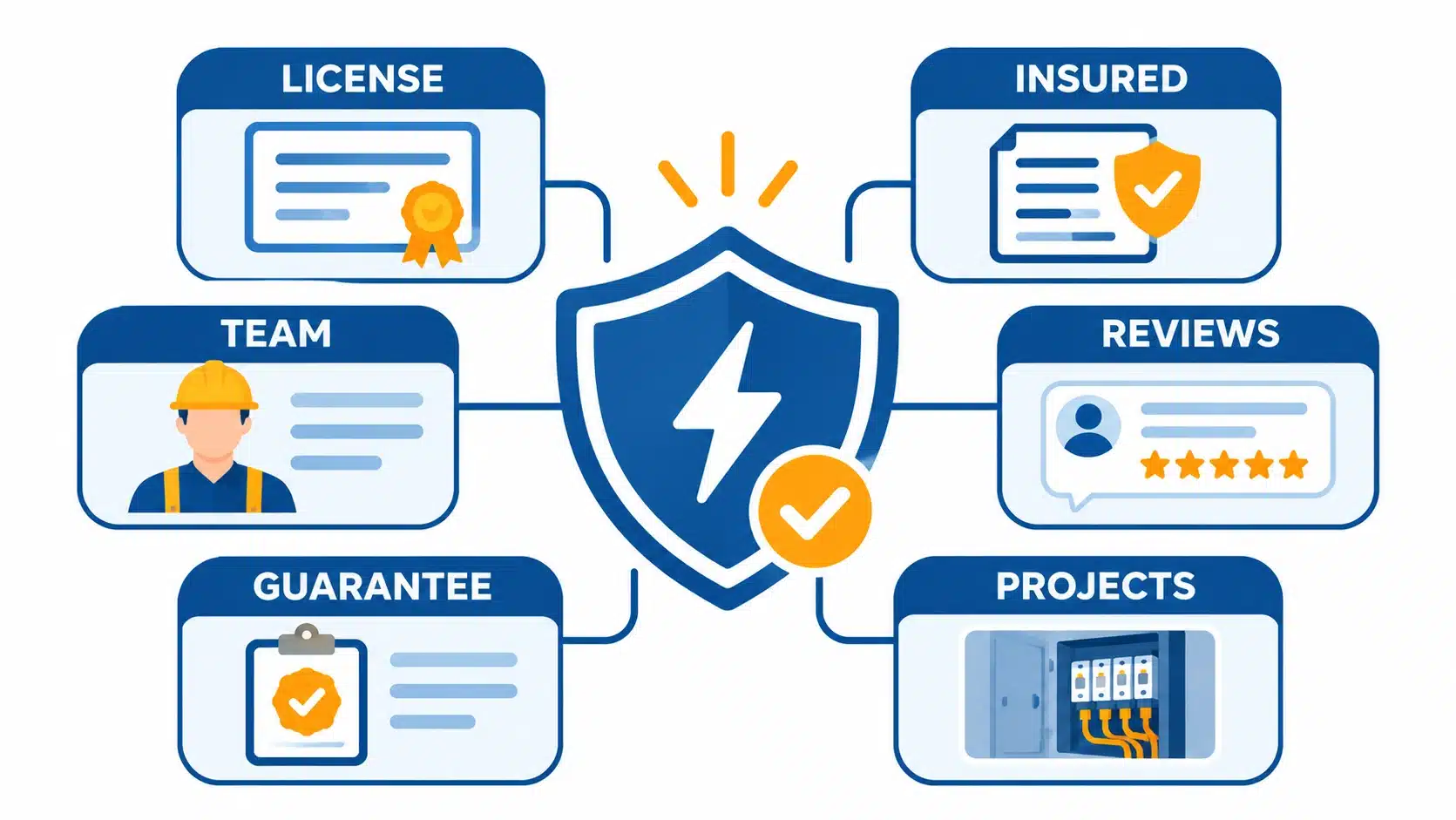
Hiring an electrician means inviting a stranger into your home to work on the system that protects your family from fire. That makes trust the central design challenge for this industry. Visitors look for evidence, and the more specific the evidence, the faster they decide.
| Editor’s Note: Trust is also measurable. BrightLocal’s 2026 consumer survey reports that most consumers lean on reviews when choosing local businesses, that a growing share only consider businesses rated 4.5 stars or higher, and that recent reviews carry more weight than older ones. A website that surfaces fresh, high-quality reviews works alongside your Google profile to answer the question every visitor is silently asking. |
Therefore to maximize the trust signals place these following trust signals where decisions happen, not only on an About page:
- License number and state credentials: Show your electrical contractor license number in the header or footer in a readable size. It is one of the fastest ways to separate a legitimate business from an unlicensed operator.
- Insurance and bonding: State that you are insured and bonded, and explain what that means for the customer in one plain sentence.
- Recent reviews with real names: Feature short customer quotes near call-to-action buttons, and link to your Google profile so visitors can verify them. Keep the feed current, because older reviews lose persuasive power.
- Team photos and short bios: Visitors want to know who is coming to their home. Photos of real technicians, along with their experience and certifications, reduce the sense of risk.
- Guarantees and clear policies: If you offer upfront pricing, a workmanship warranty, or a satisfaction guarantee, state it in specific terms and place it near the quote form.
- Real project photography: Original photos of your completed installations demonstrate quality in a way stock images cannot.
Professions that depend heavily on credibility face the same challenge online. This overview of law firm website design best practices shows how credentials, outcomes, and clear contact paths work together to earn confidence from a cautious audience. Electricians can refer to the same logic: show proof early, show it repeatedly, and make it easy to verify.
Is Your Site Fast and Easy to Use on a Phone?
Most urgent electrical searches happen on a phone, sometimes in poor network connectivity conditions. For example: A homeowner in a dark kitchen with one bar of signal will not wait for a heavy page to load. As noted earlier, Google’s data shows that visits are frequently abandoned when mobile pages take longer than three seconds to load, so speed is not a technical nicety. It is a lead-generation requirement.
Use this checklist to evaluate your mobile experience:
- Compress and resize every image: Large photos are the most common cause of slow pages. Export images at the size they will actually display, and use modern formats such as WebP.
- Limit scripts and plugins: Every chat widget, tracking tag, and animation library adds load time. Keep only the tools that directly support lead generation.
- Use a sticky call button: A fixed button or header that stays visible while scrolling keeps your phone number one tap away at every point.
- Size tap targets generously: Buttons and links should be large enough to press with a thumb, with enough spacing to avoid accidental taps.
- Keep forms short: Ask for name, phone number, and a brief description of the issue. Every extra field reduces completions.
- Test on real devices: Open your site on an older phone and a slow connection, then try to call you. If anything feels frustrating, fix it before launch.
Google’s free PageSpeed Insights tool shows how your pages perform on mobile and which files slow them down. Run it on your homepage and top service pages, and recheck after major updates.
How Do You Structure Your Site So Local Search and AI Tools Can Recommend You?
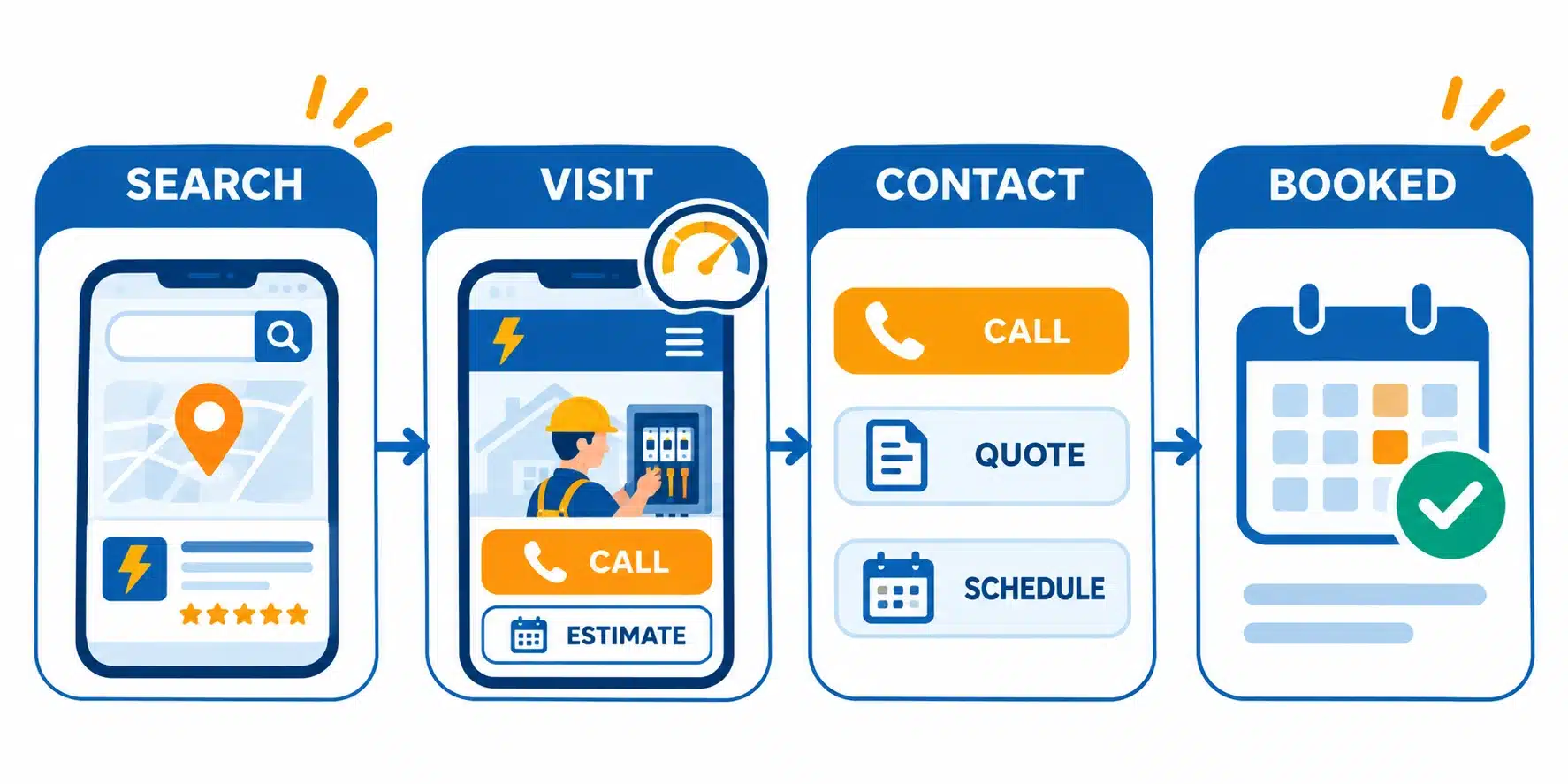
A beautiful website that no one finds in search results does not generate organic leads. Good structure helps search engines connect your business with the right local searches, and it increasingly helps AI-powered tools understand and recommend you. BrightLocal’s 2026 research found that AI tools have climbed to become one of the most used sources of local business recommendations, which makes clear, well-organized content more valuable than ever.
Focus on these fundamentals:
- Service pages built around real searches: Name pages after the services customers search for, such as “Electrical Panel Upgrades in Austin,” and use those phrases naturally in headings and body text. Avoid repeating keywords mechanically.
- Unique location pages: Each service area page should contain details specific to that area. Duplicate pages with only the city name swapped add little value.
- A complete Google Business Profile: Keep your business name, address, and phone number identical on your website and your profile. Choose accurate categories, add photos, and respond to reviews.
- Structured data markup: Adding local business schema helps search engines read your hours, service area, and contact details accurately.
- Helpful answers in plain language: Short sections that directly answer questions, such as “How long does a panel upgrade take?”, are easier for both search engines and AI tools to understand and quote.
- Content that shows expertise: Publish practical articles on topics like warning signs of outdated wiring, surge protection, and EV charger readiness. These pages attract searchers early in their decision process and demonstrate knowledge.
Which Booking and Contact Features Are Worth Adding?
Contact features should remove friction, not add complexity. Offer only the options your team can answer quickly.
- Click-to-call everywhere: This is the most valuable contact feature for an electrician. Make the phone number tappable in the header, hero, footer, and on every service page.
- A short quote or request form: Limit fields to the essentials, and send an instant confirmation message so customers know their request arrived.
- Text or chat options: These suit customers who prefer not to call, but only add them if your team can respond within minutes.
- Online scheduling: If your business has predictable service windows, let customers choose a time slot directly. This works especially well for planned services such as inspections and installations.
- Financing information: If you offer financing for larger projects like panel replacements or whole-home rewiring, explain it clearly on the relevant pages so cost does not stop customers from reaching out.
- Call and form tracking: Use unique tracking numbers and form analytics so you can see which pages and campaigns generate real leads. Without this data, you cannot tell which parts of your site are working.
Website Builder, Template or Custom Build: Which Fits Your Business?
Choosing how to build your site is a decision about control, time, and growth. An electrician website builder offers speed and low upfront effort. A CMS template gives you more flexibility. A custom design offers full control over structure, performance, and branding.
| Option | Best For | Strengths | Trade-Offs |
| Website builder (Wix, Squarespace, WordPress.com) | Solo electricians and small crews who need to launch quickly | Fast setup, drag-and-drop editing, built-in hosting | Limited control over structure and speed, plugin or feature limits, harder to migrate later |
| CMS template (WordPress or similar with a premium theme) | Growing contractors who want flexibility and SEO control | Strong content management, large plugin ecosystem, easier to scale pages | Requires more setup and ongoing maintenance; quality varies by theme |
| Custom design and development | Established contractors, multi-location businesses and those with specific brand or integration needs | Tailored architecture, optimized performance, custom booking or CRM integrations | Higher investment, longer timeline, requires a reliable development partner |
Whichever path you choose, follow a clear sequence. This is how to build an electrician website without wasting time:
- Define your goals and services – Decide which services and areas generate the most profit, and make those the priority.
- Choose a simple, memorable domain name – Use your business name if it is available, and keep it easy to spell and say aloud.
- Plan the page structure – Map your homepage, service pages, location pages, and contact paths before designing anything.
- Gather real content – Collect photos of your team and completed jobs, customer reviews, license details, and written descriptions of each service.
- Build and optimize – Create the pages, compress images, set up forms and tracking, and add titles and descriptions.
- Test, launch, and improve – Check every page on multiple phones, test each form and phone link, and review your analytics monthly.
Modern tools can speed up drafting and layout work, but human review remains essential for accuracy and trust. This guide on how to use AI in web development explains where automation helps and where careful oversight still matters.
What Mistakes Cost Electricians the Most Leads?
Even well-designed electrician websites lose business to a few recurring problems. The good news is that each one has a straightforward fix.
- Mistake – Generic stock photos that look like every other contractor.
Fix – Replace them with original photos of your team, vehicles, and completed projects. Even simple, well-lit phone photos outperform stock imagery because they prove the work is yours. - Mistake – A phone number that is hard to find or cannot be tapped on mobile.
Fix – Place a tappable number in the header and a sticky button on mobile, and repeat it in the footer and at the end of each service page. - Mistake – One “Services” page that lists everything in a few lines.
Fix – Create a dedicated page for each major service with specific details, process steps, common questions, and a clear call-to-action. This also gives search engines more relevant pages to rank. - Mistake – Slow pages caused by oversized images and unnecessary plugins.
Fix – Compress images, remove unused scripts, and test regularly with a performance tool. Treat speed as an ongoing maintenance task, not a one-time setup. - Mistake – A site that is launched and then forgotten.
Fix – Schedule a monthly review to update reviews, add new project photos, check for broken links, and publish at least one helpful article each quarter.
Final Thoughts
An electrician website is more than a digital brochure. It is the first technician your customer meets, and it works around the clock to answer questions, build confidence, and capture calls while your crews are on job sites. The businesses that benefit most are not those with the most elaborate designs. They are the ones that treat the site as a system of clear architecture, visible proof, fast performance, and simple ways to get in touch, and keep improving it over time.
Looking ahead, the way people find electricians will keep shifting, with search engines, review platforms, and AI tools all influencing who gets the call. A website built on clear structure and genuine credibility is well positioned for each of those channels. If you are planning a new site or rethinking an existing one and want an experienced partner to help with design, development, and ongoing support, you can learn more about Simpalm’s web design and development services and start a conversation about what your business needs.
Frequently Asked Questions
Q1. What should an electrician website include?
Ans. At a minimum, an electrician website should include a homepage, a page for each major service, service area pages, an About page, a project gallery, customer reviews, and a contact page with a click-to-call phone number. It should also display your license number and insurance details, offer a short quote form, and load quickly on mobile devices. An FAQ section, financing details, and a blog that answers common electrical questions are valuable additions.
Q2. Is a website builder good enough for an electrical contractor?
Ans. A website builder can be a good starting point for a small business that needs to get online quickly. Platforms like Wix or Squarespace let you launch a professional-looking site without writing code. The limits appear as the business grows, when it becomes harder to control page speed, build many unique service and location pages, or connect scheduling and customer management tools. Many contractors start with a builder and move to a CMS or custom site once the website becomes a steady source of leads.
Q3. How many service pages does an electrician website need?
Ans. Create a separate page for each distinct service you want to be found for. A residential electrician might have pages for panel upgrades, EV charger installation, lighting, rewiring, generator installation, and emergency repairs, while a commercial contractor might add tenant improvements and maintenance programs. Each page needs enough original content to explain the service, your process, and typical customer scenarios. Avoid pages that repeat the same text with different keywords.
Q4. How do electricians get more leads from their website?
Ans. Electricians generate more leads by making it easier for the right visitors to find, trust, and contact them. Build service and location pages that match real searches, keep your Google Business Profile complete, display recent reviews and credentials, make your phone number tappable on every page, and respond quickly to every inquiry. Tracking which pages and campaigns produce calls helps you invest in what works.
Q5. How often should I update my electrician website?
Ans. Plan a light review every month and a deeper one every quarter. Monthly, add new reviews and project photos, test forms and phone links, and confirm your hours and service areas. Quarterly, publish a helpful article, check page speed and search performance, and update service pages that no longer reflect your offerings. Regular updates signal to visitors and search engines that your business is active.