
 Design
 App Development
 Web Engineering
 AI Services
 Cloud
Cloud Staffing
 Startups
 Health / Fitness
 Education
 Social
 Nonprofit
 Fintech
 Construction
 Logistics
 Government
 Travel/Hospitality
 HR Software
 About Simpalm
 Our News
 Client Testimonials
 Careers
 Our Blog
 Awards
 Resources
 Information
Key Takeaways
- Build a law firm website that is clear, trustworthy, easy to navigate, and focused on what potential clients need.
- Prioritize mobile-first design, accessibility, fast loading speeds, and a smooth user experience across devices.
- Integrate SEO and local SEO from the beginning to improve visibility in search engines and AI-powered search results.
- Create helpful attorney and practice area pages with clear information, relevant FAQs, strong trust signals, and easy-to-find CTAs.
- Use secure features, smart integrations, and AI-powered tools to streamline client intake, improve engagement, and create a more efficient legal website.
________________________________________________________________________________________
Imagine the moments that push someone to look for a law firm.
It could be a business dispute, a car accident or a child custody battle. In each of these cases they are not casually browsing, but looking for a legal firm that feels reliable, trustworthy and can help. They are stressed, uncertain and have three to four tabs open and are comparing the websites of different law firms. Their quick decision depends on the website that looks most promising.
In 2026, a legal website is not just about looking impressive but to answer questions faster and in a more convincing way. If your website loads slowly, looks confusing, cluttered or dated, prospective clients will move on to the next firm. Just because your website did not feel relevant and established.
Meanwhile search itself is not restricted to traditional ways anymore. AI-powered search tools summarize answers before anyone reaches the actual site. If your website does not clearly communicate expertise, AI won’t surface it. According to Worldmetrics, 62% of clients switch firms due to poor communication
The solution lies in building a website that meets the expectations of prospective clients. Your site must be easy to navigate, answer questions, and feel trustworthy from the beginning(besides looking impressive).
If you are planning to build a law firm website in 2026, or fixing one that isn’t working, this guide is for you.
Why Law Firm Website Design Matters More Now?
Two things have changed the scenario of Legal firms recently and both are redefining Law firm website design best practices.
Firstly, search behavior has changed dramatically. Users get answers from AI overviews and conversation search tools. This happens even before they click a link. This clearly indicates that the content of your website must be structured in a way that both humans and AI can comprehend.
Secondly, client expectations have changed. Nobody benchmarks your website against other law firm websites. They do it against all other websites they have come across recently. This could be banking, healthcare, or fintech that provides a fast loading and intuitive experience. Simply put, if a fintech app loads instantly and your website takes six seconds, the gap shows.
This means if you have two law firms with comparable reviews and user experience, it is often the website that decides the final call. As more firms are investing in digital presence, your website is no longer a brochure but your trust platform that establishes authority.
Essential Design Principles for a Modern Legal Website
Good website design is not only about striking interfaces. It is about removing the friction between a worried visitor and the information they are looking for.
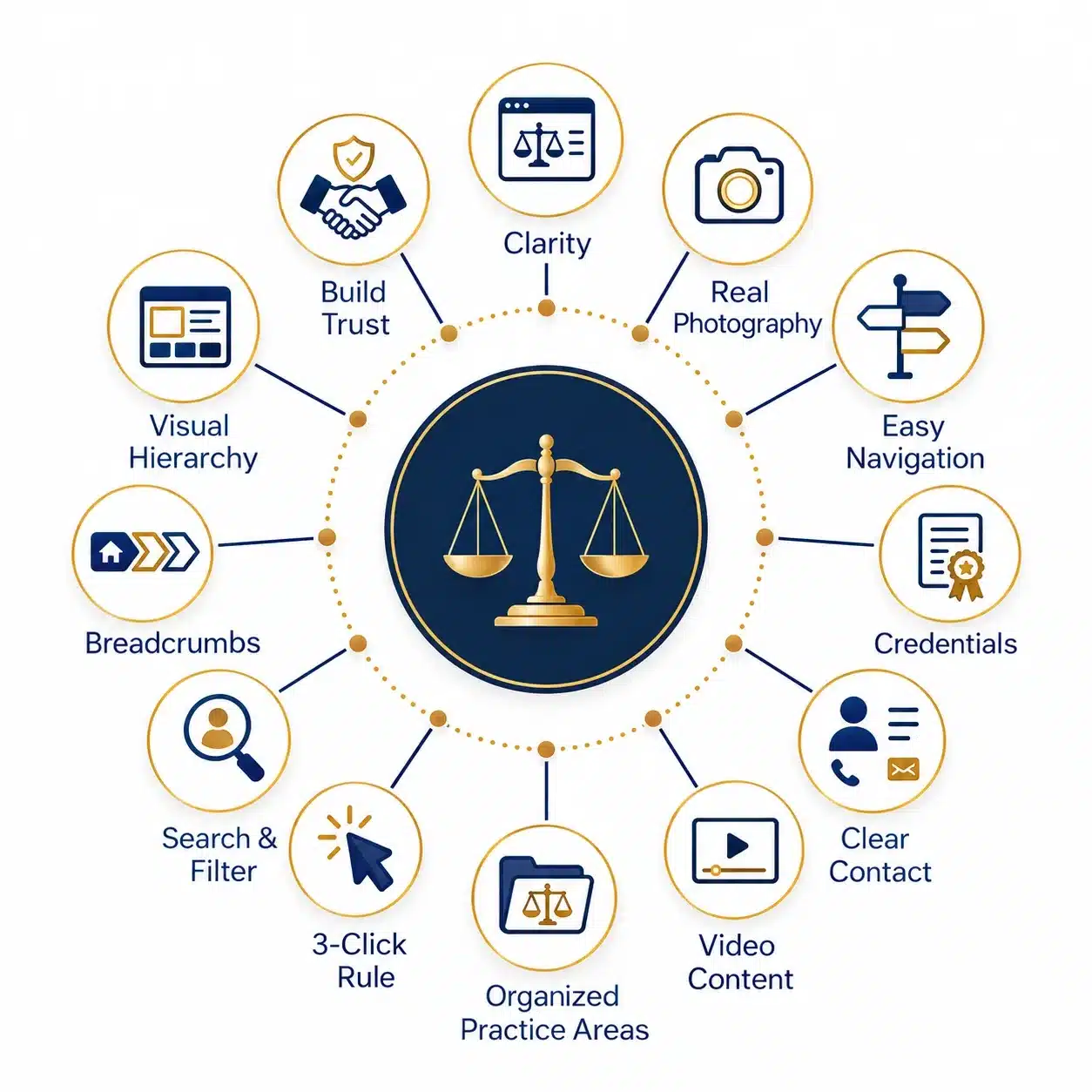
- Clarity Over Cleverness – Visitors arrive at a law firm website only when there is something urgent or they are overwhelmed. They usually look for clarity, clean layouts and simple messaging.Make them understand who you are and what you do in simple and clear language.
- Visual Hierarchy that Guides the Eye – Readable texts, generous spacing and proper contrast between text and background helps visitors understand your firm more clearly. Create attorney bios, practice areas and contact information so they look distinct and not buried in dense layouts.
- Consistent Branding Without Feeling Cold – Professional does not mean sterile and mundane imagery that could be similar to ten other firms. To stand out from the rest, create authentic photographs in warm tones and messaging that sounds human and not generic. This will help your website balance authority with credibility.
- Building Trust Through Website Design – Trust matters more than anything on a legal website. As legal firms handle sensitive issues like property disputes or child custody, your website must be created in a way that makes visitors feel confident.
- Real Photography Over Stock Images – Real photos of your attorneys and staff drive more engagement than generic pictures of people in suits shaking hands. Upload photos based on your budget to make your website feel authentic.
- Reviews and Testimonials – Wherever permissible, provide case results, client testimonials and third party reviews on your website. Link out to Google Business profiles and authorized legal directories so your visitors can verify the ratings. Create a dedicated approach to collecting and managing reviews to create a credibility way beyond the website.
- Video Content – Make your legal website feel more approachable with video content. Use a clear short video to explain a complex legal concept clearly. You can also share success stories, practical tips related to practice areas or culture bytes that show what your firm looks behind the scenes.
- Credentials, Awards and Bar Admissions – Place credentials, awards and bar admissions thoughtfully instead of dumping them on every page. This dilutes their effect and makes the website look cluttered.It is better to place these thoughtfully in the footer or the About Us section to make it less overwhelming.
- Avoid Vague About and Contact Pages – Law firms with hidden attorney backgrounds or insufficient contact information lose trust immediately. If you want your website to go a long way, add a complete attorney background and contact information that looks human.
- User-Friendly Navigation and Information Architecture – This is where website design and planning meet. A lot of law firm websites go wrong while creating a seamless navigation accurate information architecture. Fix this by making the website feel intuitive from the very first click. When you get these fundamentals right, visitors know where to go, what your firm offers and when to take the next step.
- Group Practice Areas Logically – If you have a law firm with three practice areas like- Corporate and Business law, Family law and Personal Injury law, make each area clear and simple. Create umbrella categories like Personal injury and add sub pages for different types like “Auto accident” and “Wrongful death”. Grouped categories will make the information clearer than cramming multiple categories and sub pages in a single dropdown.
- The 3-Click Rule Update – A law firm website must focus on the path to reach a page instead of the number of clicks. If your website menu has fewer click options and yet the users feel lost, you need to rethink the design.
- Built-In Search and Filtering for Bigger Firms – If your firm has dozens of attorneys and multiple practice areas, implement a built-in search bar or filter that saves visitors time in digging through menus. You can pair that with a sticky navigation bar with an action button visible at all times. You can use breadcrumbs for deeper pages or a footer that is used as a menu or reinforces trust signals like bar association logos.
Design Effective Attorney and Practice Area Pages
These two pages do the most conversion work for a law firm yet most firms neglect these pages. Create these two pages well as they carry the maximum weight. Go beyond the usual stakes and create differentiators that drive client trust.
Attorney Bio Pages that Build Confidence
- Write in a voice that sounds human and not like a resume.
- Add a few personal details of the attorney that makes him/her feel approachable.
- Mention notable cases or outcomes where compliant.
- Add a short video introduction instead of making it text-heavy. Even a sixty seconds video delivers value.
- Provide custom scheduling or contact options for each attorney instead of creating a single form.
Practice Area Pages that Answers Questions
- Build content around real client search questions instead of creating generic statements.
- Make each practice area content unique and avoid duplicating content. Use this strategy even if the practice areas are related.
- Embed a short FAQ section directly within the page that answers user queries.
- Structure the FAQ content clearly in a way that answers AI overview search queries.
Build a Mobile-First Responsive Design
For a lot of urgent practice areas like personal injury or family law, mobile is the primary way people find law firms. Creating a mobile-friendly design is not ticking off a checkbox but an unavoidable law firm design strategy.
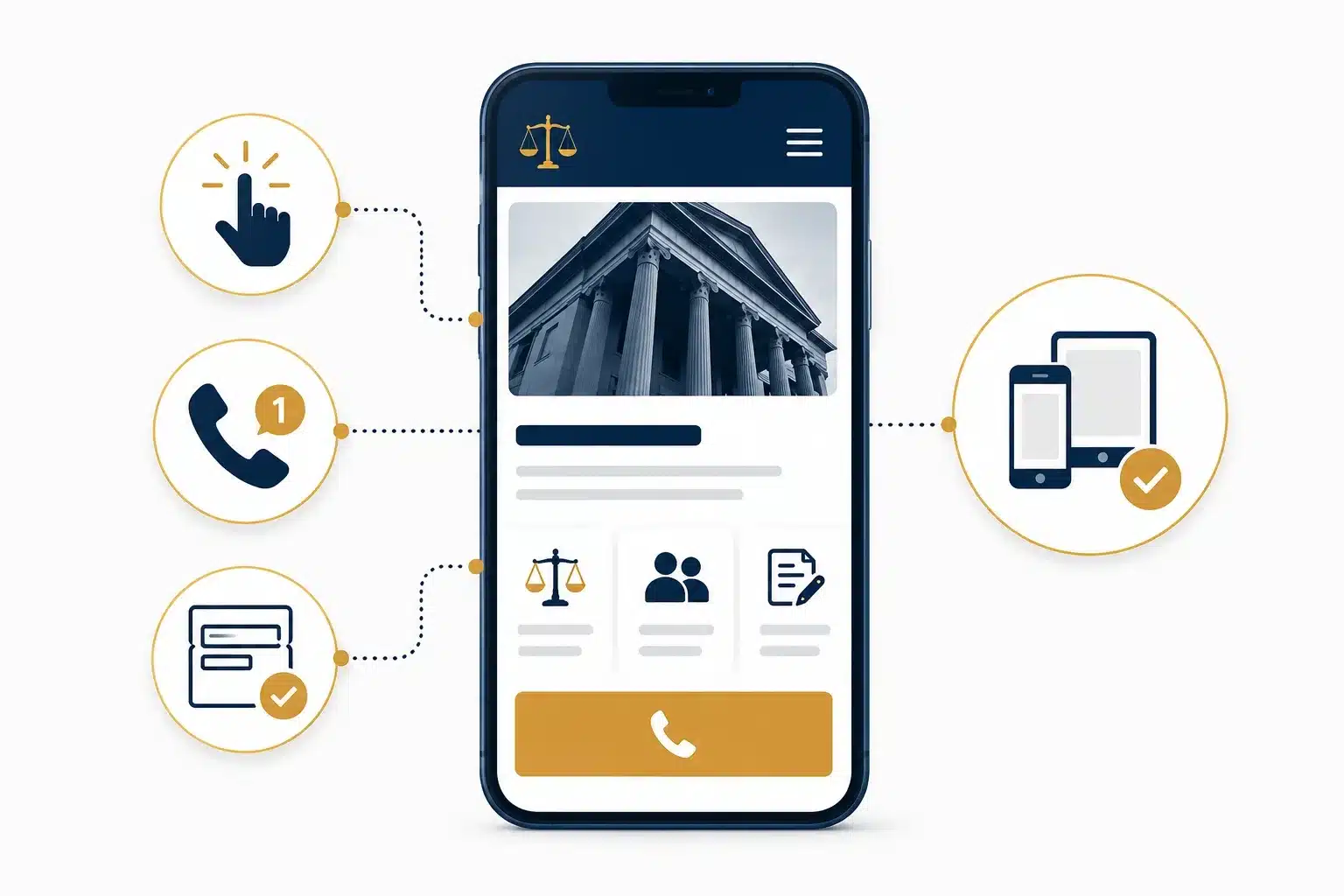
Key Requirements:
- Create thumb-friendly tap targets.
- One-tap click to call buttons.
- Forms that don’t require zooming
Test on real phones, not just emulators.
With 48% websites passing mobile Core Web Vitals, clunky mobile sites negatively impacts search rankings and conversion rates.
Also read: Benefits of Having a Mobile App for Your Business.
Create Accessible and Inclusive Design
With the volume of ADA-related web accessibility lawsuits growing substantially, accessibility cannot be an afterthought.
The WCAG 2.2 is the baseline and here’s what it includes:
- Alt text on images
- Full keyboard navigation
- Readable forms
- Sufficient colour contrast
- Video content with proper captions
Legal websites face heightened scrutiny. You must treat the above requirements as a baseline criteria from the day one of redesign. Retrofitting it on a ready website adds to budget overruns.
Maintain Website Speed and Core Web Vitals
Contrary to beliefs that speed is just technical- it is a website ranking and conversion metric. Google measures three things under the banner of Core Web Vitals:
- Largest Contentful Paint (LCP): How fast the main content loads
- Interaction to Next Paint (INP): How quickly the site responds
- Cumulative Layout Shift (CLS): How stable the layout remains while loading
Keep a watch on a few things that law firm websites tend to trip on. These include oversized hero images, lazy loading hero scripts, autoplay video on the homepage and lazy loading heavy scripts before the page is usable.
SEO Considerations for Law Firm Websites
Build-in SEO for your law firm website during design and development instead of layering it post-launch. A detailed SEO checklist for new websites can help you optimize structure, content, performance and search visibility from the start.
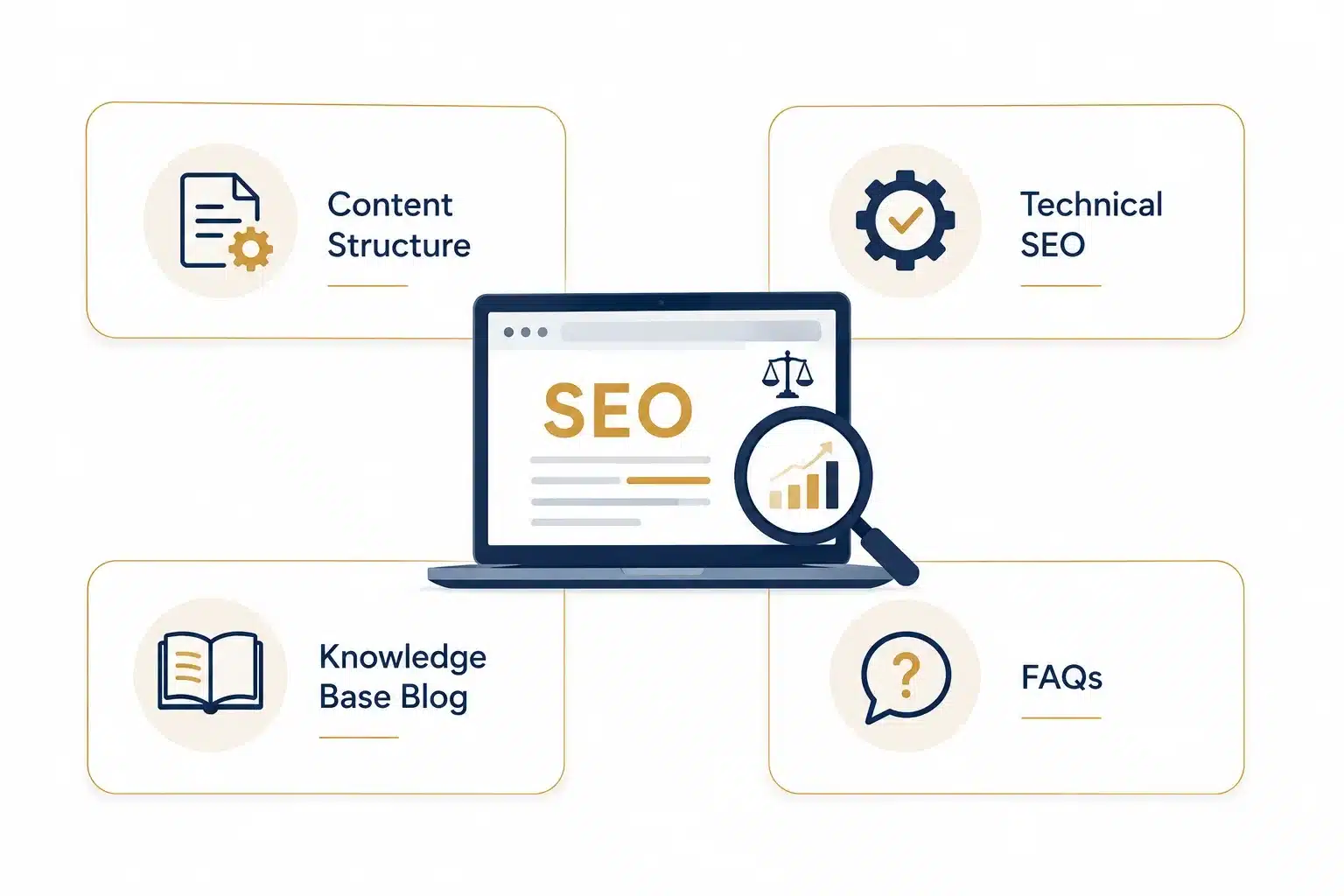
Content Structure:
- Clean H1 to H2 hierarchy.
- FAQ schema markup.
- Structured data that clearly signifies attorneys and services to search engines.
- Answer questions directly in the content for AI overview and featured snippet capture.
Technical SEO:
- Create clean URL structure and accurate XML sitemaps.
- Implement canonical tags.
- Avoid content duplicacy across multi-city service pages.
Knowledge Base Blog:
- Share simple, helpful posts that answer real legal questions people ask.
- Build topic clusters around practice areas to strengthen authority.
- Keep articles updated so they stay relevant and visible.
- Link naturally from blogs to service pages to guide both users and search engines.
FAQs for Law Firm SEO:
- Add FAQs to key pages to address common doubts instantly.
- Use FAQ schema so search engines can feature your answers in rich results.
- Keep responses short and convincing.
- Include general legal and practice-specific FAQs to cover broader search intent.
Local SEO and Location-based Visibility
If your firm is serving a specific metro, local visibility matters more than nation-wide presence.
Consider the key actions:
- Optimize Google business profile.
- Create location-specific landing pages.
- Add local schema markups.
- Embed maps.
- Build citations and directory listings.
Enable Conversion-focused Designs and Calls to Action
Your website traffic is meaningless if they do not convert. This is where many law firm websites underperform and lose potential clients even before they make contact.
Here’s how you can create conversion-focused designs:
- Place CTAs based on decision stages.
- Match channels based on urgency. For urgent practices like a DUI arrest query, the phone outperforms a website form.
- Reduce form friction for less urgent scenarios. Keep information intake limited to qualify the lead.
- Perform A/B testing of the CTA language based on scenarios. Free case review/contact us/schedule a consultation reveals meaningful differences in conversion based on user intent.
A fast website can make a huge difference in user experience and conversions. Learn 6 best strategies to speed up your WordPress website with these practical tips.
5 Essential Features and Integrations of Law Firm Websites
Modern legal websites require more than static pages. Below are 5 essential features that will separate your website from competitors and create a better experience for potential clients.
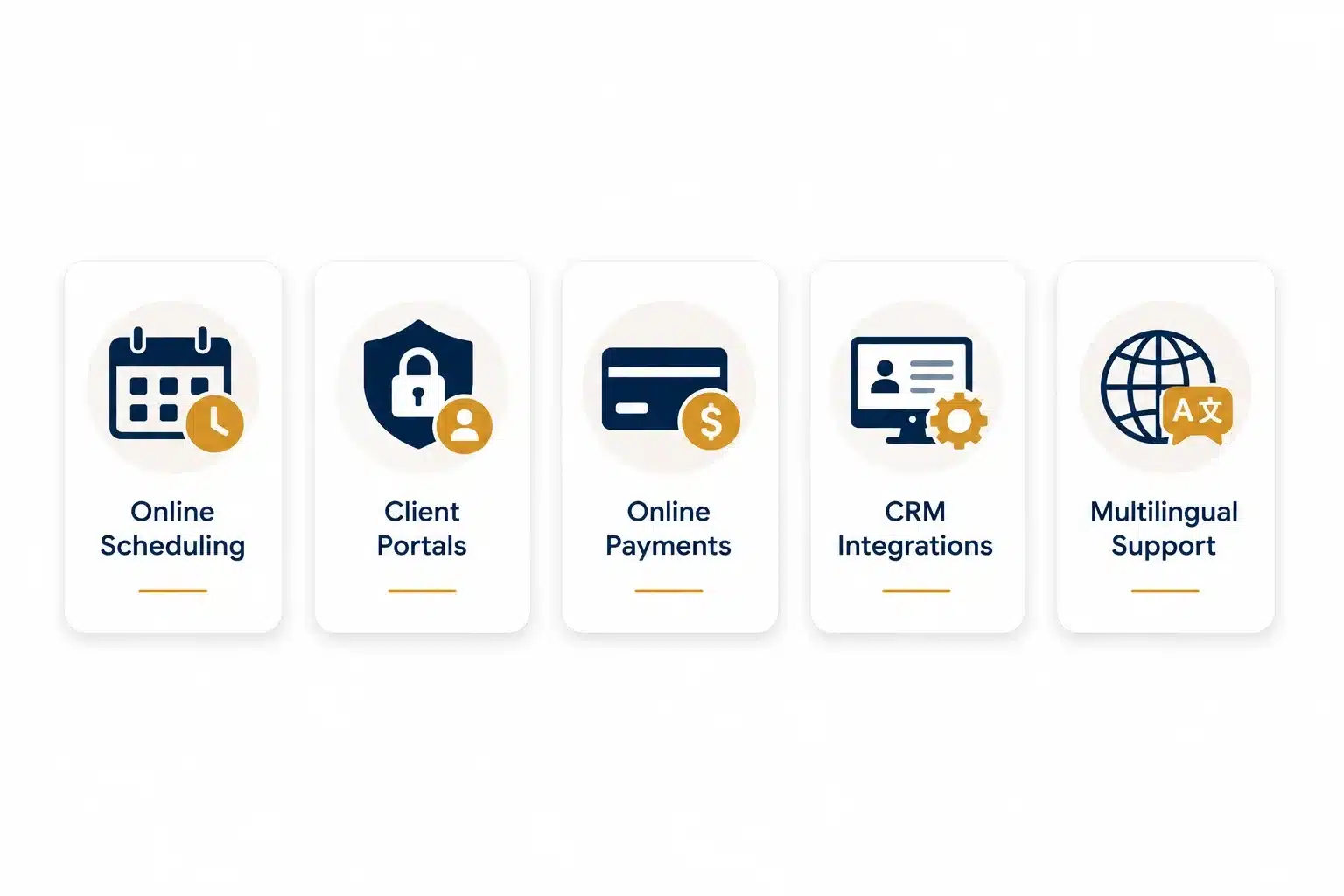
1. Online Scheduling and Intake Forms
These tools will help your clients book consultation directly from the website without calling the office. This is especially helpful during urgency or after hours.Collect the right information upfront with secure intake forms to qualify leads faster. Embed these tools directly into your site to create a seamless experience.
2. Client Portals
Give your clients a secure place to upload documents, review case updates and communicate with the legal team. This will keep everything organized and safeguard sensitive information from being shared on mail. Entrust your clients with transparency and control which they value during legal matters.
3. Online Payments
Make it easy for your clients to pay retainers, invoices or consultation fees without visiting the office. Modern legal payment systems support credit cards, eChecks, scheduled payments and financing options for larger fees. These tools are built to follow IOLTA and ABA guidelines to make the payment process secure.
4. CRM and Case Management Integrations
Connect your website to tools like Clio or MyCase to automate intake, track leads and streamline case management. This allows lead information to flow directly in the CRM after filling a form. Reduce manual work and ensure that no lead goes unnoticed.
5. Multilingual Support
If your law firm has a diverse clientele,offer content in multiple languages to make your website accessible and inclusive. This will show respect for your audience and remove language barriers for non-native English speakers. Keep key pages like practice areas and contact information in multiple languages to improve accessibility.
Privacy, Security and Legal Compliance
When someone is visiting your law firm website, they’re often sharing sensitive information on family, finances or personal situations. This means that your website is a place where trust, security and ethics must work in tandem. Your website needs to protect your client information, follow professional rules and communicate compliance to maintain the firm’s reputation and intake.
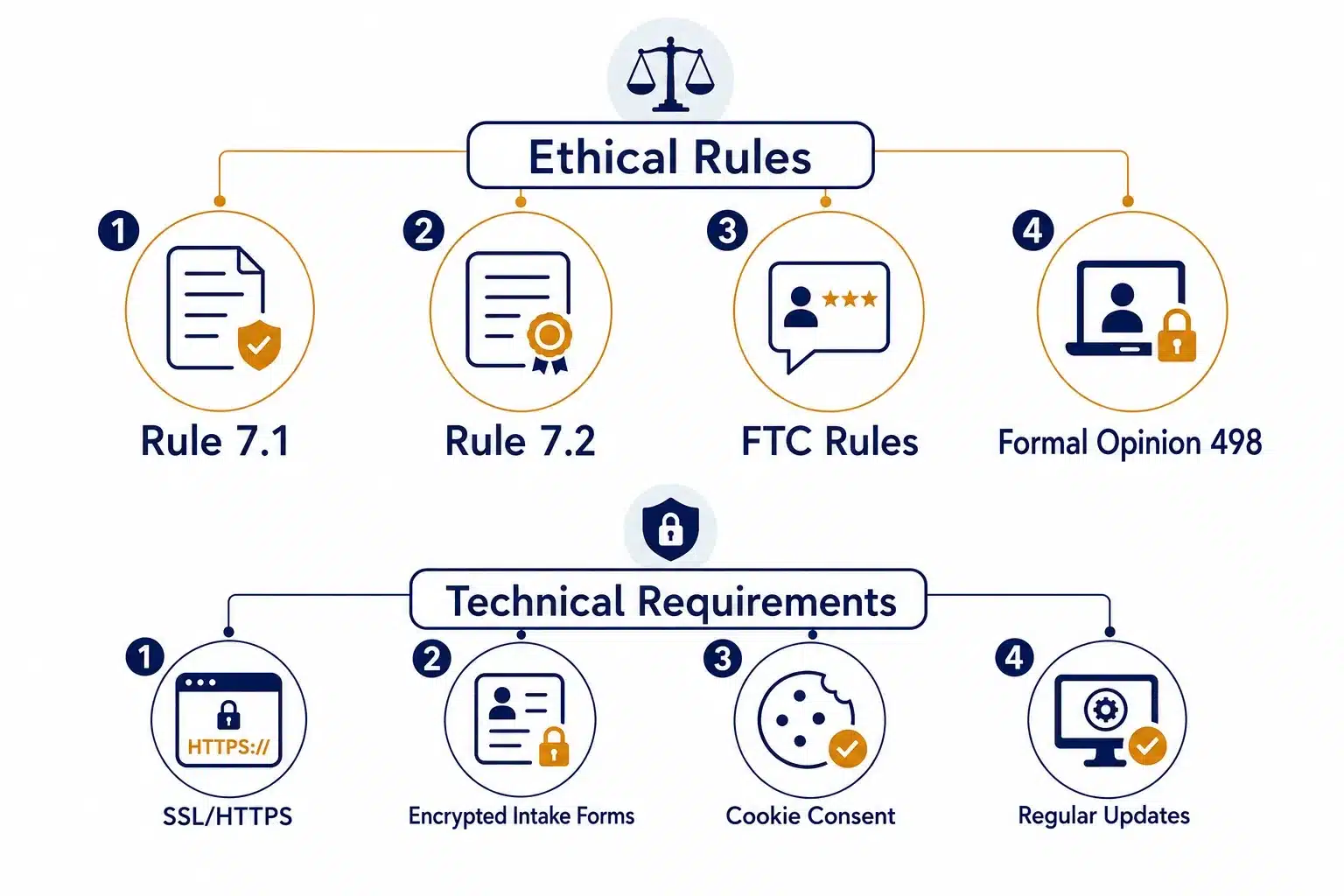
Understand the core ethical and technical requirements given below:
Ethical Rules
- Rule 7.1: No Misleading Statements
Your website must present information truthfully and avoid exaggerated claims about results and expertise.
- Rule 7.2: No Implying Specialization without Certification
Do not claim to be a “specialist” or “expert” unless your state bar formally recognizes that specialization.
- FTC Rules: Transparent Review Practices
Your website must clearly reflect honest client testimonials and avoid creating false impressions.
- Formal Opinion 498:Remote work doesn’t reduce confidentiality protocols
If your firm works remotely, your website and digital tools must still protect client information.
Technical Requirements
- SSL/HTTPS-Encrypt data sent through your website to protect client information. This will make it safe for them to fill forms or share personal information. A site without “HTTPS” signals unsafe to visitors.
- Encrypted Intake Forms-Any form that collects personal or case-related information of your clients must have secure encryption. This will prevent data leaks and keep your firm compliant with privacy laws.
- Cookie Consent-Your website must align cookie consent with state laws. Explain how you use cookies and tracking tools are used. Some states require transparent consent notices and easy opt-out options.
- Regular Updates and Monitoring-Keep your CMS, plugins and hosting environments updated to prevent vulnerabilities.Schedule backups and security monitoring to ensure your site stays stable and protected.
Also read: What is Web Application Security? [Complete Guide]
AI and Emerging Technologies in Legal Website Design
AI integration is a real game-changer for legal websites. With clients expecting seamless interactions and instant answers, modern AI capabilities will help you qualify leads, personalize content, automate routine tasks and provide 24/7 support.
5 AI features redefining law firm websites in 2026
- AI Chatbots for Intake Qualification – AI chatbots greet visitors, ask a few questions and guide them to the right practice area. Clients get instant help even when your team is offline.
- Personalized Content Recommendations – AI understands user intent and shows the most relevant pages, FAQs or resources. This makes the site feel tailored to their situation.
- Voice Search Optimization – AI will help shape your website content so it matches natural spoken questions people ask through Siri or Alexa. Boost visibility in Voice search with AI assistants.
- AI-Powered Document Generation – Use AI to help your visitors create basic legal documents or intake summaries. This will give your clients a sense of progress before they even speak to your firm.
- Predictive Analytics for Lead Scoring – AI spots patterns in visitor behavior and segment high-intent leads. This will help your teams focus on cases that are most likely to convert.
A Practical Checklist for Designing or Launching a Law Firm Website
A website launch or design becomes much simpler with a clear checklist. Use this checklist as your go-to guide during planning, development and post launch.
Pre Launch Content Audit
Review every page to ensure that your messaging is clear and aligned with your practice area.
Remove outdated content and refine everything that looks duplicate or repetitive.
Mobile and Cross-Browser Testing
Check how your site looks and behaves on Android, iPhone, Tablets and Desktops.
Test across Chrome, Safari, Firefox and Edge to catch form or layout issues early.
Core Web Vitals Check
Confirm that your site loads quickly, responds smoothly and stays visually stable.
Fix slow images, text-heavy scripts or layout shifts that affect user experience.
Schema Markup Setup
Add structured data so search engines and AI tools can understand your attorneys, practice areas and locations.
Boost visibility in rich results, and AI-generated summaries.
Google Business Profile Alignment
Match your website’s address, phone number, hours and practice areas with your Google Business Profile.
Strengthen local SEO to help clients find you faster.
Post Launch Monitoring
Track form submissions, page performance, broken links and user behavior during the first few weeks.
Make small changes based on visitor activity to keep everything running smoothly.
A checklist is great as it keeps the project organized and helps you avert common pitfalls. But the real difference shows when you have the right team to execute it. A strong web design and development team understands how a law firm website actually works, including how clients behave, what compliance requires, and what intake teams need behind the scenes. The result is a secure and user friendly law firm website that builds trust and turns visitors into clients.
The Final Word
Building or redesigning a legal website is not just about good visuals.It’s about creating a digital experience that feels trustworthy, intuitive and ready for the way clients look for legal help. From strong information architecture to airtight security, to AI-powered features, every element plays a role in how your website engages and converts potential clients.With the right development partner by your side you can make the process smooth, strategic and far more impactful.
Frequently Asked Questions
Q1. What makes a law firm website trustworthy in 2026
A trustworthy law firm website starts with the basics- fast loading speed, clean navigation, and a design that works beautifully on mobile.It also includes clear attorney bios, transparent practice‑area descriptions, and secure ways for clients to reach out. When visitors see real credentials, real expertise, and safe communication options, they feel far more comfortable engaging with the firm.
Q2. Why is mobile responsiveness essential for modern legal websites?
Most people searching for legal help start on their phones, often in stressful or time‑sensitive situations. A mobile‑responsive site ensures they can quickly read about services, check attorney profiles, and contact the firm without zooming, pinching, or struggling with broken layouts. It also signals to search engines that the site is user‑friendly, which helps the firm appear more prominently in local searches.
Q3. How does ADA accessibility impact a law firm’s online presence?
ADA accessibility is a sign of respect for every visitor. Features like readable fonts, proper color contrast, alt text, and keyboard‑friendly navigation make the site usable for people with disabilities and improve overall clarity. Search engines reward accessible sites because they’re easier to understand and index, which means better visibility and stronger authority signals.
Q4. What security features should every law firm website include?
Legal websites handle sensitive personal information, so security is non‑negotiable. SSL/HTTPS, encrypted intake forms, secure client portals, cookie‑consent compliance, and regular CMS updates protect client data and maintain ethical standards. A secure site also signals professionalism and builds trust instantly.
Q5. Why do law firm websites need multilingual support?
If your firm serves a diverse community, multilingual pages make your website accessible and respectful. Offering practice‑area content and contact information in multiple languages removes barriers for non‑native English speakers and increases conversions from underserved groups.
Q6.How can AI improve client intake on a law firm website?
AI chatbots and smart intake tools guide visitors, ask qualifying questions, and route them to the right practice area. This reduces response delays, improves lead quality, and ensures clients get help even outside business hours. AI‑powered recommendations also help visitors find relevant pages faster.
Q7.How do attorney bio pages influence client decisions?
Attorney bio pages are often the most‑visited pages on a legal website because clients want to know who will represent them. Clear bios with real photos, human‑sounding descriptions, notable case outcomes, and easy contact options help visitors feel confident about reaching out. When bios look generic or incomplete, clients hesitate and often leave.