 Design
 App Development
 Web Engineering
 AI Services
 Cloud
Cloud Staffing
 Startups
 Health / Fitness
 Education
 Social
 Nonprofit
 Fintech
 Construction
 Logistics
 Government
 Travel/Hospitality
 HR Software
 About Simpalm
 Our News
 Client Testimonials
 Careers
 Our Blog
 Awards
 Resources
 Information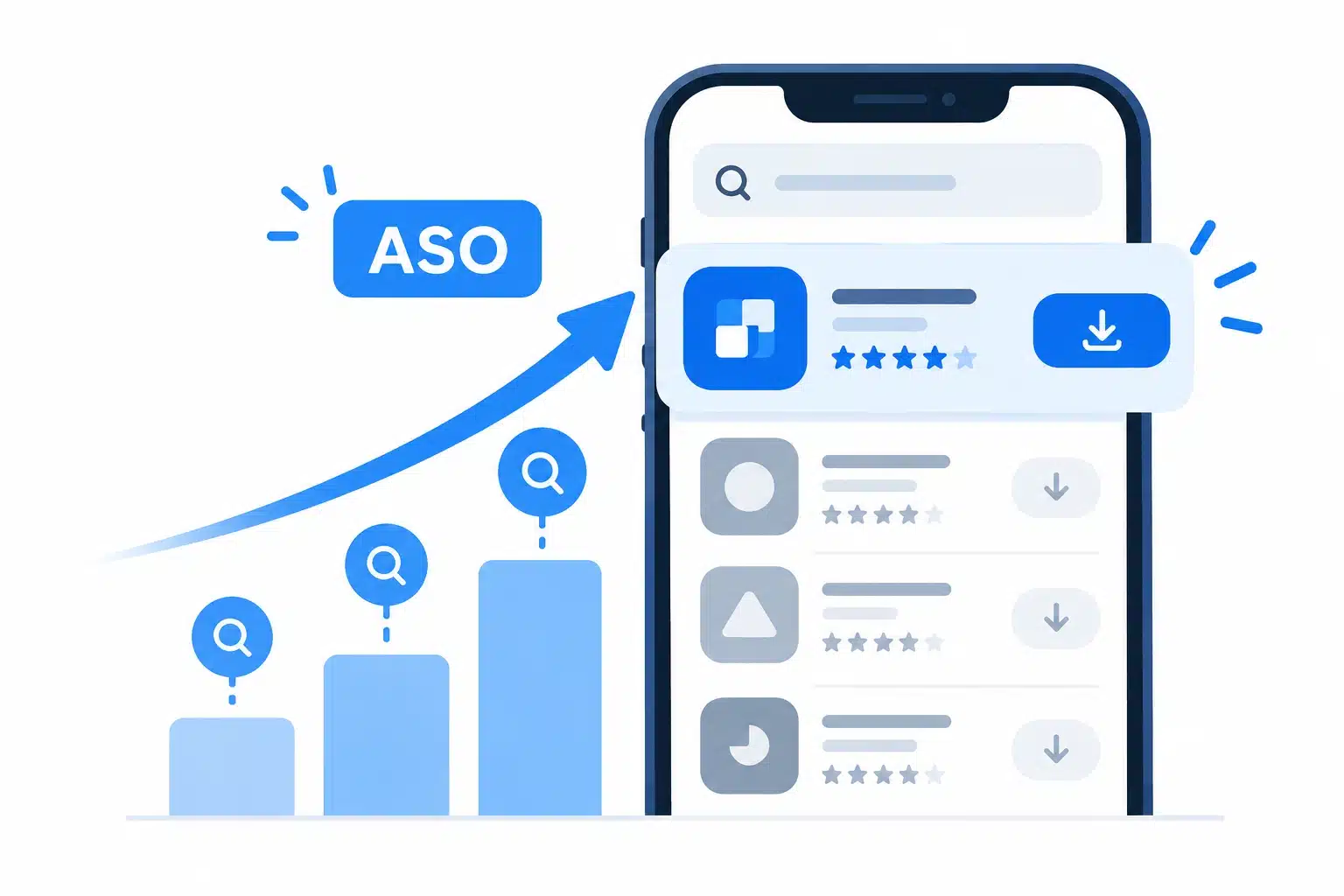
Key Takeaways
- ASO improves both app visibility and installs. Keywords help users find an app, while strong listings encourage them to install.
- App Store and Google Play require different ASO strategies. Each store uses different listing fields and ranking signals, so metadata should be optimized accordingly.
- ASO priorities should match the app’s growth stage. Pre-launch, new, growing, and mature apps require different approaches to keywords, creatives, testing, and retention.
- Effective ASO relies on continuous testing and measurement. Keyword rankings, conversion rates, organic downloads, ratings, and retention reveal what needs to improve.
- ASO results compound over time. Metadata changes can show results within weeks, while broader organic growth typically takes several months of consistent optimization.
_________________________________________________________________________________________
More than 850 million people now visit the App Store every week, and Apple reports that about 70 percent of visitors use search to discover apps, with almost 65 percent of downloads happening directly after a search. That means the most important moment in your app’s life is not the launch announcement or the ad campaign. It is the few seconds a stranger spends looking at a list of search results, deciding which icon to tap and which listing deserves an install.
An app that ranks for the right queries and converts visitors into downloads keeps growing without paying for every new user. An app that does not is effectively invisible to the people most likely to want it, no matter how well it was built or how much was spent building it. Getting this right is a marketing decision, a product decision, and increasingly a development decision.
This guide explains how ASO works on the App Store and Google Play, how to choose the right approach for your stage, what it costs, and how to build a plan you can run over the next 90 days.
What ASO Actually Covers and Does Not?
So, what is ASO (app store optimization)? It is the ongoing practice of improving how an app appears, ranks, and converts inside app stores such as the Apple App Store and Google Play. If you have ever typed “what is ASO” into a search bar, the short answer is that ASO stands for app store optimization, and it works like search engine optimization for a marketplace on a phone.

The work falls into three areas:
- Keyword visibility: Choosing and placing the search terms your audience actually uses so your app appears for relevant queries.
- Conversion: Improving the icon, screenshots, preview video, description, and ratings so more visitors tap the install button.
- Discoverability: Earning placement beyond search through editorial features, in-app events, and store surfaces that recommend apps.
ASO is often called SEO for apps, and the comparison is useful but incomplete. Web SEO lets you build many pages, earn backlinks, and control your own site. In an app store, you get one listing per app, a fixed set of fields with strict character limits, and an algorithm that also watches installs, ratings, and engagement. You are optimizing inside someone else’s rules.
It helps to be clear about what ASO does not do. It does not replace paid advertising, and it cannot rescue a product that people uninstall within a day. Store algorithms reward apps that users keep, so the best ASO work sits alongside a product that deserves the downloads it attracts.
Why ASO Matters More in 2026?
The importance of app store optimization comes down to economics. Every install that arrives through organic search is an install you did not buy. Paid campaigns still matter, but they all send people to the same product page, so a weak page makes every ad dollar work harder than it should.
Here are the benefits of app store optimization that teams usually notice first:
| Benefit | What changes | Metric to watch |
| Higher visibility | Your app appears for more relevant searches | Keyword rankings, impressions |
| More organic installs | Growth depends less on paid campaigns | Organic downloads |
| Better conversion | More page visitors install | Product page conversion rate |
| Lower acquisition cost | Paid traffic converts at a higher rate | Cost per install |
| Stronger trust | Ratings and visuals signal quality | Average rating, review volume |
The competition is also getting more crowded at the top. Apple has announced additional ad placements in search results, which means organic listings compete with paid ones for the same attention. That raises the value of a listing that earns its position honestly and converts the visitors it gets.
Editor’s note: ASO is one of the few growth channels where improvements compound. A better icon or a sharper subtitle keeps working every day after you publish it, with no ongoing media spend attached.
How Apple App Store and Google Play Rank Differently?
How does app store optimization work in practice? Both stores answer two questions in order. First, is your app relevant to what the person typed? Second, is your app strong enough to deserve a high position among the relevant options? Relevance comes mostly from the text in your listing, while strength comes from signals such as download momentum, ratings, and engagement.

The two stores read your listing differently, which is why a plan built for one rarely works unchanged on the other.
| Element | Apple App Store | Google Play |
| Title | 30 characters, carries the most keyword weight | 30 characters, carries strong keyword weight |
| Secondary text | 30-character subtitle | 80-character short description |
| Hidden keywords | 100-character keyword field | None |
| Long description | Treated as conversion copy, not ranking copy | Read for keywords, up to 4,000 characters |
| Creative testing | Product page optimization | Store listing experiments |
| Audience-specific pages | Up to 35 custom product pages | Up to 50 custom store listings |
Limits and features change, so check the current developer documentation before you finalize copy. The pattern is stable, though. Apple leans on a compact set of fields, while Google Play gives you more room and reads more of it.
Also Read: Mobile App User Retention: A Complete Guide
Where App Store Listings Win or Lose?
iPhone App Store Optimization rewards discipline with space. Your title, subtitle, and keyword field share a small budget of characters, so every wasted word costs you a chance to rank for something else.
- No repeated words: A keyword that appears in your title does not need to appear again in the subtitle or keyword field. Use those characters for new terms.
- Screenshots do double duty: Screenshots can appear directly in search results, so the first two or three images act as ad copy for your listing.
- Icons are tied to the build: Any alternate icon you want to test must ship inside the app binary, which means ASO planning has to start before the release is submitted.
- Review readiness matters: Metadata changes pass through App Review, so plan updates instead of rushing them. Simpalm’s walkthrough on how to submit an app to the App Store covers the certificates, assets, and review steps that sit behind every listing update.
Which ASO Strategy Fits Your App Stage?

The most common ASO mistake is treating every app the same. A brand-new app with no ratings and a ten-year-old app with millions of installs face different problems, so app store optimization strategies should be matched to the stage you are actually in.
- Pre-launch: Focus on positioning and keyword research before you write a single line of listing copy. Decide the app name with search in mind, and prepare the icon variants you may want to test later. If you are still scoping the product, building lean first is a sound way to reach the store sooner, as Simpalm explains in its guide to building an MVP for under $20K.
- Launch: Concentrate on the first weeks, when download momentum and early ratings influence how the algorithm treats you. Prompt for reviews after a positive moment, such as a completed task, and respond to feedback quickly.
- Growth: Expand keyword coverage into long-tail terms, run creative tests, and add localized listings for markets where you already see traction. This is also when custom product pages for specific campaigns start to pay off.
- Mature: Defend your rankings, refresh creatives seasonally, and use in-app events to bring lapsed users back. Small wins matter here because your baseline is already high.
A practical app store optimization strategy also names one primary goal per quarter. Visibility, conversion, and retention all matter, but a team that chases all three at once tends to change too many things and learn nothing from any of them.
How to Do ASO in Seven Steps?

If you want to know how to do app store optimization without guesswork, work through these steps in order. Each one builds on the previous one, and skipping ahead to visuals before your keywords are settled is a common way to waste a design budget.
- Research keywords by intent, not just volume. Build a list of feature terms, category terms, and problem phrases your audience would type. Both stores increasingly interpret meaning instead of matching exact strings, so group terms by the job the user wants done, such as tracking a budget or planning a workout. Then score each term on relevance, search volume, and difficulty.
- Write a title and subtitle that earn the tap. Put your strongest keyword and your brand in the title, then use the subtitle or short description for a secondary keyword and one clear benefit. Read it aloud. If it sounds like a list of search terms, rewrite it.
- Fill the hidden and long fields correctly. On Apple app store, use the keyword field for terms you have not already used, separated by commas without spaces. On Google Play, write a long description that reads naturally and repeats your primary phrases where they make sense, without stuffing.
- Design creatives around one promise. Your first screenshot should communicate the single biggest reason to install. Use short captions, show the real interface, and keep the icon simple enough to recognize at a small size.
- Build a ratings and review habit. Ask at the right moment, never interrupt a task, and never incentivize ratings, since both stores prohibit it. Reply to reviews, especially critical ones, because prospective users read those replies.
- Localize beyond translation. Adapt keywords, screenshots, and tone to each market’s search habits. Teams in the UK, India, and Australia often search for app store optimisation tips or an app store optimisation guide with different spelling and phrasing, and that variety is exactly why local keyword research beats a straight translation. If you plan to serve several regions, budget for it early, because professional localization can add thousands of dollars to a project.
- Test one change at a time. Apple’s product page optimization lets you test up to three alternate versions of your icon, screenshots, and app preview against the original, one test at a time, for up to 90 days. Google Play offers store listing experiments. Change one element per test so you can attribute the result.
Pro tip: These tips for app store optimization only pay off if you record every change with a date. When rankings move, a simple change log tells you whether the cause was your update, a competitor, or an algorithm shift.
Also Read: Things to Know Before Publishing a Mobile App
What a Real Listing Rewrite Looks Like?
A concrete app store optimization example makes the steps easier to apply. The table below shows an illustrative before and after for a fictional fitness app called PulseFit. The names and text are invented for demonstration, and the character counts respect the 30-character limits on the App Store.
| Field | Before | After |
| Title | PulseFit | PulseFit: Home Workout Planner |
| Subtitle | Get fit today | Short Workouts, Steady Habits |
| Keyword field | pulsefit, fitness | exercise,gymroutine,hiit, stretch, cardio, strength, plans, tracker |
| First screenshot caption | Welcome to PulseFit | Plan a 15-minute workout in seconds |
Notice what changed. The old title used only the brand, so the app had no chance of ranking for anything descriptive. The new title adds a category phrase without sounding forced. The subtitle stops repeating the title and introduces a benefit. The keyword field drops the words already used elsewhere and adds fresh terms. The screenshot caption replaces a greeting with a promise.
None of this required a new feature or a redesign. It required treating four small text fields as real estate, which is what they are.
How Much Should You Budget for ASO?
App store optimization cost varies more than almost any other marketing line item, because the same phrase can describe a founder spending an evening in a free console or a global agency running localization across dozens of markets. The ranges below are approximate 2026 market figures, so treat them as planning ranges and confirm current pricing with any vendor before committing.
| Approach | Typical range | Best for |
| DIY with free store tools | $0 to about $100 per month | Solo founders and early apps with limited traffic |
| Self-serve ASO software | About $30 to $600 per month | Small teams with someone able to act on the data |
| Freelancer plus tools | About $200 to $1,500 per month | Growth-stage apps needing regular creative and keyword updates |
| Specialist agency | About $2,500 to $15,000 or more per month | Multi-market apps with heavy localization and testing needs |
| Enterprise testing suites | Roughly $13,000 to $33,000 per year | Large publishers running continuous experiments |
Two costs are easy to overlook. The first is time. A DIY approach is never truly free, because keyword research, copywriting, and creative production take hours that someone has to own. The second is the platform baseline, since the Apple Developer Program costs $99 per year and Google Play charges a one-time $25 registration fee.
Budget for ASO the way you budget for the app itself. Simpalm’s breakdown of how much it costs to develop an app shows how post-launch work typically consumes a meaningful share of the original build cost each year, and store optimization belongs inside that number instead of being treated as an afterthought.
Decision rule: If your monthly organic downloads are small, start with free tools and disciplined manual work. Add software when you have enough data to act on, and hire outside help when localization, creative volume, or testing cadence outgrows your internal capacity.
Where Most ASO Efforts Go Wrong?
Most ASO failures are avoidable. They come from rushing, guessing, or changing too much at once. Here are the common problems and the fix for each.
Challenge: Keyword stuffing. Cramming terms into titles and descriptions makes a listing read poorly, which hurts conversion even if rankings briefly improve.
The fix is to write for a human first, then check that your priority phrases appear naturally.
_________________________________________________________________________________________
Challenge: Duplicate keywords across fields. Repeating a word in the title, subtitle, and keyword field on iOS wastes limited characters.
The fix is to audit your metadata and replace repeats with new, relevant terms.
_________________________________________________________________________________________
Challenge: Chasing volume alone. High-traffic terms are usually dominated by established apps.
The fix is to balance volume with difficulty and target phrases where your app can realistically reach the first page.
_________________________________________________________________________________________
Challenge: Ignoring ratings. A weak average rating lowers conversion and can reduce your chances of editorial features.
The fix is to trigger review prompts after positive moments and address recurring complaints in your next release.
_________________________________________________________________________________________
Challenge: Neglecting app health. Crashes, slow launches, and stale builds drive bad reviews and can hurt rankings, especially on Google Play.
The fix is to keep a steady update cadence and monitor stability. See Simpalm’s guide to mobile app maintenance for what a healthy maintenance routine includes.
_________________________________________________________________________________________
Challenge: Testing too many changes at once. If you swap the icon, screenshots, and captions together, you cannot tell what worked.
The fix is to test one variable per experiment and let each test finish.
Keep this list nearby whenever someone proposes a quick listing refresh. The most useful tips for app store optimization are often subtractive, such as removing a repeated word or resisting a redesign nobody has tested.
What a 90-Day ASO Plan Looks Like?

An app store optimization plan turns good intentions into a calendar. The schedule below works for most apps and can be stretched if your traffic is low, since tests take longer to reach a clear result when fewer people see your listing.
| Window | Focus | Key actions |
| Days 1 to 14 | Audit and research | Review current metadata, list keywords you already rank for, study category leaders, and set one primary goal |
| Days 15 to 30 | Metadata update | Rewrite title, subtitle, and keyword or description fields, then record baseline rankings |
| Days 31 to 60 | Creative testing | Run one screenshot or icon test, review rating prompts, and reply to open reviews |
| Days 61 to 90 | Review and expand | Compare rankings and conversion to baseline, add long-tail terms, and pilot one localized listing |
Track a short list of metrics rather than a long one: keyword rankings, product page conversion rate, organic downloads, average rating, and retention. Read them together. If conversion falls while rankings hold, the problem is probably your creative. If rankings fall while conversion holds, suspect your keywords or a competitor’s move. If both fall at once, a rival with a stronger listing may have entered your space.
Metadata updates often show an effect within a few weeks, while larger organic gains usually take two to three months of consistent work. Patience is part of the method.
Final Thoughts
It is tempting to treat ASO as a marketing tweak that happens after the real work of building is done. The evidence points the other way. Search dominates how people find apps, every acquisition channel funnels into the same product page, and the stores keep moving toward understanding intent instead of matching keywords. In that environment, your listing is not packaging. It is part of the product, and decisions about the name, the icon, the update rhythm, and the quality of the release all shape how visible the app becomes.
The teams that do this well share a few habits. They pick one goal at a time, they test instead of guessing, and they keep improving after launch. A clear app store optimization strategy does not require a huge budget. It requires a stage-appropriate plan, honest measurement, and the patience to let compounding gains do their work.
If you are planning a new app or want the build, the store submission, and the post-launch roadmap to work together, the team at Simpalm can help through its mobile app development services. A good listing starts long before the release button is pressed, and it is easier to design for discovery from the beginning than to retrofit it later.
Frequently Asked Questions
Q1. What does ASO mean in simple terms?
What is app store optimization for someone starting from zero? It is the work of making your app easy to find in app store search and easy to choose once someone sees it. You do that by researching the words people search, placing them in the right fields of your listing, and improving the icon, screenshots, and description so more visitors install. It is a repeatable habit of measuring, changing, and measuring again, not a one-time setup task.
Q2. Why is ASO important for a new app?
New apps have no ratings, no download history, and no brand recognition, so they have very little to lean on except the quality of their listing. Because so many downloads follow a store search, a new app that targets the right phrases can reach users without a large advertising budget. This is exactly why app store optimization is important from the first release, not just after growth stalls, since early decisions on naming, keywords, and creatives are harder to change once an audience has formed.
Q3. How can you start ASO with no budget?
Learning how to do app store optimization on a tight budget starts with the free tools inside App Store Connect and Google Play Console, which show impressions, page views, and conversions. Build a keyword list by brainstorming how real users describe your app, then check the search suggestions each store offers as you type. Rewrite your title and subtitle, improve your first screenshot, and ask satisfied users for reviews at sensible moments. Change one thing at a time and record the date so you can see what helped.
Q4. How much does ASO cost?
How much does app store optimization cost in practice? The honest answer is that it depends on how much of the work you do yourself. A solo founder can spend close to nothing in cash, a team using paid software might spend a few hundred dollars a month, and an agency-led program for a large, multi-market app can reach five figures monthly. The right level is the one that matches your organic opportunity, so grow spending as your data shows where extra effort pays back.
Q5. How long does it take to see ASO results?
Small metadata changes can move rankings within days, though most updates need roughly three to four weeks before the effect is clear. Broader gains in organic downloads usually take two to three months of steady optimization. Timelines stretch in crowded categories and for apps with limited traffic. Because the stores retest and reweigh listings continually, treat the first result as a data point for your next change, not as a verdict.