
 Design
 App Development
 Web Engineering
 AI Services
 Cloud
Cloud Staffing
 Startups
 Health / Fitness
 Education
 Social
 Nonprofit
 Fintech
 Construction
 Logistics
 Government
 Travel/Hospitality
 HR Software
 About Simpalm
 Our News
 Client Testimonials
 Careers
 Our Blog
 Awards
 Resources
 Information
Field teams still lose money to paper. A missed photo on a solar site can trigger an extra truck roll that costs close to $475. Rework on construction projects eats up 5 to 10 percent of residential budgets, often because a defect that should have been flagged during inspection slipped through on a clipboard checklist. Add in the compliance exposure of OSHA violations, incomplete audit trails, or a safety incident tied to a missed inspection, and the cost of staying on paper starts to look far higher than the cost of building a proper app.
That is why the field inspection software market has grown from $9.84 billion in 2024 toward a projected $24.95 billion by 2032, expanding at a compound annual growth rate of 12.4 percent. Companies across construction, oil and gas, utilities, real estate, manufacturing, and food safety are replacing spreadsheets and paper forms with mobile-first inspection platforms that capture data in real time, work offline in remote locations, and sync automatically once connectivity returns.
This guide walks through what a field inspection app actually needs to do, the features and AI capabilities that separate a modern build from a basic checklist tool, the technical architecture behind reliable offline performance, compliance considerations, development cost, and the process a development partner should follow to get it right.
What is a Field Inspection App?
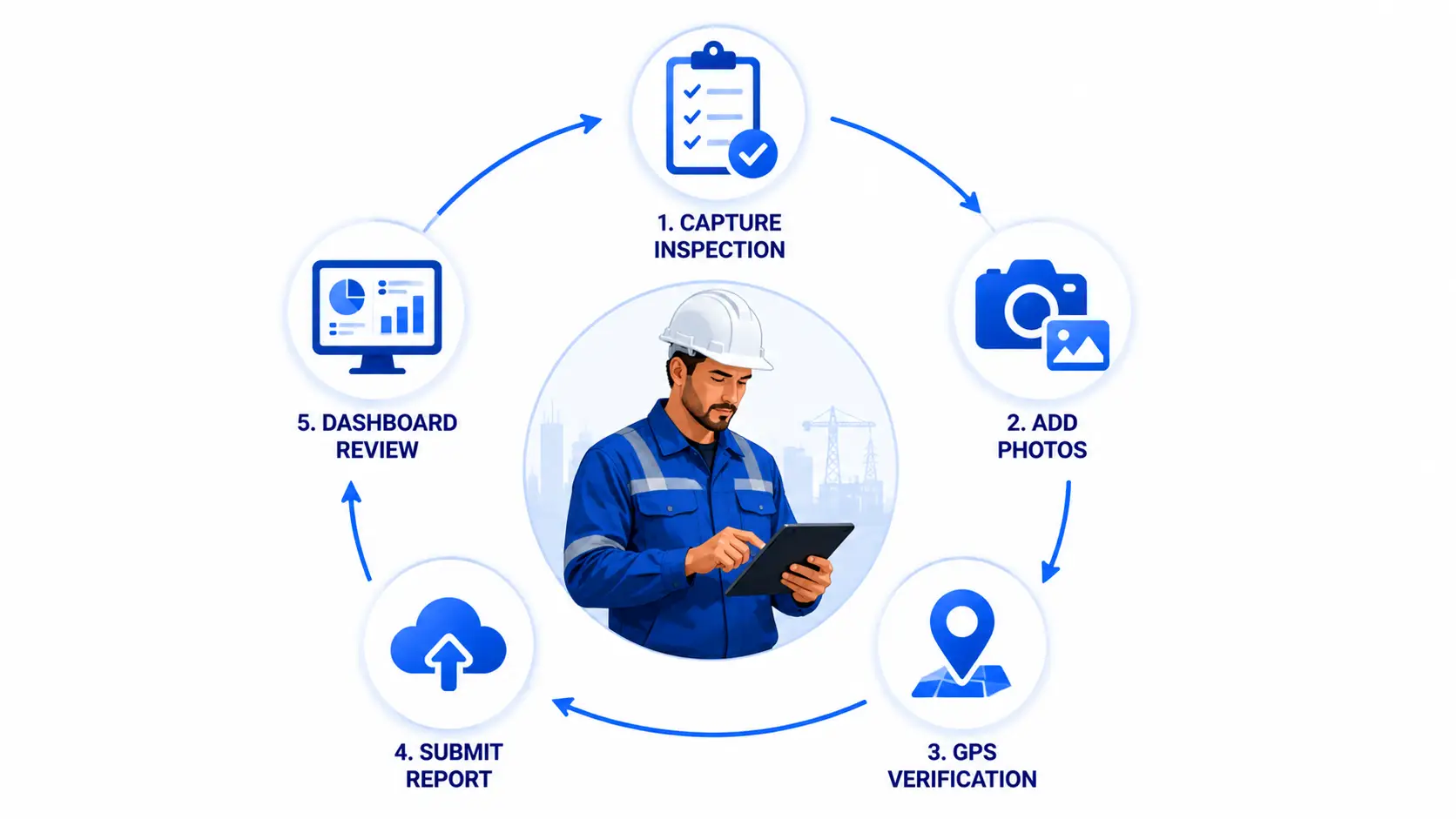
A field inspection app is a mobile application that lets inspectors, technicians, and safety officers capture inspection data directly at the site, whether that is a construction floor, a utility substation, a restaurant kitchen, or a solar farm. Instead of filling out a paper form and re-entering it into a spreadsheet back at the office, the inspector completes a digital checklist on a phone or tablet, attaches photos and GPS coordinates, applies a signature, and submits the report instantly to a central dashboard.
This is different from a generic form builder or a broad ERP module. A field inspection app is purpose-built around the inspection workflow itself: conditional checklist logic, pass or fail scoring, photo annotation tied to specific checklist items, offline capture in locations with no signal, and automated routing of failed items into corrective action or work order systems. It is a narrow, deep tool designed to make one job (verifying that something meets a standard) fast, accurate, and auditable.
Field Inspection Software Market: Size, Growth, and the Business Case
The numbers make the shift toward digital inspections hard to ignore. The global inspection management software market was valued at USD 9.84 billion in 2024 and is expected to grow to USD 24.95 billion by 2032, at a 12.4% CAGR, with North America accounting for 35.47% of the market in 2024. The broader safety inspection software segment is also projected to grow from nearly USD 600 million in 2026 to approximately USD 2.15 billion by 2035, reflecting strong long-term demand.
Three major forces are driving this growth. First is regulatory pressure, as organizations increasingly adopt digital inspection systems to meet evolving health, safety, environmental, and product compliance requirements. Second is the rise of mobile-first field operations, enabling inspectors to capture data offline, synchronize it with cloud platforms, and streamline inspections across distributed assets and remote locations. Third is artificial intelligence, which helps automate defect detection, prioritize high-risk inspections, improve quality control, and accelerate decision-making.
For businesses considering whether to invest, the ROI is often compelling. Replacing paper forms, spreadsheets, and manual reporting with a custom field inspection app can significantly reduce rework, speed up audit readiness, improve inspector productivity, and minimize costly compliance issues, allowing many organizations to recover their investment within the first year.
Types of Field Inspection Apps You Can Build
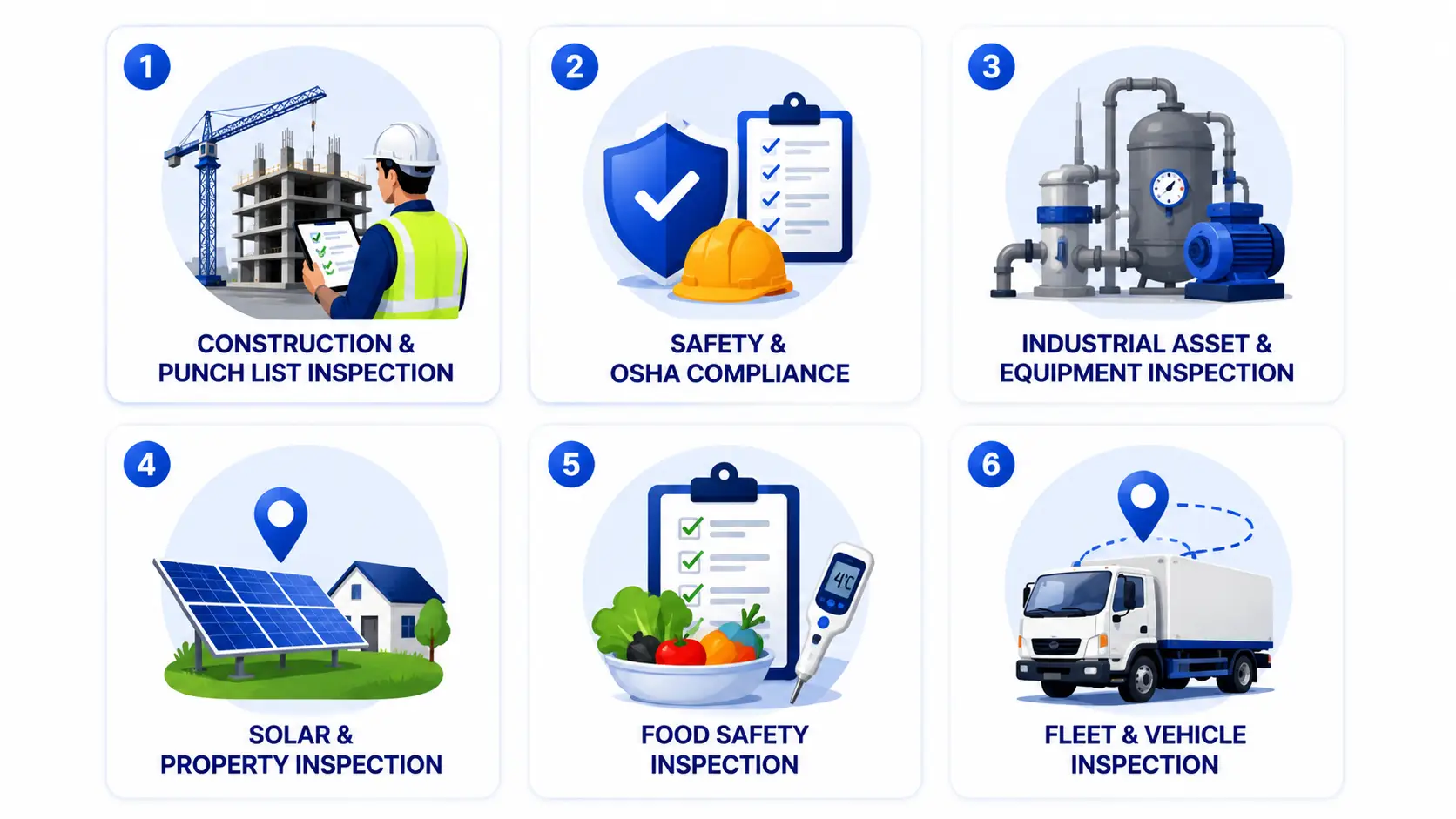
Field inspection needs differ sharply by industry, and a generic checklist tool rarely fits any of them well. Here is how the category breaks down.
- Construction and Punch List Inspection: Site walkthroughs, quality control checks, and punch list tracking tied to project milestones. The global construction punch list software market was estimated at USD 680.1 million in 2025 and is expected to grow to USD 1.5 billion by 2035, reflecting how central digital punch lists have become to project delivery.
- Safety and OSHA Compliance: Workplace hazard checks, equipment safety audits, and incident reporting built around OSHA and ISO 45001 standards.
- Industrial Asset and Equipment Inspection: Pressure vessel, piping, and heavy machinery checks in oil and gas, manufacturing, and utilities, often requiring offline-capable apps that handle complex checklists along with live dashboards and automated deficiency-to-work-order workflows.
- Solar and Property Inspection: Aerial and ground-level site verification for solar installers and property managers, frequently combined with GPS-tagged photos, compliance checklists, and automated site reports.
- Food Safety Inspection: Kitchen and supply chain audits tied to health department standards, temperature logging, and corrective action tracking.
- Home and Real Estate Inspection: Residential property assessments, often requiring detailed report templates and photo-based documentation for buyers, sellers, and lenders.
- Fleet and Vehicle Inspection: Pre-trip and post-trip vehicle checks, maintenance logging, and DOT compliance documentation.
Must-Have Features for a Modern Field Inspection App
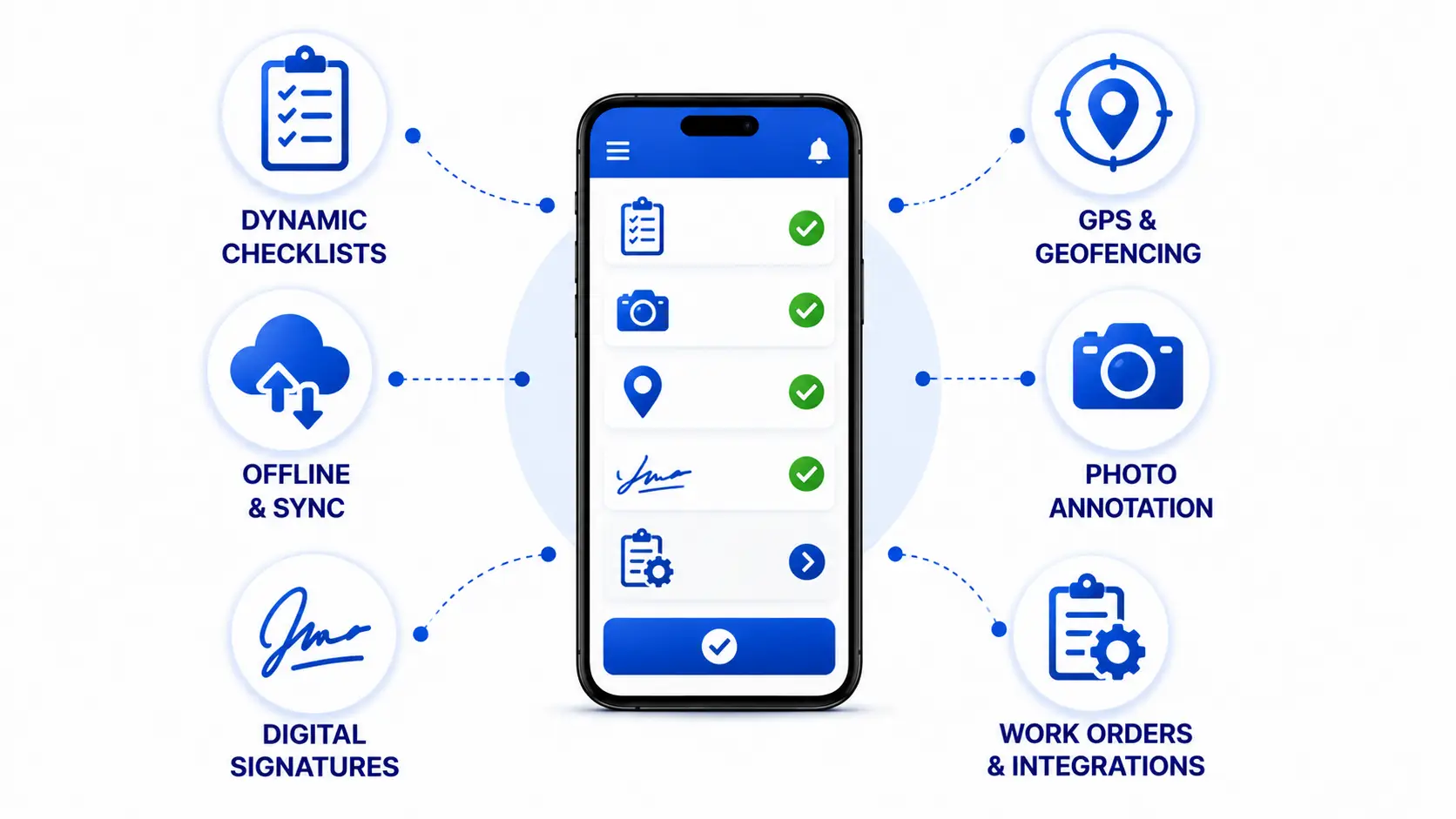
A field inspection app needs more than a digital form. These are the features that separate a tool inspectors will actually use from one they will find workarounds for.
| Feature | Why It Matters |
| Dynamic Checklists | Conditional logic that shows or hides fields based on prior answers, so inspectors are not filling out irrelevant sections |
| GPS and Geofencing | Confirms the inspector was physically on site and timestamps the visit for audit purposes |
| Offline Mode with Auto-Sync | Captures full inspections with no signal and syncs automatically once connectivity returns |
| Photo and Video Capture with Annotation | Attaches visual evidence directly to specific checklist items, with markup tools for flagging defects |
| Digital Signatures | Captures sign-off from the inspector and, where required, the site contact |
| Barcode, QR, and NFC Scanning | Ties inspection records to specific assets or equipment instantly |
| Automated Scoring and Pass/Fail Logic | Calculates compliance scores in real time instead of requiring manual tallying |
| Automated PDF Report Generation | Produces a formatted, shareable report the moment an inspection is submitted |
| Role-Based Dashboards | Gives supervisors, compliance officers, and field staff different views suited to their responsibilities |
| Push Notifications and Alerts | Flags overdue inspections, failed items, and required follow-ups in real time |
| Corrective Action and Work Order Linking | Automatically routes failed checklist items into a work order or task assignment |
AI-Powered Features Redefining Field Inspections in 2026
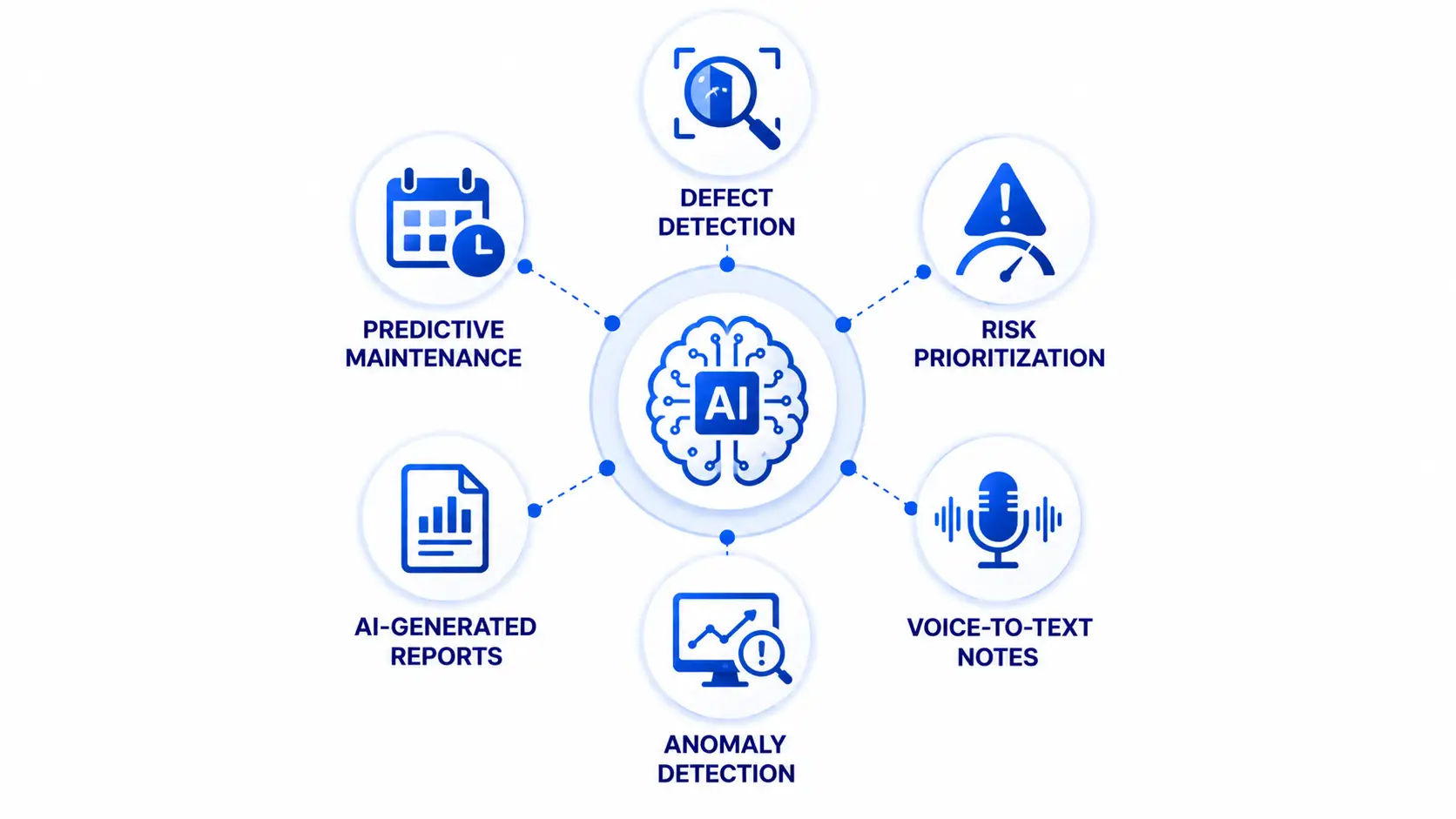
Artificial intelligence has moved from a nice-to-have to a core differentiator in field inspection apps, and this is where most inspection tools built even two years ago start to fall behind.
AI-Based Defect Detection: Computer vision models trained on inspection photos can flag cracks, corrosion, missing components, or safety violations automatically, cutting down the time inspectors spend manually reviewing every image.
Predictive Maintenance Alerts: By analyzing patterns across historical inspection data, AI can flag equipment likely to fail before the next scheduled inspection, shifting maintenance from reactive to predictive.
Risk-Based Inspection Prioritization: Instead of treating every site or asset equally, AI models rank inspections by risk level so field teams spend more time where problems are most likely to occur.
Automated Report Drafting: AI can generate a first draft of the narrative summary from checklist responses and photos, reducing the time inspectors spend writing reports after leaving the site.
Voice-to-Text Field Notes: Inspectors working with their hands full, especially in industrial or construction settings, can dictate notes directly into the checklist instead of typing.
Anomaly Detection Across Historical Data: AI models can compare current inspection results against historical baselines to catch subtle deviations a human reviewer might miss, particularly useful for utilities and industrial equipment monitoring.
Field Inspection App Architecture: Offline-First Design and Data Sync
Most field inspection apps fail not because of weak features but because of weak offline architecture. Sites in industrial facilities, rural utility corridors, and underground infrastructure frequently have no cellular signal, so the app has to function as a fully capable standalone tool, not a degraded version of the online experience.
Local-First Data Storage: The app should store the entire inspection, including photos, checklist responses, and GPS data, locally on the device using an embedded database. Nothing should depend on an active connection to function.
Sync Queuing: Once connectivity returns, the app queues all pending inspections and uploads them in the background without requiring the inspector to manually trigger a sync.
Conflict Resolution: When multiple inspectors or supervisors interact with the same record, the backend needs clear rules for handling conflicting edits, typically using timestamp-based resolution or flagging conflicts for manual review.
Compressed Media Handling: Photos and videos captured offline need to be compressed intelligently before upload so that syncing dozens of inspections does not overwhelm limited bandwidth once a connection is available.
Real-Time Dashboard Updates: Once synced, data should push to supervisor dashboards immediately, giving office teams visibility into field status without waiting for a batch update.
Compliance and Industry Standards to Build Around
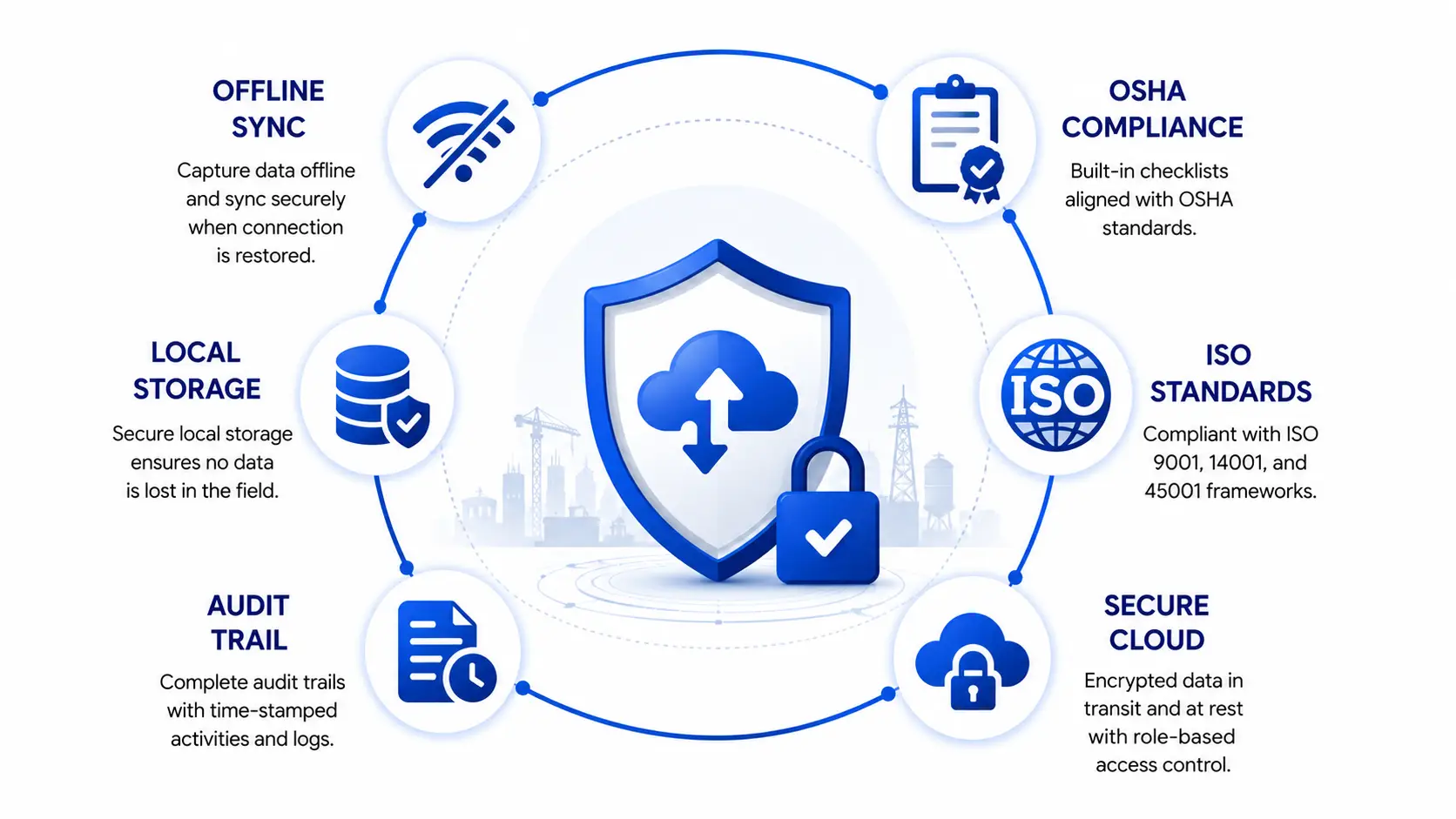
Compliance is not an afterthought in field inspection app development. It shapes how the app captures, stores, and reports data from day one.
OSHA Requirements: Safety inspection apps used in the US need to support documentation formats that align with OSHA recordkeeping standards, including incident logs and hazard corrective action tracking.
ISO 9001 and ISO 45001: Quality and occupational health and safety management standards often require specific audit trail structures, version history on checklist templates, and traceability from finding to resolution.
Industry-Specific Standards: Oil and gas inspections may need to align with API standards, food safety apps need to support health department formats, and DOT compliance applies directly to fleet inspection tools.
Data Integrity and Audit Trails: Regulators and auditors need confidence that inspection records have not been altered after submission. This typically means immutable timestamps, locked records after sign-off, and a clear change history for any edits made before finalization.
Technology Stack for Field Inspection App Development
| Layer | Common Technologies |
| Frontend (Mobile) | React Native or Flutter for cross-platform builds, Swift and Kotlin for native performance-critical apps |
| Backend | Node.js, Django, or Ruby on Rails, depending on team expertise and integration needs |
| Database | PostgreSQL or MongoDB for structured and semi-structured inspection data, SQLite for local offline storage |
| Cloud and DevOps | AWS, Azure, or Google Cloud for hosting, with CI/CD pipelines for continuous deployment |
| AI and Computer Vision | TensorFlow or PyTorch for defect detection models, cloud-based vision APIs for faster time to market |
| Integrations | ERP and EAM systems, IoT sensor feeds, drone imagery platforms, and existing work order management tools |
The right stack depends heavily on how complex the offline requirements are and whether AI features are built in-house or integrated through existing vision APIs. A simpler compliance checklist app can launch faster on a lighter stack, while an industrial asset inspection tool with predictive maintenance needs a more substantial data pipeline from the start.
Step-by-Step Field Inspection App Development Process
- Discovery and Checklist Mapping: The development team documents every inspection type, checklist variation, and compliance requirement the app needs to support before any design work begins.
- UX Wireframing: Wireframes map out the inspector’s flow from login through checklist completion to submission, prioritizing speed since inspectors are often working with gloves on or in poor lighting.
- UI Design: Visual design focuses on legibility in outdoor and industrial conditions, with large tap targets and high-contrast elements for pass/fail indicators.
- Frontend and Backend Development: Parallel development of the mobile app and the backend services that handle data storage, user roles, and reporting.
- Offline-Sync Engine Build: This is typically the most technically demanding phase, requiring careful testing of local storage, queuing, and conflict resolution under real-world network conditions.
- Third-Party Integrations: Connecting the app to ERP systems, IoT sensors, drone imagery platforms, or existing work order tools used by the business.
- QA and Field Testing: Testing extends beyond the lab into actual field conditions, including low-connectivity environments, to confirm the offline experience holds up.
- App Store Submission: Preparing and submitting the app for iOS and Android app store review, along with any enterprise distribution requirements.
- Post-Launch Iteration: Monitoring adoption, gathering inspector feedback, and refining checklist logic and AI models based on real usage data.
How Much Does Field Inspection App Development Cost?
Field inspection app development cost varies widely based on offline complexity, AI features, and the number of integrations required.
| Tier | Estimated Cost | What’s Included |
| Basic | $10,000 to $30,000 | Digital checklists, photo capture, basic offline mode, PDF report generation |
| Mid-Tier | $30,000 to $150,000 | Advanced offline sync, GPS and geofencing, role-based dashboards, work order linking, basic integrations |
| Enterprise | $150,000 and up | AI-based defect detection, predictive maintenance, custom compliance workflows, deep ERP or IoT integrations, multi-region deployment |
The biggest cost driver is almost always the offline-sync architecture. A simple app that assumes reliable connectivity is significantly cheaper to build than one that has to handle complex conflict resolution and media compression for field teams working in remote conditions. AI features add cost but often deliver the fastest return, particularly defect detection and predictive maintenance, since they directly reduce inspection time and prevent costly equipment failures.
Common Challenges in Field Inspection App Development and How to Solve Them
Connectivity Gaps in Remote Sites: Many inspection sites, from underground utility vaults to rural pipeline corridors, have no signal at all. The fix: Build the app offline-first from the start rather than retrofitting offline support later, and test extensively in zero-connectivity conditions before launch.
Inconsistent Checklist Standards Across Inspectors: Without enforced logic, different inspectors may interpret checklist items differently, undermining data consistency. The fix: Use conditional logic and mandatory fields that prevent submission until required evidence, such as photos, is attached.
Photo and Evidence Tampering Risk: Inspection photos carry legal and compliance weight, so their authenticity matters. The fix: Embed GPS and timestamp metadata directly into captured photos and lock records after submission to prevent post-hoc edits.
Adoption Resistance from Field Staff: Inspectors accustomed to paper or simple spreadsheets can resist switching to a new app, especially if it feels slower than what they already know. The fix: Prioritize speed and simplicity in the UX, and involve actual field inspectors in testing before rollout rather than designing purely from an office perspective.
Sync Conflicts Across Multiple Users: When more than one person edits the same inspection record, conflicting versions can create confusion. The fix: Build clear conflict resolution rules into the backend, and flag any conflicting edits for supervisor review rather than silently overwriting data.
Device Fragmentation: Field teams often use a mix of older and newer devices across iOS and Android. The fix: Set minimum device specifications early and test consistently across the range of hardware the workforce actually uses in the field.
ROI and Business Impact of a Custom Field Inspection App
The return on a field inspection app shows up in a few consistent places. Rework drops because defects get caught and documented at the point of inspection rather than discovered later. Audit cycles shorten because reports are generated automatically instead of assembled manually after the fact. Compliance penalties decrease because checklist logic prevents inspectors from skipping required items. Labor hours drop because inspectors are no longer re-entering paper forms into spreadsheets back at the office.
For industries with high-frequency inspections, such as construction, utilities, and fleet management, these savings compound quickly. A mid-sized construction firm running dozens of site inspections a week can often recover the full cost of a mid-tier app build within the first year purely through reduced rework and faster reporting cycles.
How to Choose the Right Field Inspection App Development Company?
Look for a development partner with direct experience building offline-first mobile apps, not just general mobile development experience. Offline sync architecture is a specialized skill, and a team that has not built it before will underestimate both the cost and the timeline.
Ask about their experience with compliance-heavy industries. A partner who has built apps requiring OSHA, ISO, or industry-specific audit trails will understand the data integrity requirements from day one instead of retrofitting them after a compliance review flags a gap.
Review their approach to field testing. A development team that tests only in the office, with a strong Wi-Fi connection, will miss the real-world issues that surface once inspectors are working in a basement, a rural site, or a steel-framed building that blocks cellular signal.
Finally, ask how they handle AI feature scoping. Defect detection and predictive maintenance sound appealing, but a good partner will tell you honestly whether your data volume and use case actually support a strong AI model, rather than selling a feature that will underperform in production.
At Simpalm, we approach field inspection app development the same way: offline architecture first, compliance built in from the start, and AI features scoped to what the data can actually support. If you are exploring what a custom build would look like for your team, we are happy to walk through the specifics of your inspection workflow and give you a realistic view of scope and cost.
Final Thoughts
Field inspection is one of the clearest cases where a custom app pays for itself. The cost of staying on paper, in missed defects, slow audits, and compliance exposure, tends to outweigh the cost of building a proper offline-first, AI-supported inspection app within the first year of use. The businesses seeing the strongest results are not the ones chasing every feature on the market, but the ones that get the offline architecture and compliance foundation right before layering on AI capabilities that genuinely reduce inspection time and prevent costly failures.
Frequently Asked Questions
Q1. How long does it take to build a field inspection app?
A basic field inspection app with core checklist and offline functionality typically takes three to four months to build. A mid-tier app with GPS tracking, role-based dashboards, and integrations usually takes five to seven months, while an enterprise build with AI-based defect detection and deep ERP integrations can take eight months or longer depending on the complexity of the existing systems it needs to connect with.
Q2. Do field inspection apps work without internet access?
Yes, when built correctly. A well-architected field inspection app stores the full inspection locally on the device, including photos, checklist responses, and GPS data, and syncs automatically once the device reconnects to the internet. This offline-first approach is essential for industries like utilities, oil and gas, and construction where inspectors regularly work in locations with no cellular signal.
Q3. What industries benefit most from a custom field inspection app?
Construction, utilities, oil and gas, manufacturing, food safety, real estate, and fleet management all see strong returns from custom inspection apps, primarily because each of these industries deals with frequent, high-stakes inspections tied to safety or regulatory compliance. The specific features needed vary significantly by industry, which is part of why a generic, one-size-fits-all inspection tool rarely performs as well as a custom build.
Q4. How does AI improve field inspections?
AI improves field inspections in several ways, including automated defect detection from photos, predictive maintenance alerts based on historical equipment data, risk-based prioritization of which sites or assets need inspection first, and automated drafting of inspection report narratives. These capabilities reduce the manual review time inspectors spend on each report and help catch issues that a purely manual review might miss.
Q5. What compliance standards should a field inspection app support?
This depends on the industry, but common requirements include OSHA recordkeeping standards for workplace safety, ISO 9001 and ISO 45001 for quality and occupational health management, DOT standards for fleet inspections, and API standards for oil and gas equipment. Regardless of industry, the app should maintain immutable audit trails and lock records after sign-off to preserve data integrity for regulators.
Q6. Is it better to build a custom field inspection app or use an off-the-shelf tool?
Off-the-shelf tools work well for straightforward, single-purpose use cases without heavy customization needs. A custom build makes more sense once a business has specific compliance requirements, needs deep integration with existing ERP or work order systems, or wants AI features tailored to its own historical inspection data. The tradeoff comes down to how closely a business’s inspection workflow matches what an off-the-shelf tool already supports.