
 Design
 App Development
 Web Engineering
 AI Services
 Cloud
Cloud Staffing
 Startups
 Health / Fitness
 Education
 Social
 Nonprofit
 Fintech
 Construction
 Logistics
 Government
 Travel/Hospitality
 HR Software
 About Simpalm
 Our News
 Client Testimonials
 Careers
 Our Blog
 Awards
 Resources
 Information
The quality of a mobile app is paramount for ensuring a better user experience! You must know that around 88% of all users tend to abandon a mobile app if they experience glitches or bugs hindering their experience.
Not just that, but even 50% of potential users refrain from downloading an application if the reviews highlight that it has bugs or errors. Issues like app crashes, poor responsiveness, and others that can hamper the user experience adversely can easily be prevented with thorough testing.
This article will shed light on some of the best practices and data-driven tips to improve your mobile app testing efforts and achieve success with it in the competitive market.
1. Understand Your Mobile App
Before you go ahead and test your mobile application, it is paramount for you to understand its functionalities. Beyond that, you must understand the goals your app intends to achieve and its target audience.
You definitely need to test the app entirely, either through automation or manually. However, the focus and scope of app testing might vary depending on the business objective and targeted user groups.
For instance, a banking mobile app and a fitness tracker app will be tested for their overall capabilities. However, the former will be extensively tested for secure authentication, whereas the latter will be tested for real-time sensor accuracy.
When you can align business and user needs with the test cases, you can be sure of addressing the high-impact areas with utmost attention.
2. Create Well-Designed Test Cases
Source: https://www.browserstack.com/guide/write-test-cases-for-mobile-applications
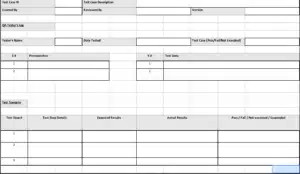
When you create robust test cases for QA of your mobile app, they act as the backbone of the entire testing approach. Whether you seek manual or automated testing, you ought to create test cases that define the agenda of what needs to be assessed in the app.
Having a structured approach through well-designed test scripts will ensure you don’t miss out on any critical aspect of your app that might hinder its performance in the long run. While preparing test cases, you must:
- Review the functional requirements alongside the user insights that need to be studied.
- Write test cases clearly and concisely, while specifying the input test data and the expected outcome of every step. You must include both positive as well as negative outcomes in the test scenarios to cover all possible cases.
- Remember, not all test cases need to be critical and equally important. Therefore, prioritize the test cases based on the core functionality for which they are written.
- Review the test scripts to ensure completeness and quality. Any unclear steps or missed case scenarios can be addressed here.
3. Perform UX testing
A thorough usability test needs to be conducted to highlight any potential issues hindering the overall experience of users. You don’t have to wait until the app is built and ready for deployment to finally test the user experience!
Instead, you can adopt a shift-left testing approach to assess the UX of your app early in the development stages, right when the mock-up or prototype is ready. When focusing on usability testing, you must consider elements such as:
- UI layout and overall design
- Response time and efficiency of transitions
- App’s adaptability for screen sizes and orientations
4. Perform Functionality Testing
As the core functionality of your app acts as the main USP that will attract users to download and use it, you ought to prioritize its testing above all. Incomplete or inefficient functionalities can lead to app abandonment.
Therefore, you must use tools like Appium, Selenium, Playwright, Chromium, VPN app, and others to test the functionality of your app first, prior to moving on to UX testing. Once your app functionality is on point, you must then check if it is seamlessly accessible with an appealing UI.
|
Functionality Testing |
UX or Usability Testing |
|
|
Goal |
It validates if the app works as expected with standard functional requirements. For instance, a specific button on your app must execute the assigned action. |
It evaluates if your app is intuitive and easy to use for an end-user to achieve their purpose. |
|
Method of Approach |
It can be executed using a manual black-box approach or automated scripts. |
It is executed using human-centered approaches such as surveys, heatmaps, and wide-scale studies. |
|
Conducted By |
Developers and QA experts conduct functionality tests with technical proficiency. |
Usability testing is conducted with real users and a group of testers to gather qualitative and authentic feedback. |
|
Testing Stage |
Preferably conducted in the early stages of SDLC, often prior to the non-functional testing. |
Preferably conducted in the middle or later stages of app development, through the design process for validating prototypes and also the live products. |
5. Execute Early-Stage Performance Testing
Performance testing isn’t destined to be run only after the app is built and ready. Instead, you can start evaluating how your app performs right at the early stages of development. This will make it easier for you to identify the root cause of any issue and uncomplicate the fixes.
The mobile devices of users will operate in diverse conditions, and your app must be able to handle those challenges. For instance, your mobile app must perform efficiently when a user is multitasking with other applications or switching between load-intensive device functions.
In order to make your performance testing more effective, you must:
- Conduct repeated performance tests under all possible conditions or circumstances.
- Identify performance bottlenecks at the early stages and fix them before moving on to the next stage of development.
6. Implement Real Device Testing
Source: https://www.browserstack.com/guide/how-to-test-mobile-applications-manually
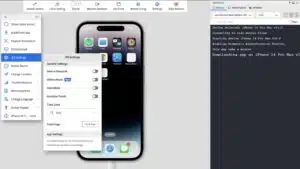
It is true that emulators and simulators are effective in testing mobile apps at the early development stages. However, they still fail to factor in the real-world conditions that the physical devices can provide.
Therefore, to implement a robust strategy, you must test your mobile apps on physical devices while balancing the effort with simulators and emulators. In the end, this will uncover the way your app will perform on physical devices. This testing approach will ensure:
- Your app performs seamlessly on devices with varying resolutions and screen sizes.
- The app is responsive to extensive user interaction and screen rotation.
- You can use BrowserStack and other such platforms to test your app in real-device environments, without the need for buying them all.
7. Implement Test Automation Whenever Applicable
One of the things that makes app testing complex is the wide range of device & OS combinations it has to be tested for. Therefore, implementing automated testing can streamline the process and effectively run the checks.
Automation will speed up the testing process, reduce manual efforts, and ensure consistency throughout the process. Robust test automation tools BrowserStack, Katalon, and others, can be used for:
- Recording and replaying the test scenarios
- Integrating test cases seamlessly into the CI/CD workflows
- Test the app across all browsers, devices, and OS versions that exist
- Simulate app testing on emulated and physical devices
|
Manual Testing |
Automated Testing |
|
|
Method of Approach |
Executed step-by-step by human testing professionals who will be interacting with the app just like an end-user. |
Executed automatically with the use of test scripts, frameworks, and tools such as Appium, Selenium, etc. |
|
Time & Speed |
It takes more time to manually test a mobile app, mostly because of the repetitive or redundant tasks, such as compatibility checks, network condition testing, notification testing, etc. |
Supports faster execution and takes less time, as thousands of test cases can be run in a few minutes. |
|
Cost |
Initial setup cost might be less, but the manual efforts can increase the long-term labor costs, especially for enterprise-grade apps. |
The initial investment will be higher for developing test scripts, subscribing to automation testing tools, and setting up the process. However, it is a cost-effective approach than manual testing in the long run. |
|
Best For |
Manual testing is considered best for usability, ad-hoc, and exploratory testing. |
Automated testing is best suitable for regression, performance, and load testing. Moreover, it is also suitable for dealing with repetitive and data-driven test suites. |
8. Test Your App’s Load Bearing Capacity
You must know that 71% of app uninstalls are mostly because of frequent crashes or other recurring issues. Therefore, a mobile application must undergo load testing to ensure it offers reliable performance even when exposed to stress.
Load testing can ensure your app stays stable even when the conditions are critical and doesn’t hinder the responsiveness. All the top apps aim to maintain a 99.95%+ crash-free session rate to achieve user satisfaction and improved store ratings. Therefore, use load testing to evaluate:
- Response time of your app under heavy use
- App stability under different memory usage and network speeds
Conclusion
It is not just the coding efforts that count when building a successful mobile app! You also need the right testing strategy in place to ensure every feature and functionality of your mobile app runs as expected.
At Simpalm, we offer a comprehensive suite of mobile app development services, backed by robust testing efforts. We have access to all the modern-day app testing tools and frameworks to ensure your mobile app delivers high performance, stays secure, and guarantees user satisfaction.
Let us help you implement the best mobile app testing practices for your project, and help you stand out in the competitive space with more than 2.2 million apps on Google’s Play Store and 2 million apps on Apple’s App Store.






One Response to Best Tips for Mobile App Testing