 Design
 App Development
 Web Engineering
 AI Services
 Cloud
 Staffing
 Startups
 Health / Fitness
 Education
 Social
 Nonprofit
 Fintech
 Construction
 Logistics
 Government
 Travel/Hospitality
 HR Software
 About Simpalm
 Our News
 Client Testimonials
 Careers
 Our Blog
 Awards
 Resources
 Information
Key Takeaways
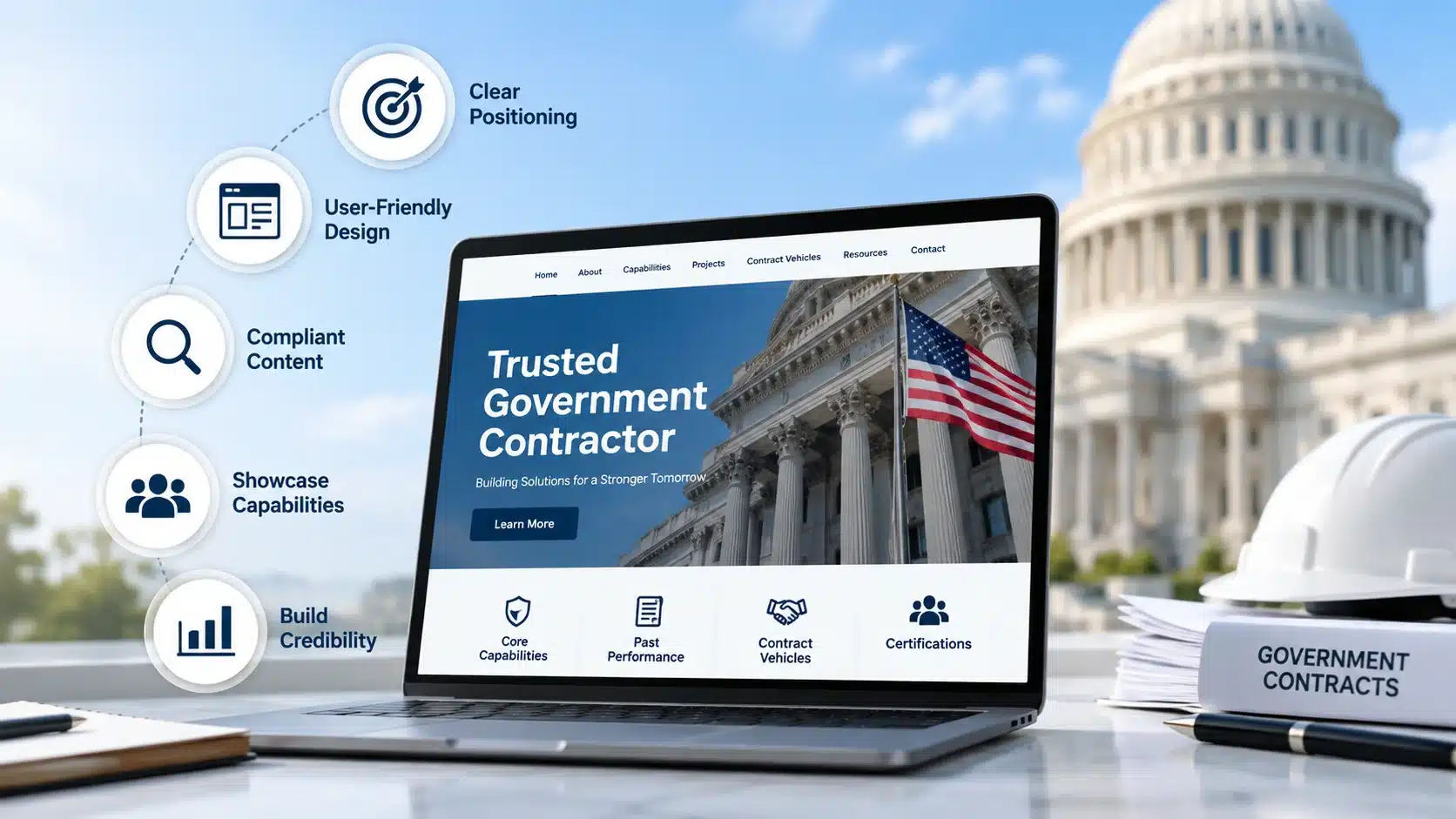
- Your government contractor website is your strategic asset and must communicate capabilities, past performance and contracting details to help agencies and primes evaluate you quickly.
- Website structure and content must follow business goals, along with the needs of government contractors, primes, BD teams and prospective employees.
- Credibility comes from clarity and evidence: service‑specific pages, structured case studies, accurate certifications, and meaningful CTAs build trust and support real decision‑making.
- Technology, accessibility, security and SEO shape discoverability: the right CMS, strong performance, Section 508‑aligned practices, and intent‑driven SEO ensure your expertise is visible and usable across devices and AI‑powered search.
- A reliable development partner establishes long-term success with strategy, compliance awareness, technical depth and continuous improvement.
_________________________________________________________________________________________
Picture this: A program manager at a federal agency is preparing for an urgent modernization initiative. She receives two capability statements from potential vendors and visits their websites. The first site is polished but presents details like capabilities and past performance in a vague manner. The second website looks promising and clearly explains the contractor’s technical strengths, describes relevant case studies and provides a downloadable capability statement.
It is readily apparent which vendor the program manager is likely to select.
In FY2023, the U.S. federal government awarded $610 billion in contracts, with the DOD alone accounting for $350 billion of that total. In a market of this scale, where agencies and prime contractors evaluate hundreds of vendors, your website often becomes the first point of contact. It is here that the government agency gets to know what services the contractor offers, who they have worked with, and whether they are trustworthy. The website not only creates a strong online presence for the contractor, but also helps win contracts, partners and potential talent.
Effective government contractor website development blends business strategy, content clarity, design and ongoing maintenance. It also strengthens how your company will appear in AI-powered search and helps AI systems accurately summarize and recommend your business to the right audience.
This guide walks you through the practical steps to build a government contractor website that supports business development and long-term growth.
Step 1: Start With Business Goals, Not Website Templates
Your government contractor website should start with clarity about whom the website must serve, what the business is trying to achieve, and how success will be measured. If these foundations are strong, the website design and content will add real value instead of being just an aesthetic piece.
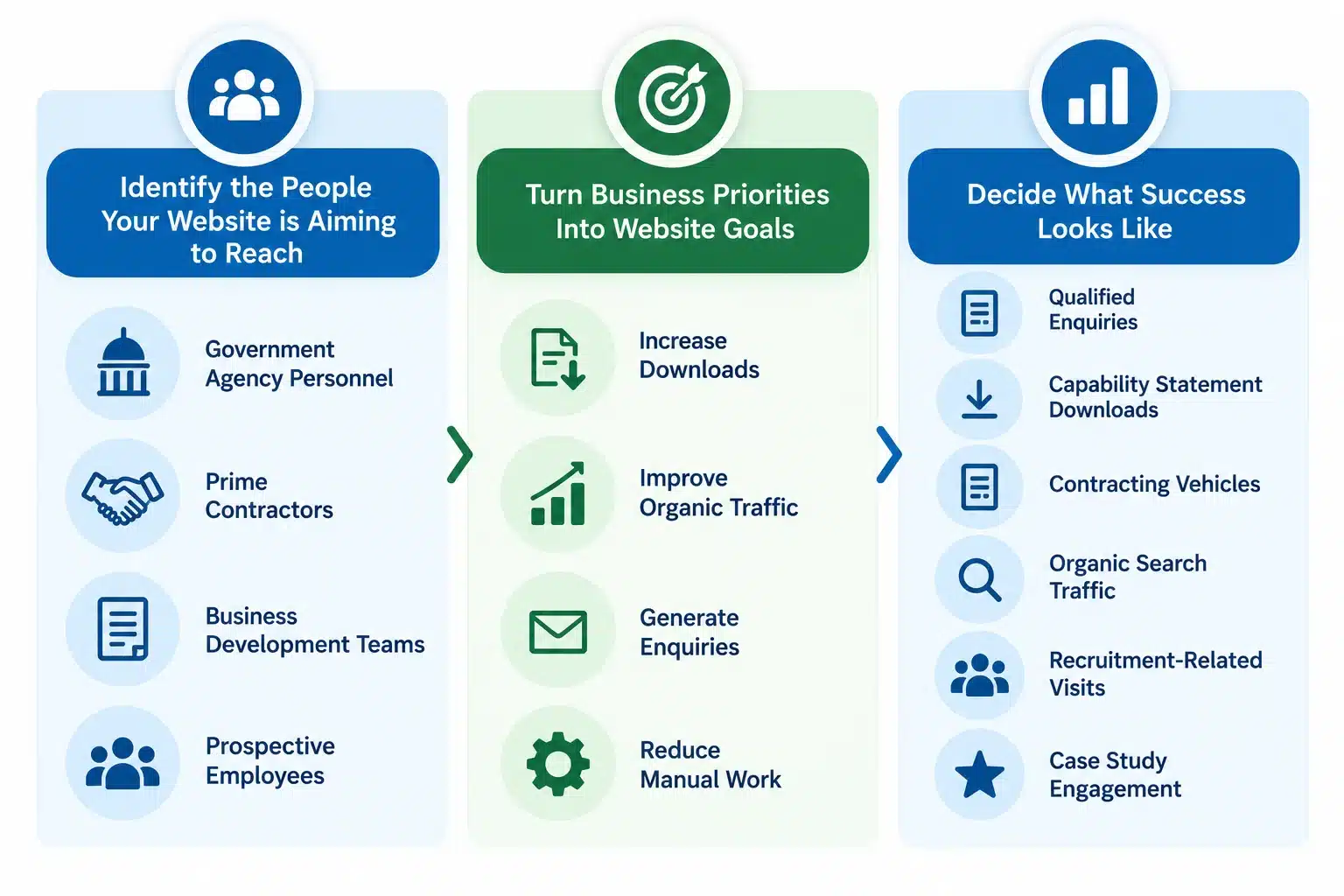
Identify the People Your Website is Aiming to Reach
There are multiple audiences who avail services from government contractors. Each of these audiences has its own needs and expectations. Understanding your audience should be a priority before building a website that works.
Government Agency Personnel – These visitors research potential vendors and try to understand your capabilities, past performance, contract vehicles and your experience. They often arrive at your website through search results or links in capability statements.
Prime Contractors – They evaluate subcontractors or teaming partners and look for technical strengths, certifications, socioeconomic classifications and evidence of reliability. They also need to know whether you can fill their capability gap.
Business Development Teams – These professionals are from other organizations and they review your site to validate your expertise before starting a conversation. Impactful case studies, leadership credibility and clear descriptions of what you deliver provide the information they are looking for.
Prospective Employees – Federal contractors always look for talent that will give their business a competitive edge. Job seekers visit your website to understand your culture, leadership, benefits and open roles. A weak or dated careers section can discourage potential candidates.
Remember, each of these audiences visits your site through different pages, and not necessarily the homepage. Create your website structure in a way that supports all their information needs.
Turn Business Priorities Into Website Goals
Once you understand the target audience, you can transform business priorities into clear goals. These goals guide the decisions about content, structure and the technology that helps in government website development.
Increase Capability Statement Downloads – Add a well-placed download button, clear capability pages, and strong case studies to help visitors take action.
Improve Organic Traffic for Key Service Pages – For this, you need service-specific content with clear headings and SEO-friendly page architecture.
Generate Qualified Enquiries – Use clear calls to action, intuitive contact options, and credible content that improve conversions.
Reduce Manual Time Spent – Your website must clearly communicate your capabilities, identifiers, past performance and leadership details. This will eliminate the need for teams to answer repetitive questions and email PDFs.
Decide What Success Looks Like
Establish baseline metrics to evaluate your website performance and understand whether it is working as intended.
Qualified Enquiries Through Contact Forms – The form submissions must align with your services and target agencies.
Capability Statement Downloads – These downloads must be a strong indicator that your capabilities are relevant and trustworthy.
Contracting Vehicles – Track visits and engagement on pages covering the contracting vehicles you hold (GWAC/GSA) along with enquiries that reference them.
Organic Search Traffic for Service Pages – This will reflect that your content is discoverable and aligned with real search intent.
Recruitment-Related Visits – A healthy careers section will attract qualified candidates and not just casual visitors.
Case Study Engagement – The time spent on case study pages indicates that visitors are evaluating your credibility and past performance.
These metrics help you refine your website after launch and ensure that it continues to meet business objectives even as your company evolves.
Step 2: Create a Website Structure Where Information is Easy to Find
Your government contractor website will only succeed if visitors are able to find the information they need easily without having to scan multiple pages. Different audiences have different goals, hence your website structure must guide them seamlessly to the relevant pages. This will reduce friction, build trust and help visitors evaluate your company quickly.
Organize Pages Based on Visitor Needs
Legacy content does not provide any value; instead, build the structure of the website based on what visitors want to accomplish. Some core questions for diverse audiences that your website must answer include:
- What does the contractor do?
- Have they done similar work before?
- Are they trustworthy?
- How do I download their capability statement?
- What roles are they hiring for?
A streamlined structure typically includes:
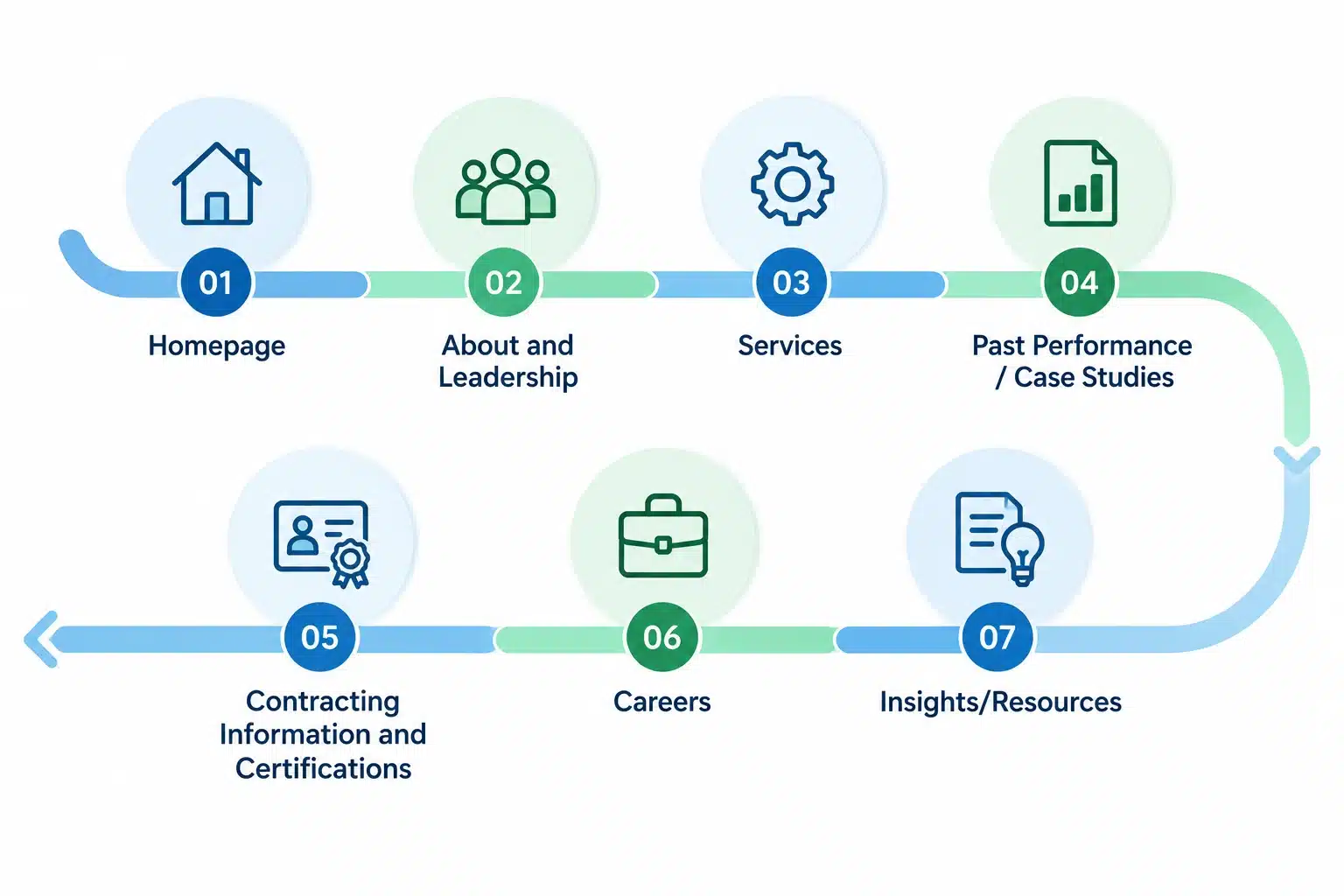
- Homepage – A clear overview of who you are and what you deliver.
- About and Leadership – Mission, values, leadership bios, and organizational credibility.
- Services – Service-specific pages that explain what you do.
- Past Performance/Case Studies – Evidence of experience, outcomes, and technical depth.
- Contracting Information and Certifications – Relevant certifications and identifiers.
- Careers – Open roles, culture, benefits, and application pathways.
- Insights/Resources – Articles, whitepapers, thought leadership content.
Keep Navigation Intuitive
Navigation around your website must feel effortless for the visitors. They should understand where to click without thinking or searching much. A clear intuitive menu reduces frustration and increases engagement.
Use:
- Descriptive Menu Labels – Use “Capabilities” and “Solutions” where they apply best.
- Consistent Page Layouts – Make page layouts predictable so visitors can scan quickly.
- Logical Hierarchy – Group related pages together.
- Clear Internal Links – Guide visitors to related content, such as linking case studies to capability pages.
- Minimize Clicks – Make information accessible with one or two clicks.
Turn Past Performance Into Meaningful Evidence
Past performance is one of the strongest credibility signals in government contracting. Case studies are the best reflection of past performance and should follow a structured format to make them engaging.
What it should include:
- Client’s challenge or mission need
- Your role and scope of work
- Approach, methodology or technical expertise
- Verified outcomes or measurable results
Present Credentials Accurately
Your credentials will reinforce trust, but only when presented clearly and accurately. Misrepresentation, even accidental, can damage reputation and credibility.
- Certificates – Quality, cybersecurity, or industry-specific certifications
- Contract Vehicles – Federal, DoD, or civilian agency vehicles you actively hold
- Classifications – Small business statuses and socioeconomic designations
Give Visitors a Useful Next Step
Every page of your government contracting website must guide visitors towards a meaningful action. Clear calls to action help the business development teams, primes, and agencies continue the conversation.
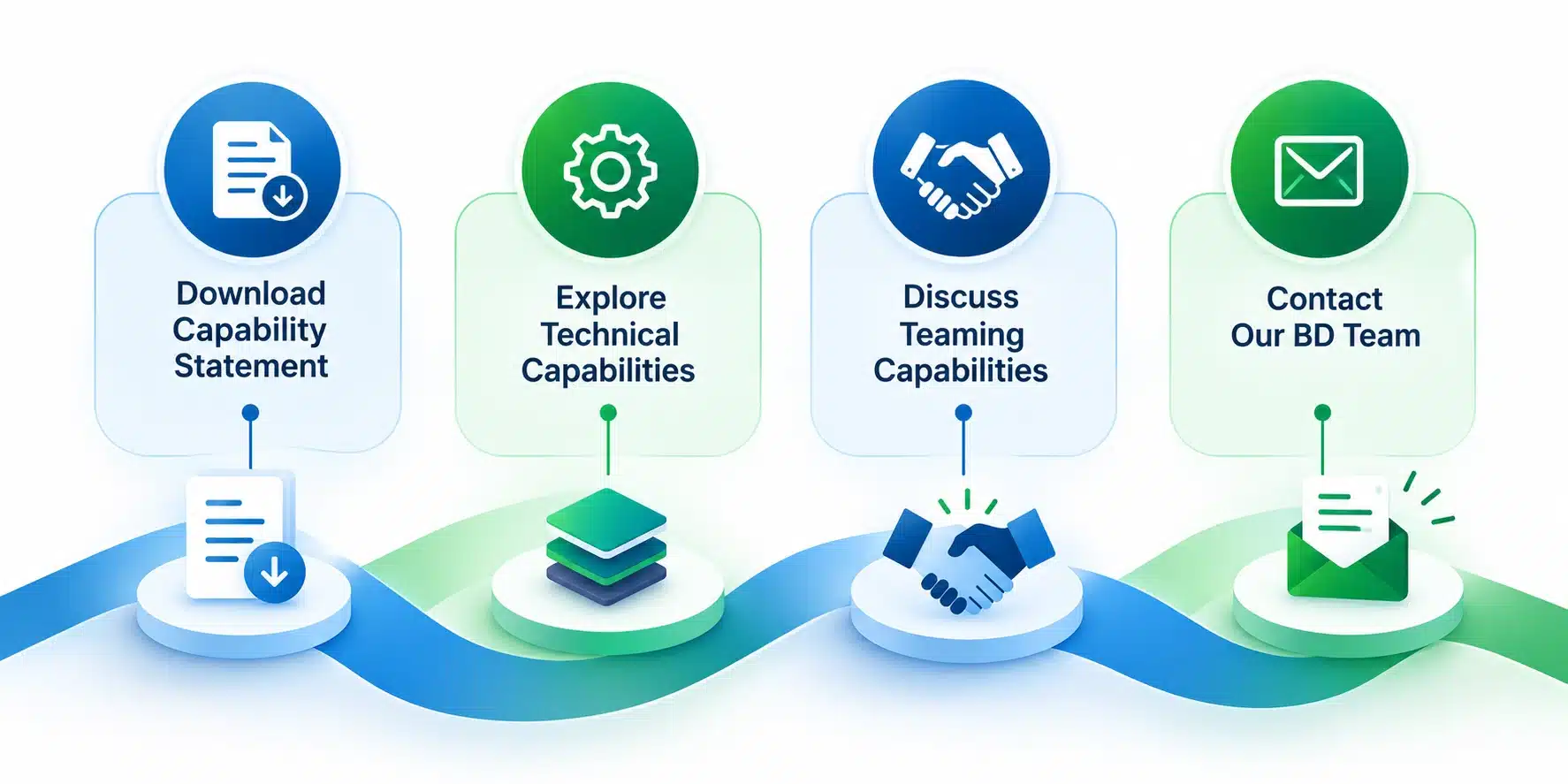
Useful CTAs include:
- Download capability statement so visitors can evaluate your company quickly.
- Explore technical capabilities as direct links to detailed service pages.
- Discuss teaming capabilities using a BD contact or form.
- Contact our BD team using clear, visible contact options.
Also Read: Website Refresh vs Full Redesign-Costs, Benefits & Differences
Step 3: Choose the Right Technology for Your Website
How your website performs and scales depends on the technology used and its maintenance over time. WordPress, managed platforms and custom solutions all have strengths, but the best choice depends on your business needs without creating unnecessary complexity.
Select CMS and technology stack based on actual needs
You must select a platform based on the actual requirements rather than the trends. Some things that need evaluation are:
- Content editing and publishing – Frequency of updating your contracting capabilities, adding case studies or job postings.
- Integration needs – List the integrations required like CRM, recruiting platforms, analytics or secure forms.
- Technical complexities – Do you have internal resources to manage updates and security?
- Hosting and maintenance – Ownership of uptime, backups and recovery processes.
- Accessibility support – Check platform support for structured content and testing.
- Future scalability – Platform support for new services, pages or integrations.
Step 4: Build in Security, Reliability and Performance
Your government contractor website must be fast, accessible, stable and secure so that visitors get a smooth experience. This also allows government agencies to trust you with their sensitive information. Performance and reliability will directly influence how your company is perceived. If your site is slow or unstable, or shows signs of operational or security weakness, visitors will lose trust. Create a government contractor website built on the foundation of professionalism and trust for long-term success.
Prioritize the fundamentals
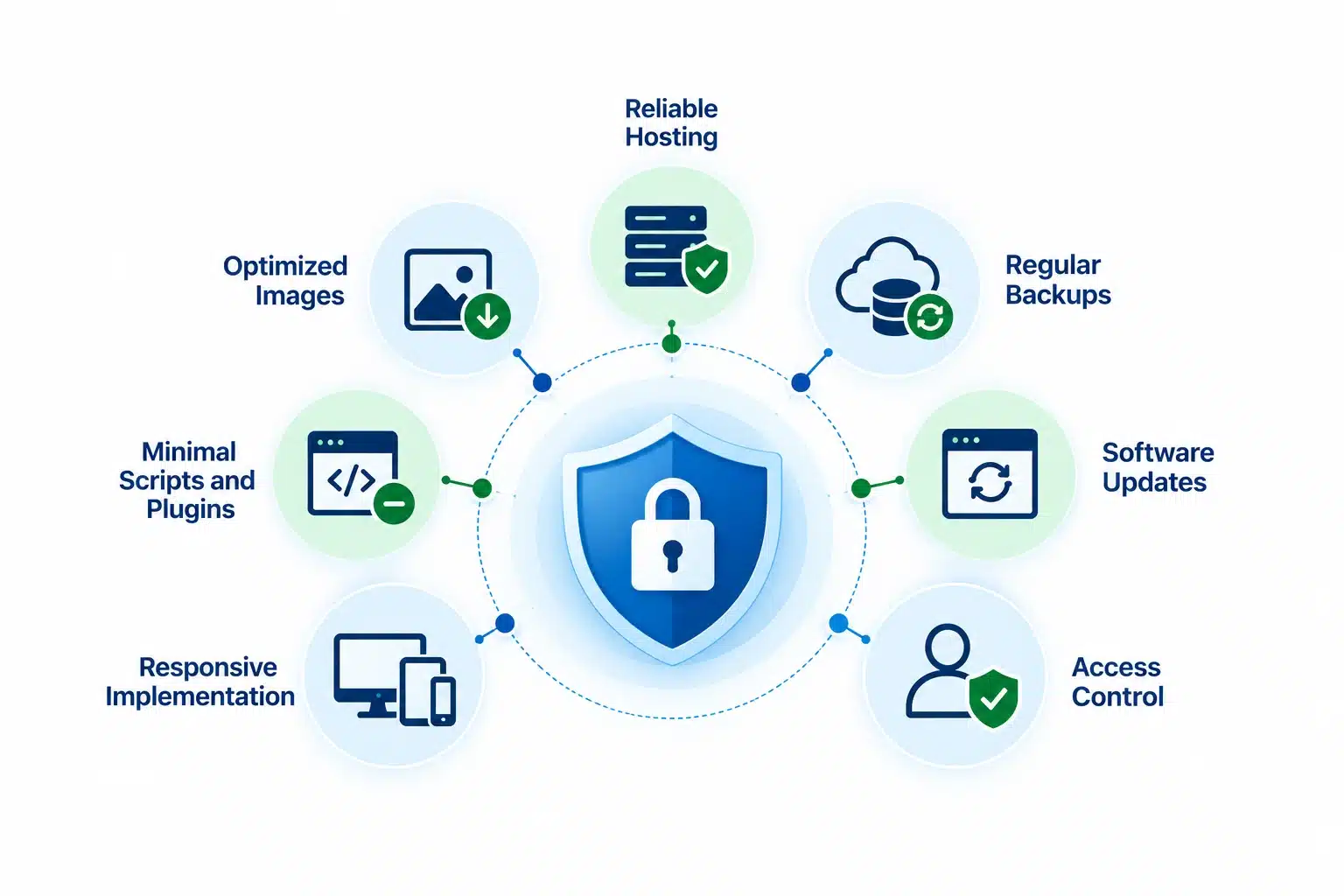
- Optimized images – Large uncompressed images slow down page load times, especially on mobile devices. By optimizing images you reduce the file size without compromising quality, improving both user experience and search performance.
- Minimal scripts and plugins – With every plugin or script comes potential vulnerabilities. It is important to use only necessary plugins as excessive plugins increase maintenance burdens and slow down the website.
- Reliable hosting – Choose hosting that provides consistent uptime, strong security controls and fast server response times. Government stakeholders operate in a dynamic environment shaped by tight timelines and shifting priorities. So, your website must be responsive 24/7 and not just during business hours.
- Regular backups – Backups protect the content and configuration in case of accidental deletion, system failure or security incidents. The right backup helps with the restoration process.
- Software updates – If your government contractor website has outdated CMS versions, themes or plugins, there are chances of security vulnerabilities. Regular updates ensure your website is secure, stable and compatible with modern browsers and devices.
- Access control – Give administrative access only to authorized personnel by using strong authentication, role-based permissions, and audit logs to track changes.
- Responsive implementation – Build your website in a way that is adaptable to all screen sizes. This will ensure that contracting officers, primes and candidates can easily access the content on the device of their choice.
Also Read: Best Web Development Learning Programs in Northern Virginia
Integrate Tools that Support Business Operations
Use technology for your website in a way that eases operations and does not complicate them. With the right technology, your team can work efficiently to build a website that gives visitors clear pathways for engagement.
The following integrations add business value:
- Contact forms for BD enquiries – A well-designed contact form helps BD teams receive qualified enquiries with the required information so that they can respond quickly. Keep the forms simple, secure and clearly routed to the right team.
- Recruiting platforms for job applications – Integrate applicant tracking systems or job portals to streamline the hiring process and ensure that candidates can apply easily. A frictionless careers experience helps to improve talent acquisition.
- Analytics tools for performance tracking – Use analytics tools to measure visitor engagement with your website, including the pages they see, where they drop off and the actions they take.
- CRM systems for lead management – Connect your website to a CRM to help business development teams manage follow-ups and measure pipeline activity.
Also Read: How to Build Scalable Web Applications in 2026: Complete Guide
Step 5: Make Your Website Easier to Discover Through SEO
Search engines and AI-powered search tools play a major role in how agencies, primes and candidates discover contractors. Strong SEO practices ensure that your website is visible and accurately represented. Avoid generic solutions pages that hide your expertise behind broader labels.
Match pages to real search intent
Build pages around actual services and mission needs. Use keywords that fit naturally and focus on content clarity. Your website should include pages for services such as:
- Federal IT services
- Cybersecurity contracting
- Engineering support
- Logistics services
- Cloud migration services
Strengthen On-Page and Technical SEO
SEO is more about structure, clarity and technical health, hence your website must prioritize:
- Descriptive page titles that show the actual services
- Useful meta descriptions that summarize the page
- Logical headings that make the content scannable
- Descriptive URLs that reinforce clarity
- Internal linking to connect related content
- XML sitemaps to make your site crawlable by search engines
- Indexability to ensure that the relevant pages are discoverable
- Mobile usability for on-the-go visitors
- Performance optimization to reduce load times
Step 6: Address Accessibility, Security and Contract-Specific Requirements
Government contractor website development must be done with precision, keeping accessibility and security in mind. These areas influence compliance, credibility, and risk management. It is necessary for teams to identify applicable standards early in the project and test with assistive technologies like screen readers and keyboard navigation.
Determine the accessibility requirements
Accessibility requirements vary based on contract terms and organizational context.
- Section 508 – This governs accessibility for covered federal agency information and communications technology. Its application to contractor deliverables depends on a specific contract.
- ADA obligations – These may also apply depending on the organization and the nature of the content.
Protect the website and information it collects
Security is essential for maintaining trust and protecting visitors. These essential practices can help:
- HTTPS to encrypt data in transit
- Secure configuration to reduce vulnerabilities
- Access permissions to limit administrative control
- Backups to ensure recovery after incidents
- Form protection to prevent spam and malicious submissions
- Incident response planning to prepare for unexpected events
Also Read: What is Web Application Security?
Step 7: Test, Launch and Keep Improving the Website
A government contractor website going live is not the finishing line. The success of the website depends on validation, monitoring and continuous improvement. Testing ensures the site works as expected, launching it introduces it to your audience and ongoing improvement keeps it aligned with your business goals as they evolve.
Use a Pre-launch Checklist
Undergo a thorough review before launching to ensure accuracy, usability and reliability. A pre-launch checklist helps to catch issues that can frustrate visitors.
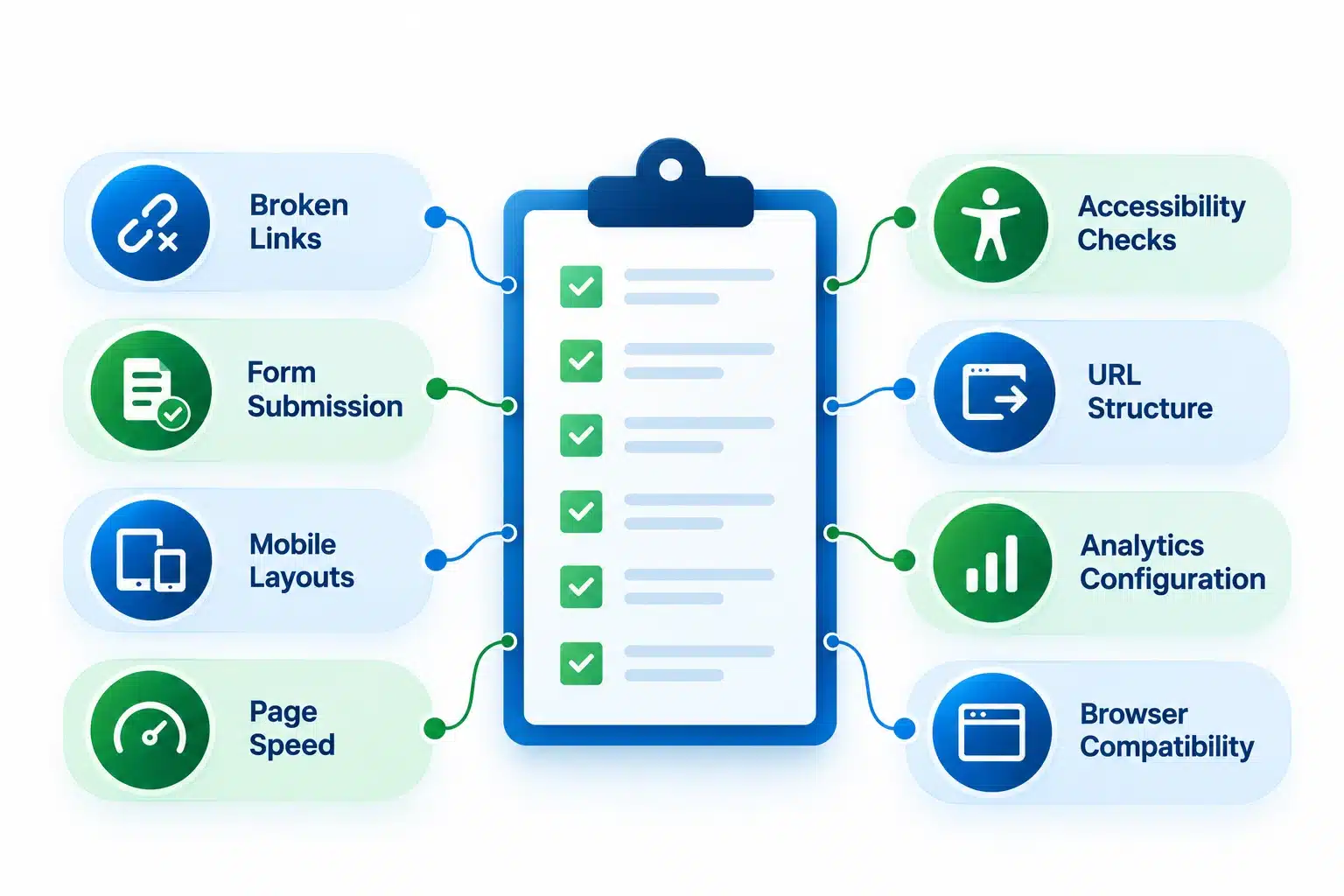
Here’s what you should validate:
- Broken links and navigation paths – Ensure all internal and external links work properly, as broken links can disrupt critical user journeys.
- Form submission and routing – Test every form, from BD enquiries and contact forms to job applications, to ensure that the submissions reach the correct teams.
- Mobile layouts and responsiveness – Review the site on multiple devices and screen sizes so that it adapts seamlessly.
- Page speed and performance – Slow pages reduce engagement and affect search visibility. Optimize images, scripts and caching before launch.
- Accessibility checks – Use automated tools and manual testing with assistive technologies to confirm keyboard navigation, contrast ratios, alt text and form labels so these meet accessibility expectations.
- Redirects and URL structure – If you replace an older site, ensure legacy URLs redirect properly to avoid broken links and lost traffic.
- Analytics configuration – Verify that analytics tools are installed, tracking correctly and configured to measure key actions like downloads and enquiries.
- Browser compatibility – Test the site on major browsers like Chrome, Edge, Firefox and Safari to ensure consistent behavior.
Establish clear maintenance responsibilities
A website is an ongoing responsibility, not a one-time project. Assigning ownership ensures updates happen consistently and issues are resolved quickly.
- Content updates – Capabilities, case studies, leadership bios, and certifications must have the latest information. Outdated information can mislead visitors or weaken credibility.
- Credential checks – Certifications, contract vehicles, and classifications should be reviewed regularly to ensure accuracy.
- Software maintenance – CMS updates, plugin updates, and security patches must be applied promptly to reduce vulnerabilities.
- Security reviews – Monitor access logs, update passwords, and review form submissions for suspicious activity.
- Technical issue resolution – Identify who handles hosting issues, downtime, broken pages, or integration failures.
Measure Outcomes After Launch
Once your website is live, analyze data to find out how visitors engage with it. This will help you understand where your website supports business goals and where it needs improvement.
Form completion rates – Low completion rates may indicate friction, unclear instructions or overly complex forms.
Engagement with important pages – Track the time spent on capability pages, case studies and contracting information. High engagement suggests that visitors are evaluating your company seriously.
DIY vs A Reliable Partner: Why the Right Support Matters
Even if you have a clear structure, strong content, and the right technology, building and maintaining a government contractor website is not a simple task. Many contractors start with a DIY approach, using templates, drag-and-drop builders, or internal teams with limited bandwidth. While this can work for basic needs, it often falls short when the website must support business development, teaming, recruitment and compliance expectations.
A reliable partner experienced in government contractor website development brings strategy, technical depth, and long-term support that DIY efforts rarely match. The difference becomes clear when your website must communicate complex capabilities, present accurate contracting information, meet accessibility standards and evolve with your business.
DIY vs Reliable Partner: The Difference
| Area | DIY Approach | Professional Development Team |
| Planning and Strategy | Basic templates; limited alignment with BD goals | Strategic planning aligned with business goals, audiences, and contracting needs |
| Content Quality | Generic copy; limited case study development | Clear, capability‑driven content; structured case studies; accurate contracting details |
| Design and UX | Template-driven; limited customization; inconsistent branding | Professional design, accessibility‑ready layouts, mobile‑first UX, strong visual hierarchy |
| Technology and CMS | Basic setup; limited integrations; potential security gaps | Scalable CMS, secure configuration, CRM integrations |
| Performance and Security | Slow pages, plugin overload, inconsistent updates | Optimized performance, secure hosting, controlled access, regular updates and monitoring |
| Accessibility | Minimal compliance; automated tools only | Section 508‑aligned practices, manual testing, remediation, and documentation |
| SEO and Discoverability | Weak structure, unclear service pages, poor indexing | Intent‑driven SEO, service‑specific pages, structured metadata, AI‑friendly content |
| Maintenance and Support | Reactive fixes, unclear ownership | Proactive maintenance, clear responsibilities, continuous improvement |
| BD and Recruitment Impact | Limited support for capability downloads, enquiries, or hiring | Purpose-built business development roadmap, optimized CTAs, integrated recruiting workflows |
Government contractors operate in a space where credibility, security, accuracy and compliance directly influence business outcomes. If you try to build a website without the right expertise, it will weaken all of these. A professional partner brings the capabilities and long-term effort that DIY efforts rarely sustain. The federal government marketplace is competitive and with the right partner, you can turn your website into a strategic asset.
The Bottom Line
A well-built government contractor website is a strategic asset for your business development, teaming and recruitment efforts. If your site clearly communicates capabilities, showcases past performance, and delivers a smooth experience, it can become a tool that supports decisions made by government agencies, primes and job seekers. With the right structure, content, technology and ongoing improvement, your digital presence will reflect your current strength. And with a reliable development partner by your side, your website helps you compete confidently in the federal marketplace where credibility, trust and clarity matter every day.
Frequently Asked Questions
Q1. What makes a government contractor website different from a regular business website?
A contractor website needs to clearly show your capabilities, past performance, certifications, and contracting details so agencies and primes can quickly evaluate you. It is more about clarity, trust, and evidence.
Q2. Who are the main audiences for a government contractor website?
Your site should serve government agency personnel, prime contractors, business development teams, and job seekers. Each group comes with different goals, so your content and navigation must help them find what they need without effort.
Q3. What elements build credibility on a contractor website?
Show real proof of who you are and what you can deliver. Your website will feel trustworthy when it clearly explains your services, showcases case studies, shows certifications, lists contract vehicles, and gives visitors easy ways to take the next steps. When everything is organized, transparent and up to date, agencies and primes can see you as a reliable partner.
Q4. What technology choices matter when building a contractor website?
The technology choices directly affect security, scalability, performance, and how easily your teams can maintain the site. The smartest approach is to use tools that simplify operations rather than adding complexity.
Q5. Why are accessibility and security important for contractor websites?
Accessibility ensures everyone can use your site, and security keeps your data and visitors safe. For contractors, both signal professionalism, meet compliance expectations, and build trust with agencies and primes evaluating your company.
Q6. How do you measure whether a website is performing well?
You measure performance by looking at whether the site is helping visitors take meaningful actions. Track qualified enquiries, capability statement downloads, engagement on service and case study pages, and activity on your careers section. These signals show if your website is supporting business development, credibility, and recruitment as expected.